Edutain Certificate Validator Wordpress Plugin - Rating, Reviews, Demo & Download

Plugin Description
Edutain Certificate Validator is a lightweight plugin that lets you publish a certificate verification form on your WordPress site. You upload a CSV containing your issued certificates, and visitors can enter a certificate code to verify whether it is valid.
The plugin is fully functional out of the box. It does not lock, limit, or restrict any of its features, and it does not require any external service to work.
Key Features
- Upload a CSV file with your certificate data through the admin area.
- Merge multiple CSV uploads into a single dataset.
- View, sort and paginate uploaded records in the admin.
- Delete individual rows or all records at any time.
- Public verification form via a shortcode:
[edcv_validator]. - Automatically creates a dedicated “Validate Certificate” page on activation.
- Downloadable CSV template to help you format your data correctly.
Required CSV Columns
Your CSV must contain these four columns (exact names):
- Course Name
- Student Name
- Course Completion Date
- Certificate Code
The Certificate Code must be unique across all records.
Usage
- Install and activate the plugin.
- Go to Certificate Validator in the admin menu.
- Download the example CSV template to see the required format.
- Upload your completed CSV file.
- Visit the auto-created “Validate Certificate” page, or place the
[edcv_validator]shortcode on any page or post.
Data Storage
All uploaded certificate data is stored as a CSV file inside the WordPress uploads/edutain-certificate-validator/ directory on your own server. No external services are used and no data is sent anywhere outside your site.
Privacy
This plugin does not collect, transmit, or share any personal data outside of your WordPress site. All certificate data you upload is stored locally in the WordPress uploads directory. The public verification form accepts a certificate code entered by the visitor and matches it against your local dataset only.
Screenshots
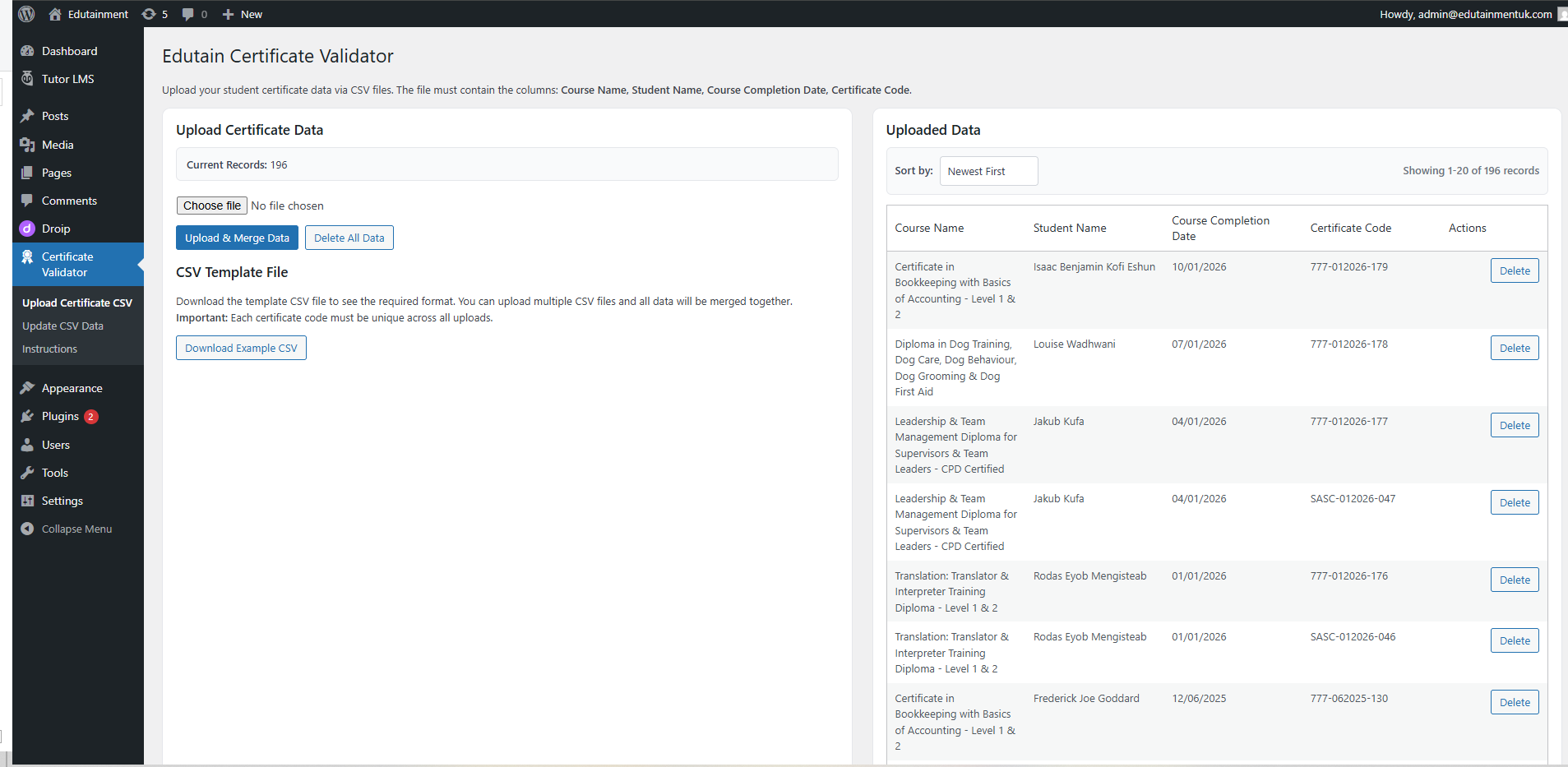
Upload your certificate CSV from the admin area. The page shows the current record count and a button to download an example CSV template.
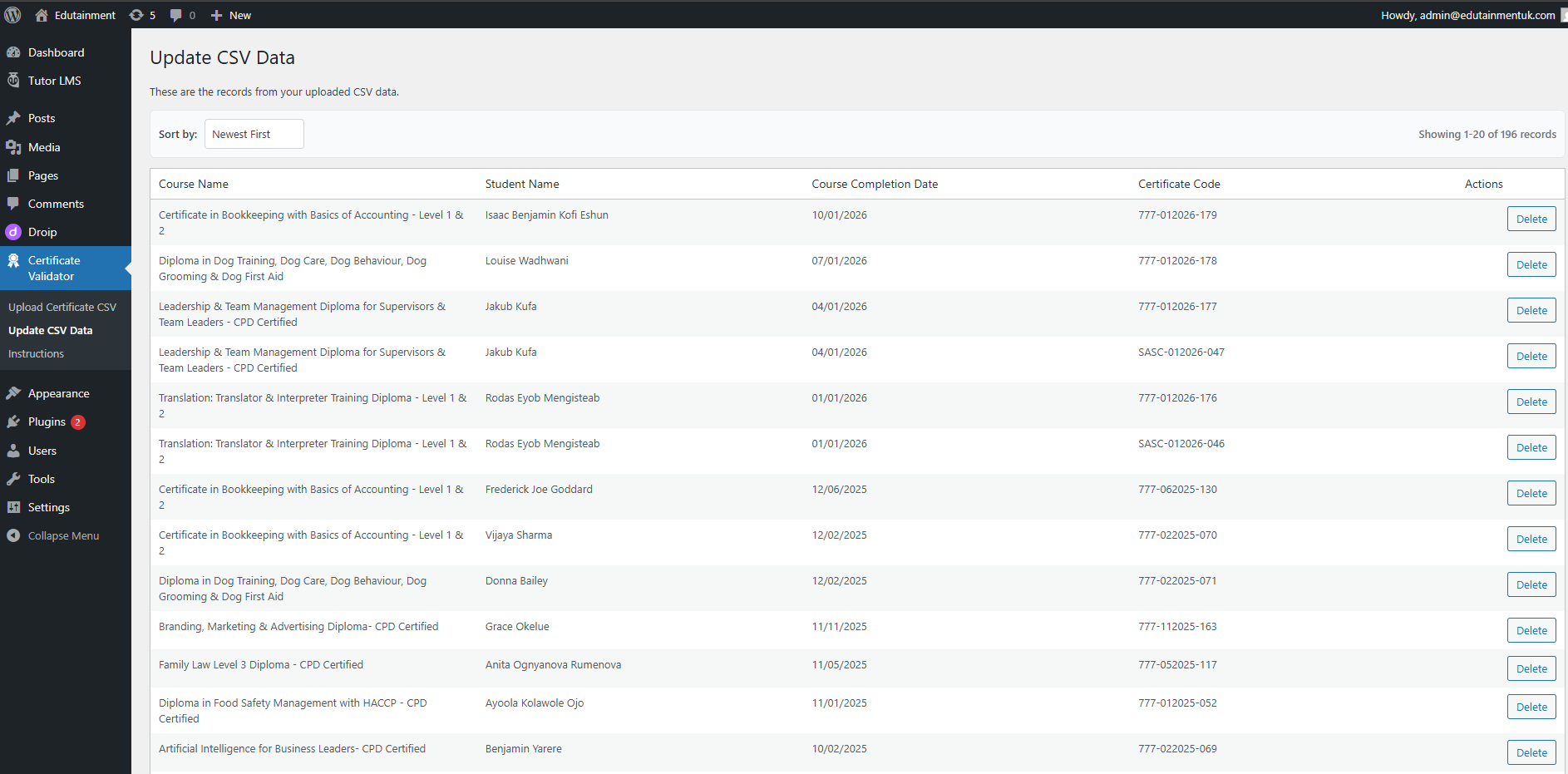
View, sort and paginate all uploaded certificate records. Each row can be deleted individually.
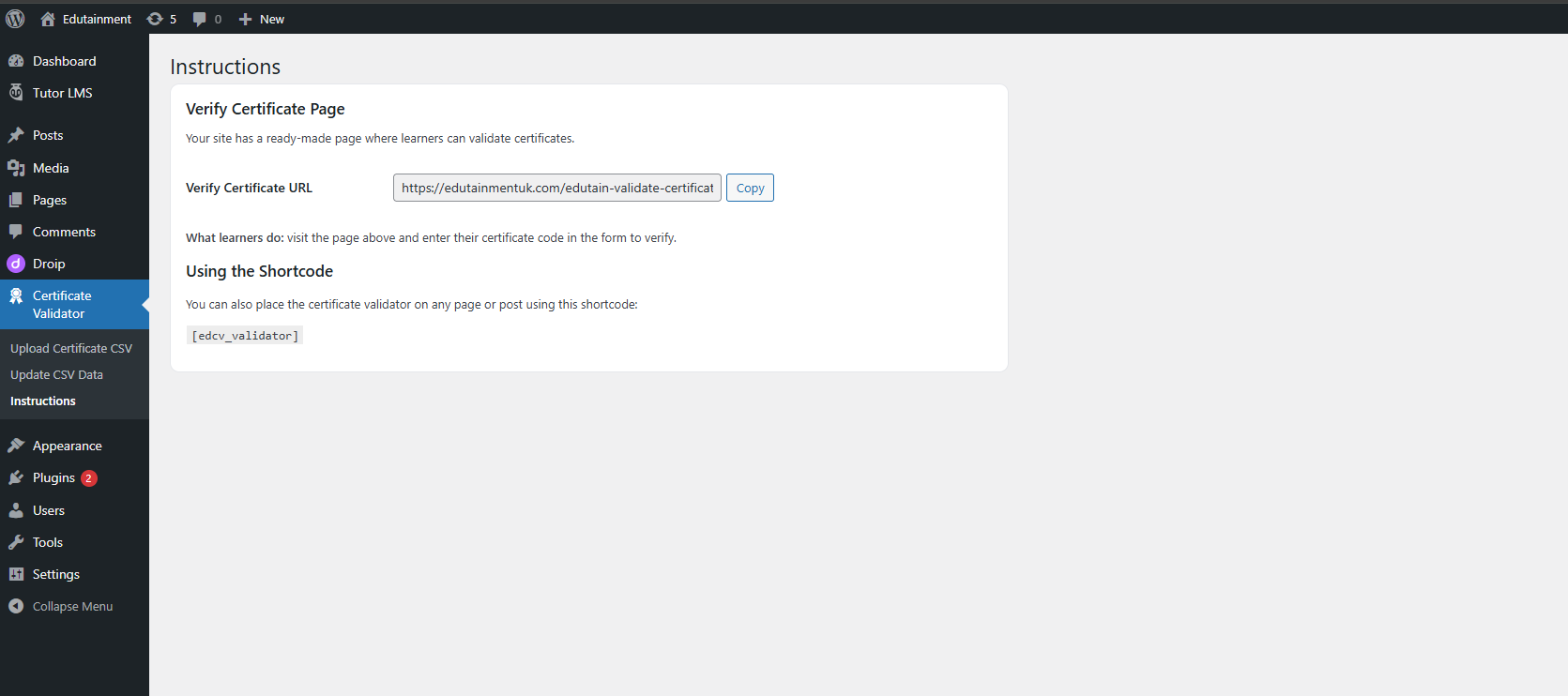
Instructions page showing the auto-created Verify Certificate URL and the shortcode to embed the validator anywhere.
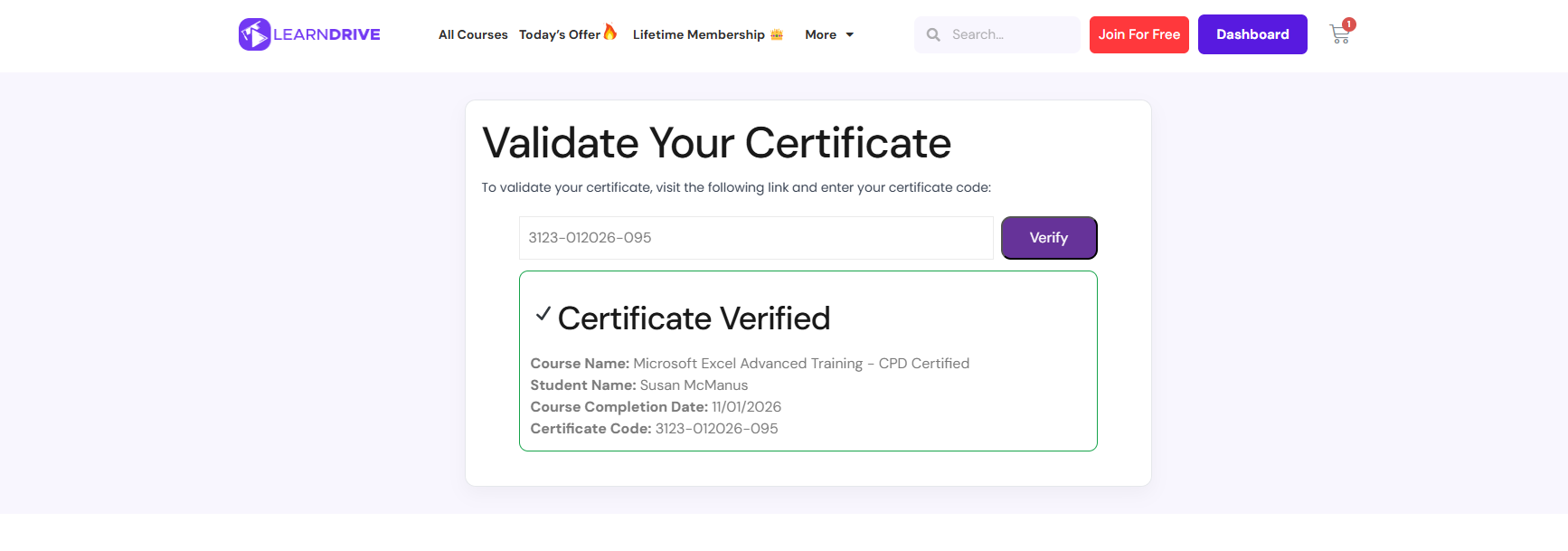
Public certificate verification form. Visitors enter their certificate code and get an instant pass/fail result.