
ELBWERK3D Terminkalender Wordpress Plugin - Rating, Reviews, Demo & Download

Plugin Description
ELBWERK3D Terminkalender lets visitors request appointments directly on your website. You review every request in the backend and decide whether to confirm, reject, cancel or reschedule it. The requester is notified by email at every step. The calendar automatically adapts to the fonts, colors and buttons of your theme.
The plugin interface is currently in German. All texts are translatable.
Frontend
- Month view that highlights days with free time slots
- Selection of free time ranges (start and end time)
- Multiple appointment types with individual durations (for example a 30 minute introduction call or a 60 minute consultation)
- Fully configurable request form with required fields and custom fields
- Consent checkbox with a link to your privacy policy page
- Customers can cancel their appointment themselves using a secure link
- ICS calendar file for Outlook, Apple Calendar or Google Calendar
- Block “Terminkalender” and shortcode
[elbwerk3d_terminkalender] - Accessible: keyboard navigation, ARIA labels and focus management
Backend
- Appointment list with status filters, search, bulk actions and CSV export
- Month calendar with all appointments
- Confirm, reject, cancel, reschedule or create appointments manually
- Add a meeting link (Teams, Zoom, Google Meet and others) and send it by email
- Personal message to the customer with every action
- Internal notes
- Dashboard widget with upcoming appointments
- Counter for open requests in the admin menu
Settings
- Business hours per weekday including breaks
- Time grid, buffer time, minimum notice and maximum booking window
- Blocked days and date ranges (holidays, vacation)
- All email templates editable with placeholders, including test emails
- Automatic reminders
- Optional automatic confirmation
Privacy and security
- Integration with the WordPress personal data exporter and eraser
- Suggested text for your privacy policy
- Optional automatic deletion of old appointments
- Spam protection without third-party services (honeypot, time check, rate limiting)
- No IP addresses stored, no external services, no tracking, no cookies
Screenshots

Calendar overview in the WordPress admin dashboard.
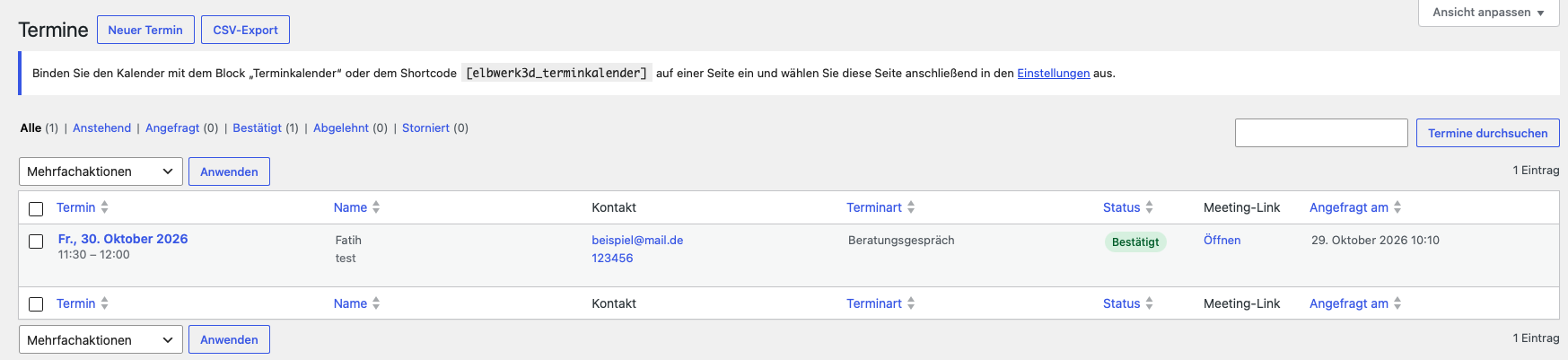
Appointment management in the WordPress admin dashboard.

Appointment scheduling in the admin backend.

Customer contact details form.
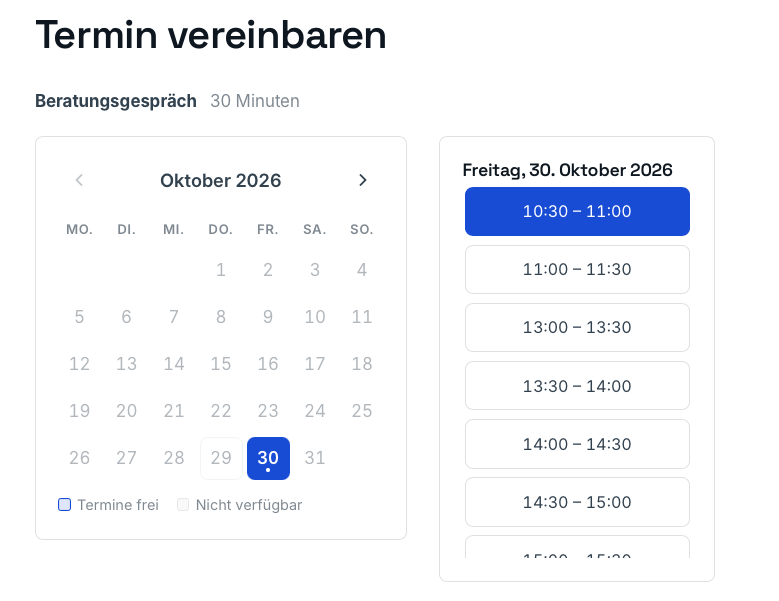
Frontend appointment scheduling form.

Appointment request confirmation.
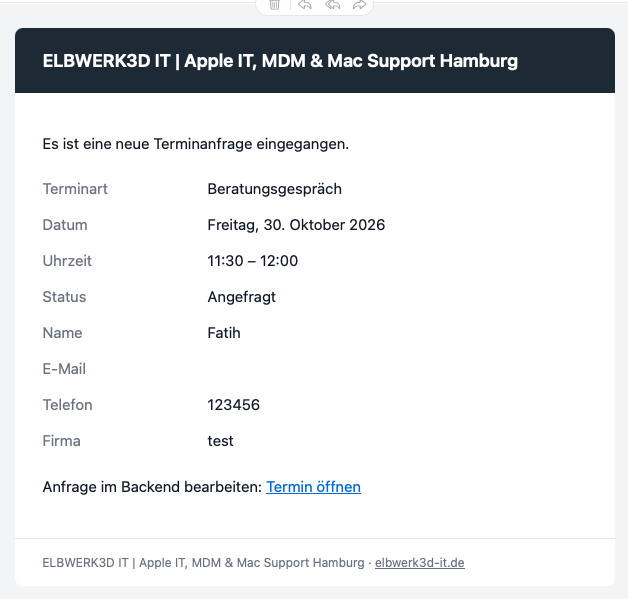
Email notification about a new appointment.
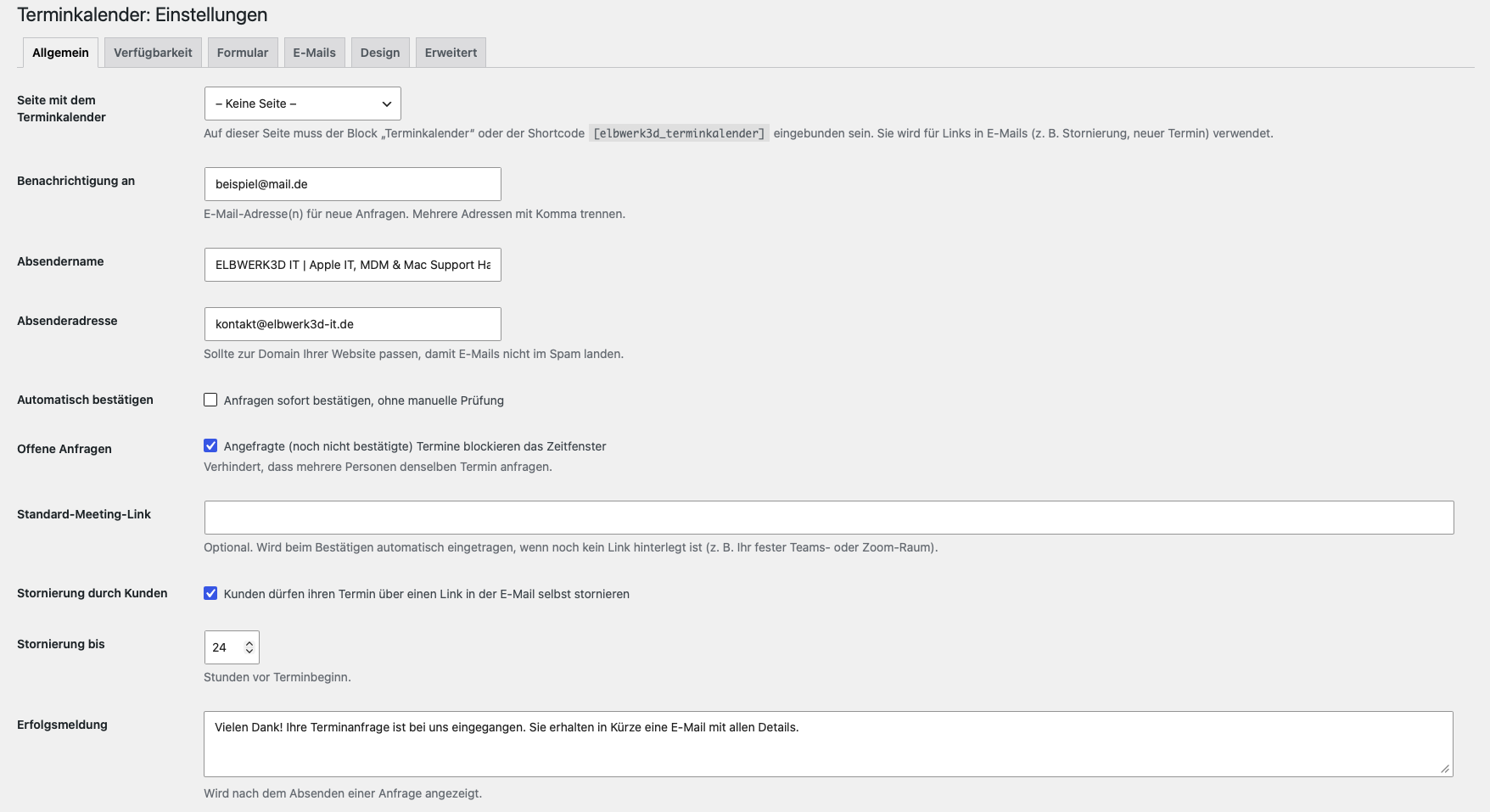
General plugin settings.
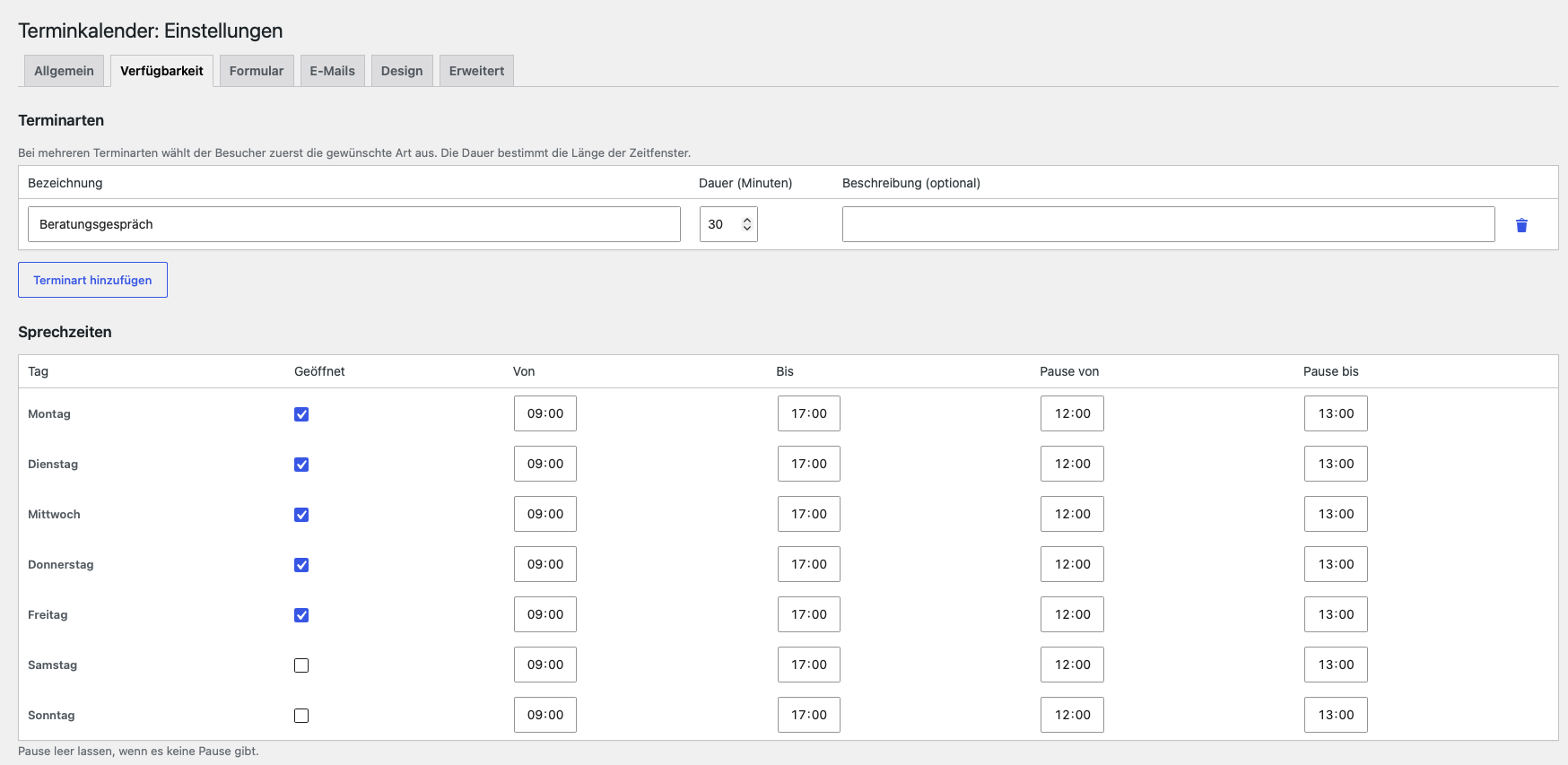
Availability settings – first section.
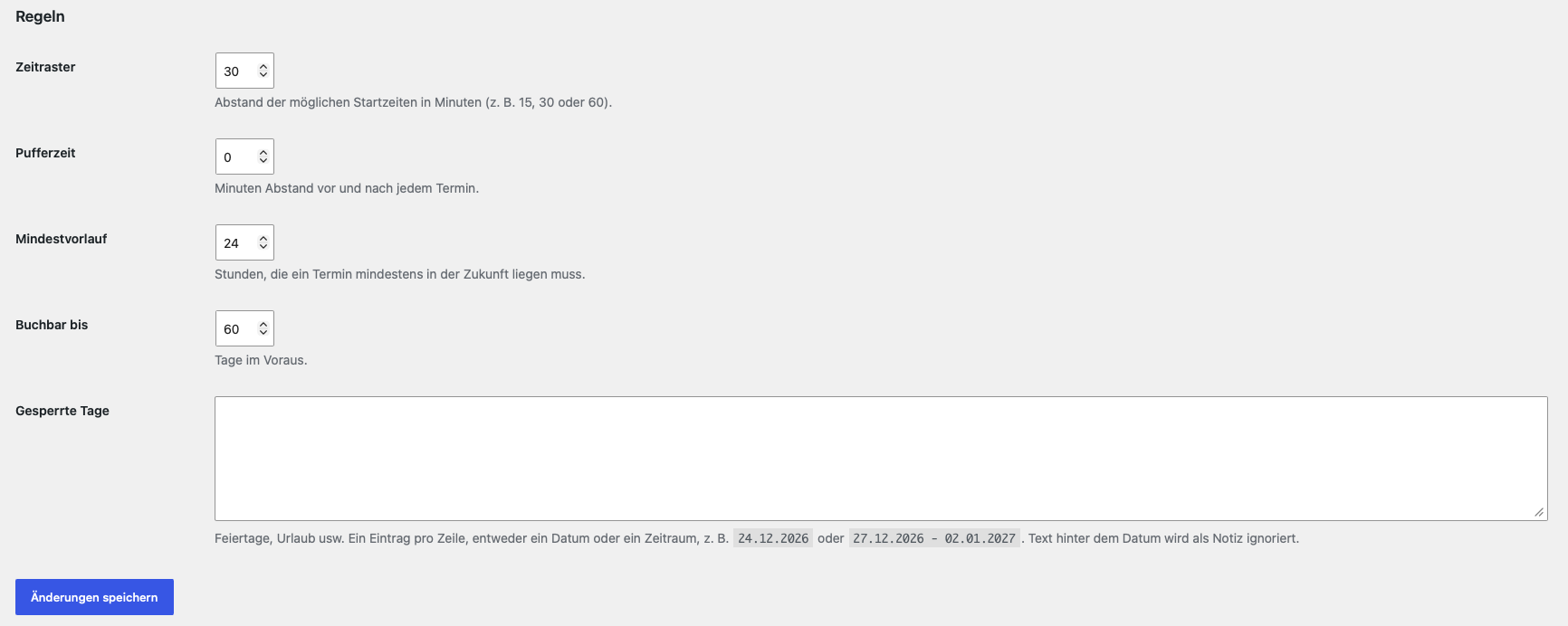
Availability settings – second section.
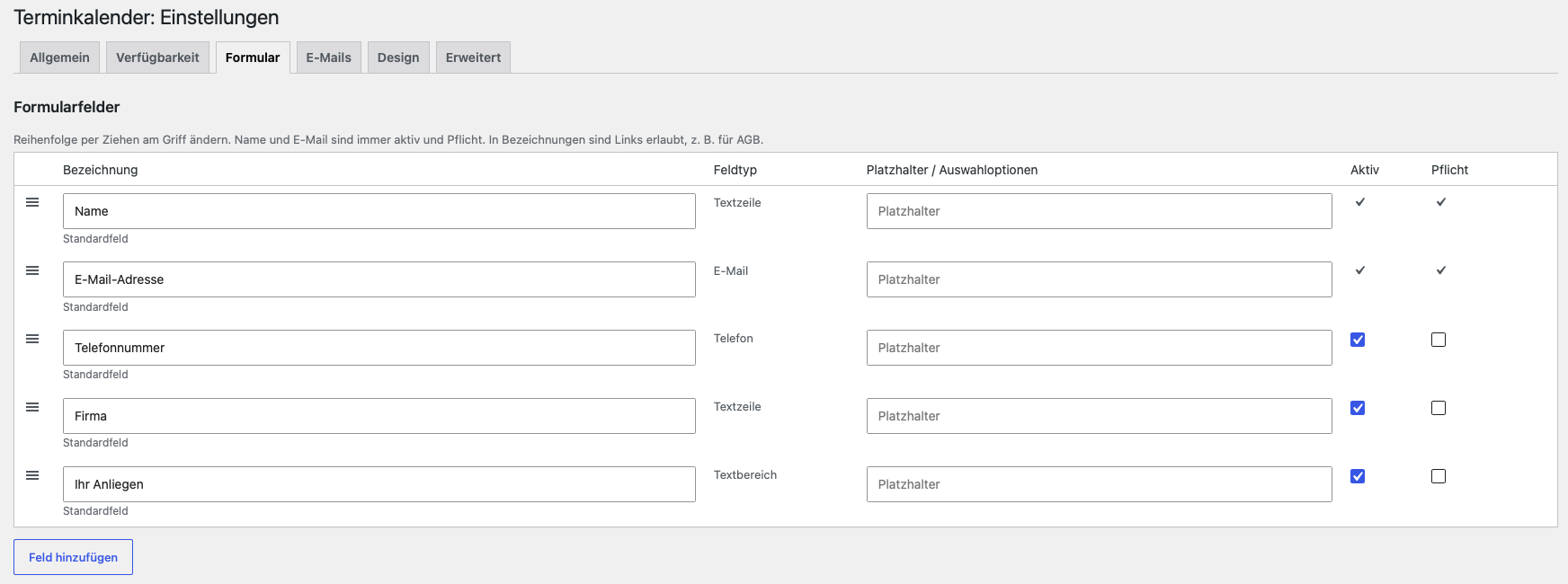
Form settings – first section.
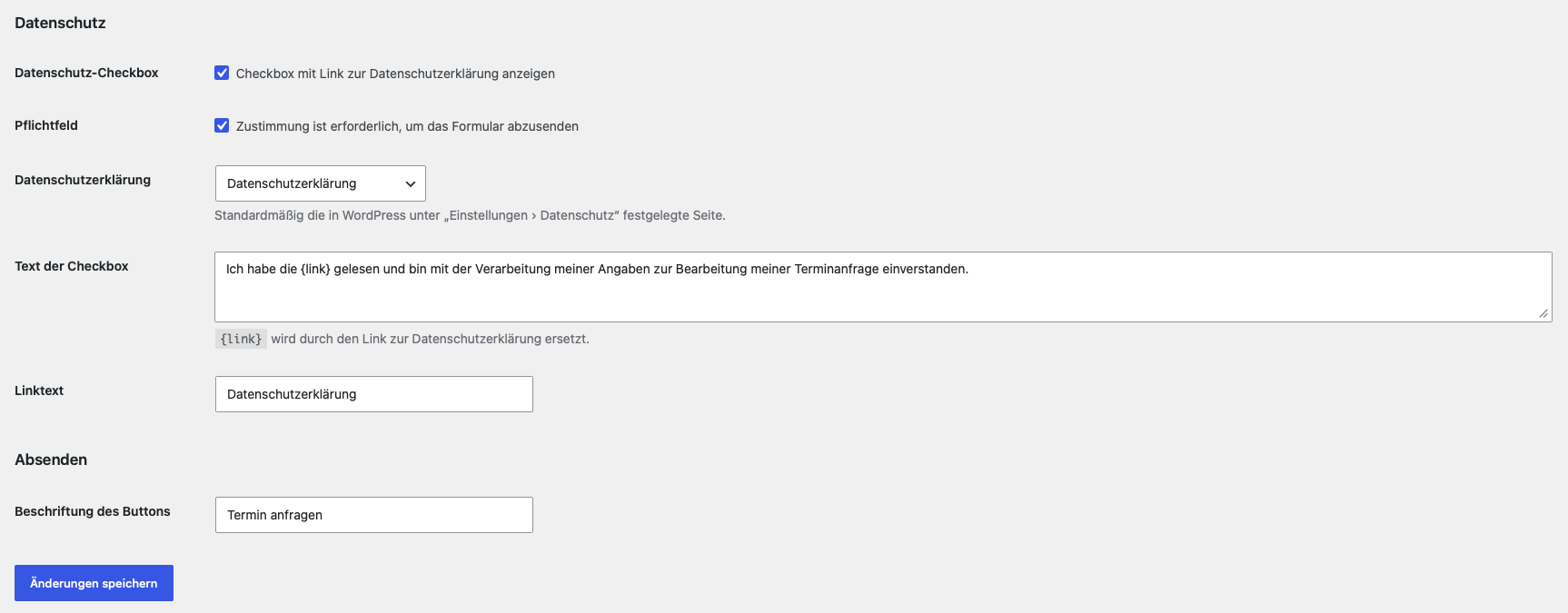
Form settings – second section.
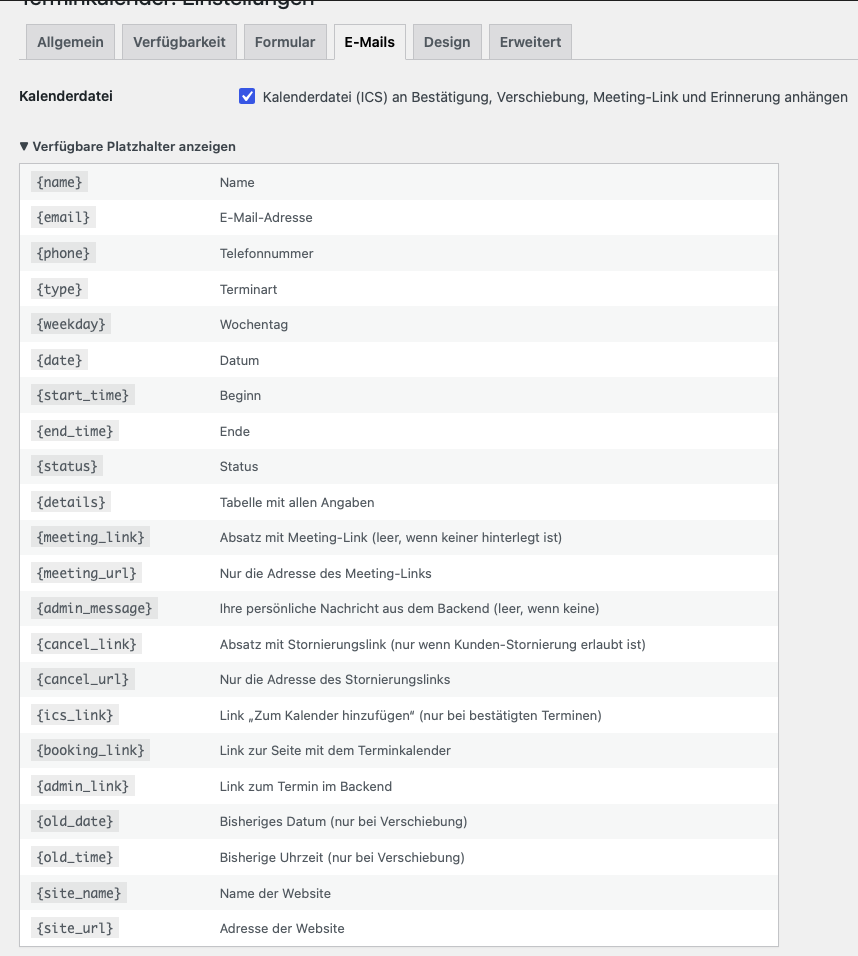
Email notification settings.
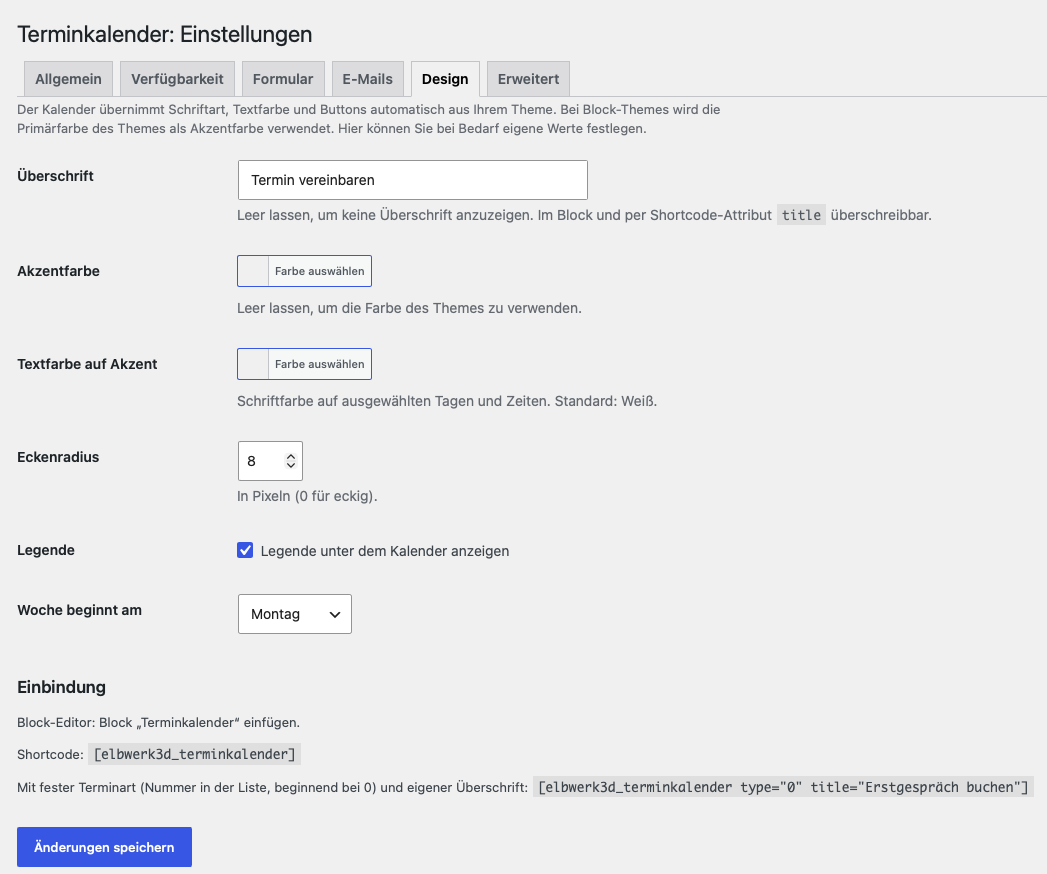
Calendar design settings.
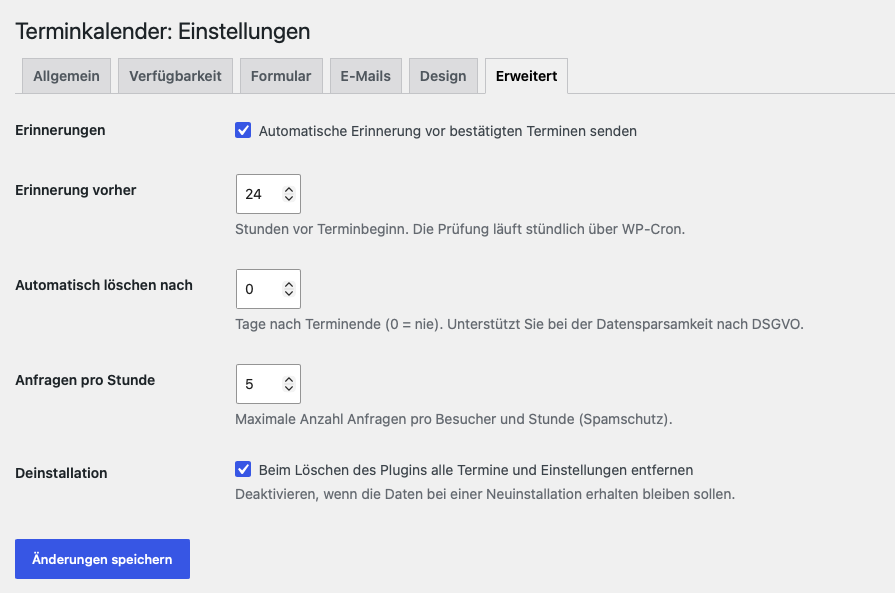
Advanced plugin settings.


