Enconvert HEIC To PNG Wordpress Plugin - Rating, Reviews, Demo & Download

Plugin Description
Let visitors upload a HEIC file and download the converted PNG, right from any WordPress page. The plugin renders a native form on your site and sends the file directly to the Enconvert API for conversion. No iframe, no extra tracking — just a clean form on your page.
How it works:
- Create a free Enconvert account.
- Generate a public API key (
pk_*) on your Enconvert API keys page. - Add your WordPress site’s domain to the key’s allowed-domains list.
- Paste the key into the plugin settings.
- Drop
[enconvert_heic_to_png]into any page, post, or shortcode block.
New to Enconvert? Visit the Enconvert homepage, or try this conversion online at enconvert.com/convert/heic-to-png.
Free tier available — 100 monthly conversions, no credit card. Paid tiers raise the limit and increase the max file size.
Third-Party Service
This plugin sends visitor-uploaded files directly from the visitor’s browser to the Enconvert API:
https://api.enconvert.com— receives the uploaded file and returns a presigned URL for the PNG download.
The visitor’s browser sends an X-API-Key header containing the public API key configured in plugin settings. The API validates the key and the requesting domain (the page’s origin) before accepting the conversion. Your WordPress server is not involved in the conversion request.
- Service: Enconvert — https://enconvert.com
- Terms of Service: https://enconvert.com/terms
- Privacy Policy: https://enconvert.com/privacy
By using this plugin, you and your visitors agree to Enconvert’s Terms of Service and Privacy Policy.
Screenshots

Settings page where you paste your public API key.
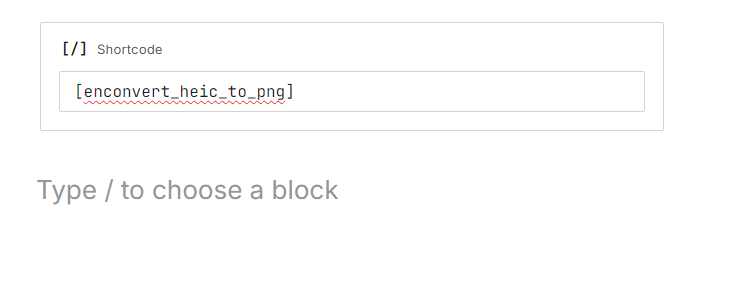
The Shortcode block in the WordPress block editor.
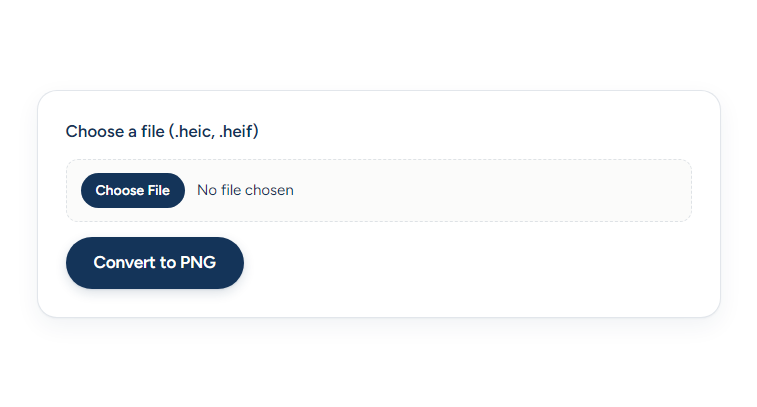
The live converter form on a published page, with the file picker and Convert button.