
EntrySaver Manager Wordpress Plugin - Rating, Reviews, Demo & Download
Plugin Description
EntrySaver Manager provides a convenient way for site administrators to view and manage Contact Form 7 form submissions directly from the WordPress admin area.
Instead of checking individual submissions through emails or other external systems, administrators can view entries for each Contact Form 7 form from a dedicated entries management interface.
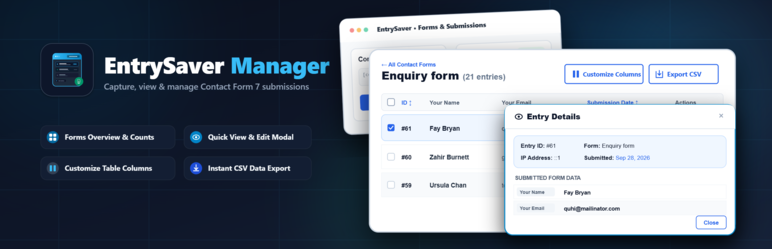
The plugin provides a forms dashboard, individual form entry listings, customizable columns, entry viewing and editing, entry deletion with confirmation, and CSV export.
Features
- View Contact Form 7 form entries directly from the WordPress admin.
- Dedicated dashboard displaying all Contact Form 7 forms.
- View total entry counts for each form.
- Display the form shortcode on the forms dashboard.
- Display the date and time of the latest submission.
- Quickly access entries using the “View Entries” button.
- View all entries for an individual Contact Form 7 form.
- WordPress-style admin table for displaying form entries.
- Customize which form fields are displayed as columns.
- Select or deselect fields for the entry listing.
- View selected fields directly in the entries table.
- View and Edit individual entries using an AJAX-powered modal.
- Delete individual entries with confirmation.
- Export form entries to CSV.
- Separate entry management for each Contact Form 7 form.
- Option to collect users’ personal data along with form submissions.
Forms Dashboard
The main EntrySaver Manager page displays available Contact Form 7 forms in an easy-to-use card-based interface.
Each form card provides:
- Form title
- Total number of entries
- Contact Form 7 shortcode
- Last submission date and time
- View Entries button
Clicking the “View Entries” button opens the dedicated entries page for that form.
View Form Entries
Each Contact Form 7 form has its own entries management page.
Entries are displayed using a WordPress admin-style table. The columns shown in the table can be customized based on the fields available in the selected Contact Form 7 form.
The entries table provides access to actions such as:
- View
- Edit
- Delete
Customize Columns
The “Customize Columns” option allows administrators to control which Contact Form 7 fields are displayed in the entries table.
Clicking the button opens a modal containing the available fields for the selected form.
Administrators can select the fields they want to display as columns. The selected columns are then displayed directly in the entries table.
This makes it possible to show only the information that is relevant for managing submissions.
View Entry
Individual entries can be viewed from the entries table using an AJAX-powered modal.
The modal displays the submitted information for the selected entry without requiring the administrator to leave the entries page.
Edit Entry
Administrators can edit an individual Contact Form 7 entry from the entries table.
The entry editing interface is opened in an AJAX-powered modal, allowing changes to be made without navigating away from the entries listing.
Delete Entry
Entries can be deleted directly from the entries table.
The plugin displays a confirmation before an entry is deleted to help prevent accidental removal of submissions.
Export Entries
Form entries can be exported as a CSV file using the “Export CSV” action available on the entries page.
The export contains the available entry information for the selected Contact Form 7 form.
Requirements
WordPress 6.7 or later
PHP 7.4 or later
Contact Form 7
Screenshots

Forms dashboard showing Contact Form 7 forms, entry counts, shortcodes, and latest submissions.

Individual form entries page showing submitted data.

Customize Columns modal for selecting visible fields.

View Entry modal displaying submission details.

Edit Entry modal for updating submission data.

Export CSV action for downloading form entries.

Settings to display forms with zero entries and to enable or disable the collection of users’ personal data along with form submissions.


