
EntryStage Wordpress Plugin - Rating, Reviews, Demo & Download

Plugin Description
EntryStage is an add-on for Gravity Forms. It displays the entries of a form on any page of your site, in a table that becomes a stack of cards on phones.
Everything is set up inside Gravity Forms, in one settings tab per form laid out as a workshop, step by step. No code is needed.
For the people who fill in your forms
- See the entries they submitted, sorted and split into pages, with picture thumbnails and file links.
- Open an entry to read it.
- Edit an entry in the original form: the form opens already filled in, and the changes are saved into the same entry.
- Duplicate an entry: the form opens filled in, and a new entry is created.
- Archive an entry (moved to the Gravity Forms trash, or deleted permanently if you prefer).
- Search the list.
For you
- Choose the columns, their order, width and display, and who sees the list: everyone, logged-in users or some roles; their own entries or all entries.
- A “My entries” page with the shortcode
[entrystage form="12" user="current"]. - An “EntryStage list” block for the block editor, with a live preview, as well as the shortcode.
- A personal space: several forms on one page, one tab per form with its number of entries, with
[entrystage forms="12,15" user="current"]. - A Print button: a clean printable page of the entries matching the filters.
- Three looks: the EntryStage style with your colours, a minimal style that takes the look of your theme, or no style at all.
- Optional protection of the file links of a form: only people who may see the entry can download its files.
EntryStage Pro
Follow every entry from start to finish. Requests, registrations, applications, orders: with EntryStage Pro, each entry gets a status of your own (for example Received, In progress, Done), shown as a coloured label. One click moves it to the next step, one tab per status counts what is waiting at each step, and every change is written in the notes of the entry. Your team sees at a glance what is left to do.
Also included: More details under each row, bulk actions, CSV export, drop-down and date filters, PDF links with Gravity PDF, custom icons, shortcode conditions and priority support.
EntryStage Pro will be available soon. It will replace this plugin and keep all your settings.
Requirements
- WordPress 6.2 or later, PHP 7.4 or later.
- Gravity Forms 2.5 or later (sold separately by Rocketgenius).
Screenshots
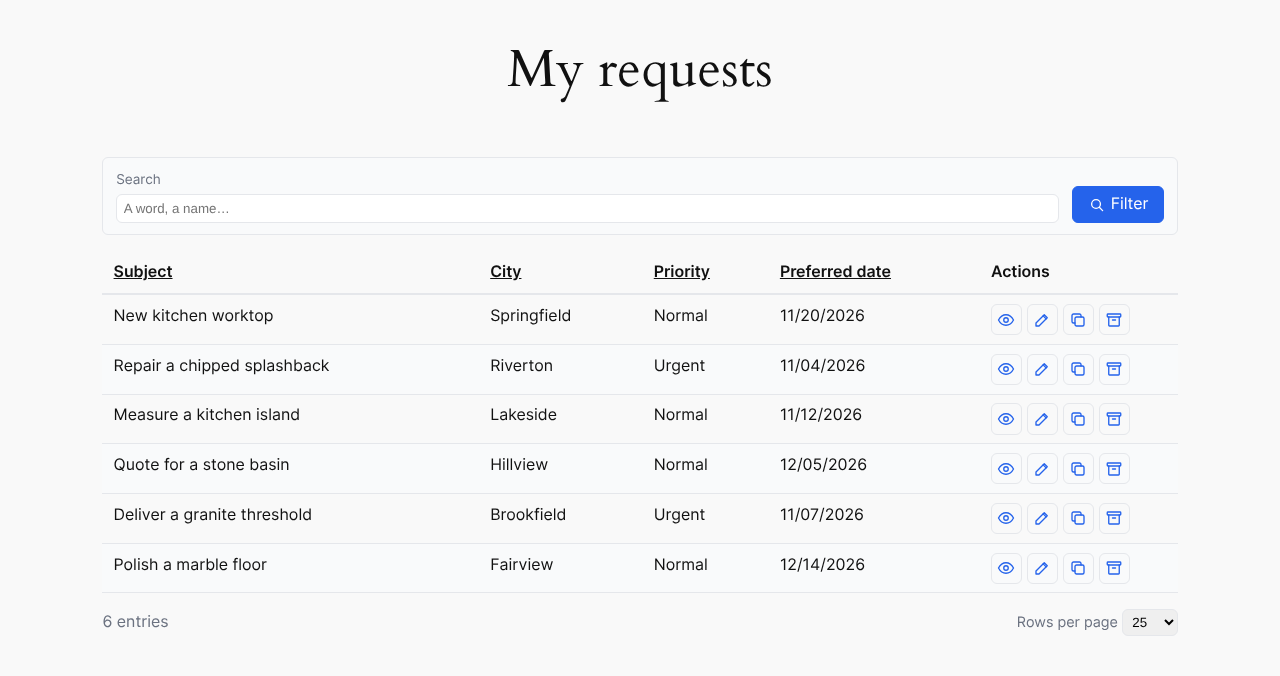
A list on the site, with the search box and the actions of each row.

The same list on a phone: each row becomes a card.
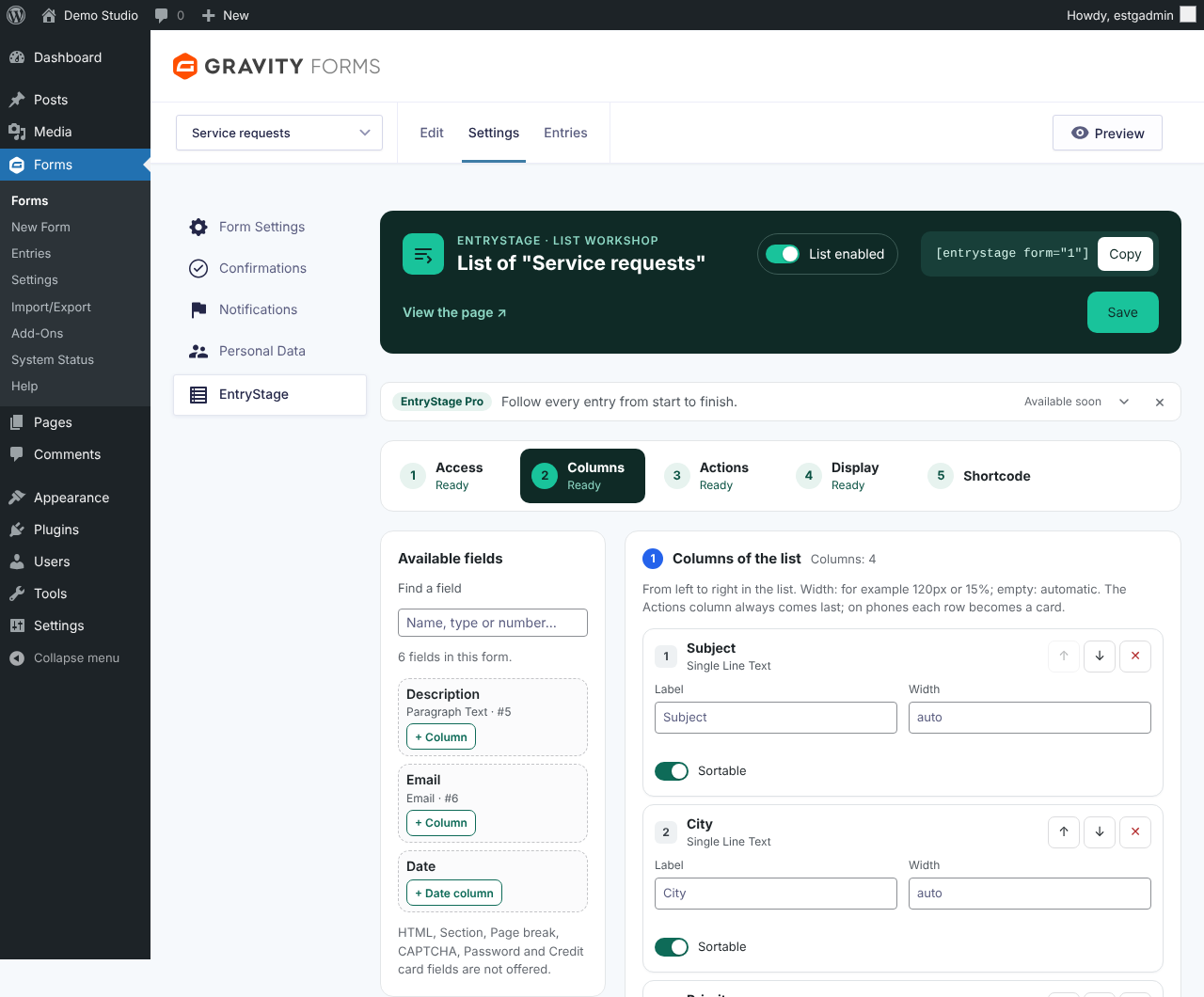
Settings of a form, step “Columns”: available fields and columns of the list.

Settings of a form, step “Shortcode”: the shortcode composer and examples taken from the form.
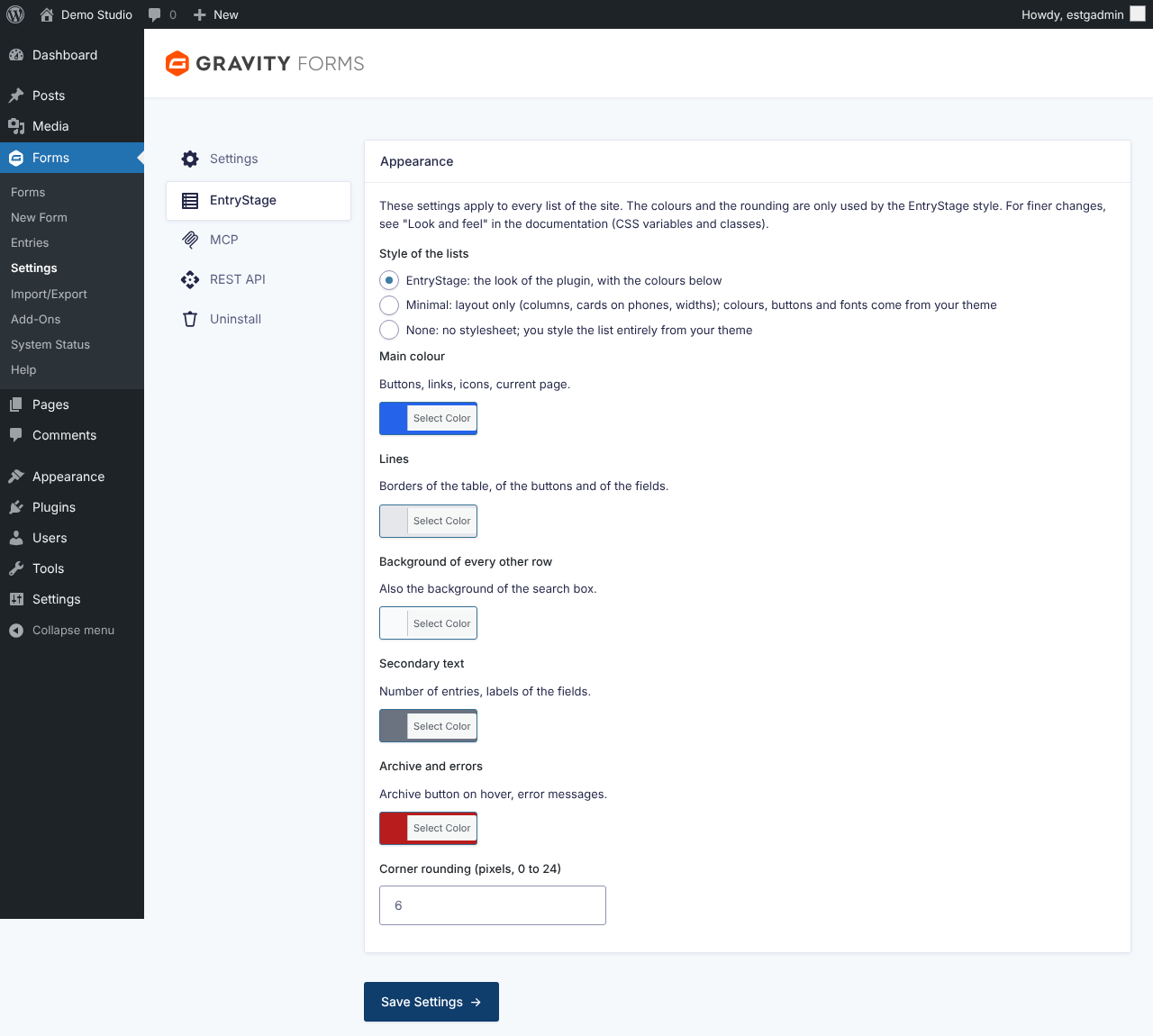
Plugin settings: style of the lists and colours.


