
EnvisaSoft Live Chat Wordpress Plugin - Rating, Reviews, Demo & Download
Plugin Description
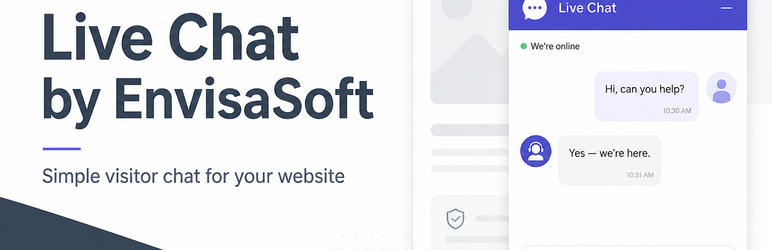
EnvisaSoft Live Chat connects your WordPress site to EnvisaSoft Live Chat. Visitors see a chat bubble on your public pages. You reply in the EnvisaSoft Inbox.
This plugin does not run a chat server inside WordPress. It does not store conversations, create visitor accounts, or open WebSockets from PHP. After you connect, WordPress loads the EnvisaSoft visitor widget:
https://chat.envisasoft.com/widget.js
Connect your WordPress site
- Sign in or create your EnvisaSoft account
- Select an existing website or create one
- Connect this WordPress site
- Your EnvisaSoft Live Chat widget is ready
Agents reply at https://chat.envisasoft.com/dashboard.
Pricing
EnvisaSoft Live Chat includes a 14-day free trial. After the trial, the published price is $4.99 USD/month per active website. Visitors are not billed. Agents are not billed. Additional websites can be connected and are billed separately at $4.99/month each.
Creating a WordPress account or installing this plugin does not collect a card. Billing is handled in your EnvisaSoft account.
Features
- Connect EnvisaSoft without copying a Site ID
- Real-time visitor chat on public pages
- Customer Inbox on EnvisaSoft
- Optional bubble position, color, and title
- Advanced / Manual Setup for existing Site IDs
- Disconnect and reconnect without deleting your EnvisaSoft website
- No WordPress database tables for conversations
- No bundled JavaScript chat UI
This plugin is provided by Author Elixir Inc. (EnvisaSoft). It is not affiliated with or endorsed by WordPress.org.
Configuration
Connect EnvisaSoft is the primary setup. Existing installations that already saved a Site ID continue to work and are shown as connected manually.
Disconnect removes the local connection and turns the widget off. It does not delete the website in EnvisaSoft. You can connect again later.
Widget appearance settings in WordPress are a starting point. Appearance saved in your EnvisaSoft dashboard continues to apply.
External Service
This plugin connects to the EnvisaSoft Live Chat service at:
The service provides account connection (Connect EnvisaSoft), visitor sessions, conversations, message delivery, and live-chat functionality. The plugin loads this external script because the chat product is the EnvisaSoft service, not a chat engine inside WordPress:
https://chat.envisasoft.com/widget.js
Connect EnvisaSoft uses a secure authorization flow (OAuth with PKCE). WordPress sends this site’s public website address and the admin callback URL so EnvisaSoft can authorize the correct website. EnvisaSoft passwords are not stored in WordPress. No client secret is included in the plugin.
When the widget is active, visitor interaction with the chat may transmit information to EnvisaSoft, including chat messages and information necessary to maintain the visitor’s chat session and conversation.
Service: https://chat.envisasoft.com
Company: https://envisasoft.com
Privacy Policy: https://chat.envisasoft.com/privacy
Terms of Service: https://chat.envisasoft.com/terms
Help: https://chat.envisasoft.com/help
Privacy
This WordPress plugin does not create visitor accounts or store chat conversations in the WordPress database.
When an administrator uses Connect EnvisaSoft, EnvisaSoft may process:
- The public WordPress website address
- The WordPress admin callback URL used to return to Settings Live Chat
- The EnvisaSoft account used to authorize the website
- The selected or created EnvisaSoft website name
When a visitor uses the chat widget, EnvisaSoft may process:
- Visitor name, if the visitor provides one
- Visitor email, if the visitor provides one
- Chat messages
- Conversation identifiers needed to continue the thread
- Current page URL and page title, when the widget sends them
- Technical information required for the chat connection (including a visitor session token stored in the visitor’s browser)
The plugin itself does not send analytics, telemetry, or unused tracking requests. External requests are limited to the documented EnvisaSoft chat service and, when an administrator connects or disconnects an account, the EnvisaSoft authorization endpoints.
Screenshots

Settings → Live Chat — Connect EnvisaSoft.

Connected status with website details, Open Inbox, and Disconnect.

The EnvisaSoft Live Chat widget on a public WordPress page.


