Excise Tax By Token Of Trust Wordpress Plugin - Rating, Reviews, Demo & Download
Plugin Description
This plugin calculates excise taxes for WooCommerce stores selling regulated goods
such as vape, nicotine pouches and hemp products.
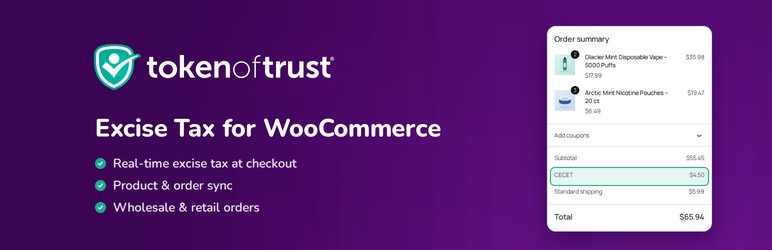
- Real-time calculation – Excise taxes are calculated at checkout, for both the legacy and block-based WooCommerce checkout.
- Product syncing – Product attributes needed for excise tax calculation are synced to the Token of Trust Excise Tax Products Dashboard.
- Order syncing – Orders are reported to the Token of Trust Excise Tax Calculator as they are placed, paid, fulfilled and refunded, for reconciliation and reporting.
- Wholesale and retail – Configure which WordPress roles are treated as wholesalers so orders are taxed correctly.
This plugin can run on its own, or side-by-side with the main Token of Trust plugin.
When the main Token of Trust plugin is active, it provides the tax functionality and
this plugin stays out of the way.
You need an active Token of Trust account to use this plugin.
External services
This plugin is a client for Token of Trust, a paid excise tax service. Excise
tax rates depend on product classification and on state, county and city rules
that change continually, so the calculation is performed by Token of Trust
rather than in your WordPress install. The plugin cannot calculate excise tax on
its own, and no feature of the plugin is locked behind a payment check.
Nothing is sent anywhere until you enter a Token of Trust license key or choose
to create an account in the setup wizard. On a fresh install this plugin
contacts no external service at all.
Token of Trust (tokenoftrust.com)
The plugin talks to two Token of Trust hosts: app.tokenoftrust.com for your
live account and sandbox.tokenoftrust.com for test mode. It contacts them as
follows.
- Creating an account – if you create an account through the setup wizard,
the plugin sends your store’s domain, your site title, the name and email
address of the WordPress administrator completing the form, and the plugin’s
version, and then the confirmation code emailed to that address. - Licensing – when your license key is saved or refreshed, the plugin sends
the license key and your store’s domain to both hosts to confirm the account
and retrieve the live and test API credentials used by the calls below. - Calculating excise tax – at cart and checkout, and again after payment,
the plugin sends the shipping or pickup address for the order, and for each
line item the quantity, unit price, discounted price, product ID and SKU, plus
whether the order is wholesale or retail and an internal reference for the
order, which can include the customer’s WordPress user ID. It receives back
the tax amount and the label shown on the order. - Recording orders – order syncing is on by default, and stays on while
Token of Trust is collecting excise tax for your account. While it is on, the
plugin sends a record of each order as it is placed, paid, fulfilled or
refunded: the customer’s first and last name, the shipping address, the line
items above with shipped and refunded quantities, the tax collected, and the
order date. This is what the Token of Trust Excise Tax Calculator reconciles
against. You can also send the orders from a date range yourself. - Syncing products – when product syncing is enabled, the plugin sends the
excise tax attributes you enter on each product, along with its name and SKU,
and when you open a product it fetches the attributes stored for its SKUs. - Receiving updates – Token of Trust can call your site at
/token-of-trust/webhooks to tell it that your account settings changed, to
ask for the orders from a date range to be sent again (only while order
syncing is on), or to turn on debug logging for a set number of hours. Debug
logs are kept in your WordPress database and shown on the plugin’s Logs
screen. These requests are rejected unless they carry a valid signature.
Token of Trust: https://tokenoftrust.com/
Terms of service: https://tokenoftrust.com/legal/end-user-terms/
Privacy policy: https://tokenoftrust.com/legal/privacy-policy/
Source code
The setup wizard is a React application. The plugin loads the compiled bundle
from Admin/SetupWizard/build/, and its full, human-readable source ships with
the plugin in the source/ directory:
source/tax-wizard/– the Excise Tax setup wizard.source/wizard-ui/– shared components the wizard is built from.
To rebuild the bundle, install Node.js 16 or later, then run
npm install && npm run build inside source/tax-wizard/. The build writes
to Admin/SetupWizard/build/, replacing the shipped files.
Screenshots

The setup wizard once your Token of Trust account is connected and excise tax collection is live.

Excise tax attributes on the WooCommerce product editor. The fields change to match the product type, and are synced to your Token of Trust Products Dashboard.

Excise tax calculated in real time at checkout, shown as its own line in the order summary.

The excise tax saved on the order as a fee line.

Excise tax settings: roles treated as wholesalers, product syncing and order syncing.