F12 Shop Search Wordpress Plugin - Rating, Reviews, Demo & Download
Plugin Description
The built-in WordPress search finds a title when it is typed exactly as
written. It does not find the SKU, the category, or the word with a typo.
F12 Shop Search turns it into a shop search that understands what your
customers mean – and shows you what they did not find.
Everything runs in your own WordPress database. The plugin contacts no
external service.
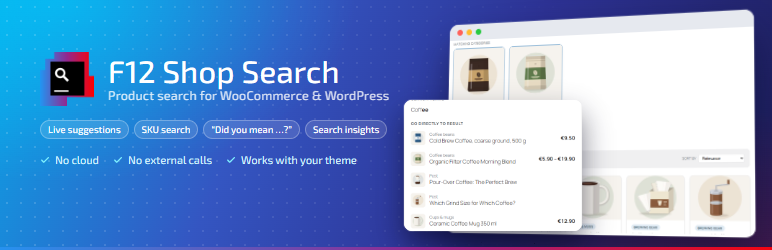
As you type
- Suggestion list from two characters on: word completions and the
matching products with image, price, “Sale” and “Out of stock”, plus the
SKU when it was what matched. - Popular products on the first click into an empty search field
(optional). - Width, corner radius and colors of the list are adjustable, with a live
preview. - Cached and rate-limited, so a script hammering the endpoint does not slow
down your shop.
What is found
- SKUs, including those of variations – the product is found.
- Categories and tags as search text; matching categories as cards above
the results. - Relevance: a full title match ranks before an SKU, before a category,
before body text. - “Did you mean …?” for typos, checked against the actual number of
results – no guessing.
On the results page
- Tabs per section (All · Products · Posts · Pages …) with result counts;
“All” as a grouped overview. Sections combine any content types. - Sorting, unit price, pack sizes and badges on the product card.
- Empty state with tips and categories instead of a dead end.
- The plugin’s own results page, your theme’s, or a page you design
yourself, with any theme – tested with Twenty Twenty-Five and Twenty
Twenty-One.
Insights
- Search log in your own database: frequent searches and searches without
results for the last 7, 30 or 90 days – the list that tells you which
products or words your shop is missing.
Fits in
- Blocks for the block editor, Elementor widgets and shortcodes.
- Every setting is also available as a filter hook – for developers. A
filter always wins over the setting; the hook name is shown next to each
field.
Source code and third-party software
The settings screen is a React application. Its readable source code is in the
src/ folder of the plugin; build/index.js is generated from it. To rebuild:
npm install && npm run build (Node.js 18 or later; the help chapters in
hilfe/ are turned into src/hilfe/inhalt.generated.js by
tools/hilfe-bauen.mjs).
Bundled with the plugin:
- Inter variable font (
build/fonts/) – SIL Open Font License 1.1,
https://openfontlicense.org - lucide-react icons – ISC license
- react-router – MIT license
- WordPress packages (
@wordpress/components,element,i18n,api-fetch) –
GPL-2.0-or-later
The plugin’s own code is licensed under GPL-2.0-or-later.
Screenshots
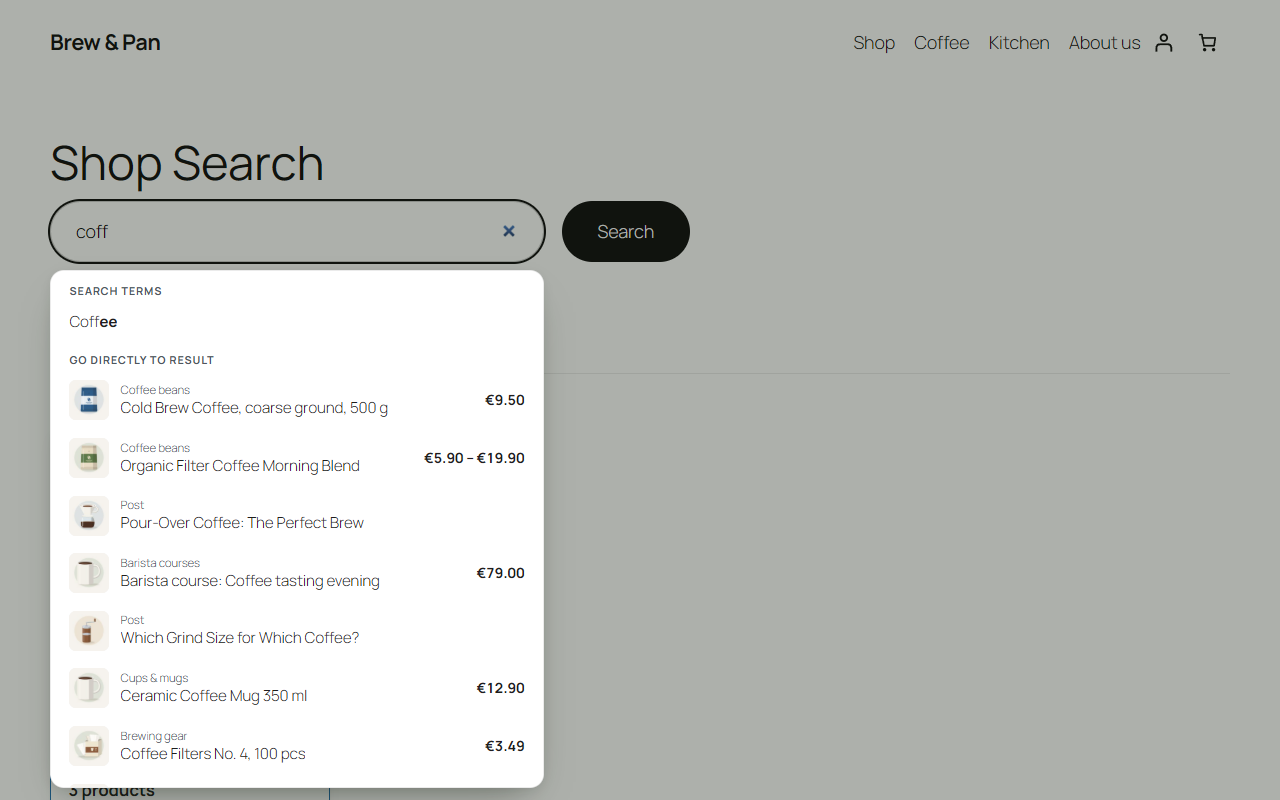
The suggestion list as you type – completions and products with image and price.
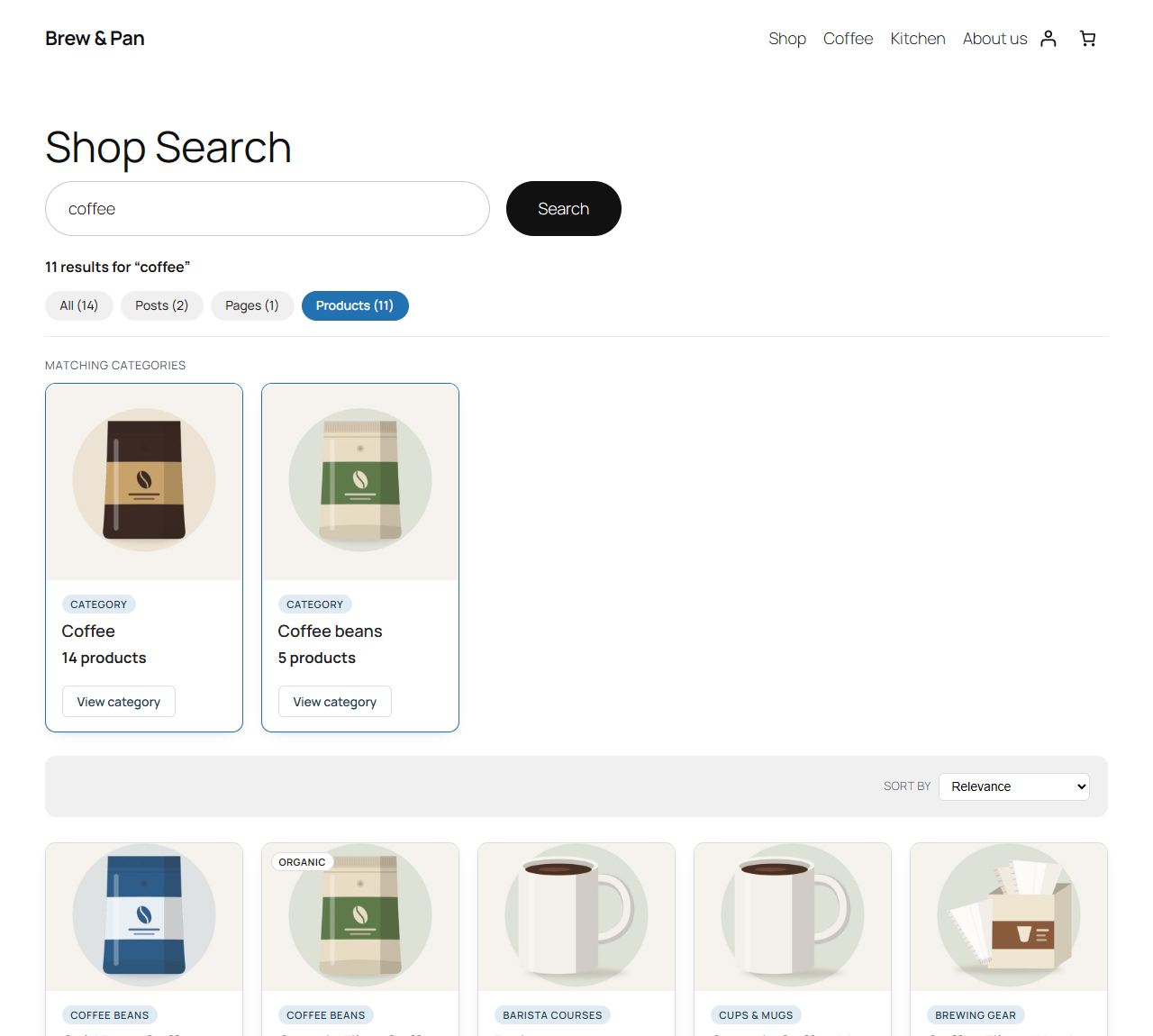
The results page with tabs per section, category cards and sorting.
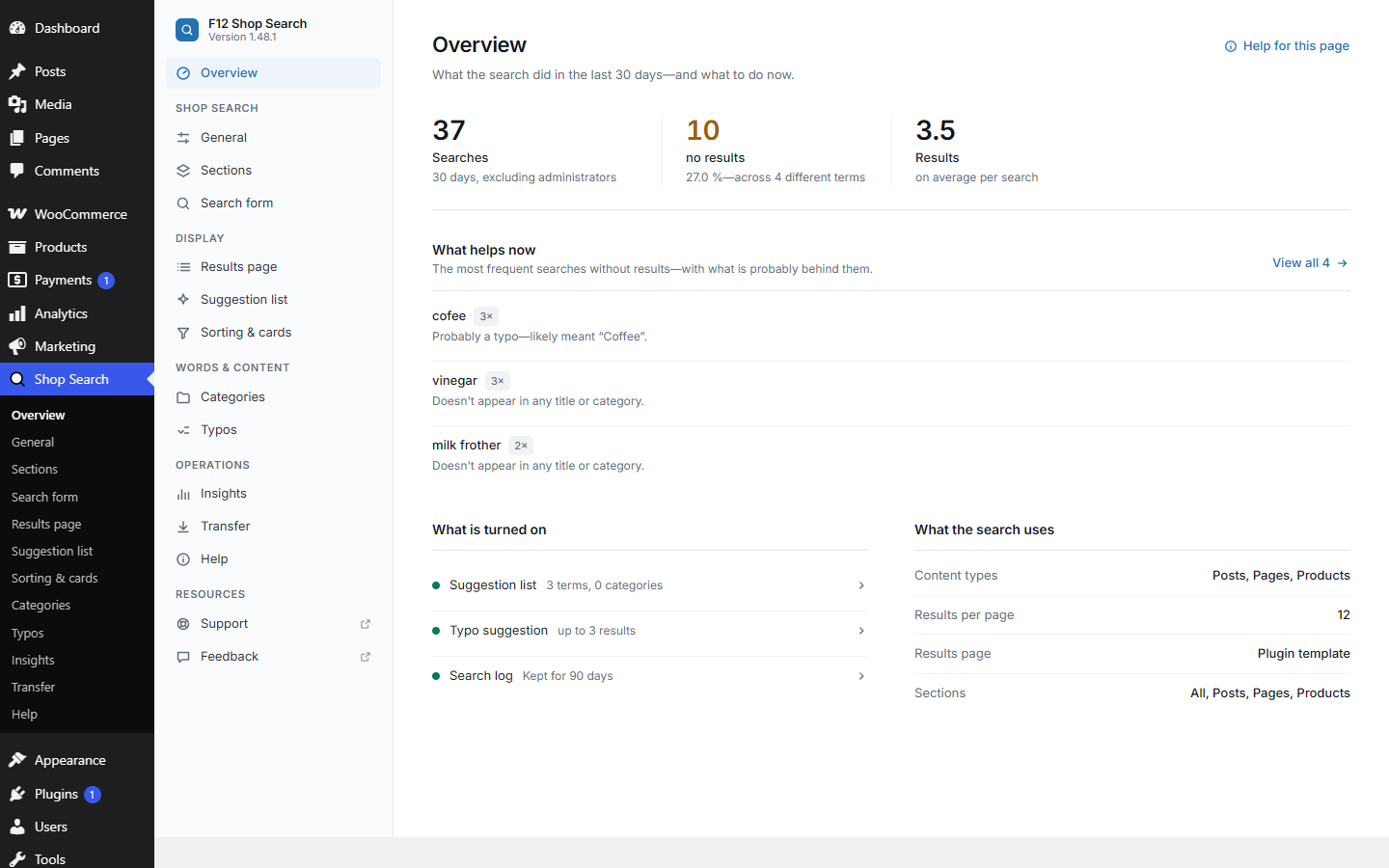
Overview: what the search did in the last days and what would help now.
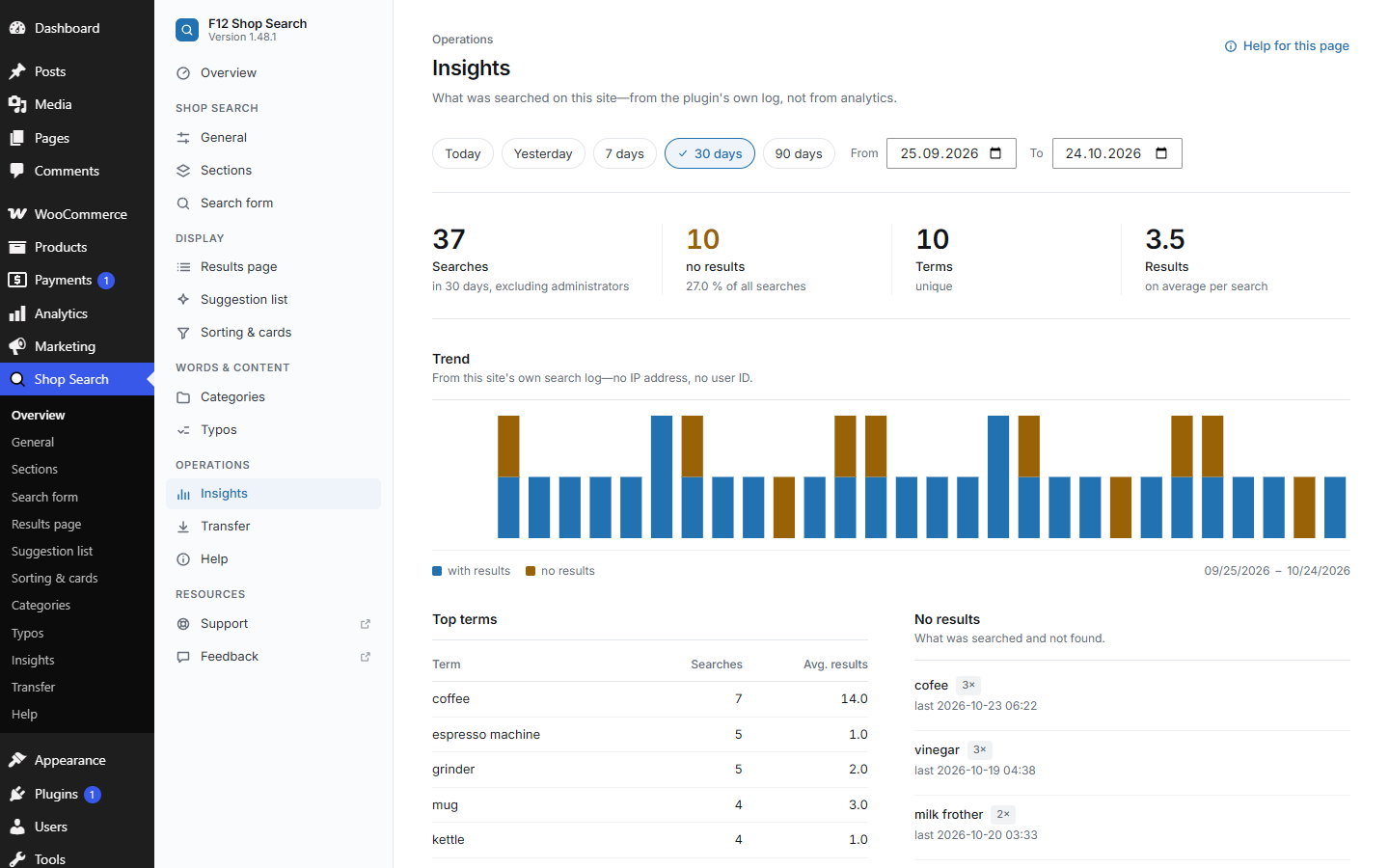
Insights: frequent searches and searches without results.
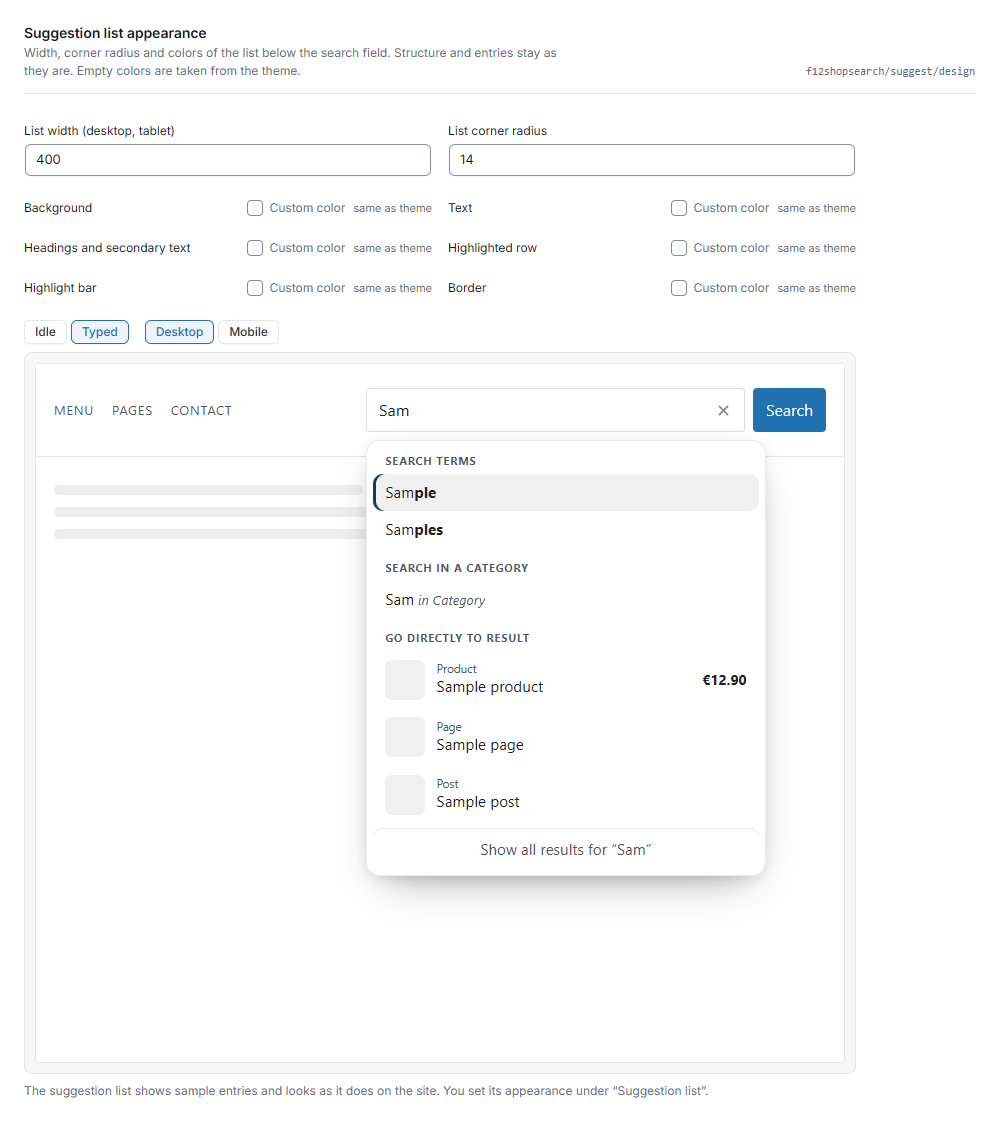
Settings for the suggestion list, with live preview.