Fair Member Fees Wordpress Plugin - Rating, Reviews, Demo & Download

Plugin Description
Clubs live from the work of their members. Fair Member Fees rewards it: every member records the hours they volunteered, and the membership fee of each member is calculated from them. Whoever works for the club pays less; whoever does not, pays twice the base fee – paying instead of working is never the cheaper choice.
Features
- Membership register with regular and honorary members (honorary members pay no fee).
- Full history of every member: joined, membership type changed, membership ended, rejoined – each with the date of the change, who recorded it and when.
- Volunteer hours recorded by the members themselves, or by administrators and editors for anybody.
- Fair calculation of the fees for any period (season), see below.
- Optional discount for the members with the lowest fees.
- Online payment of the fee through Stripe Checkout; cash and bank payments recorded by administrators and editors.
- Five blocks, all set up in the block settings – no shortcodes:
- Membership fees – the fee table of a period; its payment button is turned on once the hours of the period are closed,
- Volunteer hours form,
- Volunteer hours list,
- Members list,
- Fee calculation explained – the method on an example with your own numbers.
- Ready for translation.
How the fee is calculated
- Expected total = base fee × number of regular members.
- Share of hours = hours of the member / hours of all regular members.
- Unreduced fee = expected total × (1 − share of hours).
- The unreduced fees add up to more than the expected total; the difference is taken off every fee equally. No fee goes below zero (the rest is shared by the others).
- A member without any recorded hours in the period always pays twice the base fee.
Whoever does not volunteer pays twice the base fee, so paying instead of working is never the cheaper choice. Hours of honorary members and non-members are shown in the totals but do not change the fees.
Discount (optional)
Set a share of members (e.g. 60 %) and a discount (e.g. 20 %) in the Membership fees block: the given share of regular members with the lowest fees pays the given percentage less. Members with the same fee as the last of them get it too; members without hours never get it. The discount is not added to the fees of the others.
Instead of the percentage, you can set the total to collect: the discount of the same members is then calculated so that all regular members pay exactly this amount together (for example to give back what the double fees of members without hours brought above the expected total).
External services
This plugin connects to Stripe (https://stripe.com) to let members pay their membership fee by card. It is used only when you enter a Stripe secret key in the plugin settings.
- When a member clicks the payment button, the plugin sends to Stripe: the amount and currency, the name of the payment (“Membership fee” and the period), the member’s e-mail address, the member ID and the period, and the addresses of your page to return to. The member then enters the card details directly on the Stripe payment page.
- When the member returns, the plugin asks Stripe whether the payment was completed. Stripe also sends the result to the webhook address of the plugin.
Stripe terms of service: https://stripe.com/legal/ssa – Stripe privacy policy: https://stripe.com/privacy
Source code
The editor scripts in build/ are compiled from the human-readable sources in src/ (included in the plugin) with @wordpress/scripts (npm install, npm run build). The development repository is public: https://github.com/globus2008/fair-member-fees
Screenshots
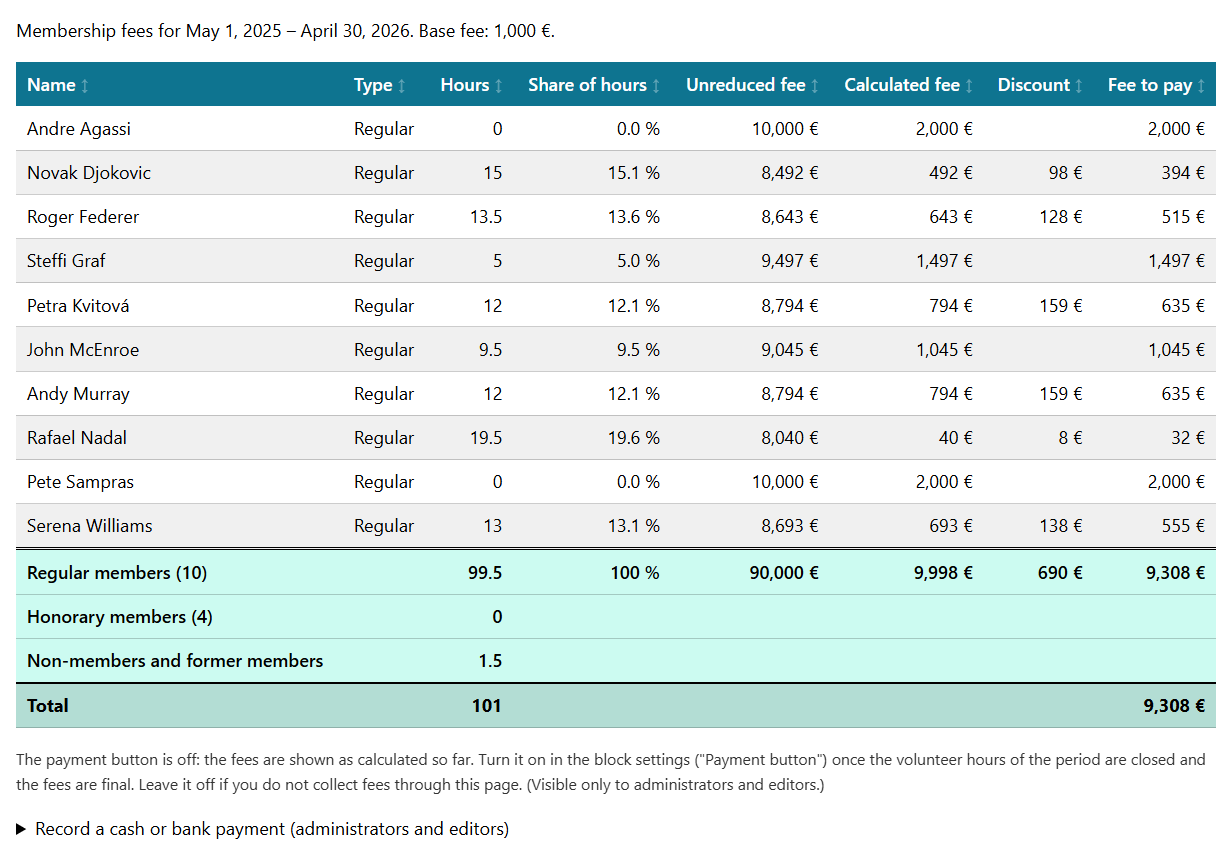
The Membership fees block: the fee of every member calculated from the volunteer hours, with the optional discount and the totals rows.
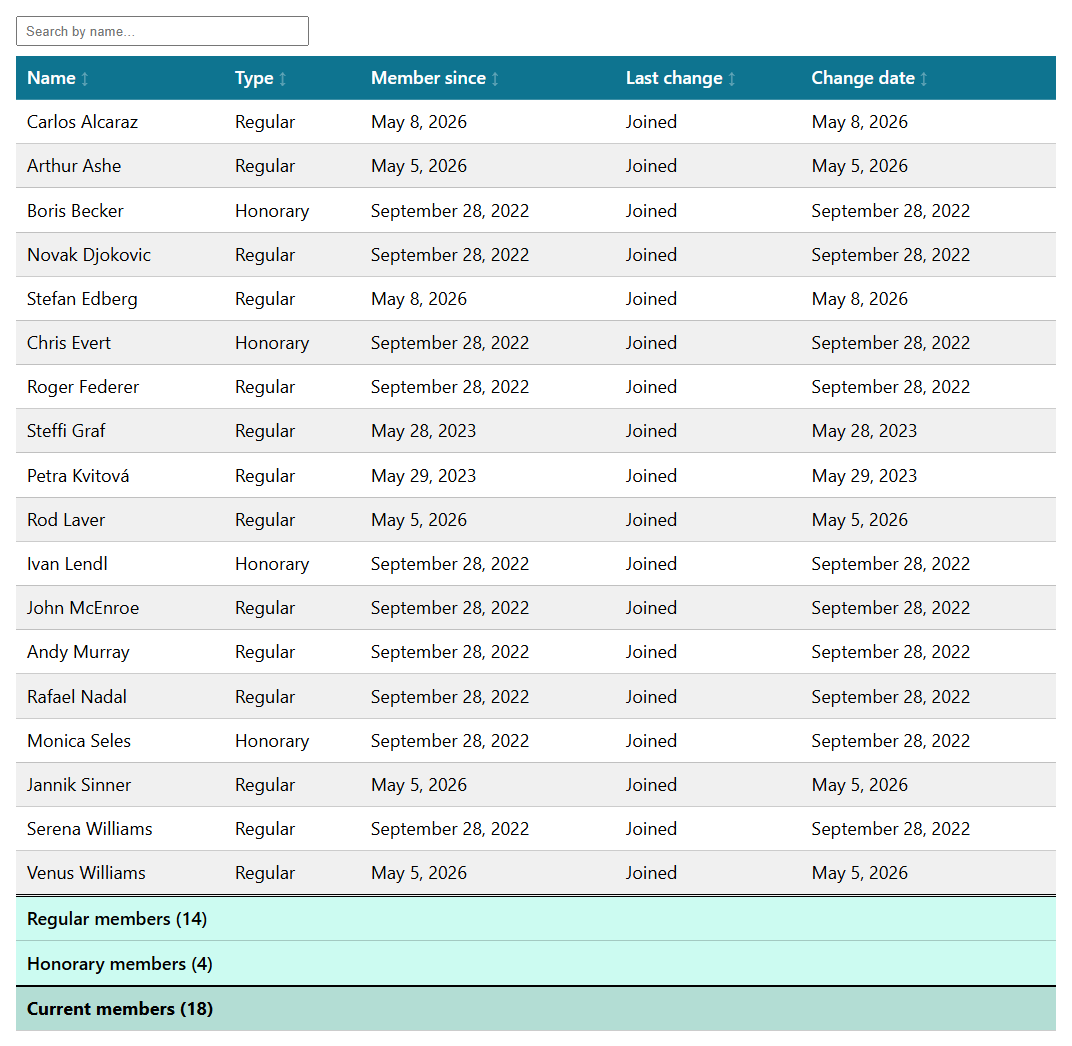
The Members list block with the totals of regular and honorary members.
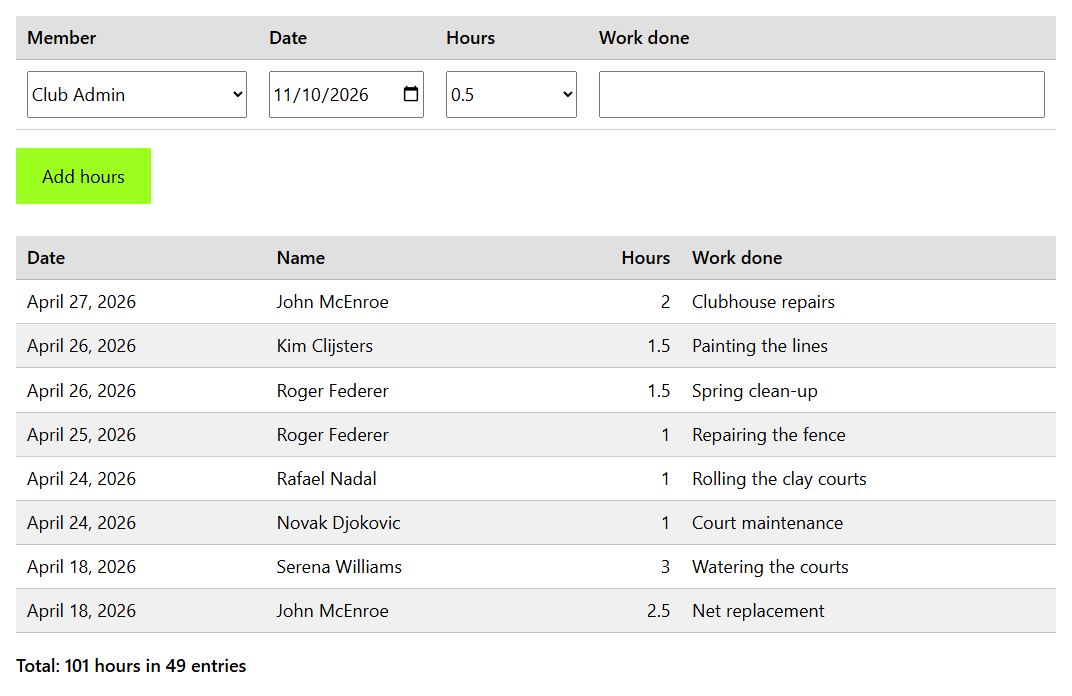
The Volunteer hours form and list: members record their own hours, administrators and editors record them for anybody.
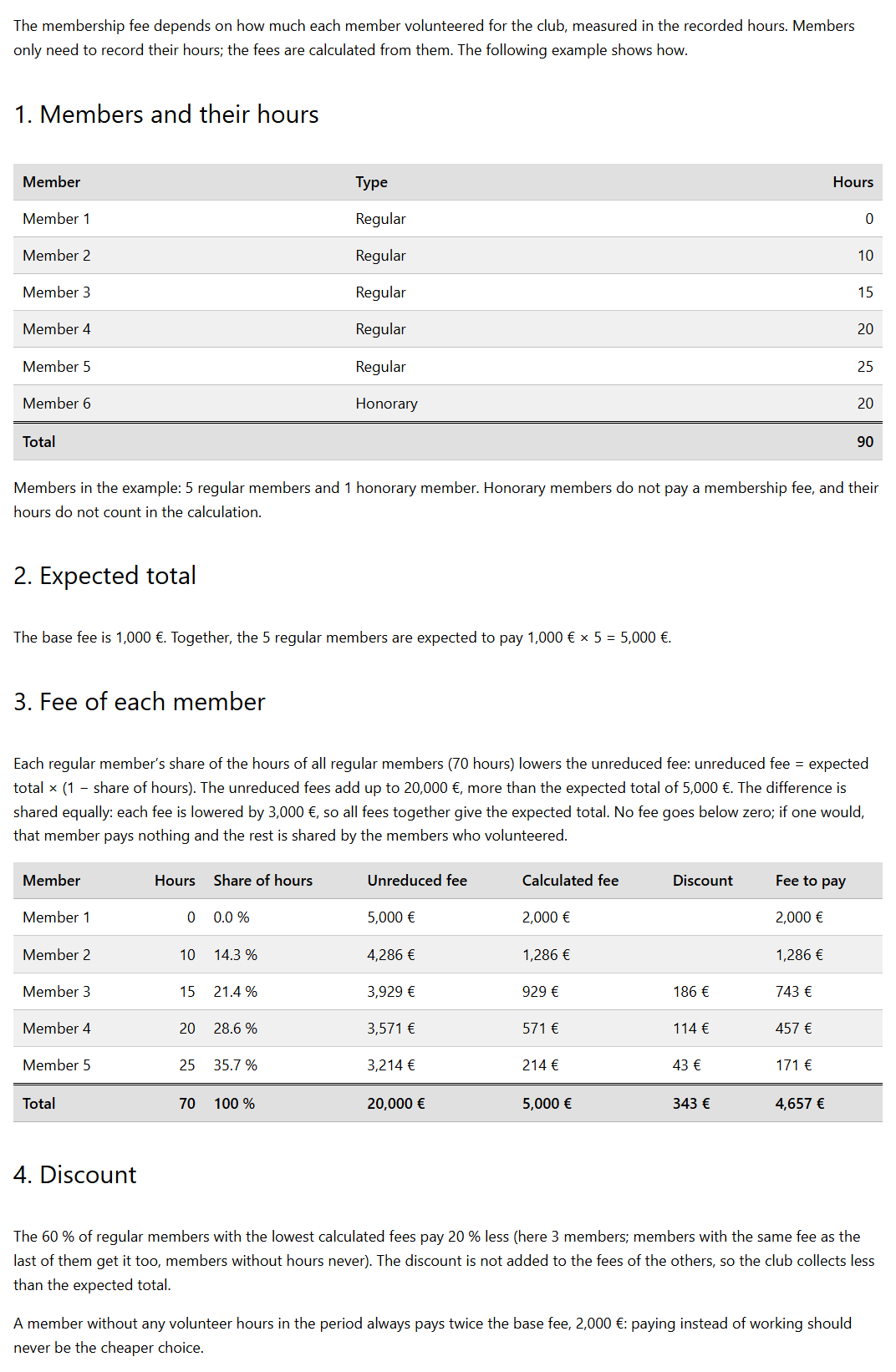
The Fee calculation explained block shows the method on an example with your own base fee and discount.
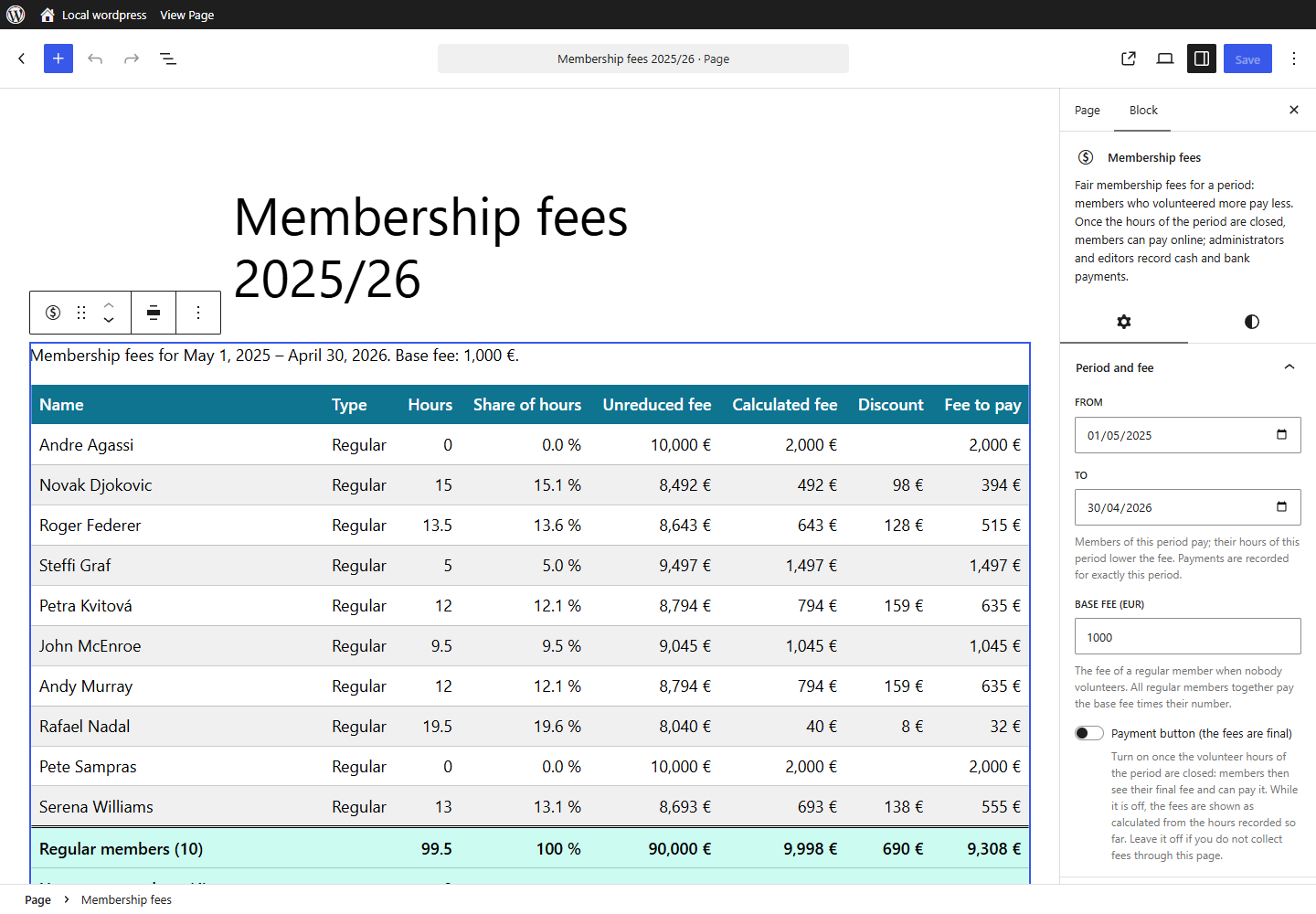
All options of the blocks are in the block settings: the period, the base fee, the discount, the payment button, columns, names and table colours.
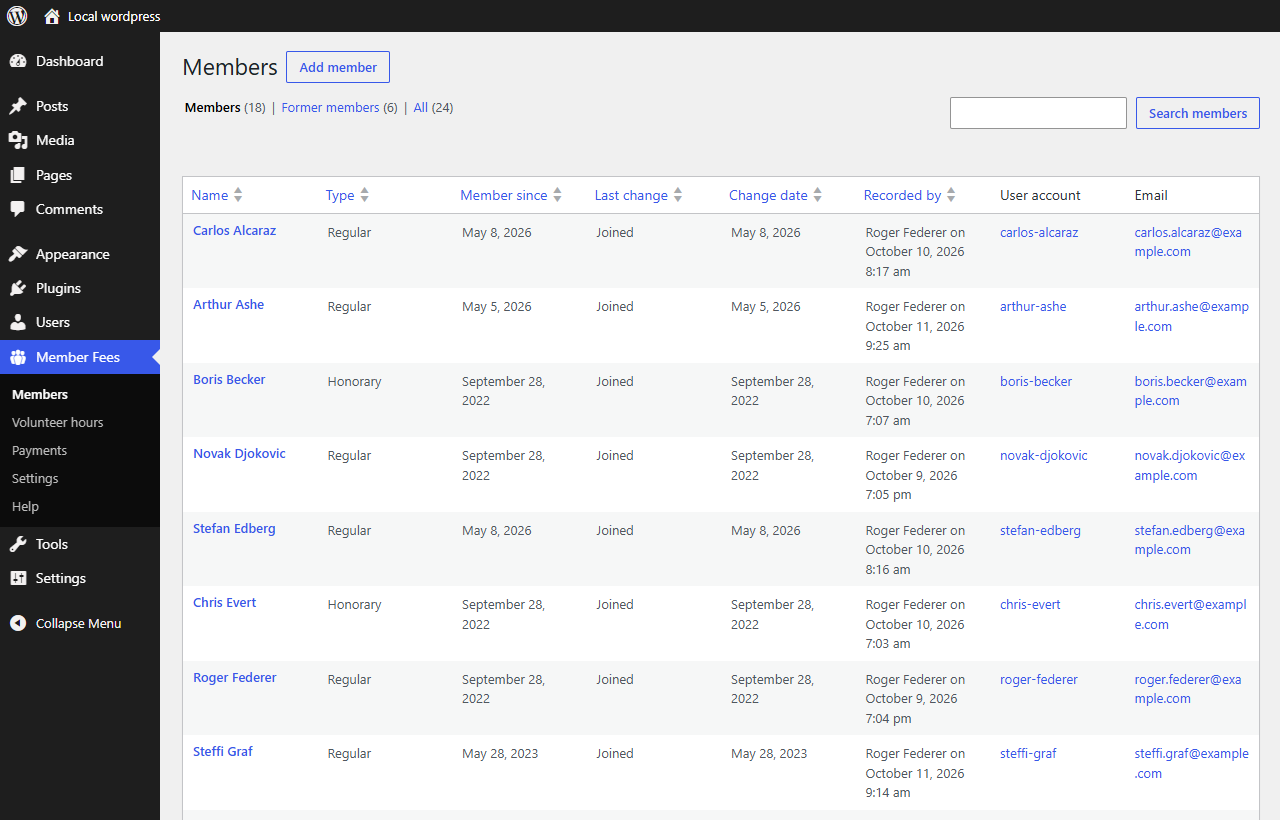
Member Fees → Members: the membership register.
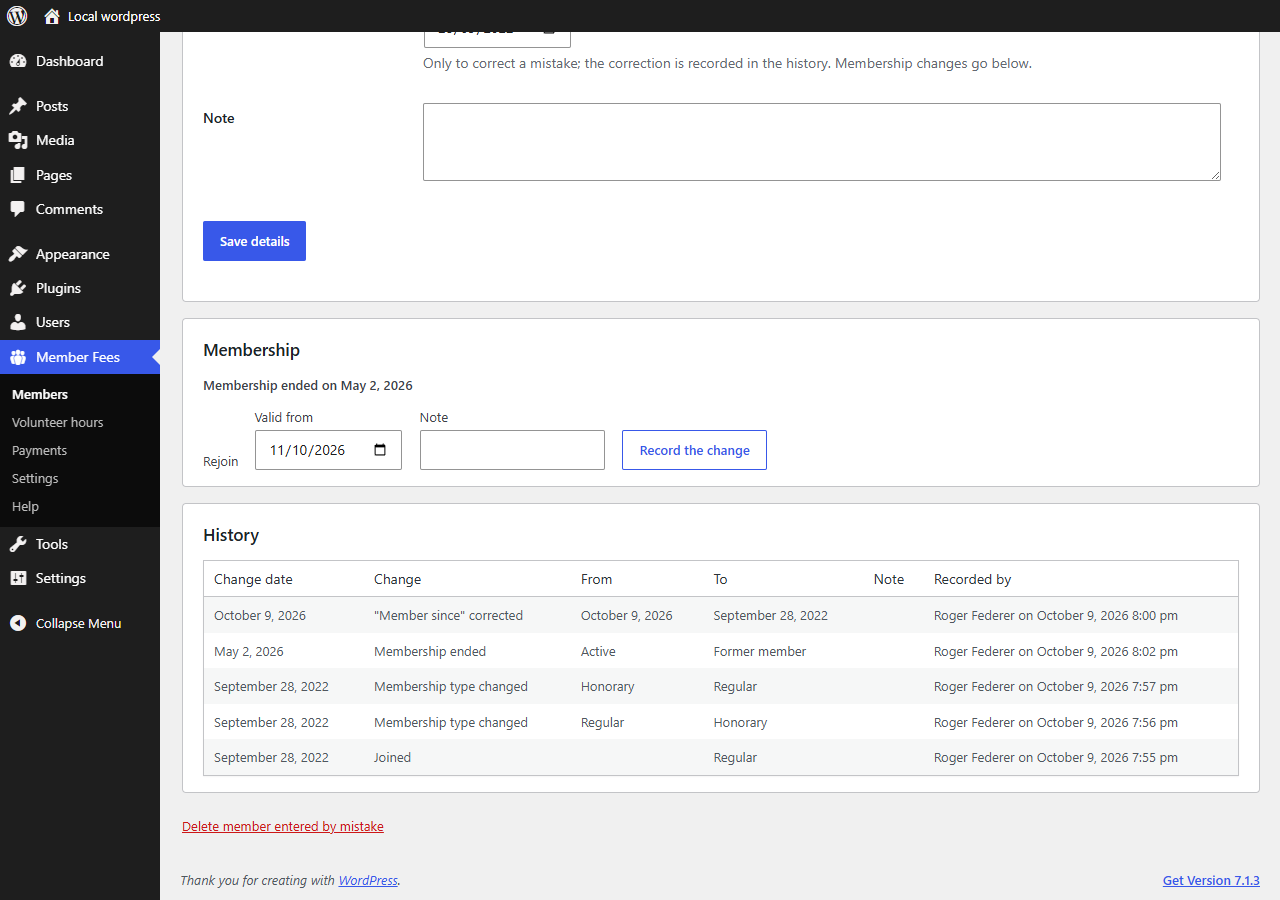
Every change of a membership is kept in the history with the date of the change, who recorded it and when.
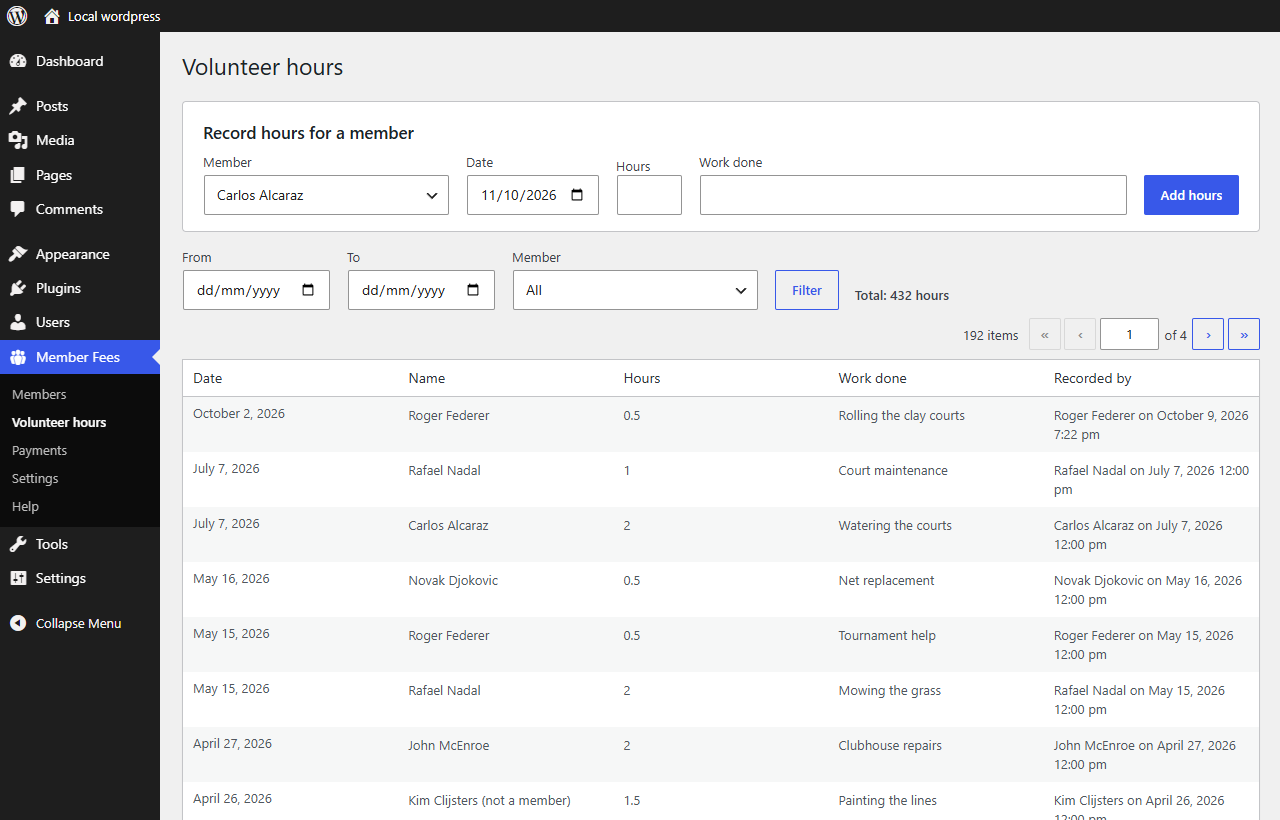
Member Fees → Volunteer hours: all recorded hours with filters.
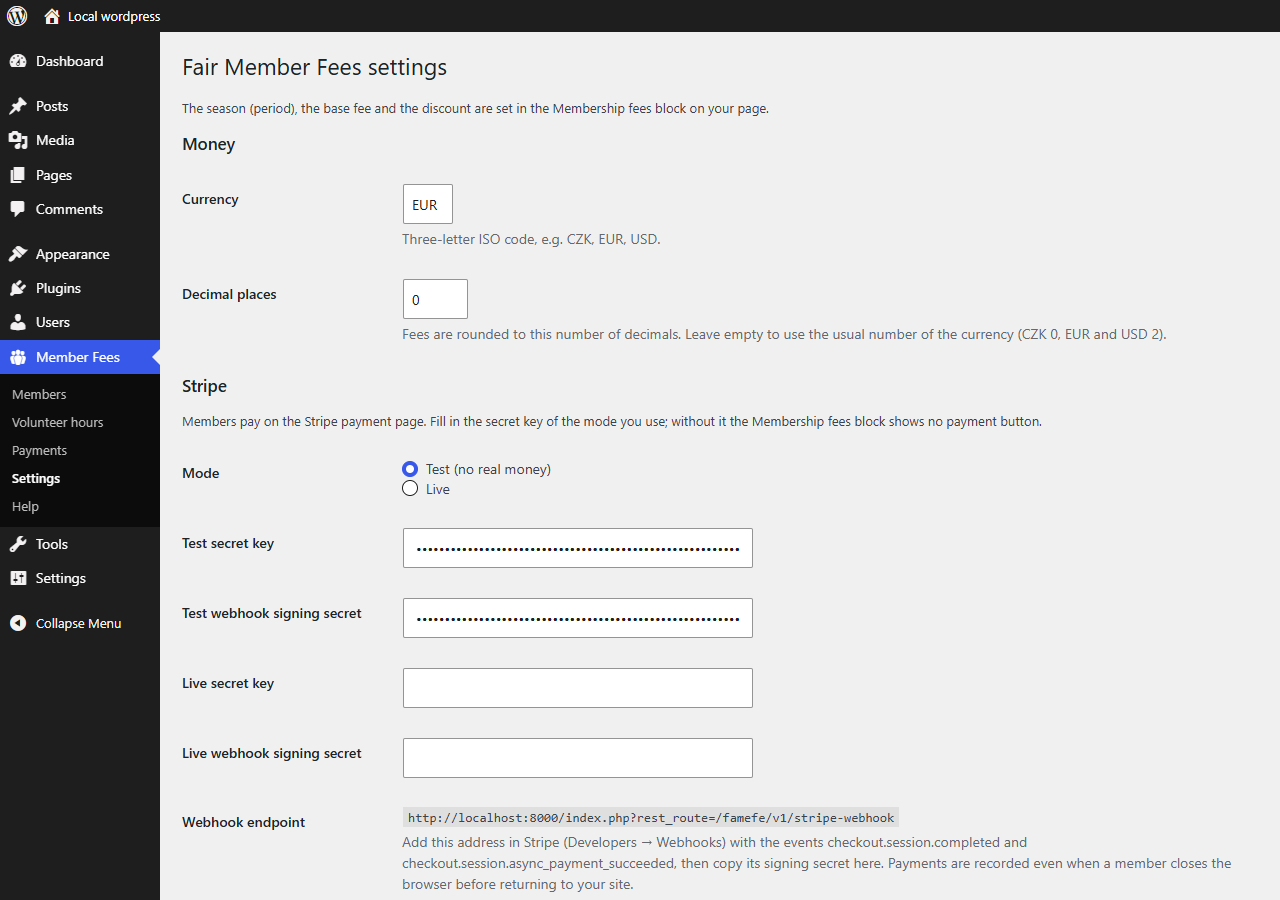
Member Fees → Settings: currency and Stripe keys for online payments.