
FARDAGARI Wordpress Plugin - Rating, Reviews, Demo & Download
Plugin Description
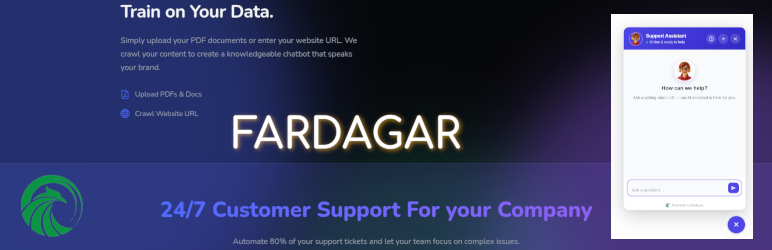
An AI assisted chatbot trained on your own data , Answering Customers 24/7.
Fardagari lets you add a custom AI assistant to your WordPress website and train it on your own website pages content, documents, and business content.
The chatbot answers visitors’ questions, around the clock, using information from your own knowledge base.
It supports 100+ languages and is designed with source transparency, accuracy, and European data residency in mind.
All your documents are on secure servers all residing in Europe.
Train It on Your Business Content
Build your chatbot’s knowledge base using your website and documents.
- Upload Documents — Add PDF, DOCX, and TXT files.
- Scan Your Website — Automatically discover pages from your website and choose which ones to add.
- Add Individual URLs — Add Add individual webpage URLs from any website, manually to your knowledge base when required.
Powerful Features for Your Business
Key Features
- Privacy-First: Total privacy. Your documents are residing on secure servers all in Europe. Your data is never sold, never shared with third parties, and never used to train AI models. Each company’s data is isolated and cannot be accessed by others.
- Multilingual: Excels in 100+ languages including English, Chinese, French, German, Spanish, Italian, Arabic, Persian, Turkish, Urdu, Hindi, and more.
- Accurate & Verifiable Answers — Combines fast hybrid search with direct source citations, enabling users to trace and verify every response.
Start Free
Start with our Free Plan which includes:
- 2,000 messages per month
- 50 MB knowledge-base storage
- No credit card required
Coming Soon
We’re actively building these features:
- Analytics — See exactly what your customers are asking, and where your knowledge base needs more content, so you can improve it based on real interactions.
- Chatbot Customization — Adjust the widget’s appearance and behavior to match your brand.
- full-duplex conversational AI You ask question by speaking and the chatbot also answers by voice
External services
This plugin loads a chat widget script from FARDAGAR AI and sends
visitor chat messages to that service to generate answers.
Service provided by Fardagar: Terms of Service and Privacy Policy.
Screenshots

Connect to Fardagar AI by clicking the button “Connect to Fardagar”.

SingIn if you already have an account.

SignUp to create a new account if you don’t have one and verify your email address.

After signing in, you will be taken to your Fardagar Dashboard.

Scan your website to discover available pages and select the pages you want to add to your chatbot.

Click “Ingest Selected” to add the selected pages to your knowledge base.

Upload PDF, DOCX, or TXT files to add to your chatbot’s knowledge base. Add specific web pages manually to your chatbot’s knowledge base.

View uploaded documents and URLs, add new content, remove outdated content, or re-scan your website from your Fardagar dashboard.

Once setup is complete, click button “Back to WordPress” , you will be taken back to your wordpress website.

The chatbot will be enabled on your website automatically when setup is finished.

Later you can manage your knowledge base by clicking button “Manage Knowledge Base” to land on Fardagar dashboard.


