FarEye – Shipping And Tracking Wordpress Plugin - Rating, Reviews, Demo & Download
Plugin Description
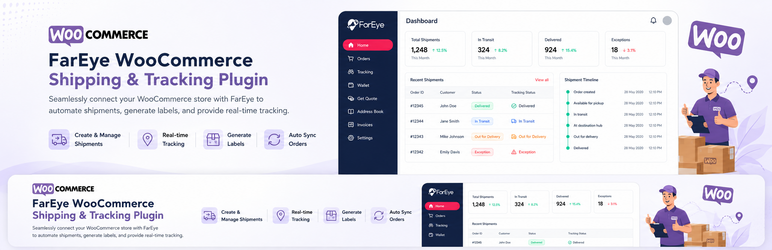
FarEye – Shipping and Tracking links your store to the FarEye platform so orders placed in WooCommerce are processed for shipment, carrier allocation and delivery tracking — and so the tracking numbers FarEye generates flow straight back onto your WooCommerce orders.
The plugin is free. FarEye does not charge for the plugin and no payment is taken through it. Shipping charges are paid to the carrier.
Features:
- One-click connection using WooCommerce Application Authentication — no API keys to copy by hand
- Choice of FarEye region, so the store connects to the environment your account lives in
- Tracking number, tracking link, carrier and label URL written back to the order when FarEye generates a shipping label
- Multiple tracking numbers per order, for orders that ship as several packages, all under the order’s single carrier and one tracking link
- Tracking shown to staff on the order screen and in the orders list, and to customers in order emails and My Account
- Order status updates: an order is completed once FarEye dispatches it
- Order search by tracking number
- Compatible with High-Performance Order Storage (HPOS) and the Cart and Checkout blocks
Requirements:
- WooCommerce 6.0 or higher
- An active FarEye merchant account
External services
This plugin connects your store to FarEye, a third-party shipment management and delivery tracking service operated by FarEye Technologies. FarEye is required for the plugin to function; the plugin provides no shipment functionality on its own.
What the connection does. When you click “Connect to FarEye”, you are taken to the FarEye portal for the region you select, and then through WooCommerce’s built-in Application Authentication screen, where you approve read/write API access for FarEye. WooCommerce issues the API credentials to FarEye directly — the plugin itself never handles or stores them.
What data is shared. Using those credentials, FarEye reads order data from your store — order numbers and dates, line items, order totals, and customer shipping and contact details — in order to book shipments and generate carrier labels. FarEye then writes shipment data back onto your orders: carrier, tracking numbers, tracking links, label URLs and delivery status events. Your store URL is sent to FarEye when the connection is first established.
When it happens. No data is transmitted until you complete the connection and approve API access. The plugin makes no outbound requests of its own; all transfer happens between FarEye’s servers and WooCommerce’s REST API, under the credentials you granted.
Stopping it. Disconnecting from WooCommerce > FarEye stops further order processing. To invalidate the credentials as well, revoke the API key under WooCommerce > Settings > Advanced > REST API.
Use of the FarEye service is subject to:
- FarEye Terms and Conditions: https://fareye.com/terms-and-conditions
- FarEye Privacy Policy: https://fareye.com/privacy/privacy-policy
Screenshots
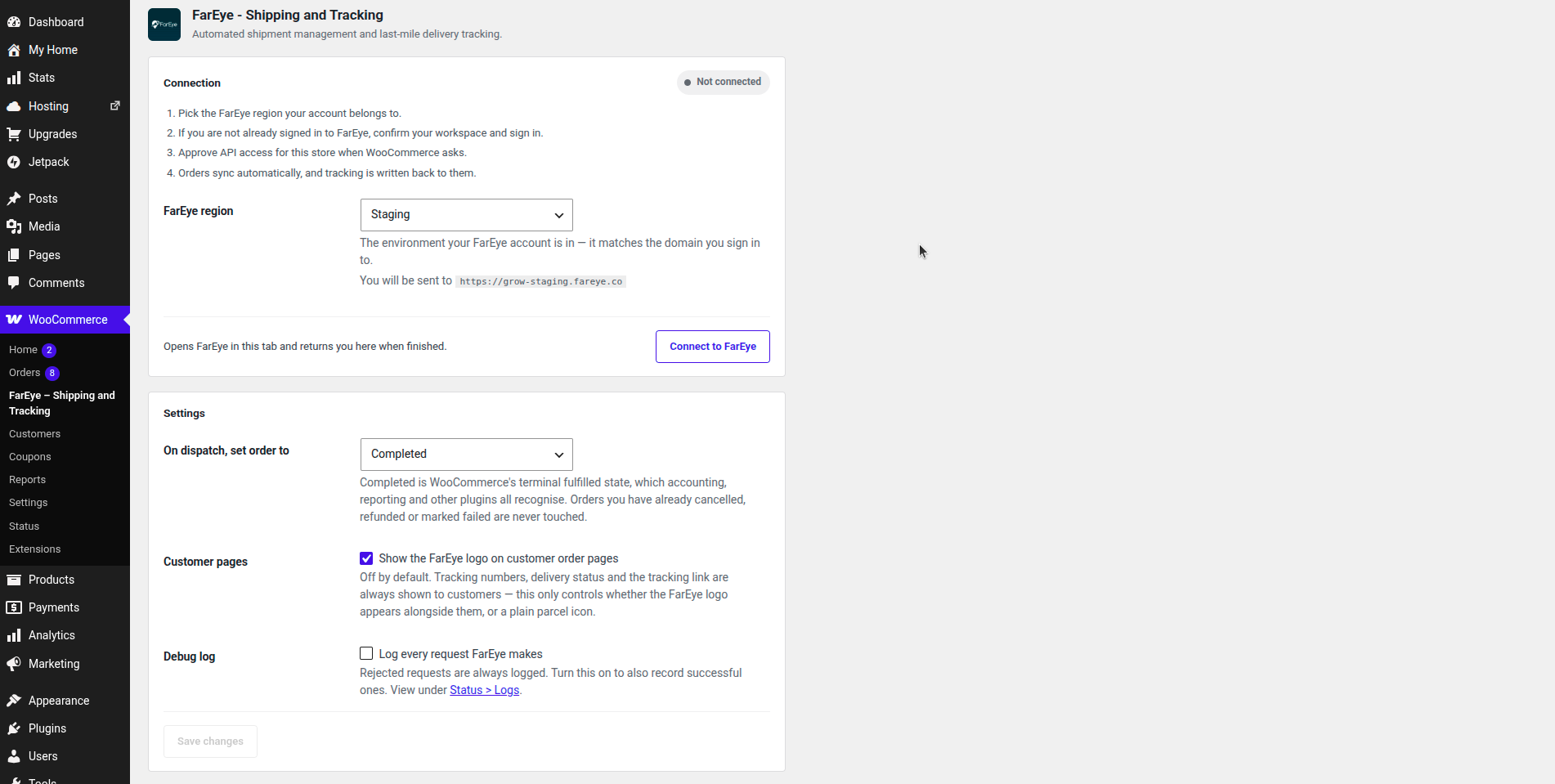
Connect your store: pick the FarEye region your account belongs to and approve API access in one pass.
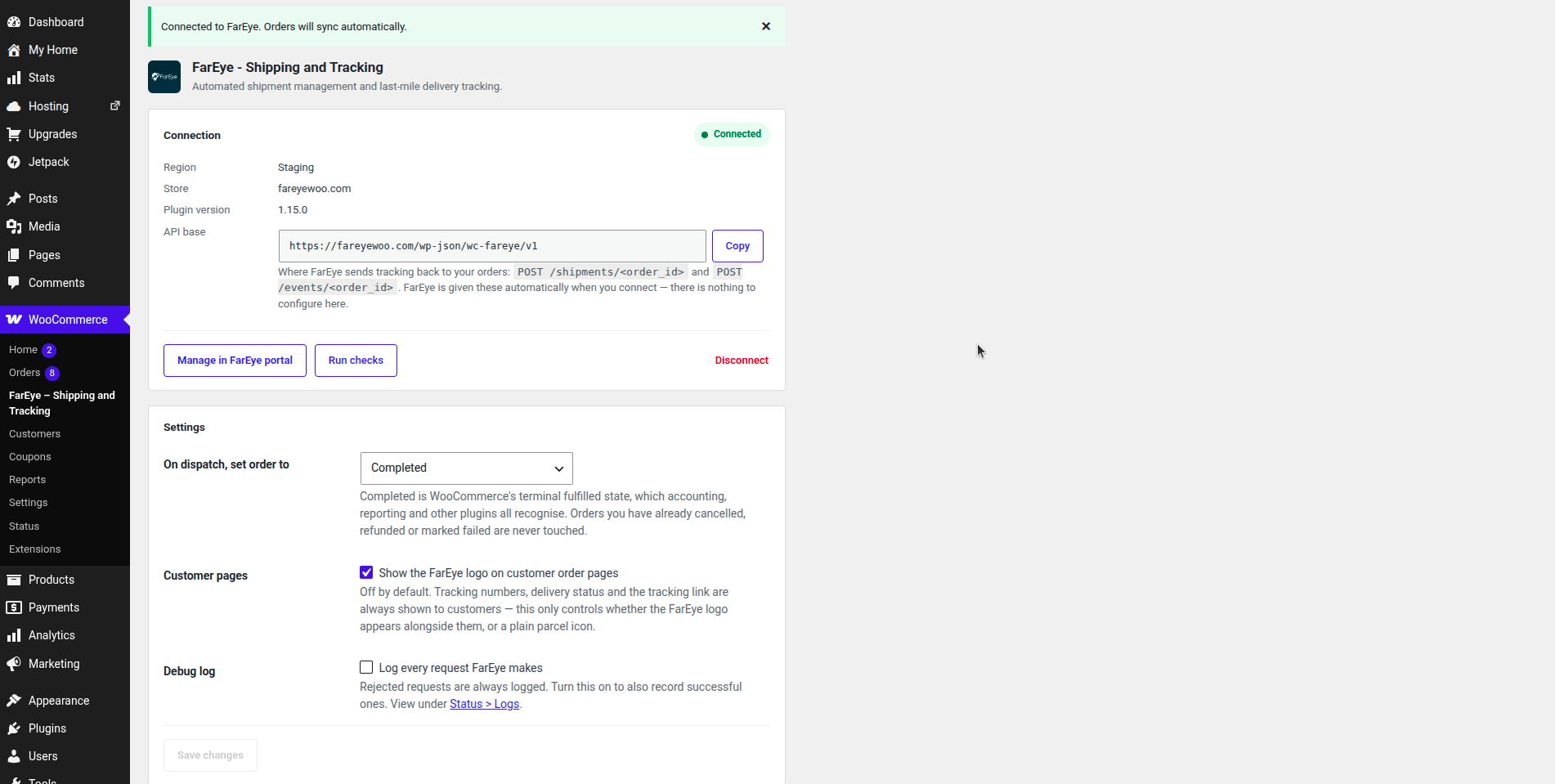
Once connected, the settings screen shows the linked store, the writeback URL FarEye posts tracking to, and a diagnostics check.
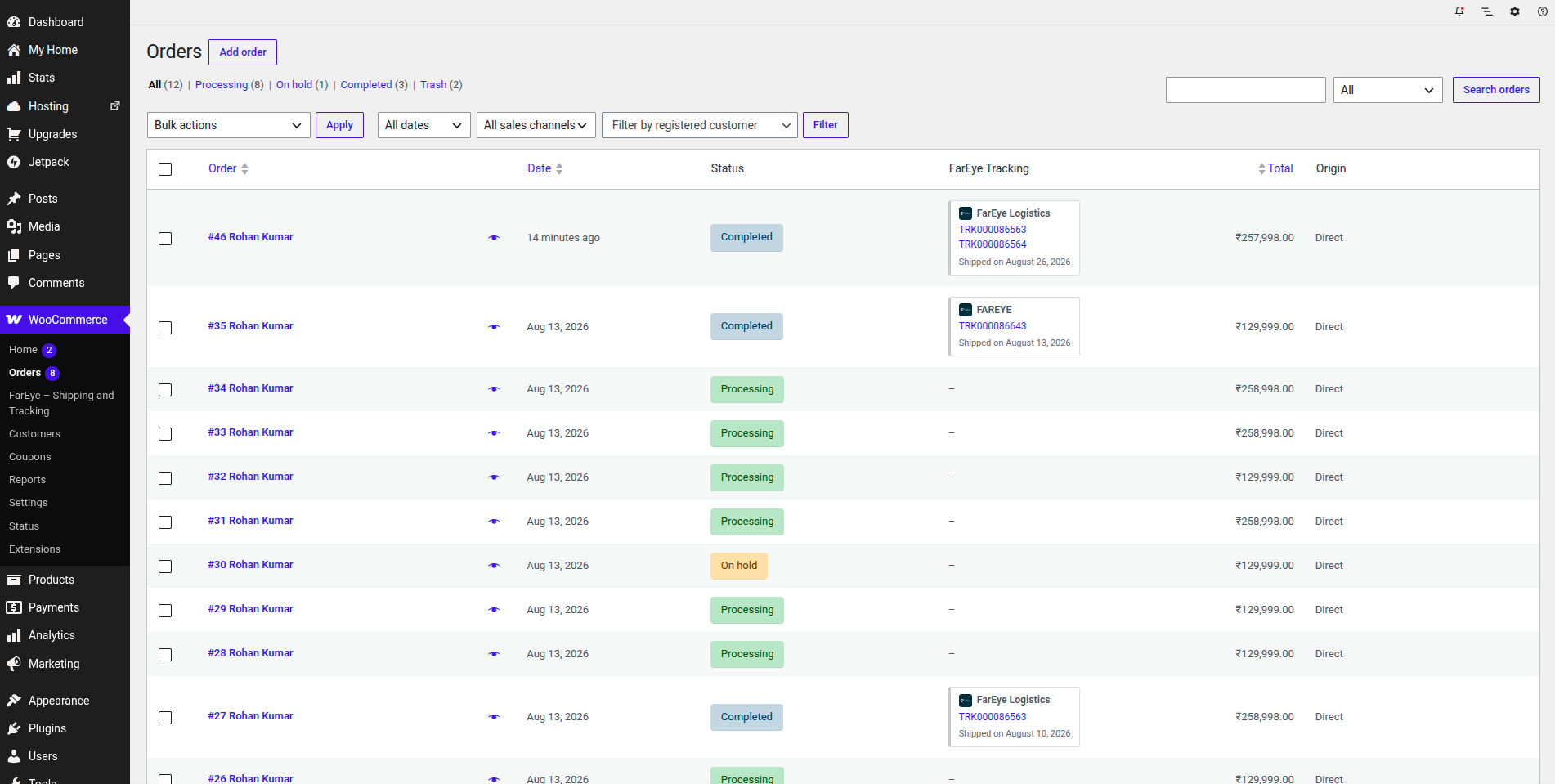
A FarEye Tracking column on the Orders list shows the carrier, tracking numbers and dispatch date at a glance.
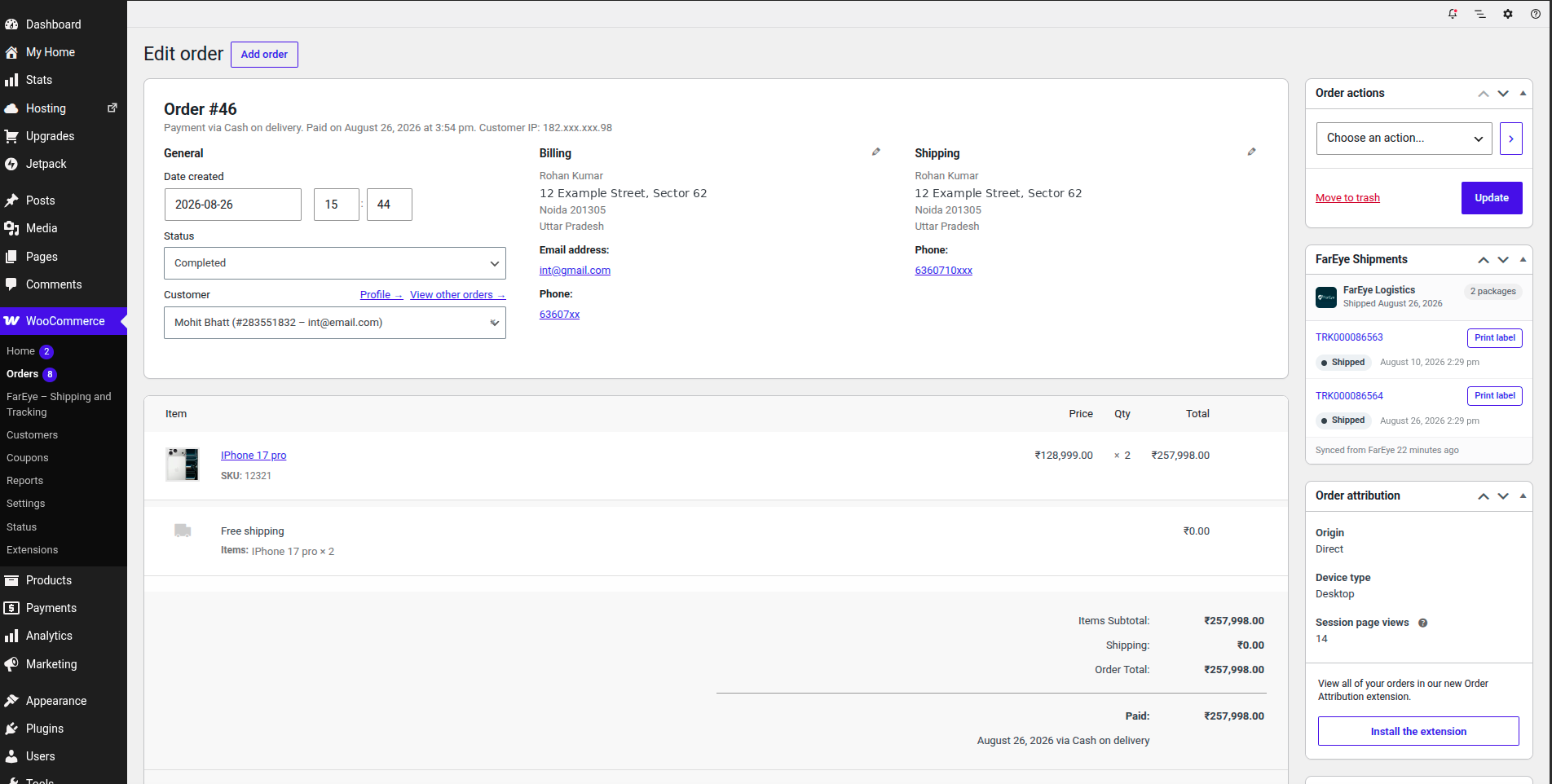
The FarEye Shipments panel on an order lists every package, its tracking number, status and shipping label.
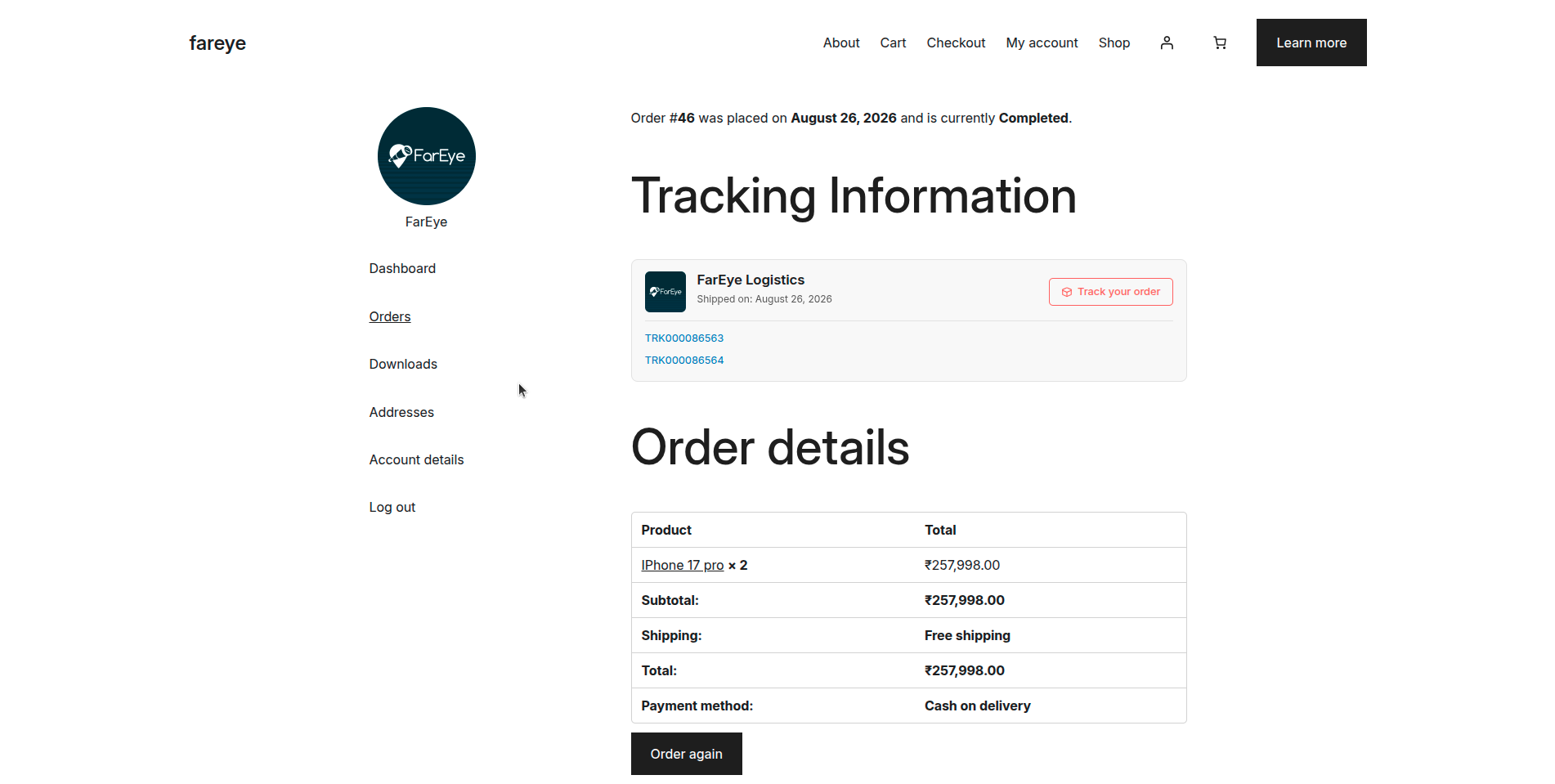
Customers see carrier, dispatch date, tracking numbers and a tracking link on their own order page.