Fast Filter For WooCommerce Wordpress Plugin - Rating, Reviews, Demo & Download
Plugin Description
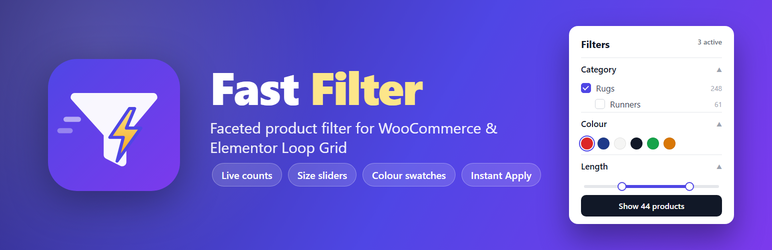
- Accordion UI – category tree (hierarchical), size sliders (length / width), shape, colour swatches, production type, material. Any source can be added as a list, swatch or range filter from the settings page.
- Reads every kind of product data – global attributes (taxonomies), custom per-product attributes (the text ones on the product edit screen), and shipping dimensions / weight (including variations) through a small product index that is kept fresh on every product save.
- Full-height layout by default (the Elementor popup scrolls); optional inner-scroll layout with sticky buttons.
- Instant Apply – the result page is prefetched (or prerendered) in the background while the user is still choosing.
- OR inside a filter, AND between filters. Counts next to every option are live (facet counts respect all other filters) so users never pick an empty combination.
- Apply reloads the page with clean URL parameters (
?ffwc_color=red,navy&ffwc_length=80-200) and filters every Elementor Loop Grid / Posts widget whose Query ID matches, plus the main WooCommerce product query. - Category aware – on a category page the category is pre-selected; choosing a sub-category (or another category) navigates to that category URL so the main route stays in sync. Multiple categories inside one branch stay on the branch URL with
ffwc_cat=; categories from different branches go to the shop page. - Fast – all counts are grouped SQL, cached in transients and auto-invalidated whenever products or terms change.
- Dynamic – terms, categories, colours and min/max values are read from the store, never hardcoded.
Setup
- Activate the plugin (requires WooCommerce; Elementor is optional).
- WooCommerce Fast Filter: check the auto-detected attribute mapping (length, width, shape, colour, production type, material) and adjust if needed.
- In Elementor, add the Fast Filter widget (category “Fast Filter”) inside a Popup or any container — or use the
[fast_filter]shortcode. - In the Loop Grid widget: Query Query ID =
fast_filter(configurable). - Optional: Products Attributes Colour edit a term “Swatch colour” to override the auto-detected colour.
Shortcode
[fast_filter filters="cat,length,width,shape,color,production_type,material" nav="auto" counts="1" chips="1" title="Filters"]<h3>Developer hooks</h3>
* fast_filter_query_tax_query – filter the tax_query clauses applied to product queries.
* fast_filter_facet_tax_query / fast_filter_facet_base_where – adjust facet counting SQL.
* fast_filter_js_config – adjust the front-end configuration.
* JS event fastfilter:apply on document (detail: { url, state }) fires right before navigation.
* elementor/query/{query_id} is used for Loop Grid integration; woocommerce_product_query for the main query.
Screenshots

Sidebar layout: category tree, size sliders (from shipping dimensions), colour swatches and live counts next to a filtered product grid.

Popup layout (Elementor popup / off-canvas): OR inside a filter, AND between filters; the Apply button always shows the exact number of matching products.

Mobile: inner-scroll layout with sticky Reset / Apply buttons.

Settings page (WooCommerce → Fast Filter): filters are auto-detected from your product data and can be re-ordered, renamed or added.