FD3 Custom Support Videos Wordpress Plugin - Rating, Reviews, Demo & Download
Plugin Description
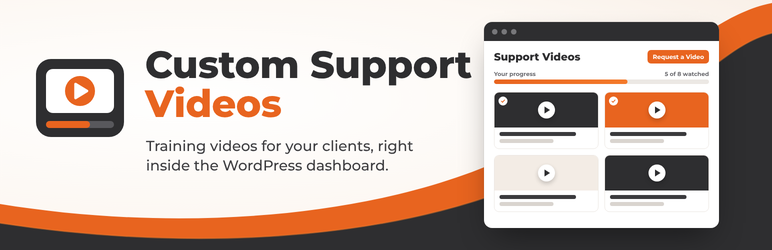
FD3 Custom Support Videos is a client training and onboarding video library for WordPress agencies, developers, and site owners.
Instead of clients getting lost in documentation or emailing you repetitive questions, provide them with a dedicated, beautiful Support & Training Video Library right inside their WordPress admin dashboard or on a private front-end portal page.
🌟 Key Features
- Role & Level-Based Access Control: Decide exactly which user roles can access the video library (Editors, Authors, Shop Managers, Subscribers, etc.) and restrict management to Administrators.
- Per-Video Role Visibility: Show specific tutorials to specific roles (e.g., show “How to Fulfill WooCommerce Orders” only to Shop Managers, and “How to Publish Blog Posts” to Authors).
- Multiple Video Sources: Supports YouTube, Vimeo, Loom, Wistia, and self-hosted MP4 videos.
- WordPress Media Library Integration: Select or upload self-hosted video tutorials directly with the native WordPress Media Uploader.
- Responsive 16:9 Lightbox Player: Click any video card to play in high definition in a distraction-free, responsive lightbox modal.
- Client Onboarding & Progress Tracking: Users can click “Mark as Watched” to check off completed tutorials and track their learning with a progress bar.
- Interactive Filtering & Instant Search: Filter tutorials by tags, watch status (All, To Watch, Completed), or instant keyword search.
- Video Suggestion Inbox: Team members and clients can request new video tutorials. Requests are sent via email and queued in the admin inbox.
- Native Admin “Help” Drawer Integration: Pin quick tutorial links into the native WordPress screen Help tab for instant contextual assistance.
- Front-End Shortcode: Display your video library on any front-end page or membership portal using
[fd3_support_videos]. - Dashboard Widget: Quick-access widget on the WordPress Dashboard showing available tutorials and current user progress.
- Drag-and-Drop Reordering: Easily sort video display order in the admin manager.
💡 Perfect For
- Web Agencies & Freelancers: Onboard clients to their custom WordPress websites with tailored video walkthroughs.
- WooCommerce Stores: Provide training videos for store managers, order fulfillment teams, and customer support reps.
- Editorial & Content Teams: Train contributors and authors on publishing workflows, SEO best practices, and formatting guidelines.
- Internal Company Intranets: Keep staff documentation organized and accessible in one place.
External services
This plugin embeds videos from the third-party services listed below. Nothing is sent to any service until a logged-in user opens the Support Videos library (which loads thumbnails) or plays a video (which loads the embedded player). In each case the user’s browser connects directly to the service, which receives the user’s IP address, browser details, and the ID of the video being requested. No data is sent for video sources you do not use.
- YouTube (Google) — thumbnails from
img.youtube.comand the player fromwww.youtube-nocookie.com(privacy-enhanced mode), for videos with the YouTube source type. Terms of Service, Privacy Policy - Vimeo — the player from
player.vimeo.com, for videos with the Vimeo source type. Terms of Service, Privacy Policy - Loom — thumbnails from
cdn.loom.comand the player fromwww.loom.com, for videos with the Loom source type. Terms of Service, Privacy Policy - Wistia — the player from
fast.wistia.net, for videos with the Wistia source type. Terms of Service, Privacy Policy
Self-hosted / Media Library videos are served from your own site and use no external service.
Screenshots

The modern Video Library viewer with progress bar, search, tags, and video cards.

Responsive 16:9 Lightbox video player with “Mark as Watched” checklist toggle.

Video management tab with drag-and-drop reordering and video creation form.

Settings page with granular role-based permissions and video requests inbox.

WordPress Dashboard widget with user progress tracking.