Feedback.tools Customer Surveys Wordpress Plugin - Rating, Reviews, Demo & Download
Plugin Description
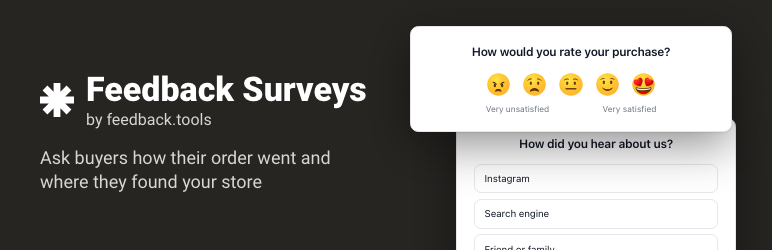
feedback.tools Customer Surveys asks your WooCommerce customers two questions right after they buy: how satisfied they are (CSAT) and how they heard about your store (HDYHAU). The surveys show on the order confirmation page, and each answer is linked to its order. A third, General survey works on any page of any WordPress site. Turn each survey on or off separately. All answers stay in your WordPress database, and the results are in your WordPress admin.
CSAT (customer satisfaction)
- Customers rate their purchase on a 1–5 scale on the WooCommerce order confirmation page.
- Choose emoji faces, stars or numbers, and set the labels for both ends of the scale.
- Add an optional follow-up question with a free-text answer.
- Results: CSAT score (share of scores 4 and 5), average score, number of responses and a breakdown by score.
HDYHAU (“How did you hear about us?”)
- Customers pick where they heard about your store on the WooCommerce order confirmation page.
- Set the options and their order. Add an optional “Other” option with a free-text answer.
- Results: a pie chart and a list of options with the count and share of each.
General survey
- An open question with a free-text answer or a choice of options.
- Shows at the end of the pages you choose. You can also place it anywhere with the
[feedback_tools_survey]shortcode. - Results: a list of all answers.
Each survey has its own question, thank you message and an Active / Draft status. Visitors see only active surveys. Each results screen has a date filter.
CSAT and HDYHAU answers are linked to the WooCommerce order, so you can open the order from the results screen. One order gets one answer per survey.
Without WooCommerce
The General survey works on any WordPress site. CSAT and HDYHAU need WooCommerce, because they show after a purchase. Without WooCommerce they are not available in the admin.
Privacy
The plugin does not connect to external services and does not send data outside your site. It stores survey settings and answers in its own tables in your WordPress database. It does not store names, emails or IP addresses. A CSAT or HDYHAU answer stores the WooCommerce order ID. Free-text answers contain whatever the visitor types.
Credits
Emoji icons are from Sensa Emoji by sensadesign, MIT license.
Screenshots

CSAT and “How did you hear about us?” surveys on the WooCommerce order confirmation page.

After a score, customers can add a comment. The “Other” option asks for a free-text answer.

The General survey at the end of a page.

CSAT results: CSAT score, average score, breakdown by score and comments with their orders.

HDYHAU results: the share of each source and answers with their orders.

General survey results with a breakdown by option.

CSAT settings: scale style, end labels and an optional follow-up question.

HDYHAU settings: options in your order and an optional “Other” option.

General survey settings: answer type, options and the pages where the survey shows.