
Filterive For WooCommerce Wordpress Plugin - Rating, Reviews, Demo & Download

Plugin Description
Filterive for WooCommerce adds a product filter to your WooCommerce shop, category and tag pages. Customers can narrow products by category, product attribute and price range, either from a slide-in panel with a floating button or from an inline filter placed in your sidebar (widget or [wcaf_filters] shortcode).
Features
- Slide-in filter panel with overlay, or inline sidebar mode
- Category filtering with subcategory support
- Product attribute filtering (OR within an attribute, AND across attributes)
- Price range slider that adapts to the products on the page
- Keyword search box that filters products by name
- Active-filter badges that can be removed with one click
- Optional AJAX live filtering — update products without reloading the page
- Optional SEO-friendly URLs (history.pushState) for shareable filtered views
- Color/appearance customizer (CSS custom properties)
- Exclude individual categories or attributes from the filter (admin settings)
- Per-category “hide in filter” toggle and attribute-to-category auto-redirect
- Works with internationalised (non-Latin) attribute slugs
- Accessible markup (ARIA roles, keyboard close, focus handling)
- Fully translatable (POT file included; ships with a Ukrainian translation)
The plugin uses only WordPress core and WooCommerce APIs. It loads no scripts, styles or data from third-party servers.
Filter modes
- Floating panel — a button on shop/category/tag pages opens a slide-in panel.
- Inline / sidebar — disable the panel and the filter is injected into your theme’s sidebar, or place it yourself with the Filterive for WooCommerce widget or the
[wcaf_filters]shortcode.
Screenshots
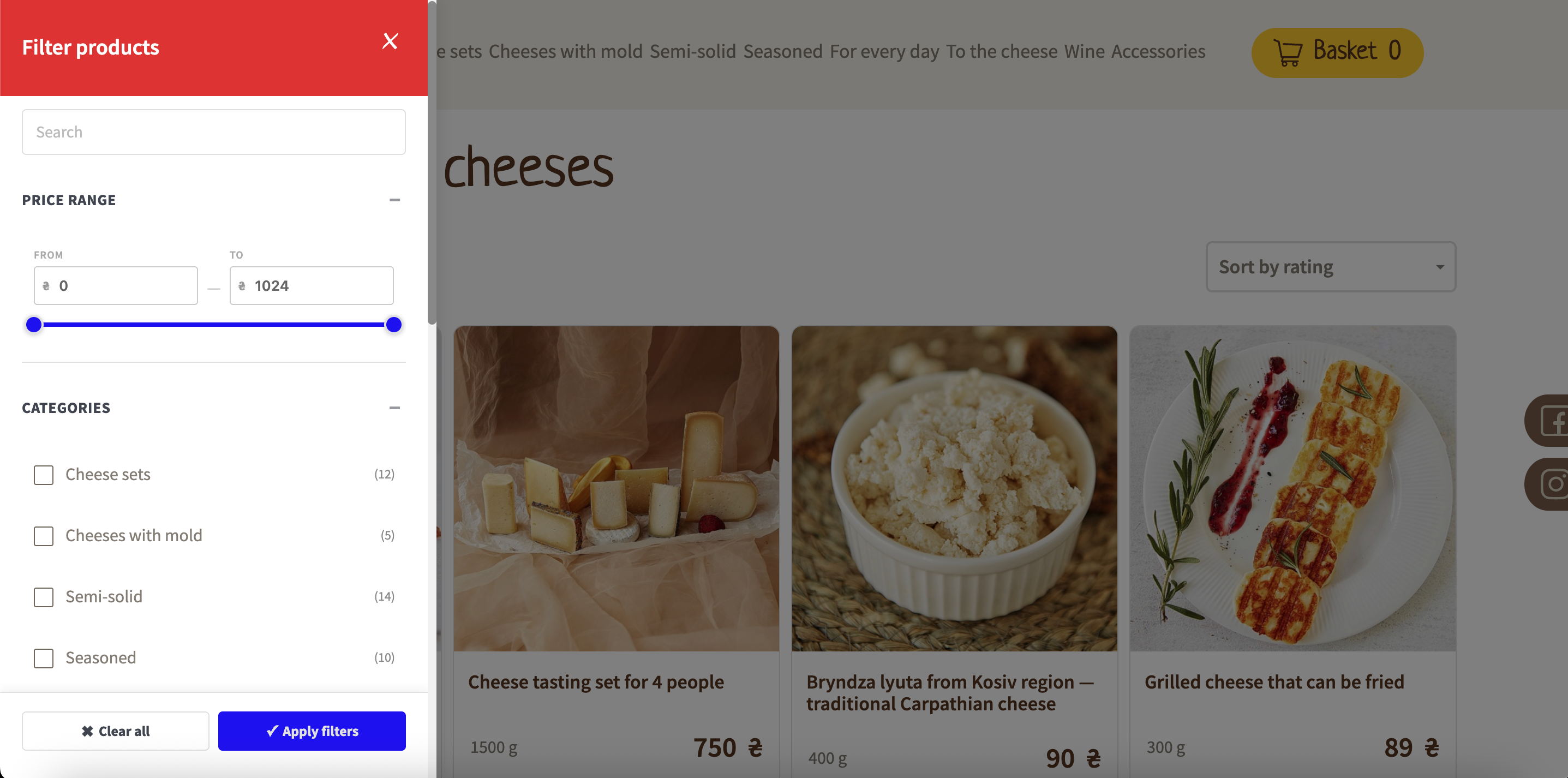
Slide-in filter panel — search, price range and categories, with Apply / Clear controls.

Inline sidebar filter mode on the shop page.
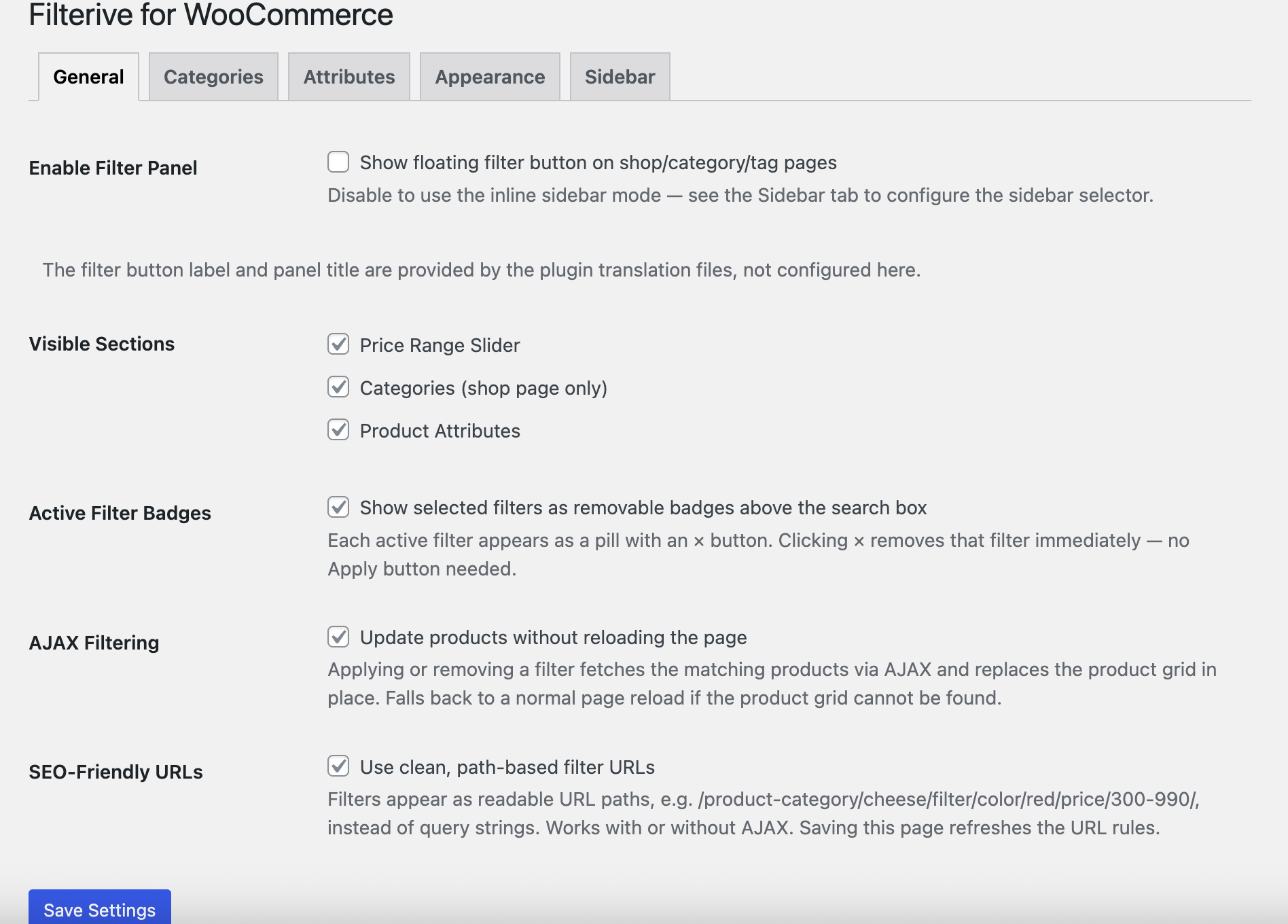
Settings — General tab (filter modes, AJAX filtering, SEO-friendly URLs).
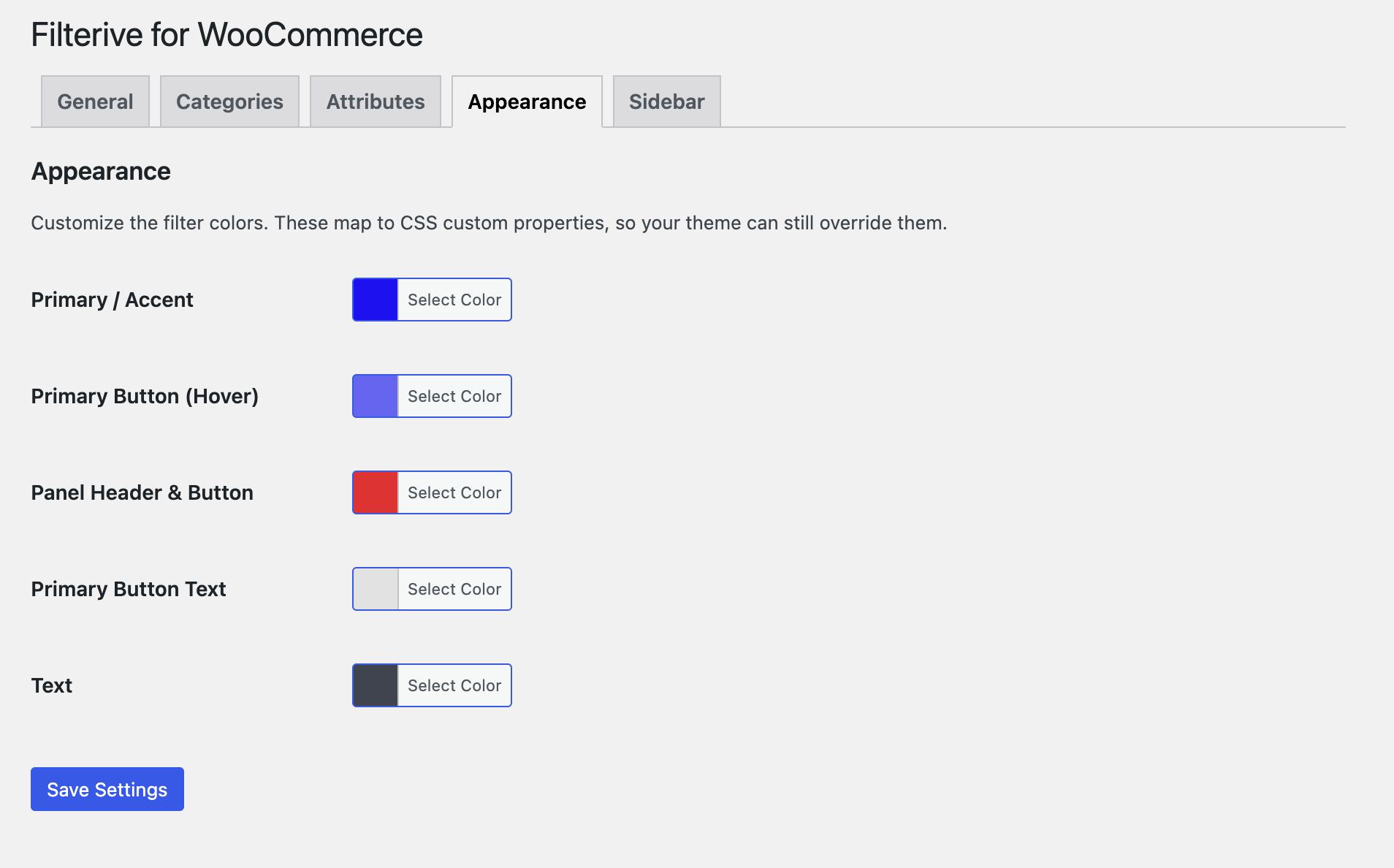
Settings — Appearance tab (customize the filter colors).
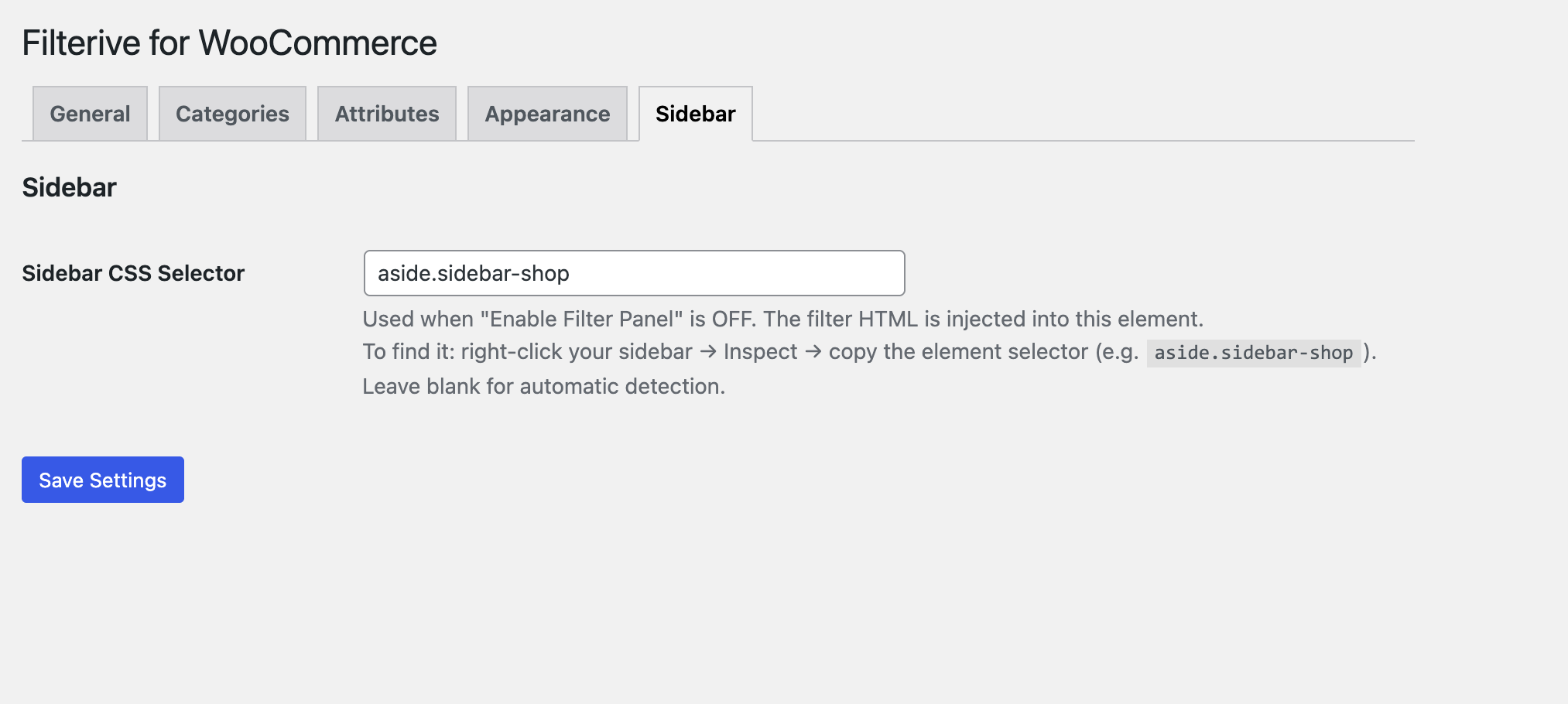
Settings — Sidebar tab (CSS selector for inline mode).


