FluentPlayer – WordPress Video Player With Forms & Lead Capture - Rating, Reviews, Demo & Download

Plugin Description
FluentPlayer is a WordPress video player built for playback & dynamic interaction
FluentPlayer is a fast, native WordPress video & audio player that does more than embed a file. A viewer can fill out a form or subscribe without leaving the video, because FluentPlayer is built inside the same Fluent ecosystem as Fluent Forms, FluentCRM, and FluentCommunity.
Live Demo | User Guide | Features | Get Support | Official Fluent Community
From a simple self-hosted video to a lesson with a sign-up form or a lead capture overlay, FluentPlayer can meet virtually all your video needs.
Powerful Features Available in the Free Version
- Self-hosted video, YouTube, Vimeo, and audio playback
- Native Fluent Forms layer for in-video forms
- Email capture layer
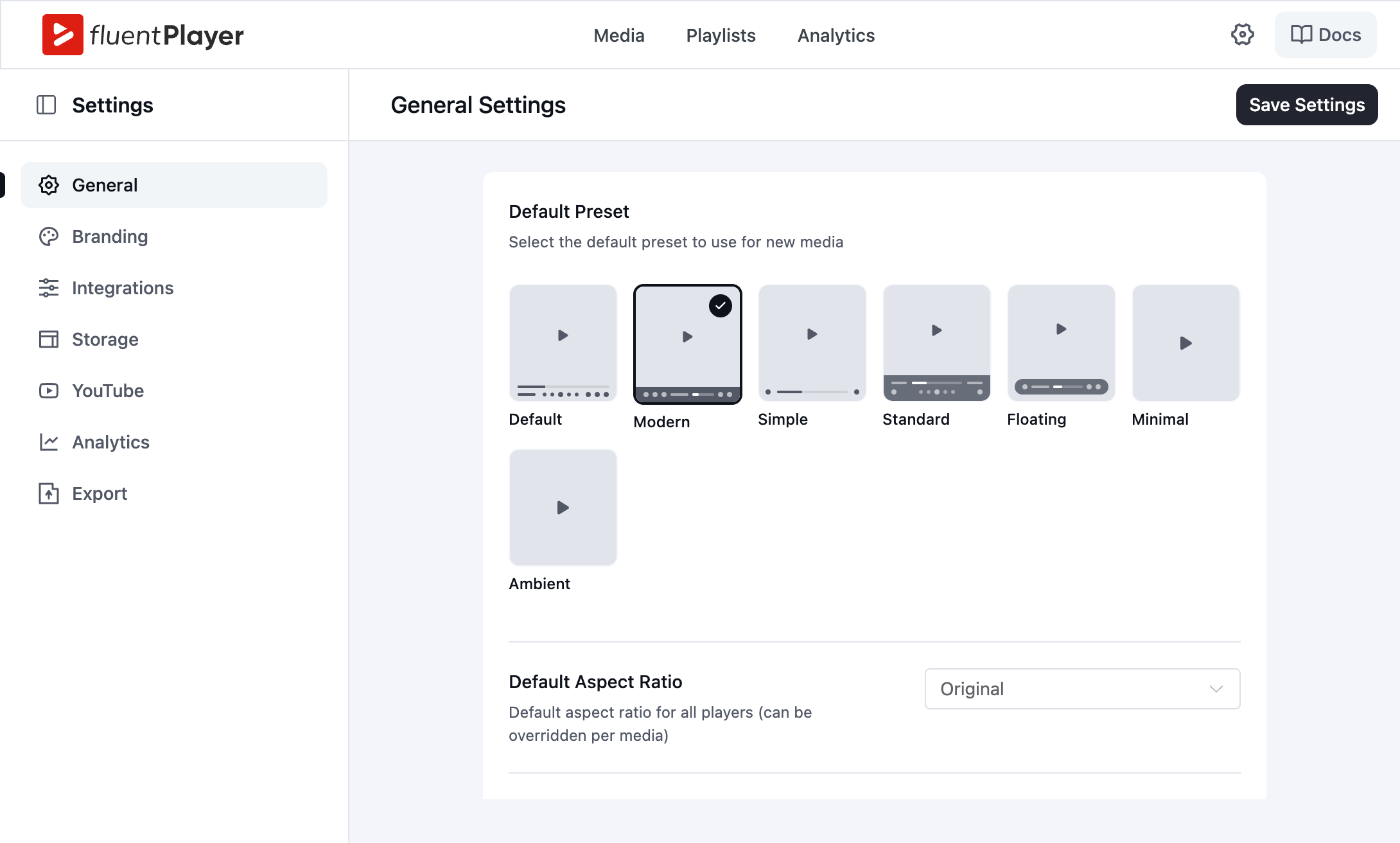
- Player presets: Default, Modern, Simple, Minimal, Standard, Floating
- Picture-in-Picture (HTML5)
- Inline mobile playback
- Autoplay
- Speed control
- Video chapters
- Language switching
- Load strategy performance control
- Aspect ratio control
- Custom branding (logo, brand color, control bar color)
- Custom thumbnail image (Poster Image)
- Title overlay
- Shortcodes for classic editor and page builders
- Native Gutenberg block
Features Available in the Pro Version
- Video analytics (views, watch time, completion rate, audience retention, device and location breakdown)
- CTA banners, hotspots, ad layers, and shortcode layers
- Conditional rules for layers
- Timed Content
- Custom Subtitles
- YouTube Subtitle Import
- Video playlists with layout and appearance customization
- Media tagging
- Customizable player presets
- Text and button overlays
- Remember Playback Position
- BunnyCDN Stream, BunnyCDN Storage, Mux, external URLs, and HLS streaming
- AJAX compatibility
Built for Speed
FluentPlayer is optimized to load fast and stay out of the way of your page speed. The Load Strategy setting controls when the player script loads, so a video below the fold does not block your first paint. This matters more than it sounds: a slow-loading video player drags down every page it sits on.
Interactive Layers
Every interactive element in FluentPlayer is a layer you place at a specific point in the video, not a fixed page element. The free version includes a Fluent Forms layer and an email capture layer. Pro adds CTA banners, hotspots, ad layers, and shortcode layers, each with its own display rules: show a layer once a viewer reaches a timestamp, hide it after a set duration. This keeps every prompt relevant to what is happening on screen instead of interrupting the video at a generic moment.
Native Fluent Forms Layer (Free)
FluentPlayer’s biggest difference from other video players is the form layer. Instead of sending a viewer to a separate page to subscribe, register, or pay, the form appears directly inside the player at a moment you choose.
Because Fluent Forms supports payment fields, the same in-video layer can take a payment. A viewer can buy a course, pay for a webinar seat, or complete a paid registration without ever leaving the video. The submission flows straight into FluentCRM, where it can trigger an automation.
Native FluentCRM Integration (Free)
FluentCRM and FluentPlayer are both built by WPManageNinja, and that shared origin is what makes this integration different from a standard plugin connection. When a viewer fills out a capture form in a video, their details are sent directly to FluentCRM in real time in preferred lists or tags with no third-party bridge, no manual import, and no sync delay.
For businesses running contact management inside WordPress, this keeps the entire pipeline in one place. The video, the capture form, and the CRM all operate from the same core, which means every lead the content generates is immediately available to act on.
Timed Content (Pro)
Timed Content is unique to FluentPlayer. It renders a WordPress block region below the player that changes as the video plays. You set a time range, and the content for that range appears in sync. Any WordPress block works there, including a Fluent Forms form, a button, or a text block timed to a specific moment in the video.
Play Any Video Source
Available in the Free Version
- Self-hosted video from your media library
- YouTube
- Vimeo
- Audio files
Available in the Pro Version
- BunnyCDN Stream
- BunnyCDN Storage
- Mux
- HLS Streaming
Player Presets and Custom Branding
Choose from the built-in presets: Default, Modern, Simple, Minimal, Standard, and Floating. Set your logo, brand color, and control bar color, choose a poster image, and add a title overlay, all in the free version. Pro adds a new Ambient preset, fully customizable presets, text and button overlays, and a Remember Playback Position option that resumes a long video where the viewer left off.
Video Playlists (Pro)
Group videos into a playlist with a standard or grid layout, then style the color, border, typography, and box shadow to match your site. Media tagging keeps a large video library organized as it grows.
Video Analytics (Pro)
See what your viewers actually do, not just that a video played. The Pro analytics dashboard shows views, unique viewers, average watch time, and completion rate per video, plus an audience retention graph that shows the exact second viewers drop off. You also get new versus returning viewers, top videos, top users, device distribution, and location breakdown, all stored in your own WordPress database.
Block Editor and Shortcode Support
Add the FluentPlayer block in the WordPress block editor, pick your source, and publish. No code. For the classic editor and page builders, every player also generates a shortcode.
FluentCommunity Integration (Free)
FluentCommunity is part of the same WPManageNinja product suite as FluentPlayer, so the connection goes deeper than a typical third-party integration. Video embeds natively inside community spaces with full player functionality intact, and members watch content, follow learning paths, and access gated material without ever leaving the community.
For membership businesses and course creators building on WordPress, this means video content and community run as one system instead of two platforms patched together. Members who never get pulled out of the environment are more likely to stay engaged, return, and complete what they started.
Conditional Rules for Layers (Pro)
Show the right layer to the right viewer. Conditional rules let you decide who sees a layer instead of showing the same form or offer to everyone. Each layer has its own Conditions panel where you build rules with a simple Field, Operator, and Value setup, the same logic you know from Fluent Forms. Match any rule or all of them.
You can show or hide a layer based on:
- Whether the viewer is logged in
- Whether the viewer is a FluentCRM contact
- Whether the viewer has a specific FluentCRM tag
- Whether the viewer is in a specific FluentCRM list
- Whether the viewer has already submitted their email
- A URL query parameter, matched by key and value
- Whether a layer has already been seen
- Whether a layer has been completed
A first-time visitor sees the email capture form, while a known FluentCRM contact skips it and gets a course offer instead. A viewer who arrives from a campaign link gets a layer matched to that campaign, and a viewer who already submitted their email never sees the same form twice.
Integrations and Add-ons Available in the Free Version
- Fluent Forms for in-video forms, including registration fields
- FluentCRM to send captured contacts straight into your CRM and trigger automations
- FluentCommunity for course, community and membership videos
Integrations Available in the Pro Version
- Mailchimp
- Webhooks
- Google Analytics
- BunnyCDN
- Mux
Why a Self-Hosted WordPress Video Player?
Hosted video services charge a monthly fee, cap your bandwidth, and keep your viewer data on their platform. FluentPlayer keeps the video, the player, and the interaction on your own domain and in your own database. You own the data, you control the experience, and there is no per-view or per-seat cost.
Check Out the Documentation
FluentPlayer has step-by-step documentation. Some essential pages are listed below:
- Getting Started With FluentPlayer
- Adding a Email Capture Overlay to a Video
- How to add a CTA & Action Bar
- Dispaley & Embed Overview
- How to Customize your Player
Other Plugins by the Fluent Team
- Fluent Forms – Drag & Drop Form Builder for WordPress
- FluentCRM – Email Marketing, Newsletter, and Automation Plugin for WordPress
- FluentCommunity – Full-Fledged Social Network, Community, and LMS
- FluentBooking – The Ultimate WordPress Scheduling Plugin
- FluentBoards – Project and Task Management, Kanban Board, and Team Collaboration
- Fluent Support – WordPress Helpdesk and Customer Support Ticket Plugin
- FluentSMTP – The Most Advanced SMTP, SES Plugin for WordPress
- FluentCart – A New Era of eCommerce With WordPress
- FluentAffiliate – Affiliate Program Management Suite, Affiliates Manager
Screenshots

The Media library — every self-hosted, YouTube, Vimeo, BunnyCDN, and Mux video in one searchable, sortable table.

The Playlists library, listing every playlist with sortable columns and visibility controls.
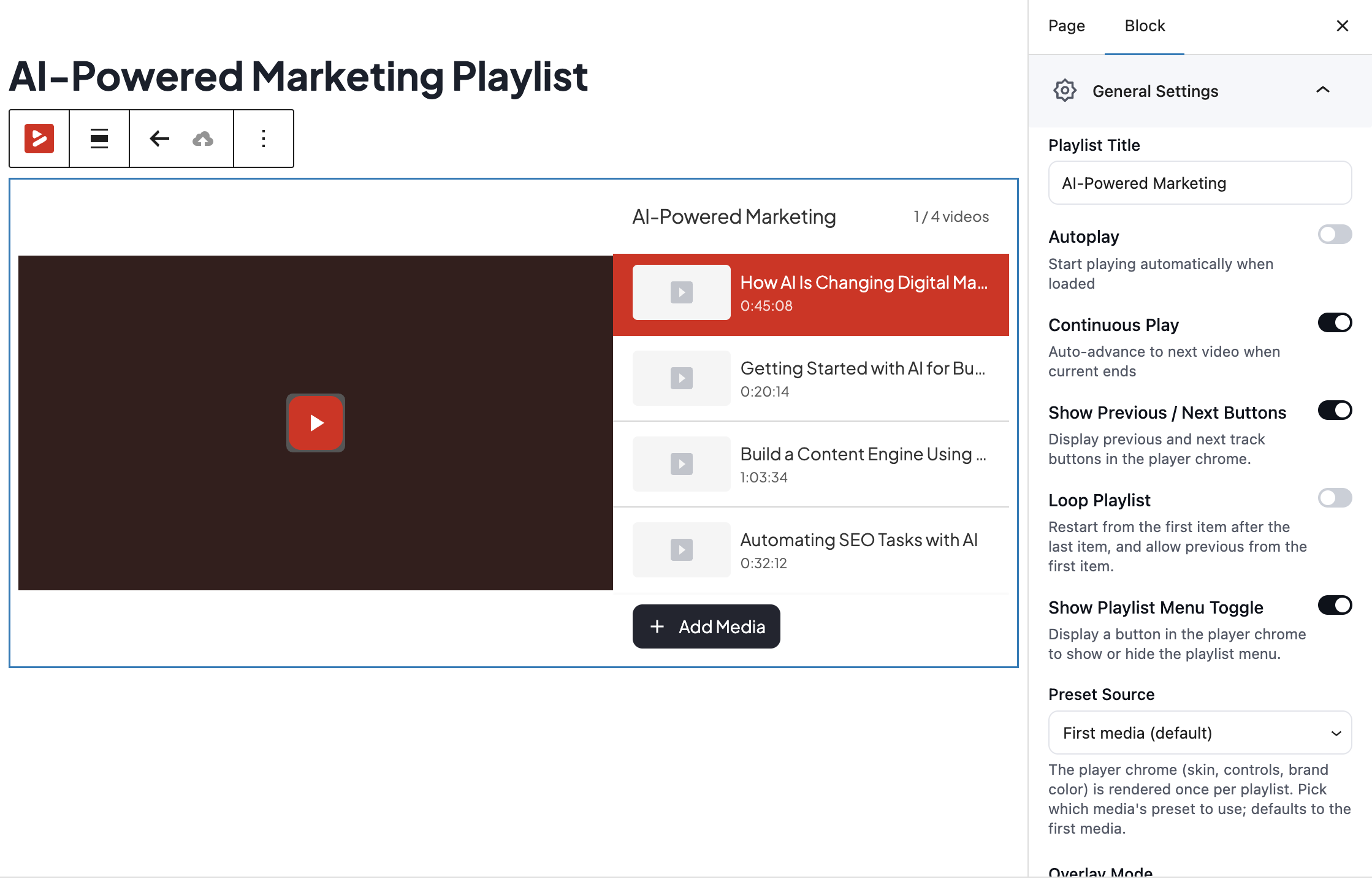
A grid-layout video playlist with custom branding applied.
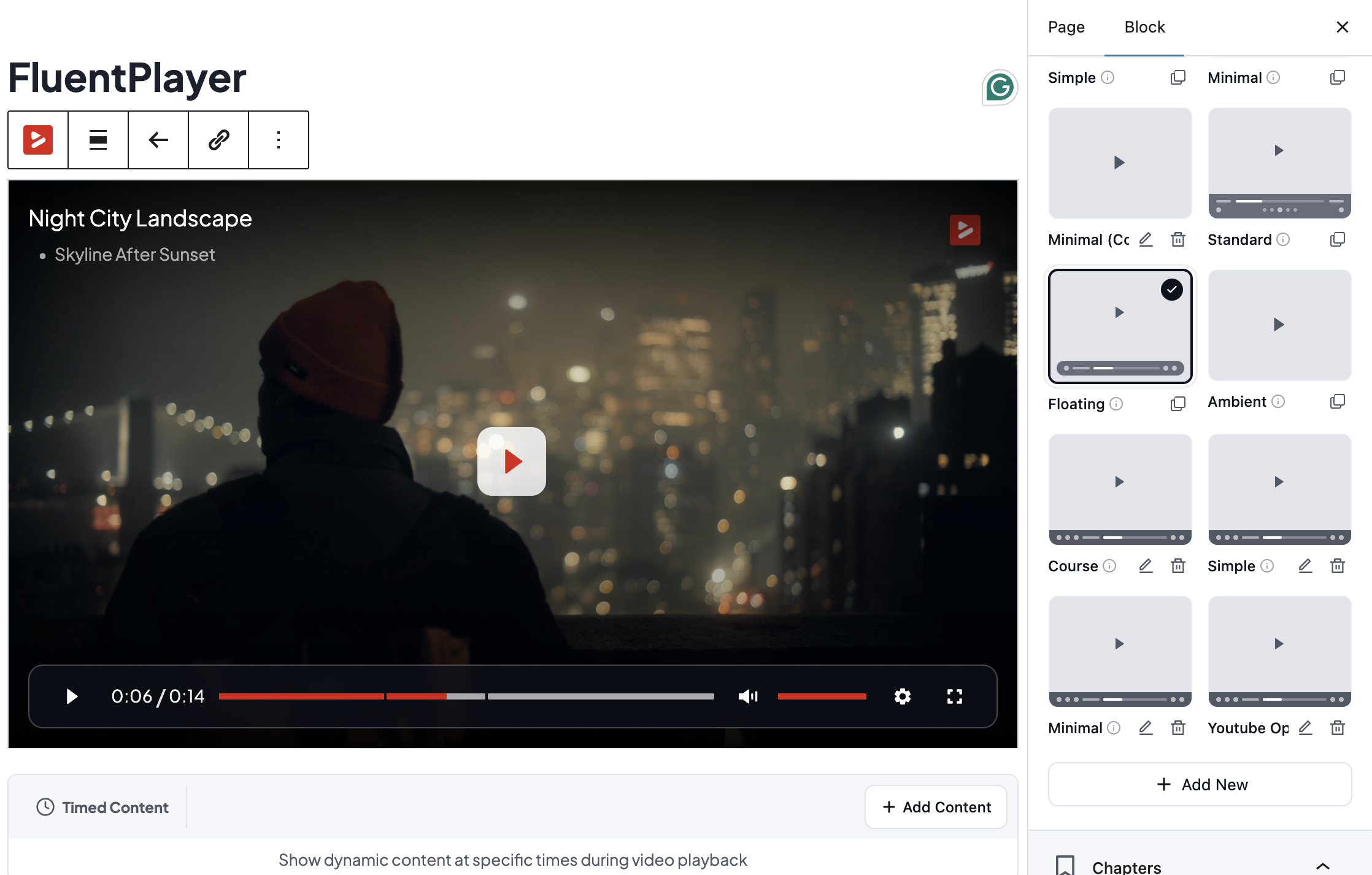
Player presets — reusable player configurations you can apply across your videos.

Building a custom preset with full control over the player controls and behavior.
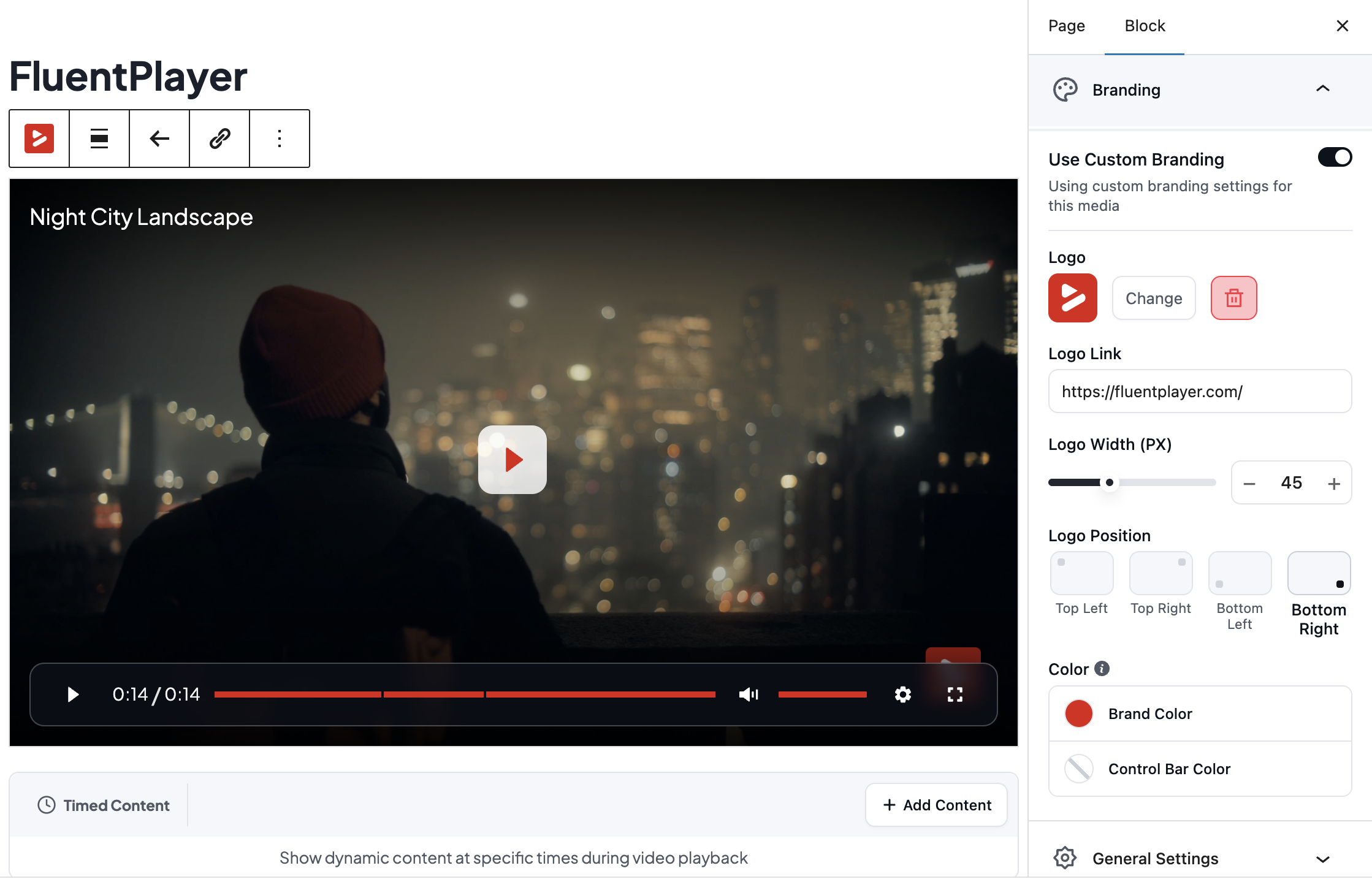
The custom branding panel — colors, logo, and watermark applied to the player.
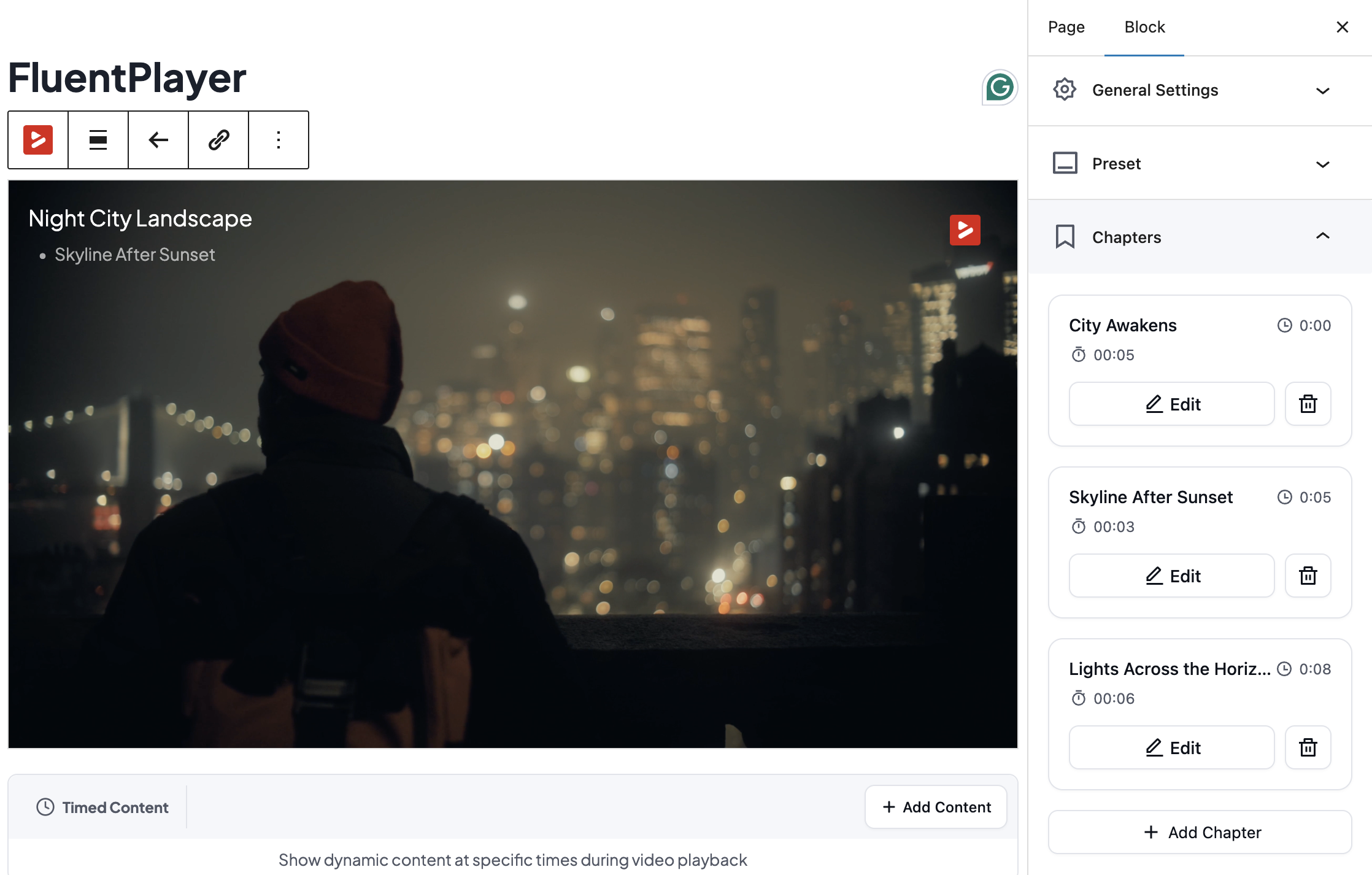
Chapter markers added to the video timeline for quick navigation.
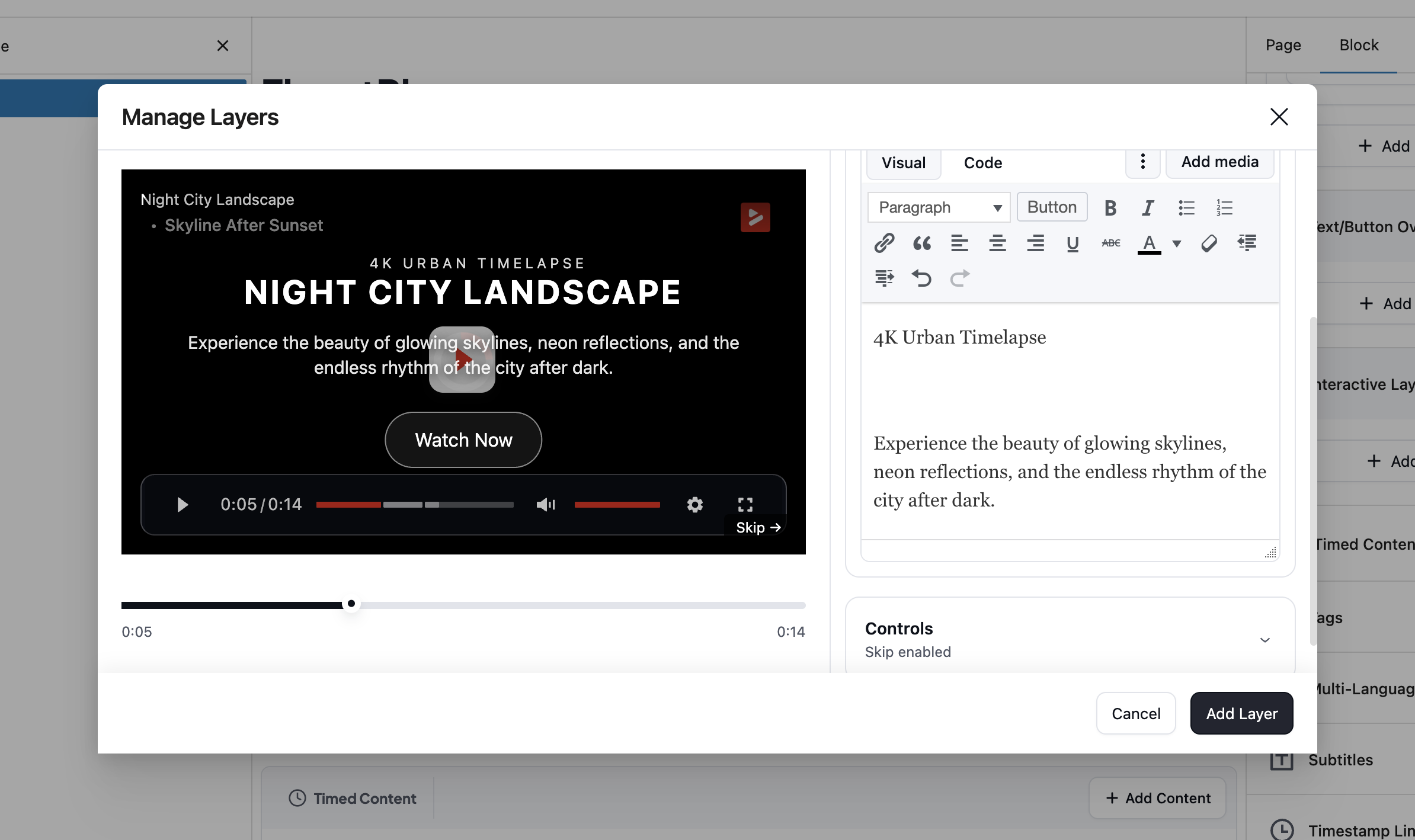
A Fluent Forms layer with a registration field shown over a video mid-play.

The analytics dashboard with per-video engagement and play metrics.
The integration settings showing native Fluent Forms, FluentCRM, and FluentCommunity connections.