
Foldivo Wordpress Plugin - Rating, Reviews, Demo & Download
Plugin Description
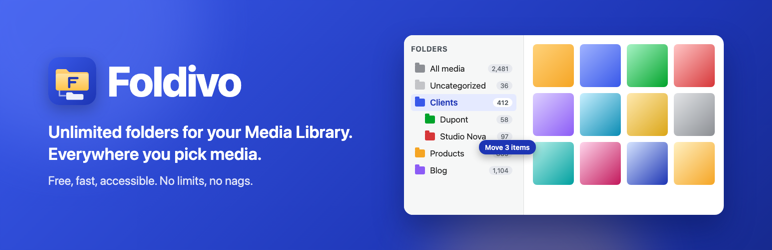
Foldivo organizes your Media Library into virtual folders, and optionally your posts and pages too. Files are never moved or renamed on disk: folders only change how you browse them. Deleting a folder never deletes a file.
Folders everywhere you pick media
- Media Library grid and list views.
- Every media window: block editor, classic editor, featured image, galleries, and page builders that use the WordPress media window (Elementor, Divi, Beaver Builder, Bricks, Oxygen, Breakdance, WPBakery…).
- The new DataViews media window of the block editor (experimental, opt-in “beta” setting).
- Optional folders for posts and pages, in their list screens.
Organize quickly
- Unlimited folders and sub-folders.
- Drag and drop one or many files onto a folder, or use “Move to folder…” with the keyboard, the bulk action or the “Folder” field of the attachment details.
- Rename in place, colors, manual or alphabetical order, search, counts (direct or including sub-folders), “Uncategorized” view.
- New uploads go to the folder you are browsing (Media Library, media windows, Add New Media screen, the browser-side image processing of WordPress 7.1+). Edited copies of an image keep its folder.
- Resizable, collapsible sidebar; a drawer on small screens. Every preference is saved per user.
See where a file is used
- A “Used in” field in the details of each file lists the posts, pages, templates and products that show it, and the site settings (site icon, logo, header).
- Found by id (featured image, image, gallery, cover and media & text blocks, classic editor images, gallery shortcodes, WooCommerce product galleries, Elementor, ACF image and gallery fields) or by URL (any size of the file, in the content or in a custom field).
- The search never runs on its own: a “See where this file is used” button starts it, for one file at a time. Uses in CSS files, theme files or other sites cannot be detected, so Foldivo says “no use detected”, never “unused”.
Switch from another plugin in one click
Import your folders, with a dry-run preview first, from WPMasterToolKit, FileBird, Real Media Library, HappyFiles, Folders (Premio), Wicked Folders, Enhanced Media Library, CatFolders and WP Media Folder. The source data is only read, never changed, and re-running an import does not create duplicates.
Export and re-import your folder tree as JSON (backups, migrations between sites).
Built for developers
- Standard WordPress taxonomies (one private taxonomy per content type): your data is portable and included in WordPress exports.
- REST API (
foldivo/v1) and WP-CLI commands (wp foldivo list|create|rename|move|delete|assign|recount|stats|usage|import|export). - PHP and JavaScript hooks to extend the folders.
- “Recount / repair” tool, and optional removal of every Foldivo data when the plugin is deleted.
Accessible and respectful
- Keyboard navigation everywhere (ARIA tree pattern), screen reader announcements, right-to-left languages, small screens.
- No folder limit and no promotional admin notices: Foldivo Pro is only suggested inside the Foldivo interface, and the suggestions can be turned off (see below).
- No external requests: Foldivo never contacts any server.
Foldivo Pro
An optional add-on, Foldivo Pro, adds folders for custom post types and WooCommerce, smart folders, personal folders and team permissions, ZIP download, media replacement and automatic filing rules. The free plugin stays complete without it.
Foldivo Pro features: folders for WooCommerce products and custom post types, smart folders, team permissions and personal folders, ZIP download of folders and selections, media replacement keeping the URL, a folder gallery and document library block, automatic filing rules for new uploads, including WooCommerce product images (featured and gallery).
Without Foldivo Pro, Foldivo mentions it only inside its own interface, plus one link in the Plugins list: a short one-time tip after some actions, help lines, a “Foldivo Pro” tab in Media > Foldivo, and a few entries labelled “✦ Pro” where the Pro features would be used (folder menu, a “Smart folders” section under the media folders, “Replace file” in the attachment details, content types in the settings). These entries are not locked or fake controls: clicking one only opens a short description of the add-on with a link to its page. Every tip and the smart folders section can be dismissed for good, and “Show Foldivo Pro suggestions” in Media > Foldivo turns them all off, for example on a client site. Everything disappears once Foldivo Pro is installed.
Source code and build
The JavaScript and CSS in build/ are compiled from the human-readable sources shipped in src/, with @wordpress/scripts (webpack). package.json and webpack.config.js are included. To rebuild:
- Install Node.js 20 or later.
- In the plugin folder, run
npm ci, thennpm run build.
Screenshots
No screenshots provided


