
FrameRate Wordpress Plugin - Rating, Reviews, Demo & Download

Plugin Description
FrameRate is where motion designers and studios share their work in full quality. This plugin makes FrameRate videos first-class citizens in WordPress.
Paste a link, get a player. Drop any FrameRate watch link into a post and it becomes a responsive player that fills your content column at the video’s true aspect ratio. Without the plugin, WordPress strips the embed down to a blank box; this fixes that.
The FrameRate block. For full control, use the FrameRate block. You get a live preview of the player right in the editor, plus:
- Autoplay, mute, and loop
- Start and end times, for linking to a specific moment
- Player colors that match your site
- Show or hide any individual player control, down to the AirPlay button
- Background mode for chromeless hero-section video
- Wide and full alignment support
Any option you leave alone keeps the setting the video’s creator chose on FrameRate, so you only override what you mean to.
The [framerate] shortcode. Prefer shortcodes, or writing in the classic editor? Everything the block does is available as attributes, for example:
[framerate url="https://framerate.tv/watch/..." autoplay="yes" muted="yes" start="30" accent_color="#E4F43C"]
Works everywhere WordPress puts content. Posts, pages, site templates, widget areas, and the classic editor. Feeds get a clean “Watch on FrameRate” link instead of a broken player, and excerpts stay pure text.
Respects creators’ settings. Videos restricted to specific domains embed correctly on allowed sites, because the plugin identifies your site to FrameRate when resolving the video.
External services
This plugin connects to FrameRate (framerate.tv), the video service the embedded videos are hosted on. It is required for the plugin to work: without it there is no video to show.
When your site requests data. When you embed a FrameRate video, your site makes a server-side request to https://framerate.tv/api/oembed to turn the video link into a player. That request sends the video URL you entered and your site’s own address (as the HTTP referer, so that videos whose owners restrict embedding to certain domains can be shown on yours). No visitor data and no personal information is sent.
When your visitors load data. The player itself is an iframe served from https://framerate.tv/embed/. When a visitor views a page containing a FrameRate video, their browser loads that player directly from FrameRate, which means FrameRate receives the visitor’s IP address and standard browser information, and may count a view, as any third-party video embed does.
FrameRate’s terms of service: https://framerate.tv/terms
FrameRate’s privacy policy: https://framerate.tv/privacy
Screenshots
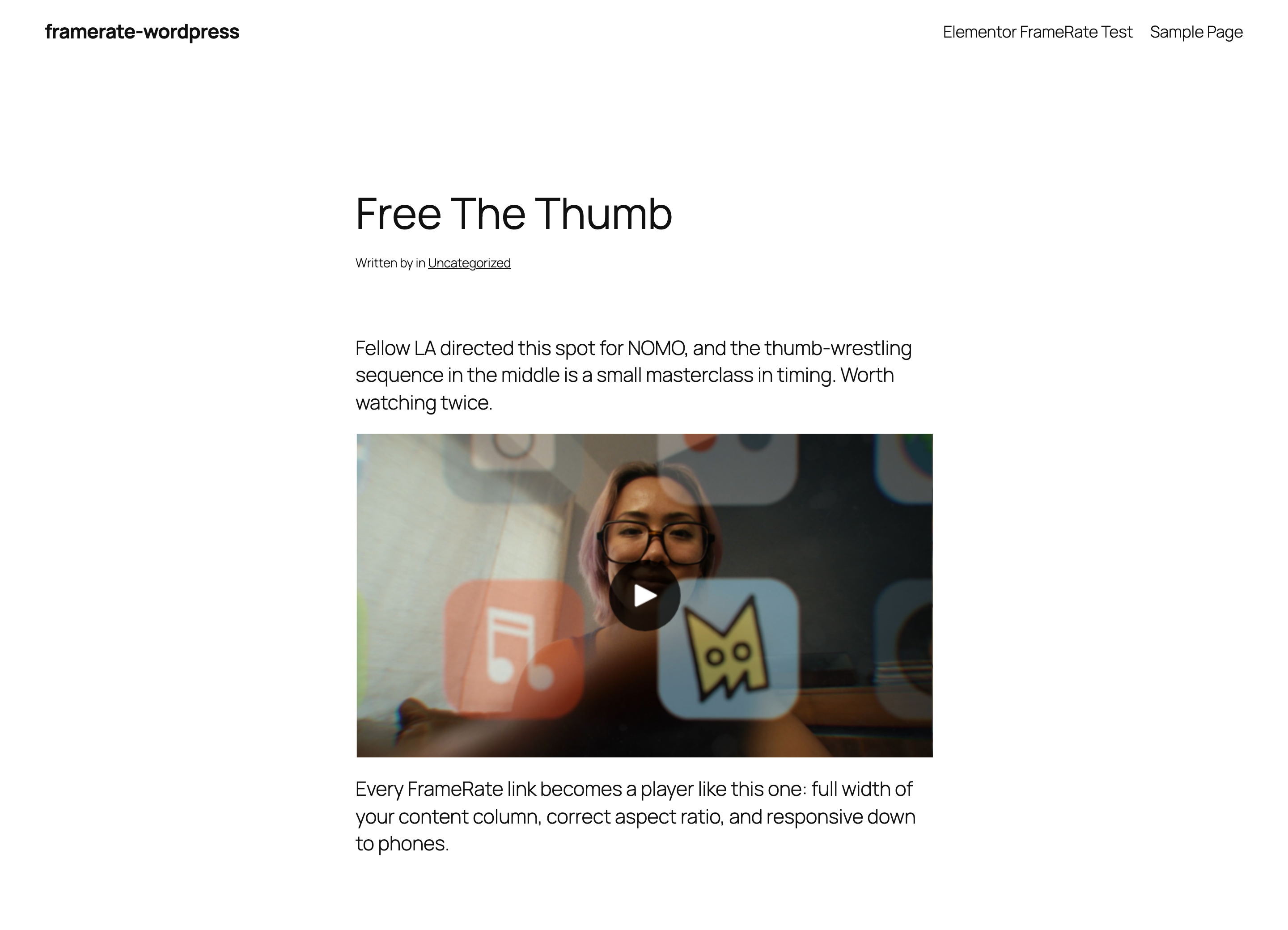
A FrameRate video in a post, filling the content column at its true aspect ratio.
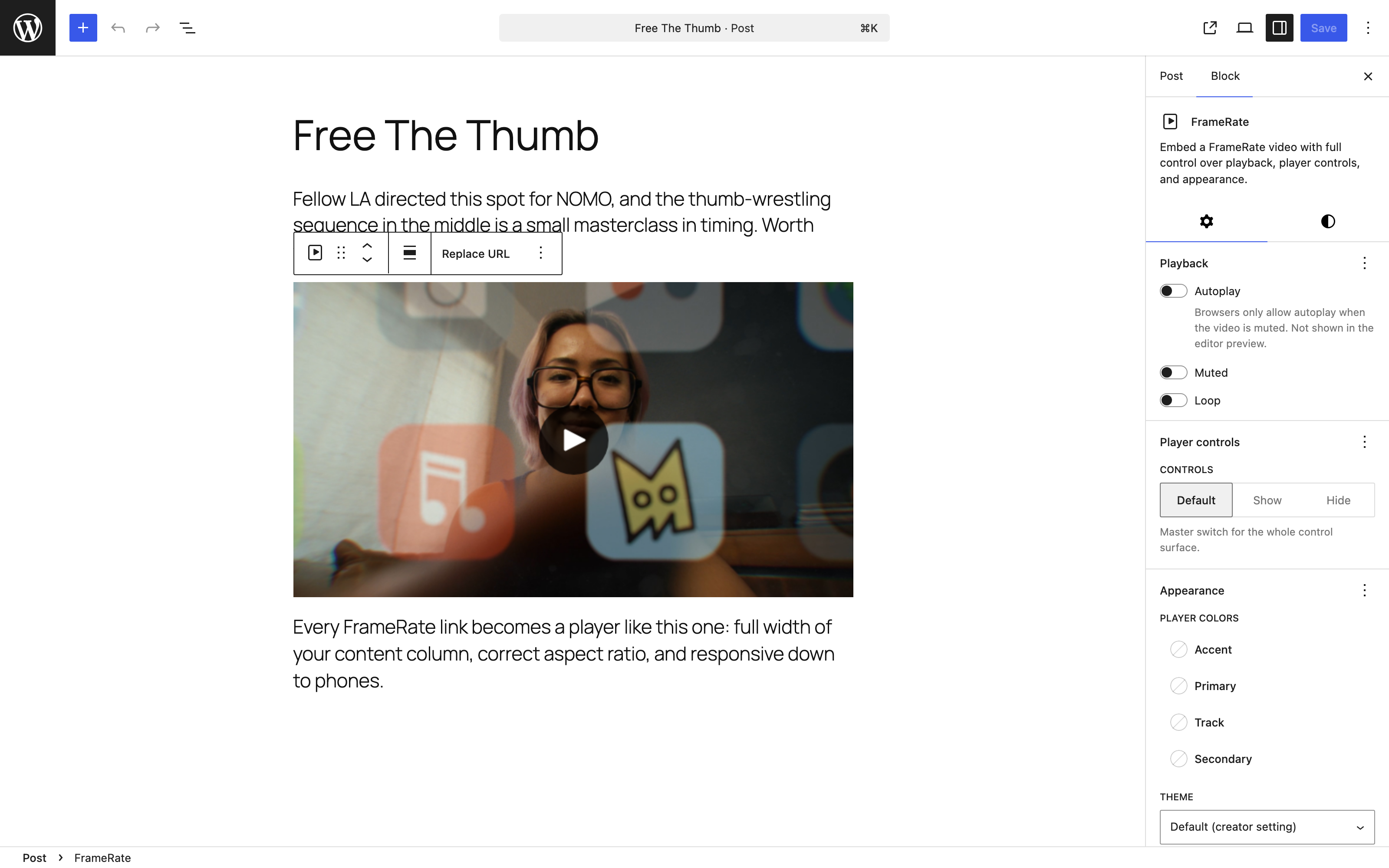
The FrameRate block, with a live player preview and its options in the sidebar.
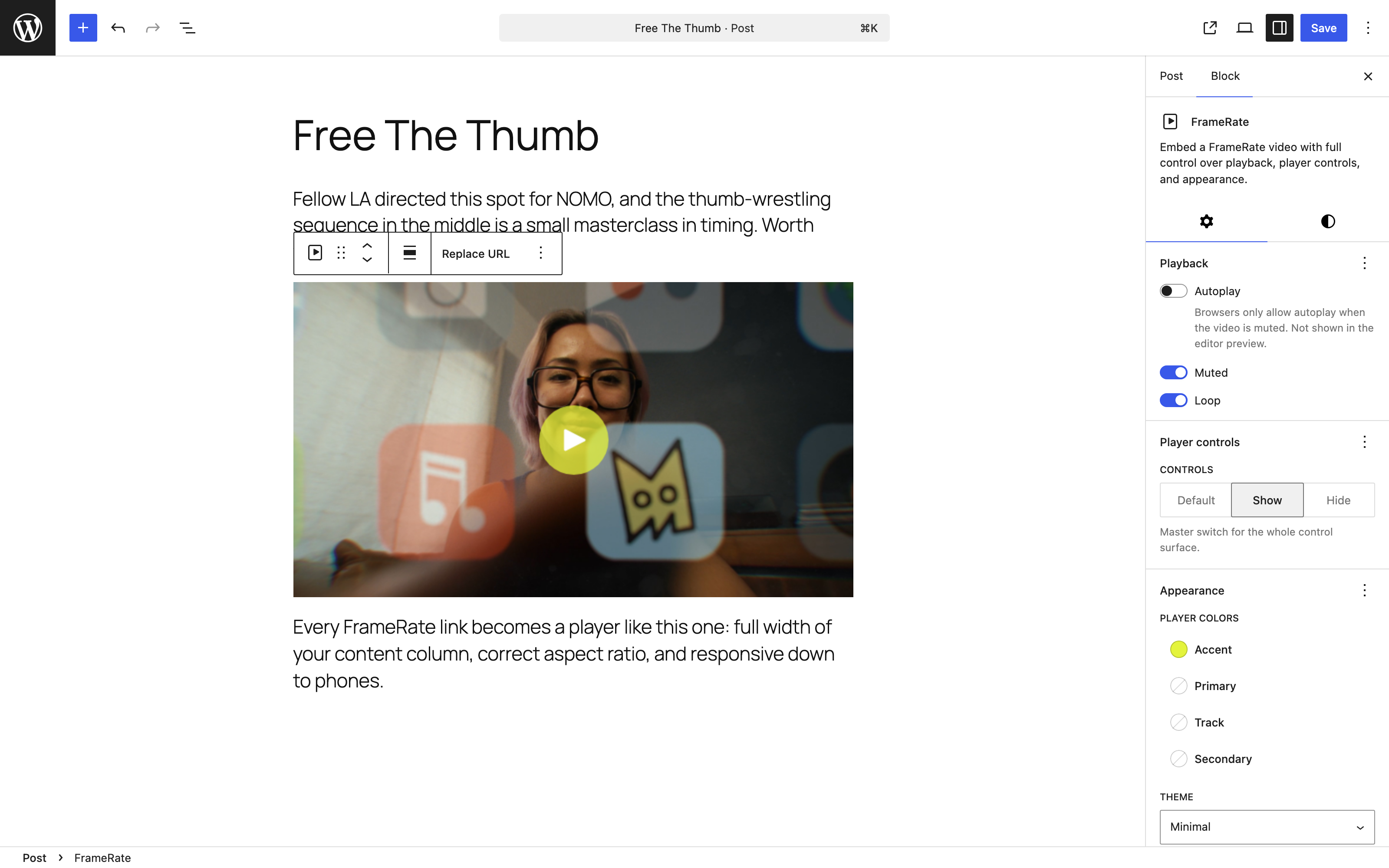
Options applied: brand accent color, muted looping playback, and a player theme, all previewed live.
![The [framerate] shortcode, for the classic editor and page builders.](https://ps.w.org/framerate/assets/screenshot-4.png?rev=3659103)
The [framerate] shortcode, for the classic editor and page builders.


