Frebix Consent Wordpress Plugin - Rating, Reviews, Demo & Download
Plugin Description
Most cookie banners are run from someone else’s servers. You sign up for an account, your visitors’ choices are stored on that company’s computers, and the free plan stops at a set number of pages or visits.
Frebix Consent works differently. Everything happens on your own site: the banner, the choices and the proof. There is no account to create and no limit on pages or visits. Nothing about your visitors is sent to us or to anyone else.
No banner unless the law needs one
Choose “Only where the law asks” and only visitors in the UK, the EU and the EEA see the banner. Everyone else browses without it, and can still change their mind from “Cookie settings” at any time.
- If your site is behind Cloudflare, CloudFront, Vercel, Netlify or a host that adds a country header, that header says where the visitor is.
- Otherwise the visitor’s time zone decides, read in their own browser. Nothing is looked up anywhere.
- When in doubt, the visitor is asked. A UK or EU time zone is always asked, and so is anyone whose location is unclear.
- If nothing on your site needs consent yet, no banner shows at all.
Fair to visitors
- “Accept all” and “Reject all” are the same size and style, side by side, as UK and EU guidance expects.
- Visitors can choose by category: preferences, analytics and marketing. Necessary cookies are always on.
- Browsers that send the Global Privacy Control signal are treated as “Reject all”, wherever the visitor is.
- Turning a category off removes its cookies straight away.
- A “Cookie settings” link (a shortcode, or any link to #cookie-settings) reopens the choices from anywhere.
Proof of every choice
- Each choice is recorded with its time, what was allowed, the policy version and a random consent ID. The same ID sits in the visitor’s own cookie, so a person can be matched to their record if they ask.
- No names, emails or full internet addresses are stored. The address is shortened and hashed, only to limit abuse.
- Open any record to see a ready-made proof of consent: what the visitor chose, when, and the exact wording they were shown. Copy it or download it as a file.
- The whole log downloads as a spreadsheet (CSV). Old records are deleted on a schedule you set.
Works with Google tags
- Google Consent Mode v2 is set before any Google tag loads: everything optional starts as denied and updates the moment a visitor chooses.
- Other scripts can be held back until their category is allowed. Print them as
<script type="text/plain" data-fc-category="analytics">and they run only after consent.
Looks like your site
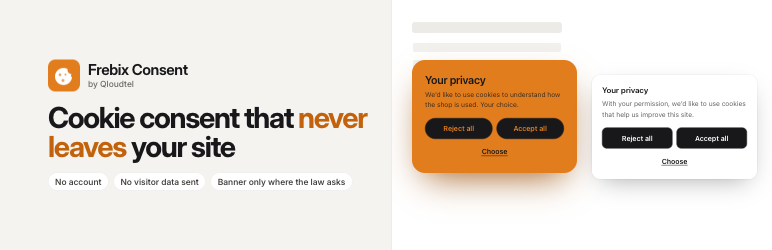
- Four styles: Clear (a plain card that fits any site), Soft (tinted with your colour), Minimal (one slim line along the bottom) and Bold (your colour fills the card).
- Choose a corner card, a bottom bar or a centred box.
- Light, dark, or following the visitor’s device, with your own accent colour. Button text turns light or dark by itself so it always reads.
- Square, soft or round corners, filled or outline buttons, and a clean font or your site’s own.
- A live preview in the settings shows the real banner as you change it.
- A Custom CSS box, and every colour and size is a CSS variable you can change.
- No “powered by” badge.
- On phones the banner always sits at the bottom of the screen, clear of the home bar.
A cookie policy that keeps itself up to date
The [frebix_cookie_table] shortcode lists every cookie your site uses, by category. Plugins can describe their own cookies with the frebix_consent_cookies filter, and you can add any others yourself.
For developers
frebix_consent_allowed( 'analytics' )tells you on the server whether the visitor allowed a category.- In the browser,
window.frebixConsenthasallowed(),categories(),decided(),open()andonChange(). - The
frebix_consent_countryfilter lets you supply the visitor’s country yourself. - Pages stay cacheable. Nothing on the server depends on the visitor’s choice.
About Frebix by Qloudtel
Frebix plugins are made by Qloudtel, a web hosting and WordPress care company. We build the tools we use on our own clients’ sites. If you’d like your WordPress site hosted, kept up to date and looked after by the people who make this plugin, visit qloud.tel.
Screenshots

The four banner styles: Clear, Soft, Minimal and Bold.

Visitors choose by category.

Who sees the banner: only where the law asks, or everyone.

The consent log, and a proof of consent ready to copy.