
FrontEdit – Live Frontend Block Editor Wordpress Plugin - Rating, Reviews, Demo & Download
Plugin Description
FRONTEDIT BRINGS CONTENT EDITING TO THE PLACE IT BELONGS: THE FRONTEND.
WordPress is powerful, but for everyday content updates it often asks too much of the people actually doing the work. Clients get lost in wp-admin. Teams bounce between the page preview and the editor. Small copy changes turn into support requests. Agencies spend valuable time handling edits their clients should be able to make themselves.
FrontEdit changes that.
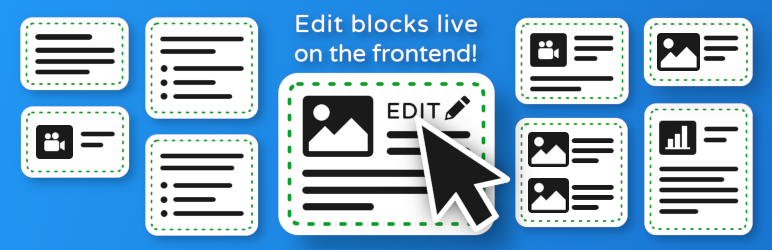
Instead of sending users into the dashboard to hunt through blocks, sidebars, and settings panels, FrontEdit lets trusted users click directly on the content they want to change and edit it right on the page. Headlines, paragraphs, lists, buttons, media, and more become part of a guided frontend workflow that feels natural, lightweight, and immediate.
This is not a replacement for the block editor. It is a better day-to-day editing experience for real content work.
Whether you manage your own website, run content updates for a business, or maintain dozens of client sites, FrontEdit creates a new kind of WordPress workflow: faster, clearer, and dramatically easier to delegate.
Why It Matters
Most content edits are simple.
They are not redesigns. They are not full page rebuilds. They are things like:
- Updating a headline after a campaign changes
- Rewriting a paragraph on a service page
- Swapping an image or fixing a button label
- Refreshing lists, pricing copy, FAQs, and promotions
- Letting a client suggest or submit changes without risking layout damage
These edits happen constantly, but traditional WordPress workflows make them slower than they should be.
FrontEdit removes the friction. Your content can be updated in context, on the live page, with far less training and far less back-and-forth.
Every edit preserves the original WordPress block markup and block-specific settings. FrontEdit updates only the content you change, allowing supported blocks to retain their existing configuration, styling, and behavior.
✨ Key Features
- Edit directly on the frontend instead of working through wp-admin
- Click content in place and update it where you see it
- Built for WordPress block content and normal block serialization
- Lightweight, intuitive inline editing flow for trusted users
- Built-in content request support for lightweight email-based editorial feedback
- Supports editing and review-friendly workflows without forcing a page-builder experience
- Preserves the underlying block structure and save pipeline
- Makes WordPress easier for non-technical editors and clients
A Better Workflow For Real Teams
FrontEdit is ideal for:
- Site owners who want to make fast updates without opening the block editor
- Marketing teams who need to keep landing pages and service pages current
- Internal staff who should be able to edit content without learning WordPress admin
- Freelancers and agencies who want to hand off safe content ownership to clients
- Maintenance teams who are tired of spending time on tiny text and image edits
For agencies, the value is especially clear. Instead of fielding routine requests like “change this sentence,” “swap this image,” or “update this CTA,” you can give clients a workflow they can actually use with confidence. That means fewer support tickets, fewer admin walkthroughs, fewer accidental layout changes, and more time spent on higher-value work.
How It Works
- Install and activate FrontEdit.
- Open a page on the frontend while logged in.
- Click supported content directly on the page.
- Edit in place and save using a workflow designed to respect WordPress block content.
The result is a familiar page view combined with a purpose-built editing layer that keeps the experience simple for the person making the change.
Supported Blocks
FrontEdit currently supports a growing set of WordPress blocks.
WordPress Core
Text blocks
- Paragraph (
core/paragraph) - Heading (
core/heading) - List (
core/list) - Code (
core/code) - Details (
core/details) - Preformatted (
core/preformatted) - Pullquote (
core/pullquote) - Table (
core/table) - Verse (
core/verse) - Accordion Heading (
core/accordion-heading)
Media blocks
- Image (
core/image) - Audio (
core/audio) - Cover (
core/cover) - File (
core/file) - Media & Text (
core/media-text) - Video (
core/video)
Design blocks
- Button (
core/button)
Experimental: Custom Block Handlers
FrontEdit includes an experimental custom handler system that allows developers to add frontend editing support for their own custom blocks and third-party block libraries.
This feature is intended for developers who want to extend the plugin beyond the blocks officially supported out of the box. Using the provided documentation and handler templates, it may be possible to add support for many custom block types without modifying the core plugin.
Important: Custom handler support is currently experimental. While the underlying system is designed to be flexible, it has not been tested against every block library or custom block implementation. Some blocks may work immediately, some may require additional configuration, and others may expose limitations that have not yet been identified.
Before creating custom handlers, please review the included templates/frontedit-live-block-editor-custom-handlers/README.md documentation carefully. It contains implementation requirements, supported capabilities, limitations, and important guidance for building compatible handlers.
Community feedback is highly encouraged. If you successfully add support for a block, or if you encounter a block that follows the documented schema requirements but still does not behave correctly, please let us know. Real-world testing helps improve the schema system and expand compatibility over time.
If you’ve built a reliable handler for a popular third-party block library, you’re welcome to submit it for consideration. After internal testing and validation, compatible handlers may be included in future releases as officially supported integrations.
Built For Gutenberg, Not Against It
FrontEdit is designed to work with block content while preserving the standard save behavior WordPress expects. It keeps the normal block serialization flow intact so supported content can be edited predictably and safely.
That means the plugin is not trying to bypass WordPress. It is using WordPress more intelligently for the kinds of edits people make every day.
🛡️ Safety That Protects Real Work
Frontend editing has to be convenient, but it also has to be safe.
FrontEdit helps protect editors from two of the most common content workflow problems:
- Unsaved changes warnings: It is easy to accidentally click away, reload, or navigate to another page in the middle of an edit. FrontEdit warns you before you lose unsaved work.
- Overwrite protection: If another user updates the page after you started editing, FrontEdit can warn you before you save over newer changes.
These details matter because they build confidence. Editors can work faster when they know the plugin is helping protect their changes.
Extensible By Design
One of the long-term strengths of FrontEdit is that it is being built to grow with the modern block ecosystem.
Developers can write their own handlers for custom blocks and third-party blocks, making it possible to extend frontend editing support beyond the blocks included out of the box. That opens the door for deeper compatibility with block collections and custom site builds while keeping the editing experience consistent for end users.
The goal is simple: make it easier to bring more of WordPress into a frontend editing workflow without forcing every site into the same setup.
🧩 Developer API
FrontEdit includes a stable JavaScript Public API for developers who want to integrate with or extend the frontend editing experience.
The versioned Public API provides documented runtime contracts for interacting with the editor, inspecting supported blocks, applying schema-backed content and attribute updates, working with media and list operations, responding to editor lifecycle events, and building integrations designed for long-term compatibility.
Whether you’re building custom editing tools, AI-powered workflows, or integrations with your own plugins, the Public API is the recommended way to interact with FrontEdit at runtime.
The complete API reference is included with the plugin in docs/frontend-runtime-extension-contract.md, which documents the available methods, events, supported runtime behavior, versioning guarantees, and integration guidelines for developers.
🔓 Pro Features When You Need More
FrontEdit works great on its own, but some teams need more than direct frontend editing. When your workflow grows, FrontEdit Pro expands the experience into a more complete editorial system.
With Pro, you can unlock advanced features such as:
- Pending drafts and approval workflows
- Batch editing for faster multi-block updates
- Per-user editing permissions for more controlled client access
- Content request ticketing and dashboard tools to track and respond to user submitted change requests
- Content Catalog views for organizing and reviewing editable elements across the site
- Block-level edit history and revert workflows
- Notification tools for more collaborative editorial operations
- A centralized dashboard to see open content requests and pending drafts in one place
🚧 Coming Soon
The FrontEdit experience is only getting bigger.
Planned future enhancements include more advanced page editing behavior such as moving blocks, deleting blocks, adding new blocks, and working toward fuller page editing workflows directly from the frontend.
These more advanced editing controls are planned as Pro features, giving Pro users an even more powerful way to manage page content without dropping into the admin editor.
🤖 Coming Soon: ABE, Your Personal WordPress Assistant
AI is changing the way people work, but most AI tools still feel disconnected from WordPress. They generate text in a chat window and leave you to figure out where it goes, how it should be formatted, and how to safely apply it.
That is where ABE comes in.
ABE, the AI Assisted Block Editor, is being built specifically for WordPress and FrontEdit. It is not meant to be a generic chatbot. It is designed as your personal WordPress assistant: one that understands editable page content, works with FrontEdit-owned blocks, and helps rewrite, generate, and update content live on the page in front of you.
The vision is simple: describe what you want, review the result in context, and watch WordPress content update in a workflow that feels native instead of bolted on.
🚀 ABE will be included with the Pro subscription at no additional cost, making Pro not just a workflow upgrade, but a forward-looking investment in how WordPress editing is about to change.
Join the ABE waitlist here to get updates and be notified when ABE launches:
Sign up here
👥 Who This Plugin Is For
- Business owners who want to update their own websites quickly
- Agencies that want to reduce client dependency on the admin dashboard
- Teams that need a safer, easier content editing experience
- Anyone who loves WordPress but wants a more direct, modern way to maintain pages
Screenshots

Hover over a heading

Edit heading block

Choose an image to edit it

Replace an image from the library or upload a new file

Full list editing capabilities including indent/outdent

Edit table blocks

After updating table alignment, column alignment, and adding a caption

Choose your target block when blocks are overlapping

Write a comment to the admin with a content request


