
FrostBanner – Cookie Consent Banner Wordpress Plugin - Rating, Reviews, Demo & Download

Plugin Description
FrostBanner adds a cookie consent banner to your WordPress site. You design it in the FrostBanner dashboard and it appears on your site without editing your theme.
This plugin connects your site to the FrostBanner service at frostbanner.com. You need a FrostBanner account to use it. A free plan is available. See “External services” below for what is sent and when.
Features
- 14 styles in 6 shapes: corner card, bottom bar, centred window, pill, chat message and card with image
- Light, dark and tinted themes, your own colour
- Blocks scripts until consent: Google Analytics, Meta Pixel and anything else you mark with a category
- Blocks YouTube, Google Maps and other iframes until consent, with an “Allow and show” placeholder
- Google Consent Mode v2 signals
- Equal “Accept all” and “Reject all” buttons, granular categories, a floating button to change the choice at any time
- Consent log with CSV export, in your FrostBanner dashboard
- Built-in texts in 29 languages (all EU languages plus Norwegian, Catalan, Turkish, Ukrainian and Russian), all texts can be replaced
- About 18 KB compressed, no dependencies, does not touch your site’s CSS (Shadow DOM)
The banner script is open source (MIT): https://github.com/automatept-ai-pt/frostbanner
How to set it up
- Install and activate the plugin.
- Create an account at https://app.frostbanner.com/app/ and add your website.
- Copy the site ID from the Install tab.
- In WordPress go to Settings FrostBanner, paste the site ID and save.
Style, texts, categories and language are changed in the FrostBanner dashboard and published to your site automatically.
Block a script until consent
Change the script type to text/plain and add its category. FrostBanner runs it only after the visitor accepts that category:
<script type="text/plain" data-category="analytics" src="https://www.googletagmanager.com/gtag/js?id=G-XXXXXXX" async></script>
Cookie settings link
Use the shortcode [frostbanner_settings] in your footer or cookie policy page to show a link that reopens the preferences. Change the text with [frostbanner_settings label="Manage cookies"].
External services
This plugin relies on the FrostBanner service, operated by automate-ai.pt (Portugal). Nothing is loaded and no data is sent until you save a site ID in Settings FrostBanner.
After a site ID is saved:
- Banner script. Every visitor’s browser loads the banner script from
https://app.frostbanner.com/v1/fb.json each page view. As with any web request, the visitor’s IP address and browser information reach the server. - Banner settings. The script loads the style and texts you published from
https://app.frostbanner.com/v1/config/<your site ID>. Only your site ID is sent. A copy is kept in the visitor’s local storage. - Consent log. When a visitor accepts, rejects or changes their choice, the script sends to
https://app.frostbanner.com/v1/consent: your site ID, a random consent ID, the chosen categories, the banner version and the page address. The service stores the country and a salted hash of the IP address, never the IP address itself.
On the visitor’s device the script stores one first-party cookie and a local storage value named fb_consent with the consent ID, the choices, the banner version and the date.
FrostBanner terms of service: https://frostbanner.com/terms/
FrostBanner privacy policy: https://frostbanner.com/privacy/
Data processing agreement: https://frostbanner.com/dpa/
The free plan shows a small “Powered by FrostBanner” text (not a link) inside the banner. It is added by the service, not by this plugin.
Screenshots
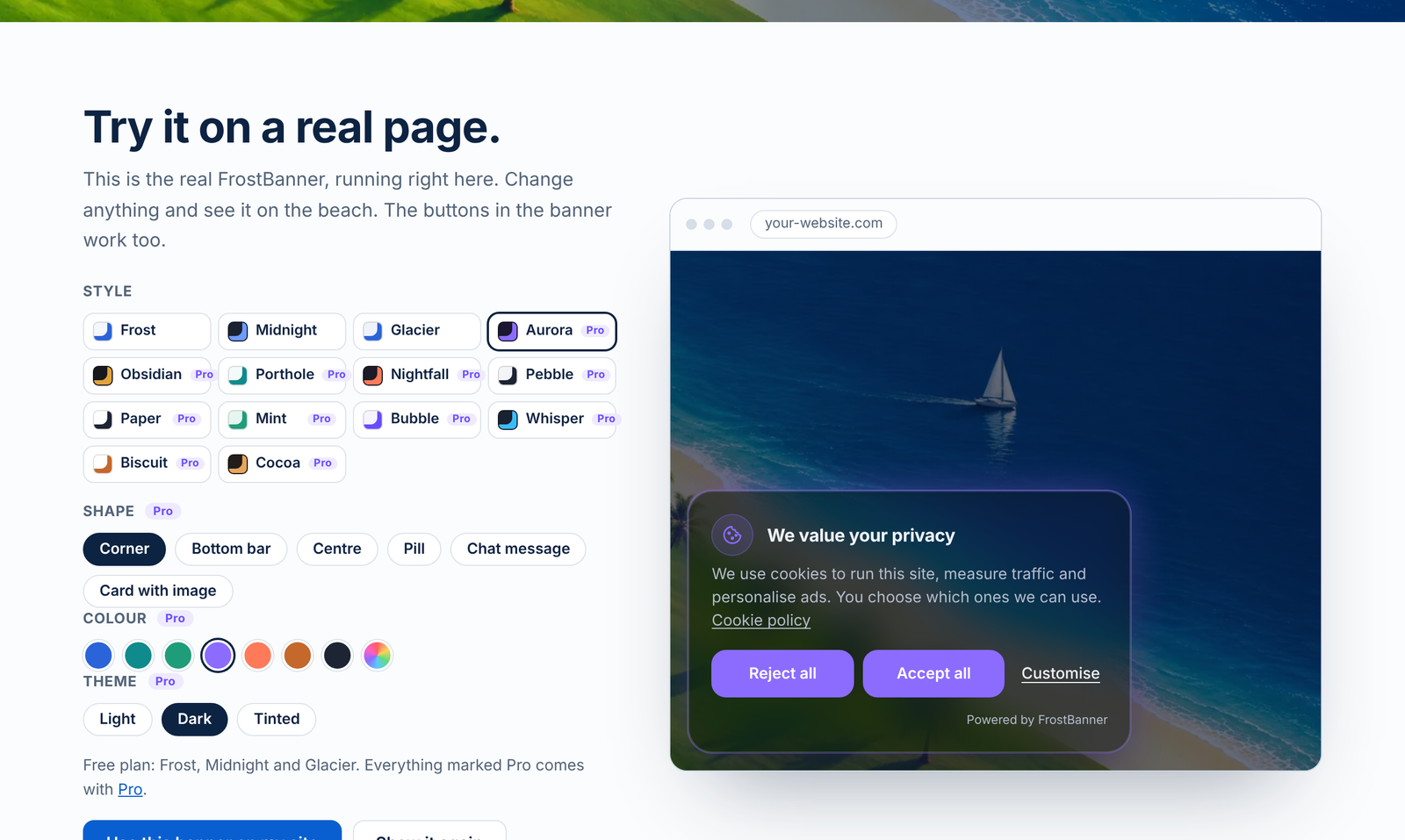
Choose from 14 banner styles.
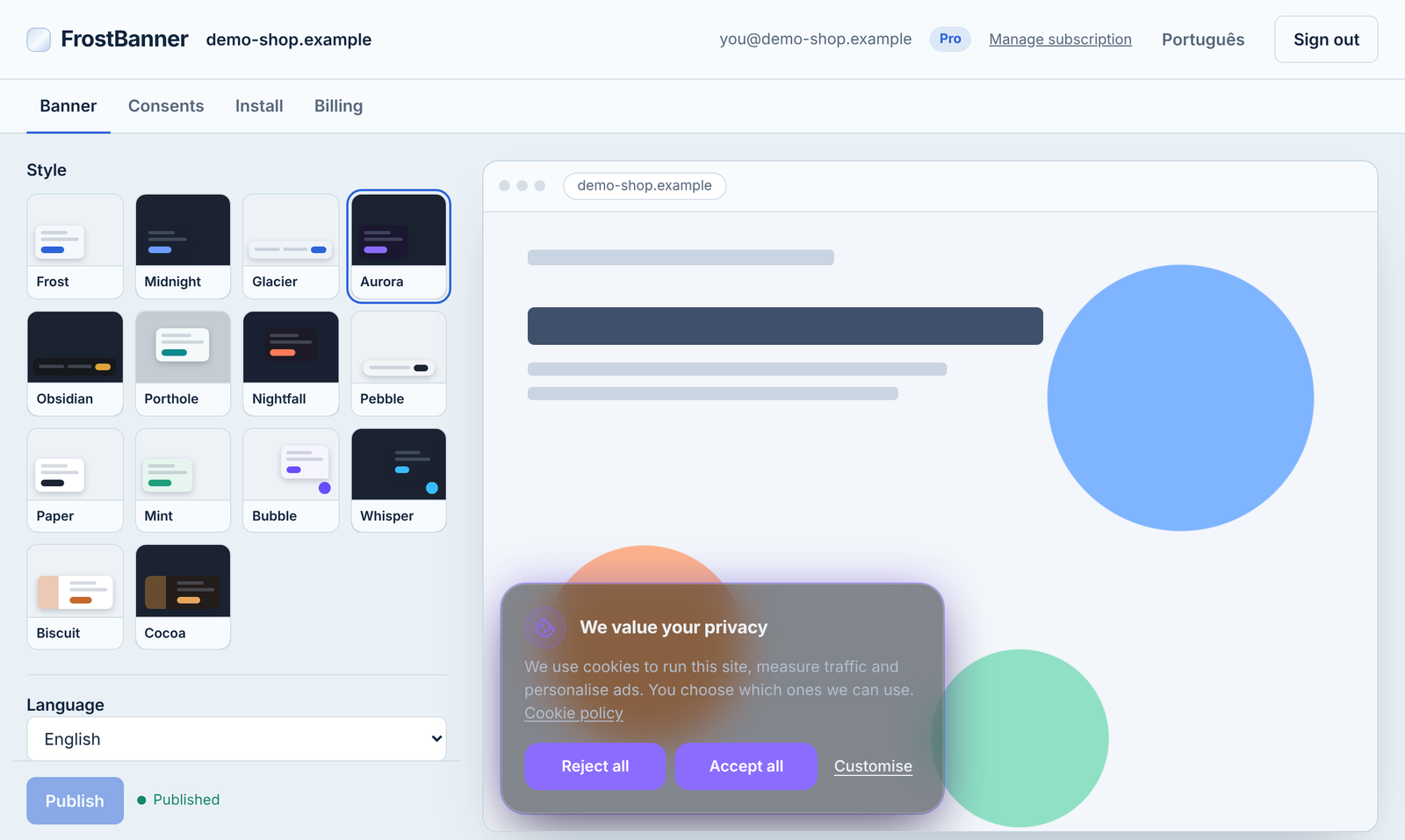
Style editor with live preview in the FrostBanner dashboard.
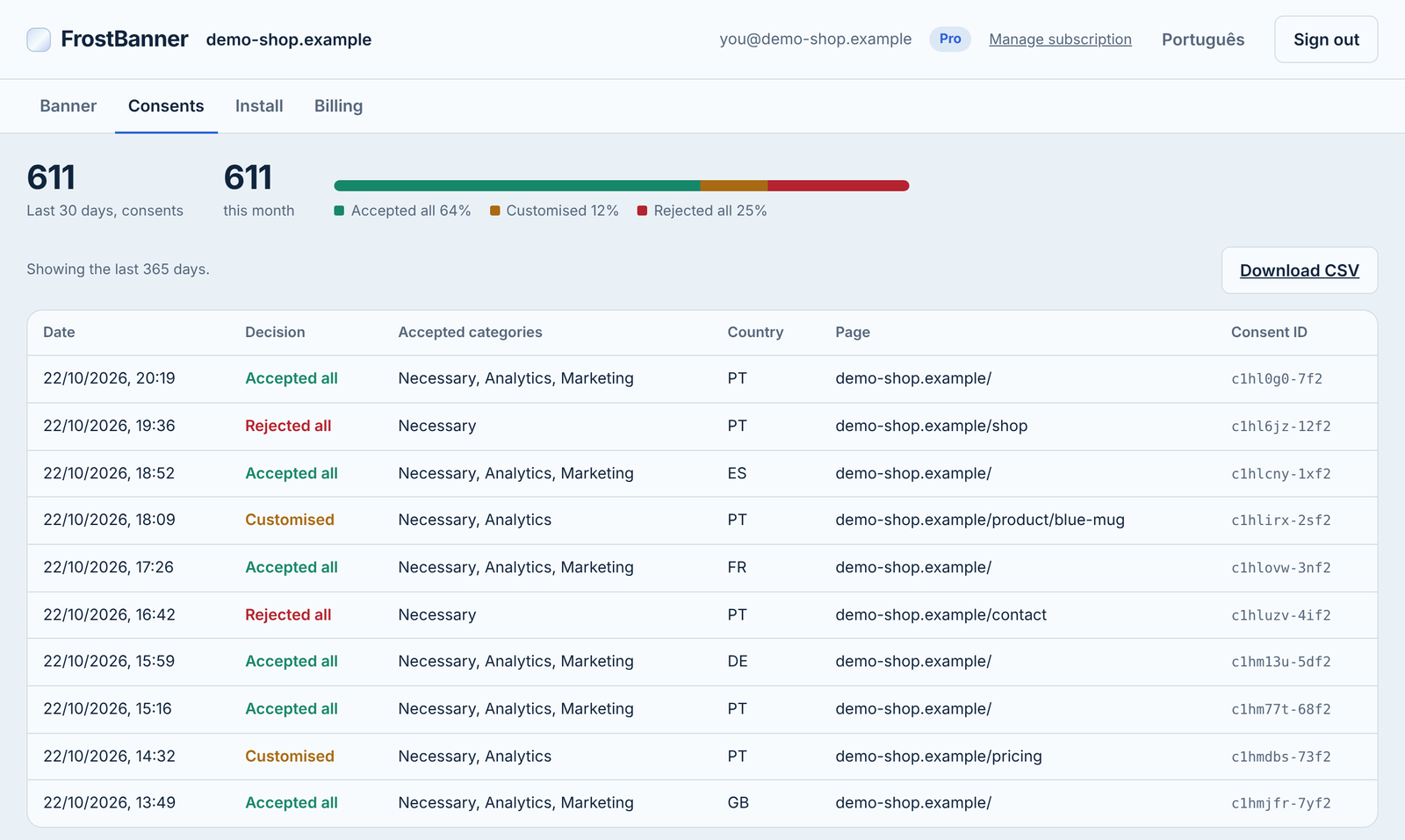
Consent log with CSV export.
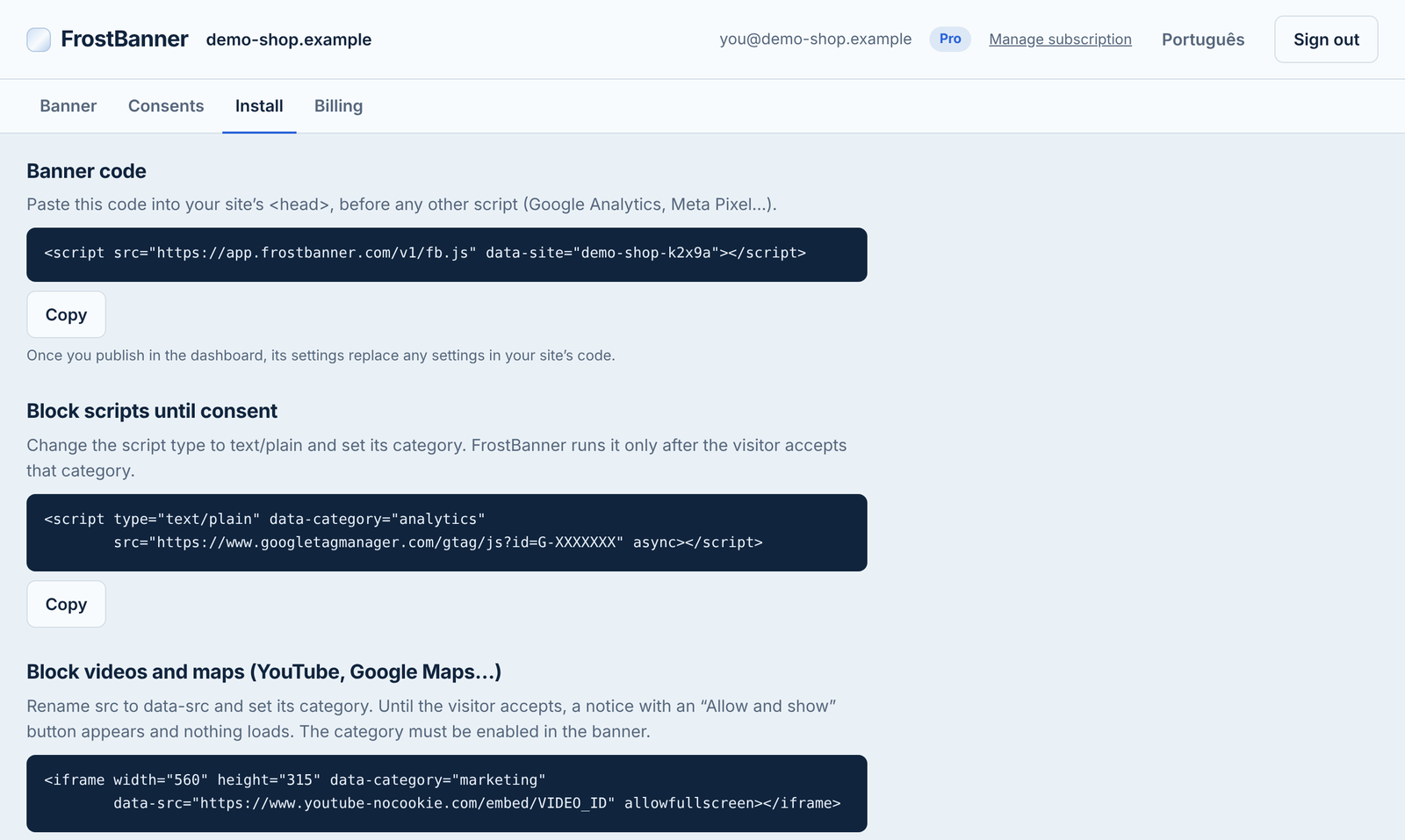
Install tab in the FrostBanner dashboard with your site ID.
Similar Plugins:
 AdSimple Cookie Consent Manager (DSGVO/GDPR), Cookie Banner, Cookie Consent, Cookie Notice
 Cookie Consent, Consent Log, Cookie Scanner, Script Blocker (for GDPR, CCPA & EPrivacy) : WP Cookie Consent
 Consentmanager Cookie Banner For Cookie Consent (Google Consent Mode And GDPR Compliant Cookie Notice)