Fulfy Plus Venezuela Shipping For WooCommerce Wordpress Plugin - Rating, Reviews, Demo & Download
Plugin Description
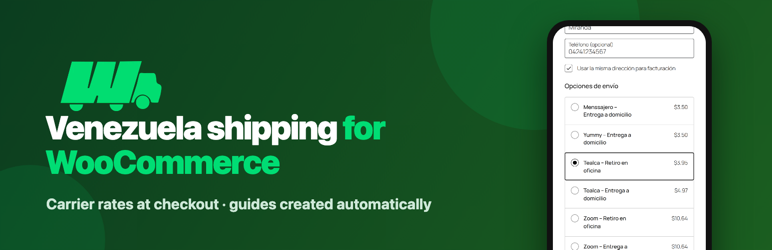
Fulfy Plus Venezuela Shipping adds a WooCommerce shipping method that quotes with the carriers available through your Fulfy account (Zoom, MRW, Tealca, Yummy, Menssajero) and creates the shipping guide when the order is paid.
- One method instance per carrier in each shipping zone, with its own title, fee, extra percentage, minimum and maximum price, activation by cart amount or weight, exclusions, discount and free shipping rules.
- Prices in USD; stores that sell in bolivars or euros convert with the daily BCV rates published by Fulfy or manual rates.
- Venezuelan checkout fields (document type and number, mobile prefix and number) with the same names used by other Venezuelan carrier plugins, so they do not duplicate.
- Map pin for the exact delivery point, with a “Use my current location” button; the state, city list and postcode are filled from the pin.
- Pickup office picker with the three nearest offices on a map.
- Your own boxes, or parcels built from product sizes, with a persistent packing cache.
- Automatic or manual guide emission, safe against concurrent requests, with PDF or thermal (EPL) labels, carrier status sync and a tracking email.
- Optional collect on delivery: the buyer pays the carrier on delivery, so it adds nothing to the cart and shows an estimate.
- Public prices mode for stores that only want to show carrier prices, without issuing guides.
- Works with the classic and the block checkout, with HPOS on or off.
A Fulfy account is required: create it at https://fulfyplus.com and generate an API key in your dashboard.
External services
This plugin connects to two external services.
Fulfy API (https://api.fulfyplus.com) — quotes shipments, lists carriers, offices and cities, returns the daily exchange rate and creates, cancels and tracks shipping guides.
It is called only after the store owner saves an API key:
* when the buyer drops the map pin, to find the state, postcode and cities of that point (sends the pin coordinates);
* when the checkout calculates shipping and lists nearby pickup offices (origin address, delivery point coordinates, chosen city and package sizes, weights and declared value);
* when a guide is issued, cancelled or synced (buyer name, document, phone, email, address and delivery point, and the packages).
Terms of service: https://docs.fulfyplus.com/tos — Personal data: https://docs.fulfyplus.com/tos#9-datos-personales
Map tiles — the checkout map loads image tiles from the configured provider, by default OpenStreetMap (https://www.openstreetmap.org). The buyer’s browser requests the tiles (sending its IP address) only on the checkout page when the shipping country is Venezuela.
The “Use my current location” button uses the browser’s geolocation; the browser asks the buyer for permission and the position only goes to the Fulfy API as described above.
Tile usage policy: https://operations.osmfoundation.org/policies/tiles/ — Privacy policy: https://osmfoundation.org/wiki/Privacy_Policy
Third-party libraries
- Leaflet 1.9.4 — BSD-2-Clause — bundled in assets/vendor/leaflet.
Source code
All JavaScript is shipped unminified in assets/js and runs on WordPress’ own script globals; there is no build step.
Screenshots

Fulfy shipping options with their prices in the WooCommerce checkout.