
FunnelFork – Quiz & Quickscan Builder For Lead Generation Wordpress Plugin - Rating, Reviews, Demo & Download

Plugin Description
FunnelFork lets you build a quiz or quickscan like you draw a flowchart. Add questions, connect each answer to the next question or to a result, and FunnelFork guides your visitors through it, one question per page. No code, no form builder logic to puzzle out: you see the whole funnel on one canvas.
What you can build
- Product recommendation quiz – “Which plan, product or service fits me?” Send every visitor to the product that matches their answers.
- Assessment or scorecard – “How ready is your business for…?” Give every answer points and show a result per score range.
- Lead magnet – a quiz or self-test that visitors actually finish, with a lead form before the first question in FunnelFork Pro.
- Price indication or cost estimate – “What would your new website cost?” Lead visitors to the price range or package that fits.
- Decision tree or eligibility check – “Do I qualify?”, “Which option do I need?”, troubleshooting and support flows.
- Personality quiz and interactive content – fun quizzes that keep visitors on your site and lead them to the right page.
- Advice tool or product finder – collect labels along the way and show personal advice on the result.
Features
- Visual editor: drag questions and results on a canvas and draw the answer logic with lines. Loops are impossible, so every visitor reaches a result.
- Two kinds of quickscans:
- Flow mode – the lines decide the result, like a decision tree.
- Score mode – every answer has points and every result a score range (for example 0–10, 11–20, 21 or more). Ideal for assessments and “how do you score?” quizzes.
- Unlimited quickscans, questions and results.
- Yes/no questions and multiple choice questions, each with an optional explanation.
- Multiple results (endpoints), clearly marked, with one default result for answers without a line or a score outside every range.
- Labels: attach labels (for example products or pieces of advice) to answers and show the collected labels as personal advice on the result.
- Optionally show the given answers and the score on the result.
- An optional start screen, then one question per page that slides smoothly into view, with a back button and a progress bar.
- Inherits the colours, fonts and buttons of your theme.
- Accessible: respects “reduced motion”, moves the focus to every new step and announces it to screen readers.
- Block and shortcode:
[funnelfork id="123"], so it works in every page builder. - Translation-ready. Translations are delivered through translate.wordpress.org.
- For developers: JavaScript events (
funnelfork:step,funnelfork:answer,funnelfork:complete) for analytics, PHP and JS hooks, and--funnelfork-*CSS custom properties.
FunnelFork Pro turns your quickscans into a lead machine: a lead form before the scan, saving responses with CSV export, an email or webhook (Zapier, Make, n8n) for every lead and result, a Gravity Forms form or any shortcode on a result, images and icons for answers, more transitions and your own styling. Compare Free and Pro.
External services
FunnelFork uses the Freemius SDK to handle the optional opt-in for updates and usage statistics, and to offer the FunnelFork Pro add-on.
- Opt-in: after activation FunnelFork asks whether you want to share basic, non-sensitive data. Only when you click “Allow & Continue” are your name and email address (of the admin user), the site URL, and the WordPress, PHP and plugin versions sent to Freemius. When you click “Skip”, nothing is sent.
- Add-ons page: the “Add-ons” screen loads the information about FunnelFork Pro from Freemius servers.
- Purchases: buying FunnelFork Pro is handled by Freemius.
Freemius Terms of Service and Privacy Policy.
The quickscans themselves never send visitor answers to an external service.
Credits
The admin screens use the fonts Bricolage Grotesque (The Bricolage Grotesque Project Authors) and IBM Plex Sans and IBM Plex Mono (IBM Corp.). They are included in the plugin, loaded from your own site, and licensed under the SIL Open Font License 1.1. The license texts are in assets/fonts.
Screenshots
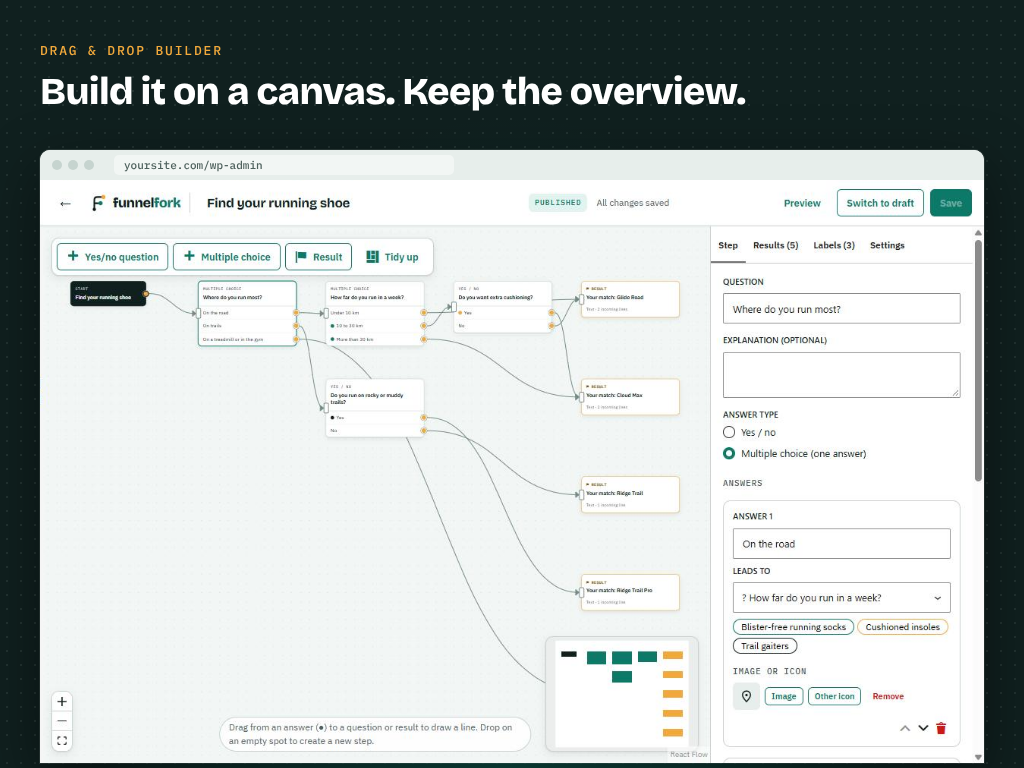
The drag and drop quiz builder: draw the answer logic with lines and keep the overview of the whole funnel.
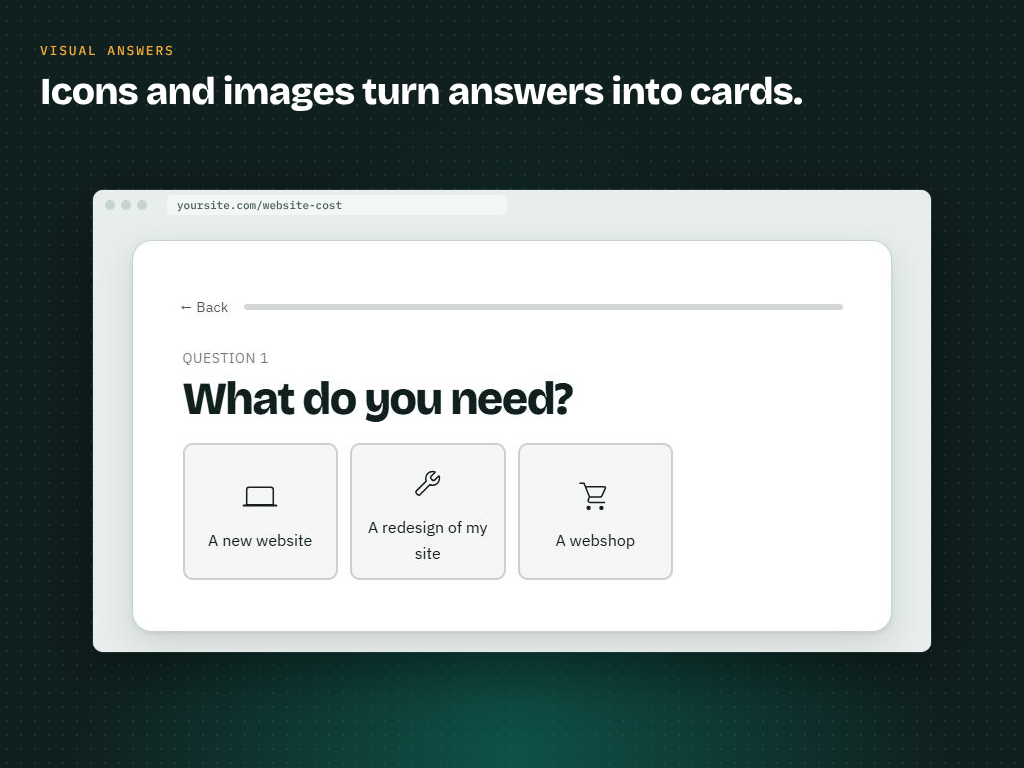
Visual answers: icons and images turn answers into cards (FunnelFork Pro).
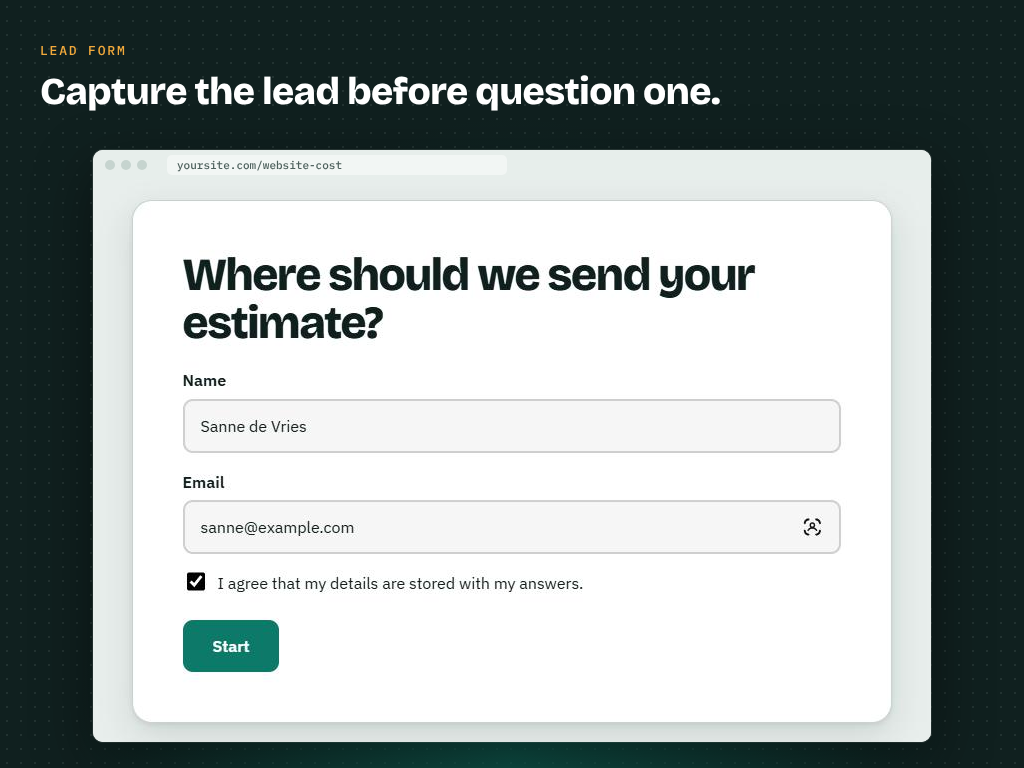
A lead form before the first question (FunnelFork Pro).
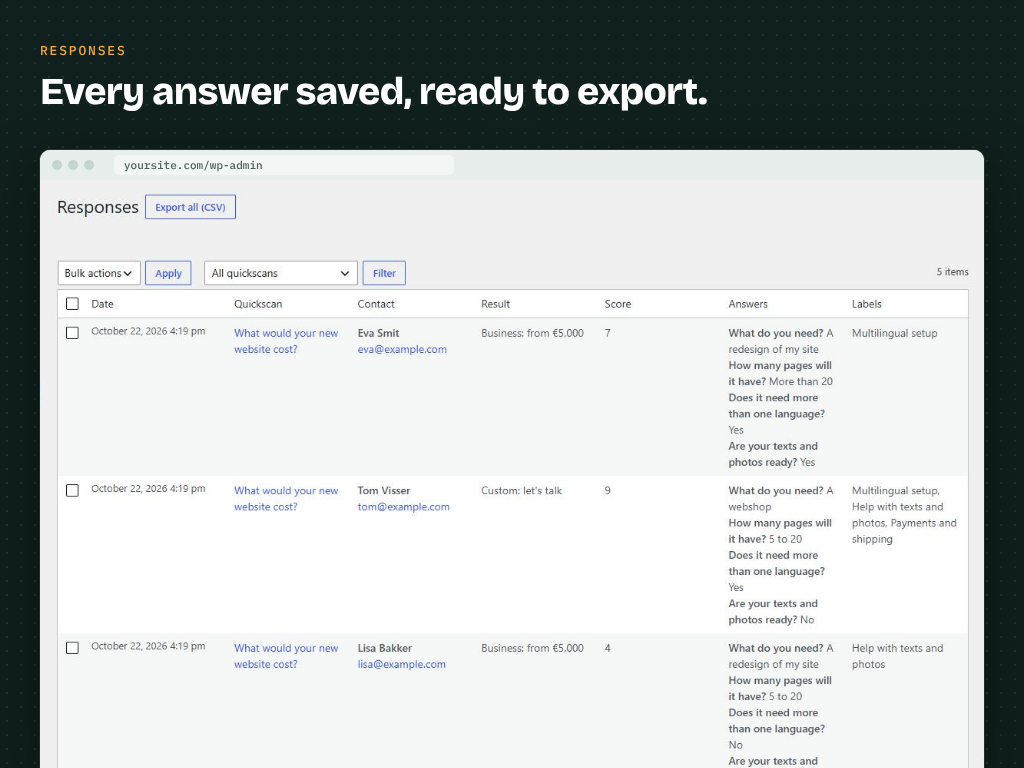
Every response saved with contact details, result, score and answers, ready for CSV export (FunnelFork Pro).


