
Fy2Press Catalog For Shopify Wordpress Plugin - Rating, Reviews, Demo & Download
Plugin Description
Fy2Press synchronizes Shopify products, collections and tags into native WordPress content with templates and indexable URLs. Shopify handles commerce and checkout.
Fy2Press includes:
- Product, collection and product-tag discovery and synchronization.
- Manual catalog synchronization and configurable catalog caching.
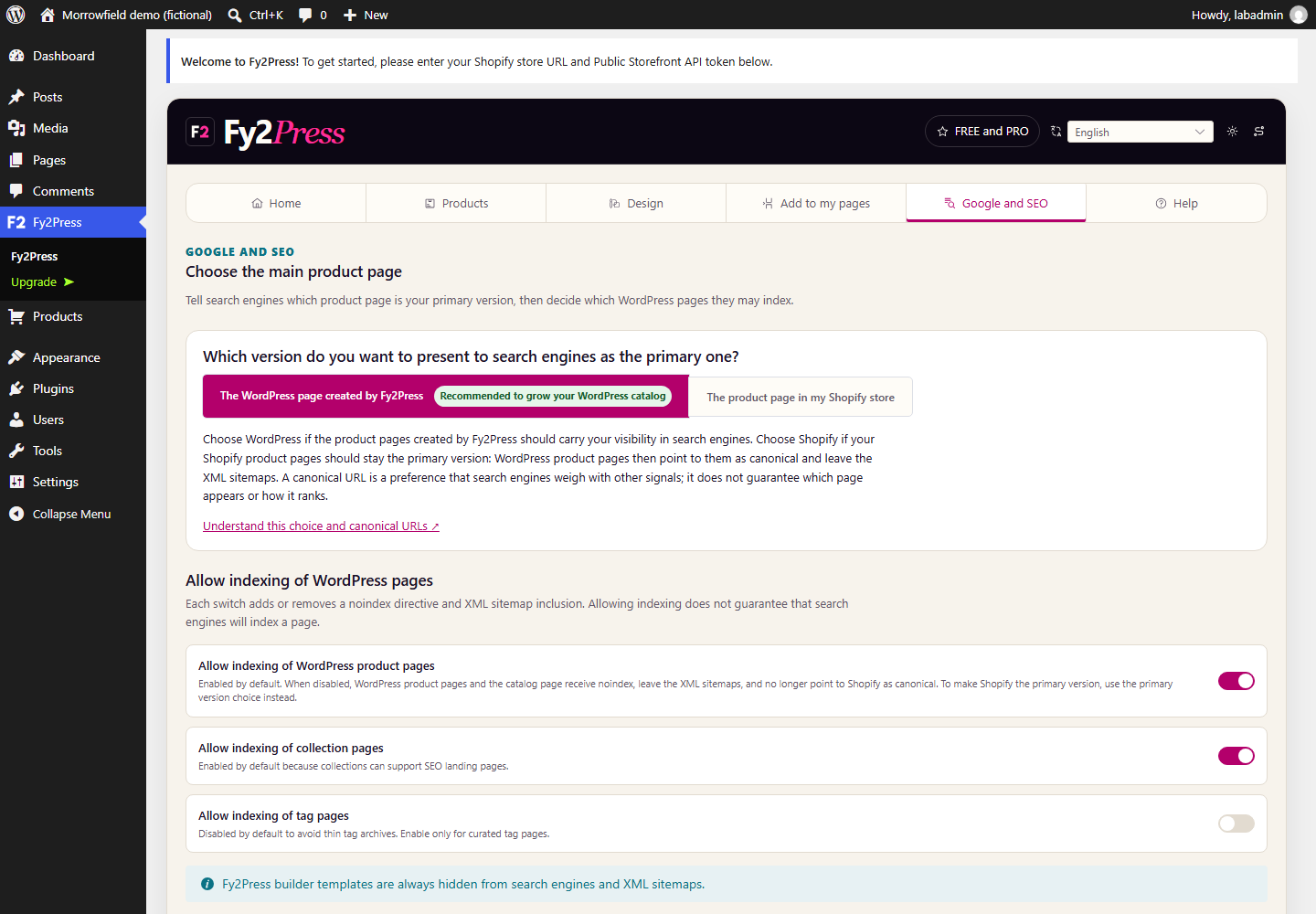
- SEO controls for products, collections and tags, WordPress or Shopify product canonicals, and Product schema from available data.
- 17 Gutenberg blocks with server-rendered editor previews.
- 27 public
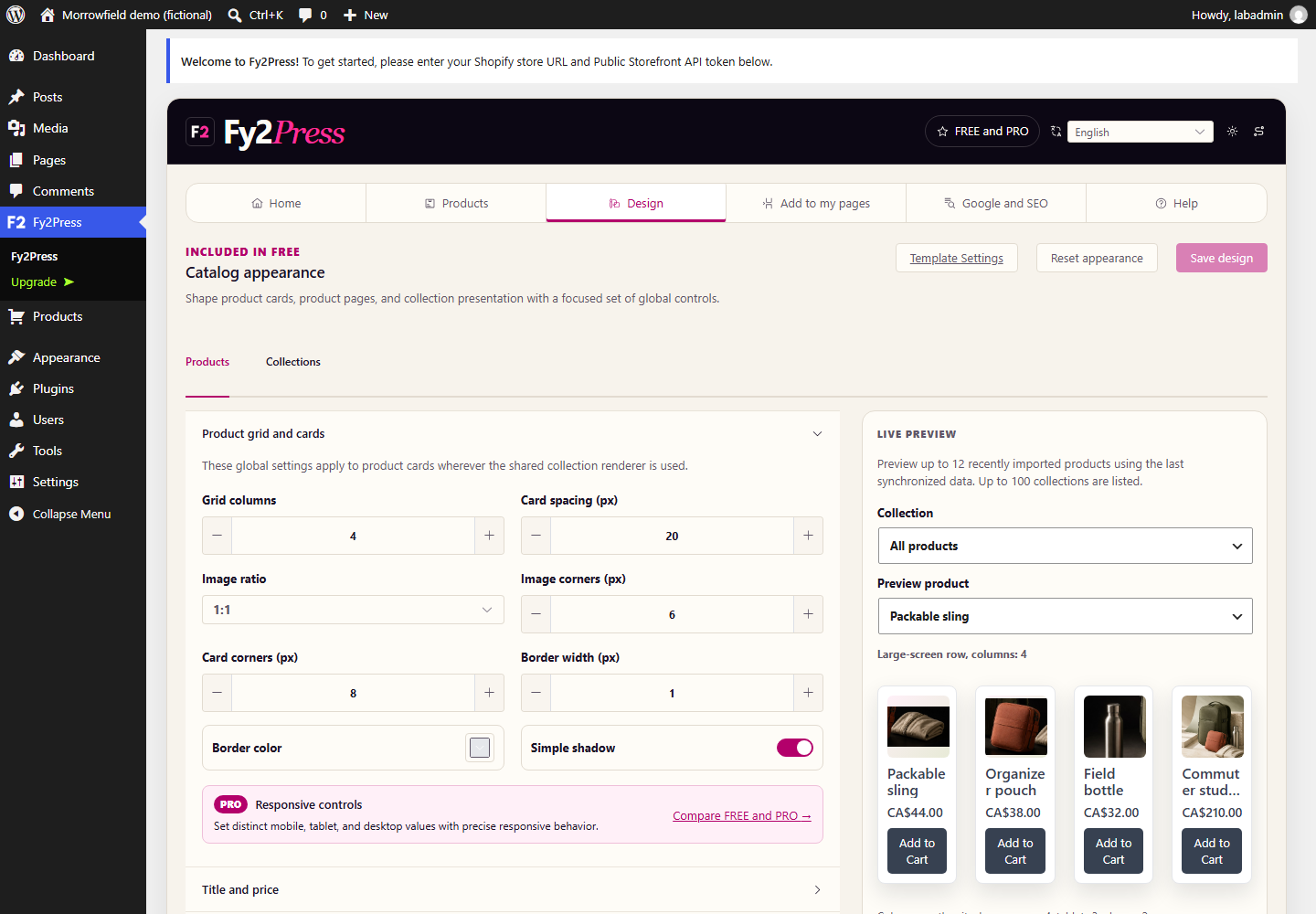
fy2press_*shortcodes for product, collection and filter components. - An always-available Design workspace with live previews for grids, spacing, images, typography, colors, buttons, visibility and simple filters.
- A localized administration interface in nine locales (eight languages).
PRO is a separate upgrade (see FAQ). FREE works without a paid license; its WordPress.org package contains no premium engine.
Fy2Press requires an existing Shopify store and a public Storefront API token. See Documentation.
Fy2Press is an independent product and is not affiliated with, endorsed by or sponsored by Shopify or WordPress.
External services
After configuration, Fy2Press sends HTTPS catalog/cart requests to the store’s *.myshopify.com Storefront API with its public Storefront API token, product/variant IDs, quantities and storefront context. Shopify handles checkout.
Product images keep the URLs returned by Shopify; visitors’ browsers load them from those locations on catalog pages.
Standard cart buttons collect no buyer email or phone; an integration may supply them to the cart-creation endpoint, and Fy2Press forwards them to Shopify as buyer identity only, never as telemetry or browser storage.
Cookies: fy2press_cart_ encrypts cart references (HttpOnly); script-readable fy2press_has_cart_ holds 1 to skip idle requests, with no ID, secret or authority. Both last seven days (SameSite=Lax, Secure on HTTPS). Shopify stores carts. Legacy shopipress_cart_id localStorage is migrated and removed. Checkout URLs require a checkout request. Prices use the primary Shopify market and returned currency.
Cart and design assets load with rendered Fy2Press content, including blocks and templates. The shopipress_global_cart filter enables site-wide cart access and assets.
Shopify handles this data under its Terms of Service and Privacy Policy. Fy2Press does not send usage telemetry or licensing requests to Pagup.
The Freemius WordPress SDK provides optional usage opt-in and PRO licensing, trials, secure downloads and updates. Opt-in or commercial flows send the site URL, WordPress/PHP/plugin versions, administrator account information and necessary licence/diagnostic data. The FREE functionality remains available when opt-in is skipped. See Freemius Terms and Privacy Policy.
Links to documentation and support at https://fy2press.com are ordinary external navigations initiated by the administrator. Fy2Press does not fetch documentation, fonts, scripts or styles there, or ping links. See privacy and security.
Source code
Source and locked build inputs for every minified asset built from Fy2Press code are included.
- The Vue administration source is in
admin-ui/src; its package manifest and pnpm lockfile are inadmin-ui. - The Gutenberg editor source is in
admin/page-builders/gutenberg/assets/js; its build script isadmin/page-builders/gutenberg/assets/build.mjs, with the npm manifest and lockfile at the plugin root. - The Composer manifest and lockfile needed to regenerate the committed autoloader are at the plugin root.
vendor/freemiusholds the Freemius WordPress SDK 2.13.4, third-party GPLv3 code distributed unmodified with its compiled scripts and styles from the official Freemius/wordpress-sdk repository.
In PowerShell: npm ci then npm run build:gutenberg (Gutenberg bundle); pnpm --dir .admin-ui install --frozen-lockfile --config.auto-install-peers=false then pnpm --dir .admin-ui run build (FREE administration bundle) and pnpm --dir .admin-ui run check:bundles. The PRO package adds premium/admin-ui/src and pnpm --dir .admin-ui run build:pro.
Screenshots
Home and setup in the approved FREE interface. This local Morrowfield demonstration is disconnected from Shopify.
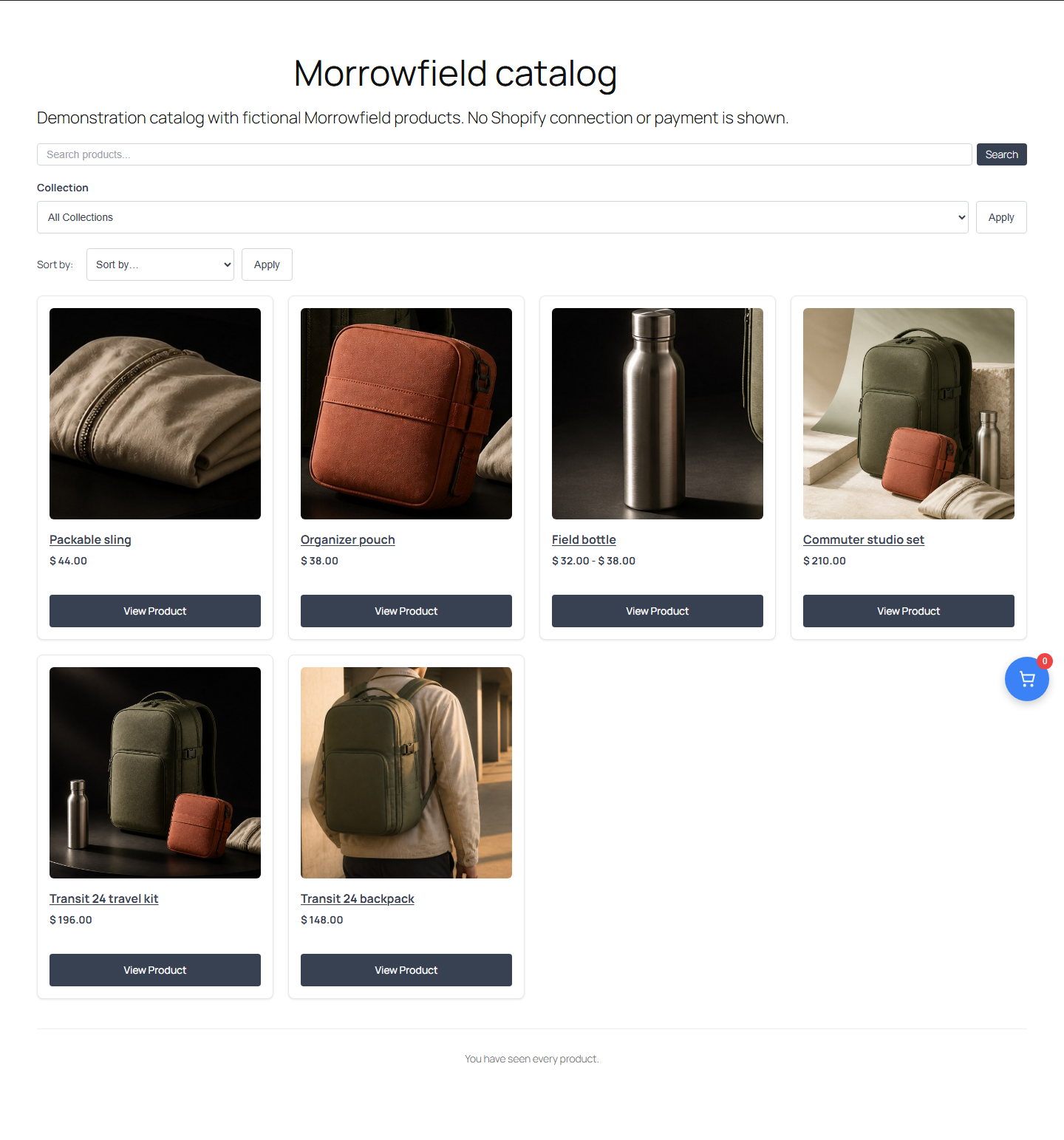
FREE catalog appearance controls with a fictional Morrowfield product loaded into local WordPress.
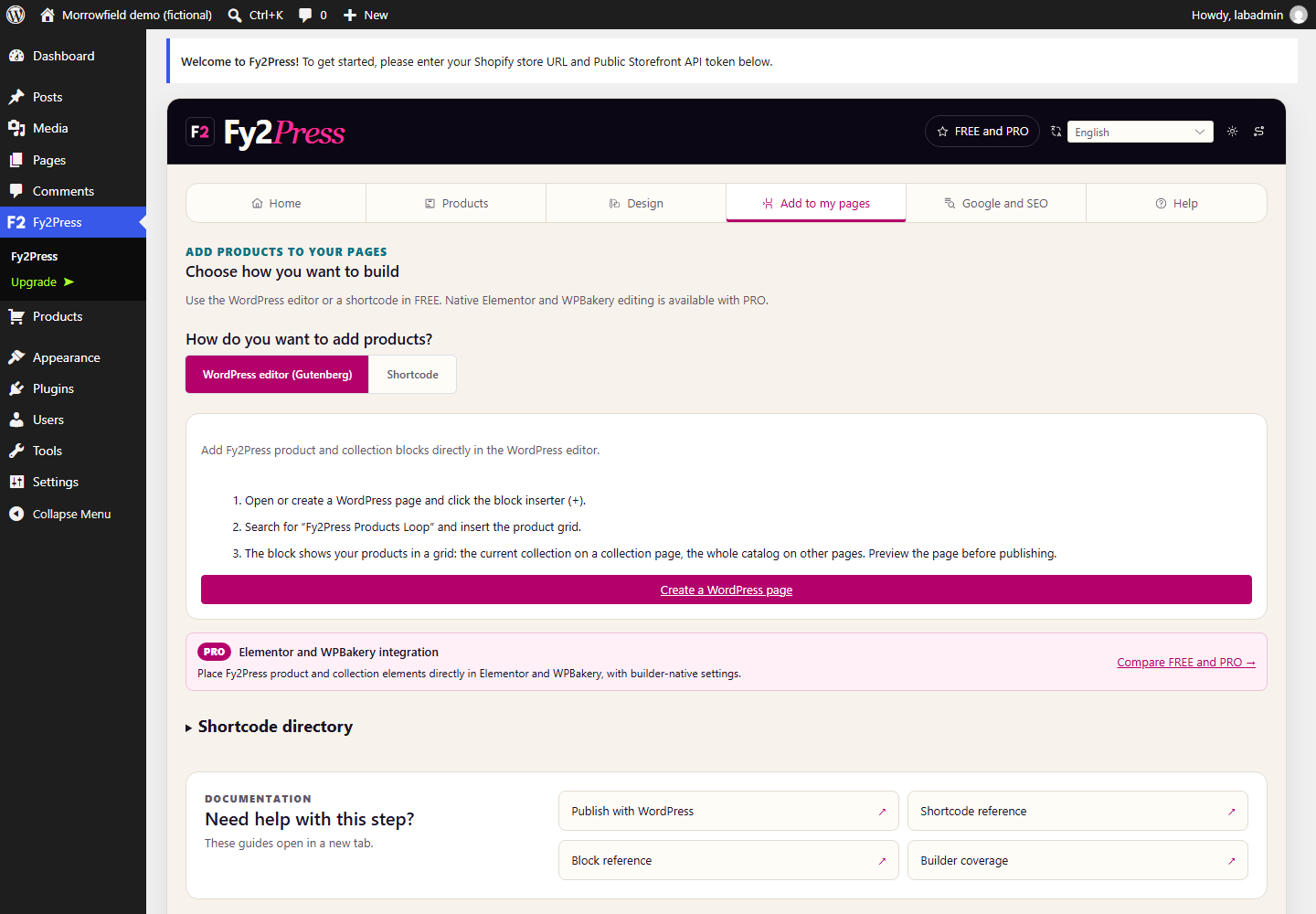
Add to my pages: the actual Gutenberg and public shortcode directory.
Google and SEO: canonical and indexing controls, with no ranking guarantee.
Help and shortcode documentation in the FREE interface.
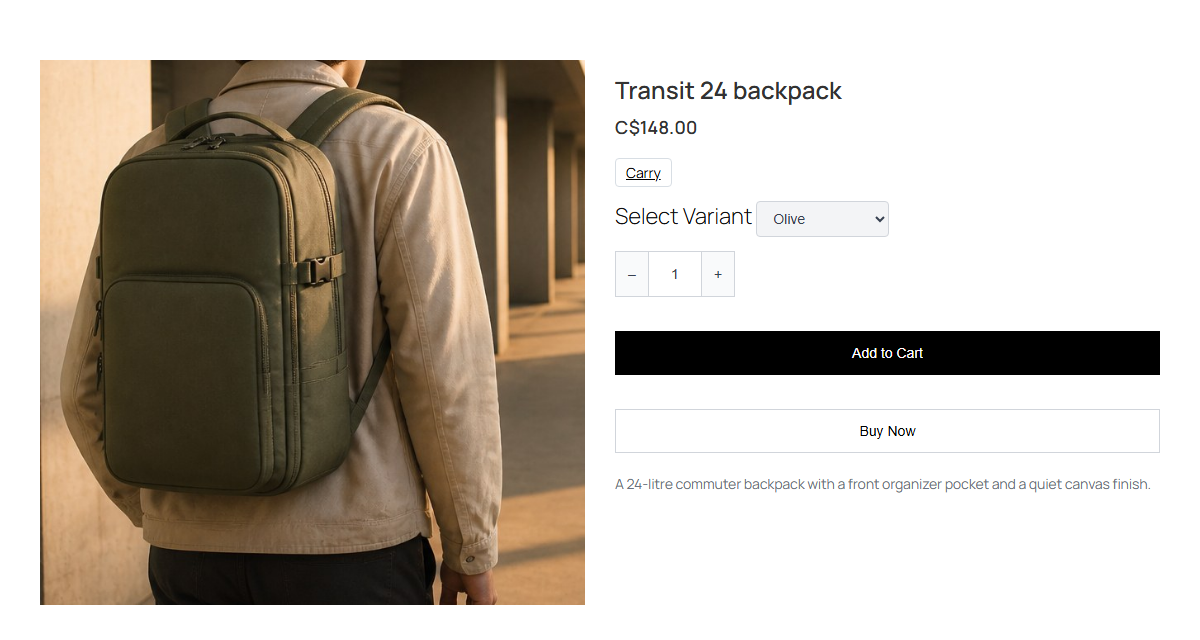
A real WordPress rendering of a fictional Morrowfield product. Variants and quantity are shown; Shopify checkout is not demonstrated.


