Gagoo Translate Wordpress Plugin - Rating, Reviews, Demo & Download

Plugin Description
Gagoo Translate makes your WordPress site multilingual — no subscription, no API key, no per-word fees, and your content never leaves your server.
Everything is unlimited and free
- Translate as many pages as you want, into as many languages as you want, by hand in a clean side-by-side editor.
- Works with Elementor (including Elementor Pro headers/footers), Gutenberg and the Classic editor.
- Translated URL slugs (/en/website-creation instead of /en/creation-site).
- SEO built in: hreflang alternates, per-language canonical URLs, translated titles and meta descriptions (Yoast SEO, Rank Math, All in One SEO supported), multilingual XML sitemap.
- Language switcher: floating widget or [gagootrans_switcher] shortcode.
- Header, footer and menu translation.
- Outdated-translation detection when you edit a source page.
- Fully cache-friendly URLs (one path per language, no cookies) — compatible with full-page caching.
Tired of translating field by field? Gagoo Translate Pro
The Pro add-on (sold separately on gagootranslate.com) translates your whole site at once: export all your pages as one file per language, hand it to the AI chat you already use (ChatGPT, Claude, Gemini — free or paid, no API key), and import its reply back in one go. WooCommerce catalogs included. One-time payment, no subscription.
AI disclaimer (Pro workflow)
Translation quality and availability depend on the AI service you use. Gagoo Translate is not affiliated with any AI provider.
External services
This plugin makes no network requests at all: no content, no statistics, no telemetry ever leaves your site. Updates are delivered through WordPress.org like any other plugin from the directory.
Screenshots
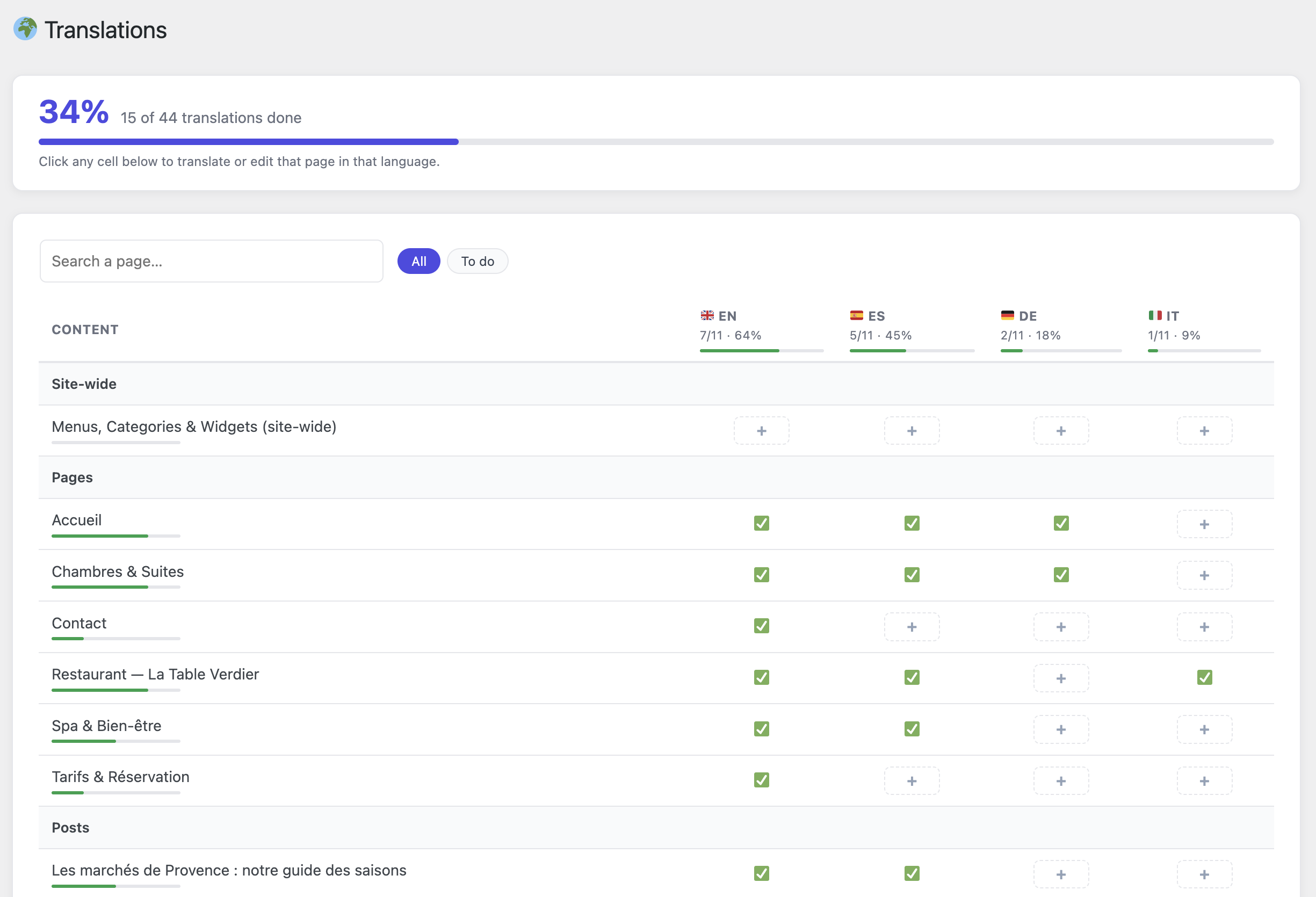
The Translations dashboard: every page and language at a glance, with per-language progress — click any cell to translate that page in that language.
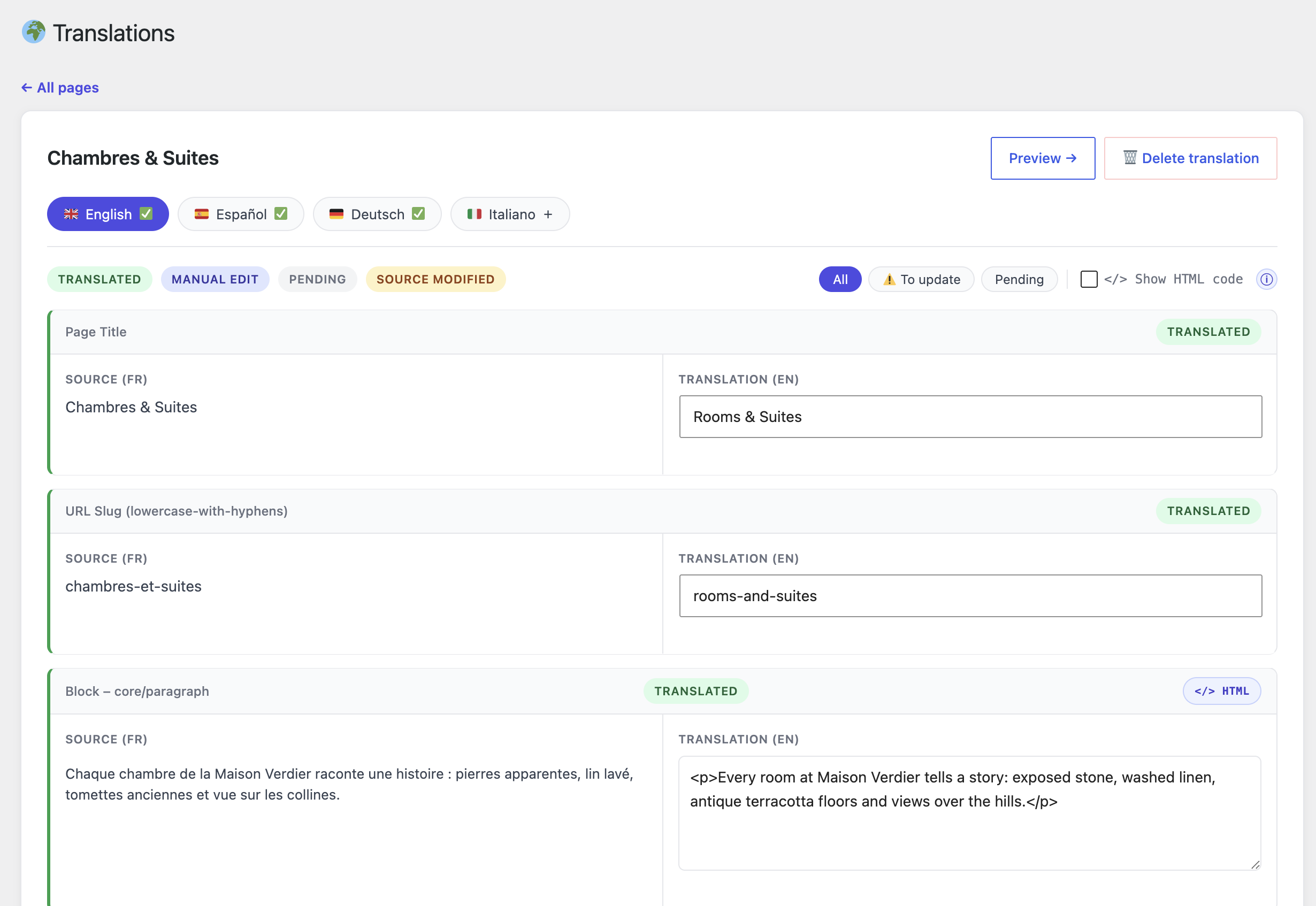
The side-by-side translation editor: page title, URL slug and every content block, each with its own translation status.
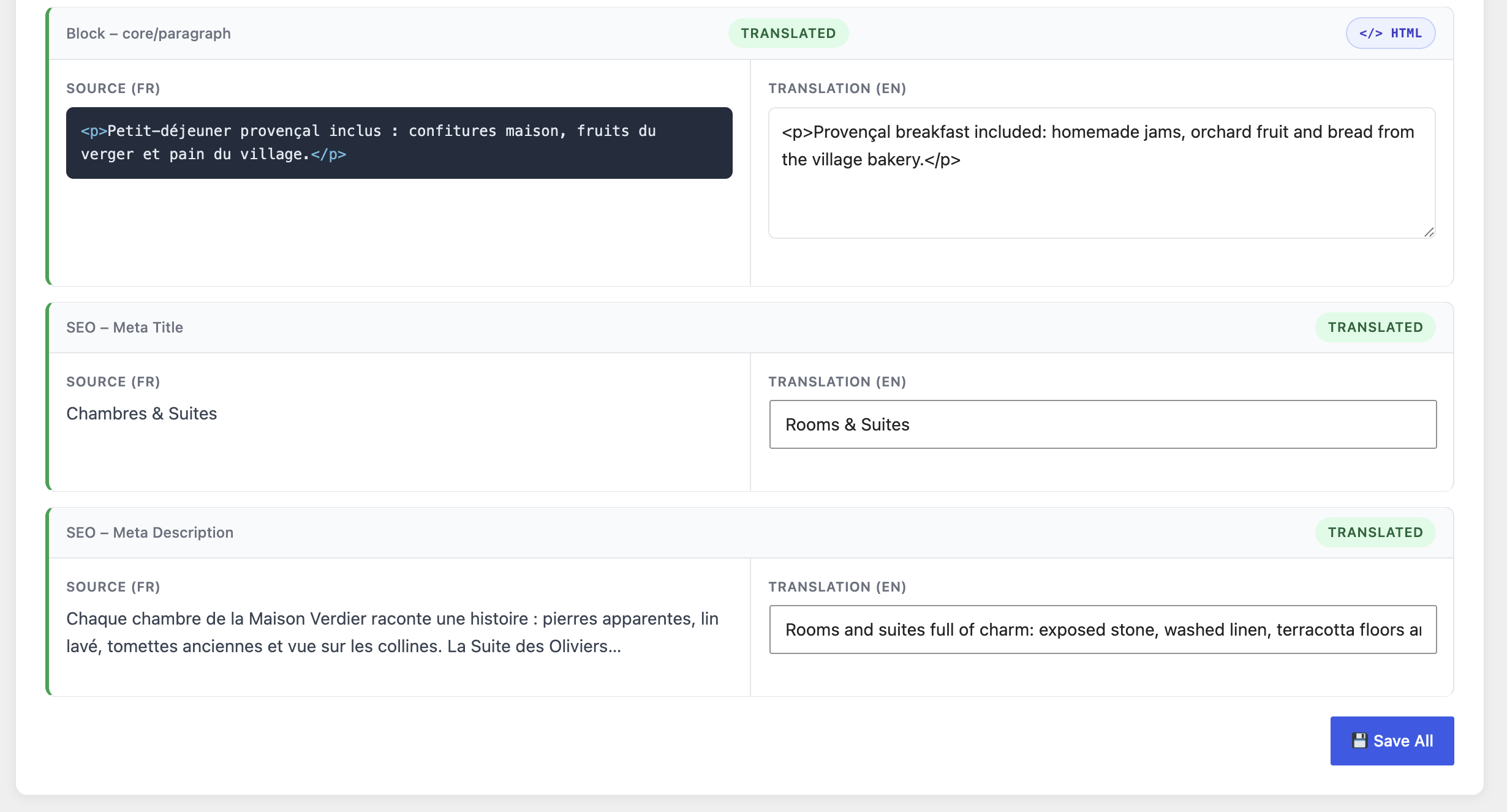
SEO covered too: meta title and meta description are translatable per language.
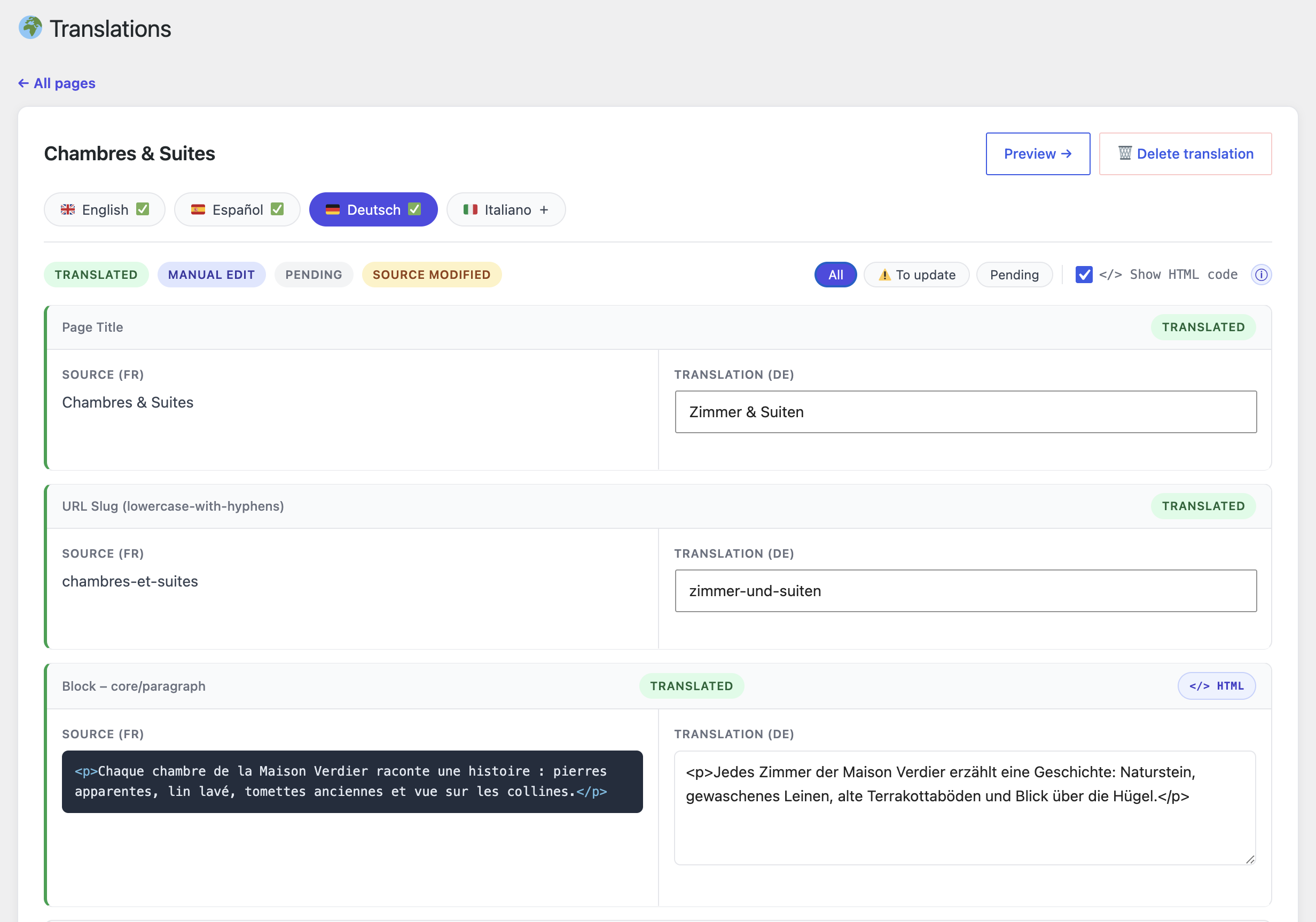
The optional HTML view highlights tags in the source so you can reproduce them safely in your translation.
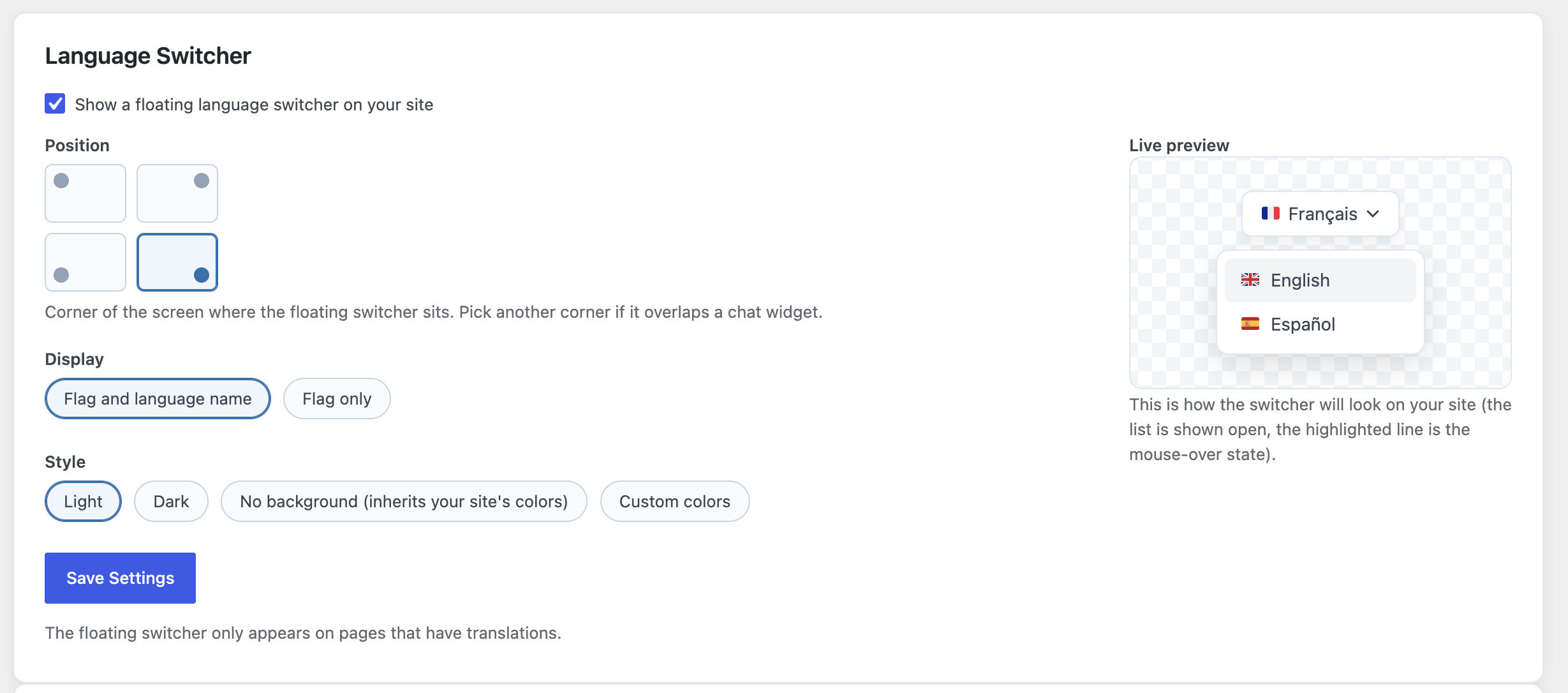
The language switcher customizer: position, display, style — with a live preview.
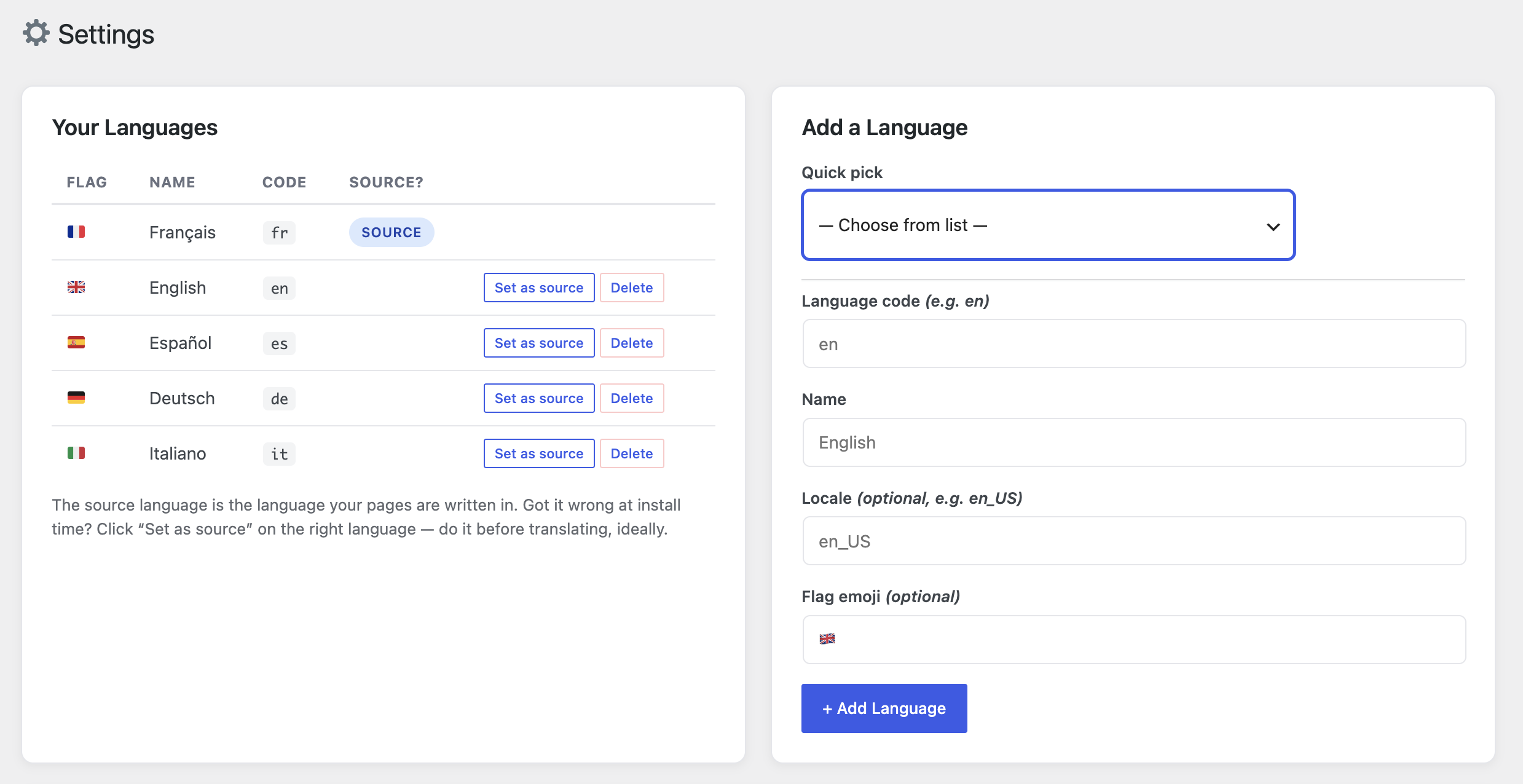
Language settings: add as many languages as you want, and change the source language at any time.