
GetBooqin Wordpress Plugin - Rating, Reviews, Demo & Download
Plugin Description
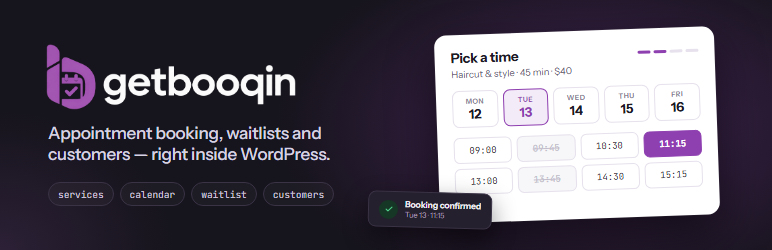
GetBooqin turns WordPress into a booking system for salons, clinics, cleaners, tutors, consultants and any other appointment-based business.
Dashboard
- Overview – appointments, pending approvals, active services and no-show rate, a setup checklist, your shareable booking link and simple charts.
- Appointments – list and month calendar views, status filters and search, and manual booking with conflict and business-hours checks.
- Waitlist – take requests the same way you would over the phone. Optionally offer freed slots automatically: when a booking is cancelled, declined or marked as a no-show, the next matching person is emailed a link to claim it.
- Services – price, duration, category, colour and who can be booked.
- Customers – searchable list, created automatically from bookings or added by hand.
- Settings – your profile; business details, hours, booking page, logo and colour; your own wording (for example “Session” and “Client” instead of “Appointment” and “Customer”); Overview cards; and booking rules such as slot interval, minimum notice, advance booking, cancellation cutoff and auto-confirm.
Booking form
Add the booking form to any page with:
[getbooqin_booking]
To show a single service only, use [getbooqin_booking service="123"].
Customers pick a service, choose one of the next available times (or a specific date), enter their details and confirm. If nothing suits, they can join the waitlist. Confirmation emails include a link that lets customers move their booking to another free time or cancel it online, if you allow it — both close a set number of hours before the appointment.
GetBooqin account
You can use the plugin two ways:
- As a guest — no account needed. Everything works inside WordPress and nothing is sent anywhere.
- Connected to a GetBooqin account — log in (or sign up) with Google on app.getbooqin.com and you are sent straight back to WordPress. Your bookings, customers, services, waitlist and settings then sync both ways with the GetBooqin dashboard, so you can manage them from either place. Staff are sent to the dashboard, and a staff member’s job title and phone number can be edited there too; their name, email address and WordPress role stay yours to change in WordPress. You can connect at any time from Settings Cloud sync, and disconnect there too.
Your bookings, services, customers and settings are always stored in your WordPress database.
External services
This plugin connects to GetBooqin (https://app.getbooqin.com), operated by the plugin author, only if you choose to connect a GetBooqin account. In guest mode it makes no external requests.
- When you click Continue with Google, your browser is sent to app.getbooqin.com with your site URL, site name and a one-time security value. Google sign-in happens on app.getbooqin.com; the plugin never sees your Google password.
- After sign-in, the plugin sends the one-time code and your site URL to app.getbooqin.com to receive an access token, your account name and email, and your plan details.
- While connected, the plugin fetches your account and plan details from app.getbooqin.com at most every 12 hours.
- While connected, the plugin sends your bookings (appointments), customers (name, email, phone), services, staff (name, email, job title, phone, photo URL), waitlist entries and business settings to app.getbooqin.com — everything on connecting, then each change shortly after it is made.
- While connected, the plugin checks app.getbooqin.com every five minutes for changes made on the GetBooqin dashboard (new bookings, status changes, edited services, customers, waitlist entries, staff job titles and phone numbers, and settings) and saves them in WordPress.
- When you log out, the plugin tells app.getbooqin.com to revoke the token and stops syncing.
Terms of Service: https://app.getbooqin.com/terms
Privacy Policy: https://app.getbooqin.com/privacy
Credits
Bundled fonts: Instrument Sans and JetBrains Mono, both under the SIL Open Font License 1.1 (see assets/fonts).
Screenshots
No screenshots provided


