Global AI Chat Wordpress Plugin - Rating, Reviews, Demo & Download
Plugin Description
Global AI Chat adds an AI-powered chat widget to your WordPress site. Visitors interact with a chatbot backed by OpenAI’s models; you use your own OpenAI account (and are billed directly by OpenAI for the usage).
All features are free and fully functional. The plugin does not lock, limit, or time-restrict any built-in functionality.
Features included:
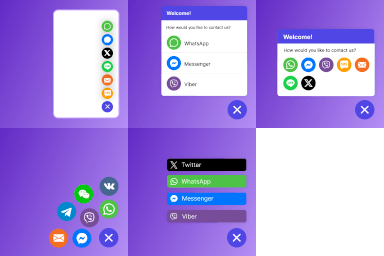
- Floating chat widget with customizable colours, icons, position and animation
- Shortcode
[growthai_chat]to embed the chat inline on any page - Gutenberg block, Elementor widget, Divi module, Beaver Builder module, WPBakery element
- One agent profile (SDR, Support or FAQ) with custom prompt
- Lead collection tool calls (name, email, phone, company and custom fields)
- Visitor request for human contact triggers an admin notification (no live takeover in Free)
- GDPR-ready: optional cookie consent banner and opt-in uninstall data deletion
- Multi-language chat — widget auto-detects the visitor’s browser locale
Want multi-agent setup, live chat takeover from wp-admin, page/post auto-sync, Google Calendar booking, webhooks, AI prompt generator, mobile app, managed tokens, auto-updates or analytics? The companion Pro addon is distributed separately at https://globalai.software/. It layers extra UI and SaaS-backed services on top of the free plugin without replacing it — if you ever deactivate Pro, the free plugin keeps working.
External services
This plugin relies on one third-party service: the OpenAI API. No other external endpoint is contacted by the free plugin.
OpenAI API (required)
- What it is: OpenAI provides the language model that generates chat replies and, when you upload knowledge-base documents, runs the file search against them.
- What is sent: Every chat message the visitor submits, plus the system prompt your agent is configured with, is sent to
https://api.openai.com/v1/responsesusing your own API key. When you upload training documents, the file bytes are sent tohttps://api.openai.com/v1/filesand registered withhttps://api.openai.com/v1/vector_storesso the agent can search them. - When: On every user message (chat completion) and only when an admin manually uploads/deletes a knowledge-base document (vector store).
- Terms of service: https://openai.com/policies/terms-of-use
- Privacy policy: https://openai.com/policies/privacy-policy
Not contacted by this free plugin
The companion Pro addon (separate download, not on wp.org) introduces additional endpoints under https://saas.globalai.software/ for license verification, managed token billing, mobile-app push notifications, plugin auto-updates, Google Calendar OAuth, outbound webhooks, page/post auto-sync, and the AI prompt generator. None of those endpoints are reached from this free plugin’s code — they are documented here only so admins know what changes if they later install the Pro addon.
Security
Visitor session token (`session_id`)
Every chat conversation is bound to a session_id token generated client-side, in the visitor’s browser, using window.crypto.getRandomValues (a 128-bit cryptographically random value rendered as 32 hex characters with the prefix gai_). The token is stored in localStorage after the visitor accepts the cookie consent banner; without consent, an in-memory ephemeral token is used and discarded when the tab closes.
The session_id is the access key for the chat REST endpoints (/wp-json/growthai/v1/chat, /wp-json/growthai/v1/live-chat/poll). These endpoints are intentionally public (permission_callback => __return_true) so that anonymous site visitors can chat without needing a WordPress account — knowing the token is what authorises the request, the same security model used by mainstream chat / support widgets (Crisp, Tawk, Intercom).
Implications:
- The token is not derived from the IP, User-Agent, cookies the server sets, or any sequential / predictable scheme. A third party cannot guess another visitor’s token.
- The plugin never logs full
session_idvalues in plaintext outside the database row that owns the conversation. - If the visitor clears their browser storage, the next page load gets a fresh token and a fresh conversation.
- Old browsers without the Web Crypto API fall back to
Math.random()— a worse entropy source. We surface this in the JS for transparency; if your audience relies on legacy browsers, factor that into your threat model.
Screenshots
No screenshots provided