GlocalSaino WebPagesPassworded Wordpress Plugin - Rating, Reviews, Demo & Download

Plugin Description
GlocalSaino WebPagesPassworded creates a single access page that acts as a gateway for a group of password-protected child pages. Place the [glocalsaino_wppw] shortcode on a parent page: the plugin renders a password form and, on a correct match, redirects the visitor directly to the matching child page.
Every feature listed below is included, free and unlimited — nothing is locked behind a license or upgrade.
How it works
- In WordPress, create a parent page (e.g. “Private Area”) and set the pages you want to protect as its children.
- Assign each child page its own password via Publish Visibility Password protected in the editor.
- Insert the
[glocalsaino_wppw]shortcode on the parent page. - When a visitor arrives, they see the plugin’s password form. If the password matches a child page, they are redirected to it automatically.
Features
- Single entry point — one page with the shortcode gives access to all protected child pages.
- Automatic redirect — the visitor lands directly on the right page without extra steps.
- Session cookie — the password is stored in a cookie for 10 days so the visitor does not need to re-enter it on subsequent visits.
- Security nonce — the form includes a WordPress nonce to guard submissions against CSRF attacks.
- Customisable error messages — configure the wrong-password and lockout messages from the settings panel.
- Brute-force protection — after 5 failed attempts from the same IP, access is locked for 15 minutes using WordPress transients, with no extra database tables.
- Secure cookie — the session cookie is set with
HttpOnlyandSameSite=Strictflags. - Form design — adjust the colours, font sizes, and spacing of the form fields and button directly from the settings panel.
- Button icon — choose a Font Awesome icon to display on the submit button, with configurable position (left, right, or above the text).
- No external dependencies — the plugin loads no external libraries or remote resources.
Usage
Insert the shortcode on the parent page that will act as the access form:
[glocalsaino_wppw]
Optional shortcode parameters:
label— submit button text. Default:Enter.id—idattribute of the<form>element. Default:glocalsaino-wppw-login.parent— ID of the parent page whose children will be searched. Default: the current page ID.
Example with parameters:
[glocalsaino_wppw label="Log in" id="my-form"]
Requirements
- WordPress 5.0 or higher.
- PHP 7.4 or higher.
- Child pages must be published and have a password configured from the WordPress editor.
Privacy Policy
GlocalSaino WebPagesPassworded does not collect, store, or transmit any personal data.
- The plugin reads the password entered in the form only to compare it against the passwords of the child pages stored in the WordPress database. That comparison happens entirely on the server and the data is not saved or sent to any third party.
- A cookie (
wp-postpass_*) is stored in the visitor’s browser to maintain access for 10 days. This is a standard WordPress cookie and contains only the hash of the password, never the password in plain text. - No external connections of any kind are made.
Screenshots
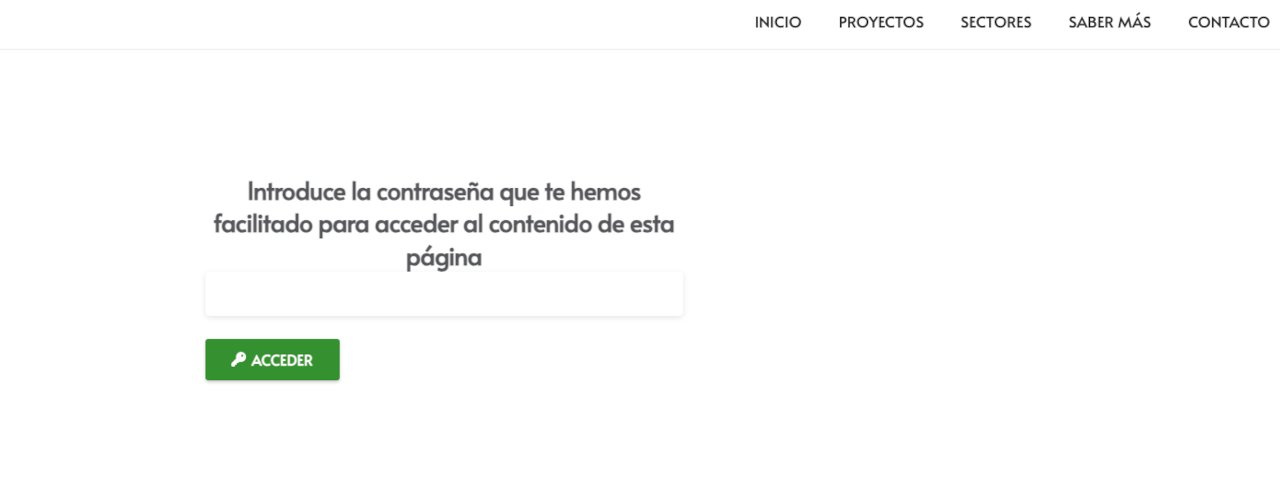
Password form on the front-end, with a custom icon and custom colours applied via the settings panel.
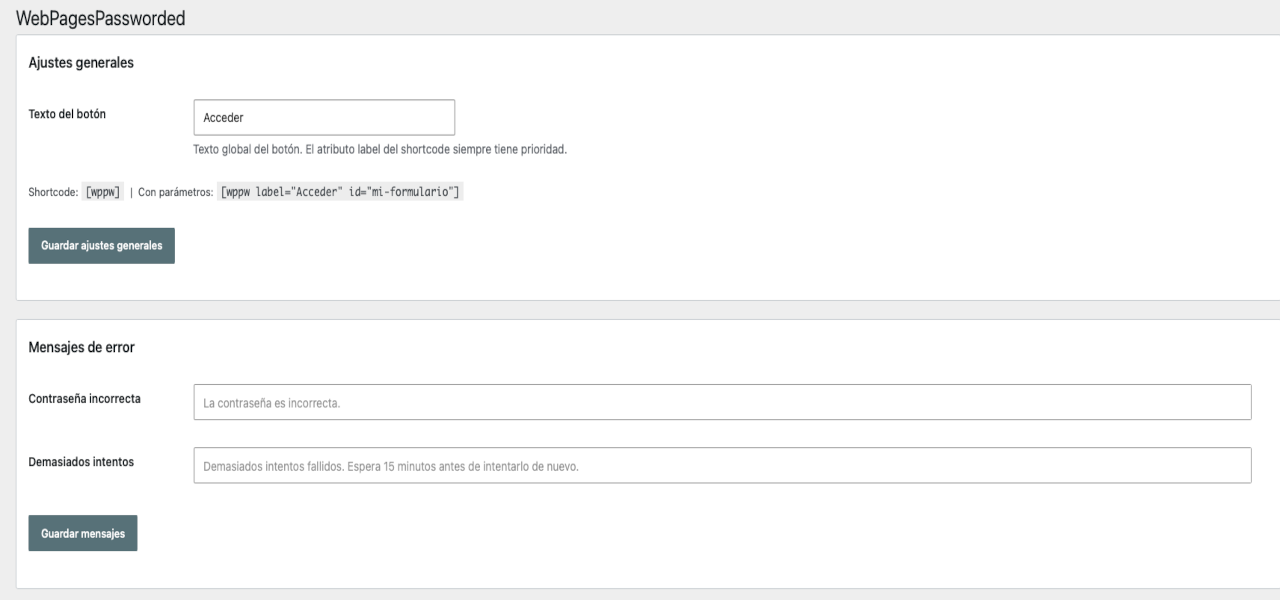
Settings panel: general settings section (button label and shortcode reference) and customisable error messages.
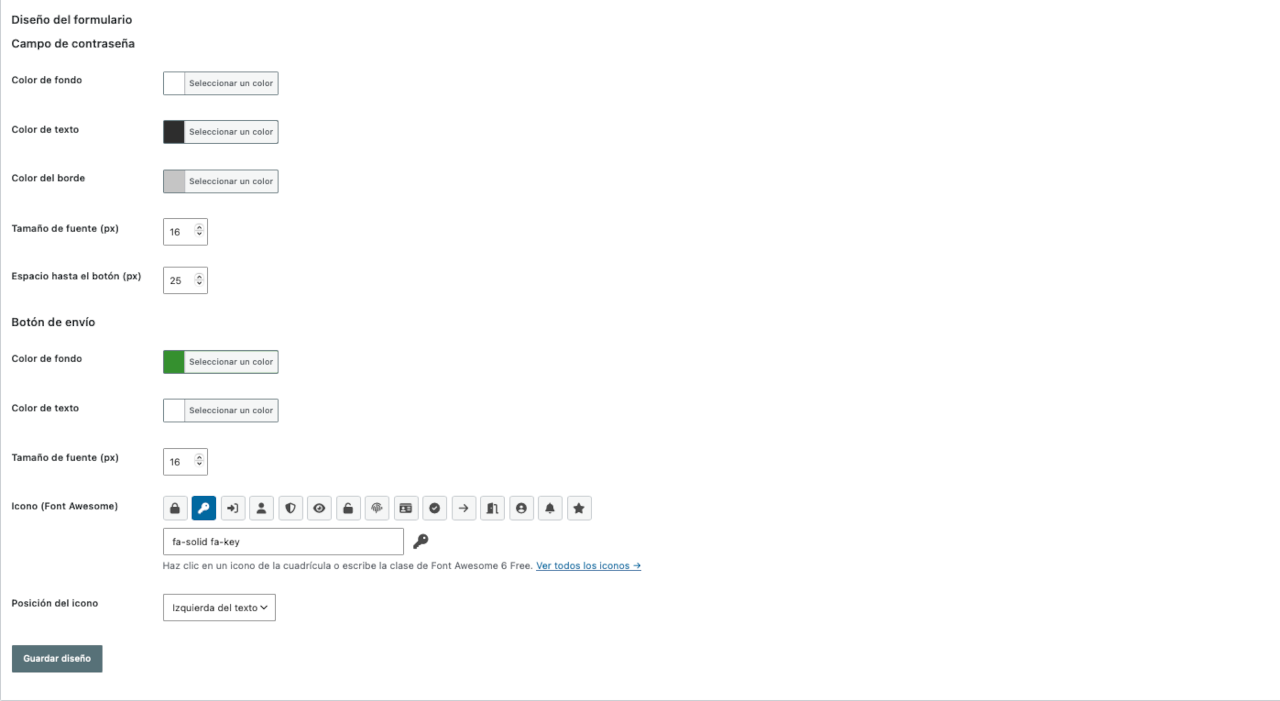
Settings panel: form design section with colour pickers, font size controls, and a Font Awesome icon picker.
![WordPress editor showing the parent page with the [glocalsaino_wppw] shortcode inserted.](https://ps.w.org/glocalsaino-webpagespassworded/assets/screenshot-4.png?rev=3650426)
WordPress editor showing the parent page with the [glocalsaino_wppw] shortcode inserted.
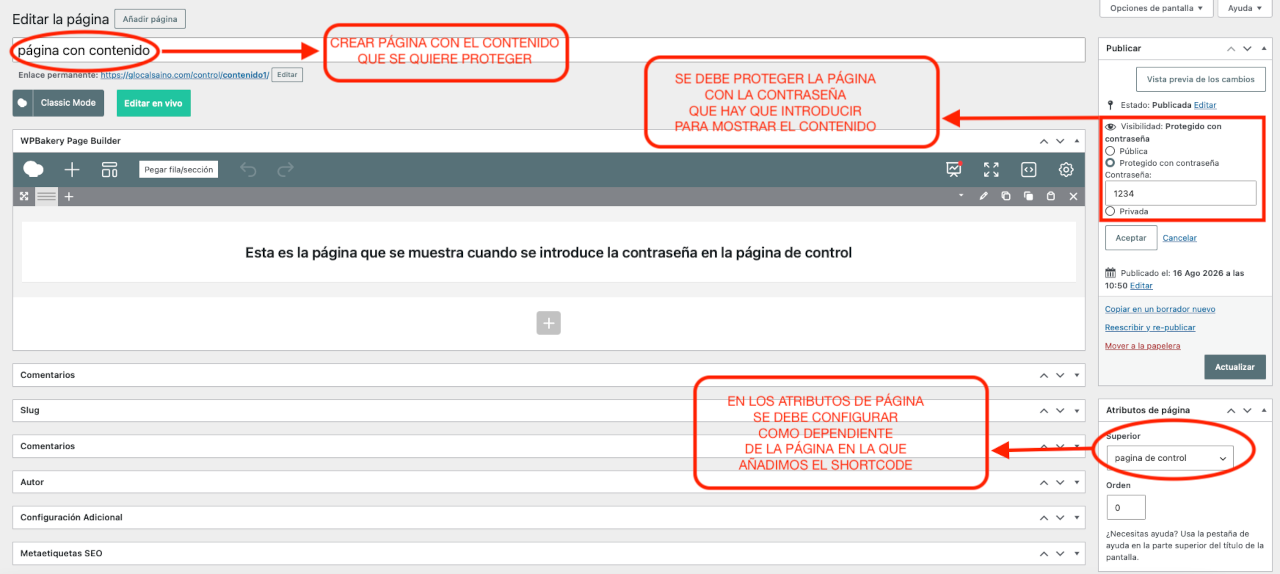
WordPress editor showing a child page configured as a child of the parent page and protected with a password.