GoalPrevail Sales Pop Wordpress Plugin - Rating, Reviews, Demo & Download
Plugin Description
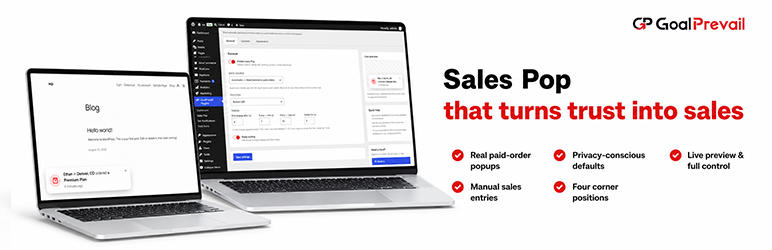
GoalPrevail Sales Pop shows recent paid WooCommerce orders as small social-proof notifications in the corner of your store.
WooCommerce is the default source. The plugin retrieves up to 20 recent orders in WooCommerce’s paid statuses through the WooCommerce order API, which is compatible with both HPOS and legacy order storage. Each event uses the first purchased product, billing country and actual payment time. Customer first names are hidden by default and can be enabled explicitly; no surname, email address, street address, postcode, order number or order ID is sent to the browser.
The plugin remains disabled until you configure and enable it. If there are no paid orders, it renders nothing.
A manual source is also available for administrator-entered events using configurable names, locations and products.
A fresh popup appears every few seconds (7–10 by default) and each stays on screen for as long as you choose.
- Four corner positions (bottom-left, bottom-right, top-left, top-right).
- Timing controls: first-popup delay, the interval between popups, and how long each stays on screen.
- A fully editable message template with
{name},{location}and{product}placeholders. - Real payment timestamps displayed as minutes, hours or days ago.
- Privacy-conscious defaults: “Someone,” billing country and product name.
- Editable manual pools of names, locations and products (or leave them blank to use the built-in samples).
- Appearance controls: background, text and accent colours, plus corner radius.
- A live preview in the settings screen.
- HPOS and legacy WooCommerce order storage support.
- Lightweight and self-contained — the front end makes no external requests and respects reduced-motion preferences.
External services
This plugin queries the official WordPress.org plugin directory API when you open the GoalPrevail Plugins dashboard screen in wp-admin, to list other plugins published by this author. The request includes the author query and requested catalog fields. WordPress also includes the WordPress version and site home URL in its standard HTTP user-agent. A successful catalog response is cached for 24 hours; failed or empty responses are cached for two hours. The dashboard may load the returned plugin icons from WordPress.org’s plugin asset CDN. No visitor data is sent, and nothing is requested on the front end of your site.
Service: WordPress.org plugin API — https://api.wordpress.org/plugins/info/1.2/
Plugin assets: WordPress.org plugin directory CDN — https://ps.w.org/
Terms of service: https://wordpress.org/about/
Privacy policy: https://wordpress.org/about/privacy/
Screenshots
No screenshots provided