Gorilla Cache Wordpress Plugin - Rating, Reviews, Demo & Download
Plugin Description
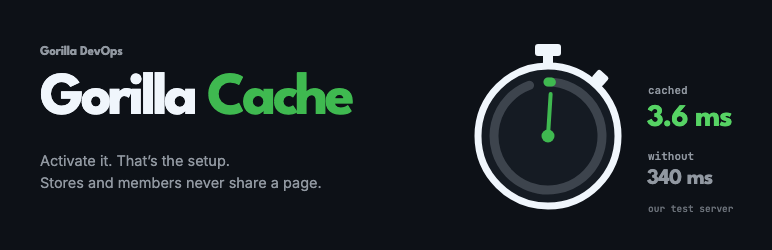
Gorilla Cache saves a ready-made copy of each public page and hands it to the next visitor before WordPress starts, so the page is not rebuilt for every visit. There is nothing to set up: activate it and your site is cached, unless your host or another plugin already caches it.
Safe for stores and member sites, with no setup
- Cart, checkout, account, receipt and login pages are never cached. They are found from each plugin’s own settings, so a renamed checkout is still recognised. Tested with WooCommerce, Easy Digital Downloads and Tutor LMS; the same settings are read for SureCart, GiveWP, Paid Memberships Pro, Restrict Content, Ultimate Member, LifterLMS, CartFlows, FunnelKit and others.
- Visitors with something personal never share a page: logged-in visitors, carts, sessions and commenters bypass the cache.
- Prices and stock stay right: a price change, a stock change, a scheduled sale or an order clears the product and the shop and category pages that list it.
- Forms keep working: pages expire after ten hours at most, inside the lifetime of WordPress’s security tokens.
Knows when to stay off
If your host already caches your pages (Kinsta, WP Engine, SiteGround, WordPress.com, Pantheon and others), if Varnish or LiteSpeed caches the site, or if another cache plugin is caching your pages, Gorilla Cache stays off, writes nothing, and tells you why in one sentence. Two caches on top of each other cause problems.
Safe on staging copies
Copy your site to staging, sync it back, or move it to a new domain or server: on the first request there, Gorilla Cache notices, clears its cache once and starts fresh, so a copy never shows the live site’s pages or the other way round. It tells you once, quietly, says when the site looks like a staging or development copy, and offers to turn caching off there. It never asks Cloudflare to clear anything from a copy.
One switch on the Status tab turns caching off on any site, and back on. While it is off, the admin bar shows “Gorilla Cache off” in red on every screen, so it is never off without you knowing.
Explains itself
- One screen shows whether caching is on and why, how many pages are cached, and what was found.
wp gorilla-cache explain <address>says whether a page is cached, and if not, why. Add?nocacheto any address to see it uncached.- Every page it handles carries an
X-Gorilla-Cacheheader: HIT, MISS or BYPASS with the reason. - Clear cache from the admin bar or the Status tab; WP-CLI commands for agencies.
Caching only
Gorilla Cache does not minify, combine or delay CSS and JavaScript, lazy-load images, preload fonts, rewrite to a CDN or clean the database. Those are optimisation, and doing both in one plugin is where sites break. Use an optimisation plugin beside it: with Autoptimize, Perfmatters, Hummingbird, EWWW Image Optimizer, 10Web Booster or Optimization Detective, Gorilla Cache stores each page as that plugin finished it.
Privacy
Gorilla Cache itself makes no requests to outside services, sets no cookies on your visitors and stores no personal data. The only requests it makes are to your own site, to warm the cache and to check for other caches in front of it. When the Cloudflare plugin is active, Gorilla Cache asks that plugin to clear Cloudflare’s copy of a page when its own copy is cleared; the Cloudflare plugin sends that request, with its own settings.
Credits
The list of tracking parameters that share one cached page is adapted from W3 Total Cache (GPLv2 or later). Perfmatters, WP Rocket, WooCommerce and other product names are trademarks of their owners.
Screenshots

The Status tab: whether caching is on, with one switch to turn it off; the numbers of your cache, kept current while the tab is open; and what Gorilla Cache takes care of.

When another cache already does the job, Gorilla Cache stays off and names it.

The Advanced tab, for the exceptions a site may need. Each ? opens that setting’s part of the guide.

The Help tab: the plugin page, the documentation and the debug information to send with a question.