Grafiduo Connector For InPost Von Halsky Wordpress Plugin - Rating, Reviews, Demo & Download
Plugin Description
InPost Von Halsky is a shopping marketplace inside the InPost app, where an AI assistant searches offers from connected shops. This plugin connects a WooCommerce shop to it, so the catalogue you already maintain in WooCommerce becomes a sales channel without a second product database.
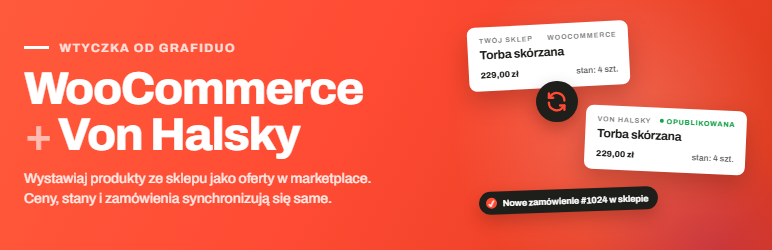
You keep working in WooCommerce. Products go out as offers, prices and stock follow the changes you make in the shop, and orders placed on the marketplace arrive as regular WooCommerce orders.
What the plugin does
- Publishes offers. A product is sent with its name, description, brand, model, EAN or manufacturer part number, category, attributes, dimensions, gross price, VAT rate, stock, images, GPSR data, and return and complaint policy. Offers are created once and then updated in place, including after the product is edited.
- Tracks offer creation. The marketplace creates offers asynchronously. The plugin follows each command, retries the ones that fail, and lists the offers that could not be created.
- Checks data before sending. Missing manufacturer (GPSR) data, required attributes, an invalid EAN, incomplete dimensions or non-HTTPS images are reported in the shop before the offer reaches the marketplace.
- Keeps prices and stock current. Product changes are queued and sent in batches on a schedule, rather than as one request on every save.
- Imports orders. The marketplace has no webhooks, so the plugin polls the order event stream and creates WooCommerce orders with line items, billing and shipping addresses, the chosen InPost Paczkomat locker and the shipping cost. Paid orders can be accepted on the marketplace automatically.
- Shows offer status. The offer status (pending, published, rejected, closed, sold out) appears in a column on the product list and in a metabox on the product screen, together with the rejection reasons when the marketplace rejects an offer.
- Maps categories and attributes. A dedicated screen maps WooCommerce product categories to marketplace categories, and category attributes to WooCommerce attributes or custom fields, with a default value as a fallback. A single product can have its own category and its own values.
- Uses the marketplace catalogue. The plugin looks the product up in the marketplace catalogue by EAN (or brand and part number) and fills in empty fields: category, brand, model, description, dimensions, attributes and manufacturer data.
- Organises orders. The delivery type (Paczkomat locker, courier) is mapped to WooCommerce shipping methods, and selected WooCommerce e-mails can be turned off for marketplace orders.
- Collects offers in one place. The offers screen shows statuses and errors, and lets you send, close, reopen and refresh offers in bulk.
How it works with WooCommerce
- Compatible with High-Performance Order Storage (HPOS).
- Recurring work runs through Action Scheduler, which WooCommerce already ships. Progress is visible under Tools Scheduled Actions, in the
grafiduo-von-halskygroup. - Everything is logged under WooCommerce Status Logs, source
grafiduo-von-halsky. - Nothing is scheduled and no request is sent until you enter your own credentials.
The admin interface is currently in Polish, as the marketplace serves the Polish market. Translations can be contributed on translate.wordpress.org.
What you need
An InPost Von Halsky seller account with an application created in the InPost API portal, using the Client Credentials flow. The plugin needs the token endpoint URL, Client ID, Client Secret and the organisation UUID. A static Bearer token is supported as an alternative.
Current limitations
These are deliberate boundaries of this release, not bugs:
- Variable products are not exported. Each variation would need its own offer.
- Order lines in the marketplace API have no quantity field, so each line is treated as one unit and repeated offers are aggregated.
- Line amounts are imported gross and the order total comes from the marketplace final price, so the VAT breakdown on imported orders is not reconstructed.
- The marketplace API version this release supports has no endpoint for tracking numbers or invoices, so shipments are not reported back.
- Returns, complaints and refunds are handled in the Merchant Portal, not here.
External services
This plugin is an interface to the InPost Von Halsky marketplace, operated by InPost sp. z o.o. It does not work without contacting that service and does not contact anything else. There is no analytics, telemetry, tracking or remote asset loading.
No request is sent until you enter your own credentials on the settings screen. Saving them is the consent step; clearing them stops all outgoing traffic.
Which services are contacted
1. InPost authorisation server — account.inpost-group.com (or stage-account.inpost-group.com if you select the staging environment).
Your Client ID and Client Secret are sent to exchange them for a short-lived access token. This happens when a token is needed and the previous one has expired; the token is cached until shortly before it expires. Nothing about the shop, products or customers is sent here.
2. InPost Von Halsky API — api.inpost-group.com (or stage-api.inpost-group.com).
Sent to the service:
- When you publish or update an offer (manually, with a bulk action or with the “update sent offers” tool): the product name, description, brand, EAN, manufacturer part number, SKU, the mapped category and its attribute values, gross price, VAT rate, stock quantity, dispatch time in days, the URLs of the product and gallery images, and the WooCommerce product ID as an external reference.
- On the price and stock schedule: marketplace offer IDs with the current price and quantity.
- When accepting or rejecting an order, or closing and reopening an offer: only the relevant marketplace ID.
- When reading categories, order events, offer events or catalogue matches: no shop data, apart from the match search criteria (EAN, part number or product name).
Received from the service and stored in WooCommerce:
- Order data, including personal data of the marketplace customer: name, e-mail address, phone number, billing and shipping addresses, company name and tax ID when an invoice is requested, the chosen parcel locker, order lines, payment details and the customer’s note. This is the data needed to fulfil the order, and it is stored as a regular WooCommerce order.
Images are not uploaded. The plugin sends their URLs and the marketplace downloads them from your site, so images must be publicly accessible.
Terms and privacy
- About the service: https://inpost.pl/en/VonHalsky
- InPost API portal, where you create the application and credentials: https://inpsa-api-portal.inpost-group.com/
- Merchant Portal privacy policy (data controller InPost sp. z o.o.): https://terms.inpost-group.com/privacy-policy-merchant-app
- Seller terms, including the list of products excluded from sale, are available in the InPost Merchant Portal.
This plugin is an independent project by Grafiduo. It is not affiliated with, endorsed by or an official plugin of InPost sp. z o.o. or InPost Group.
Screenshots
No screenshots provided