
GT Link Manager Wordpress Plugin - Rating, Reviews, Demo & Download

Plugin Description
GT Link Manager is a high-performance branded link manager for WordPress. It stores links in custom database tables (not custom post types), resolves redirects early on init, and keeps your site fast — even with thousands of links.
Your links follow a clean URL pattern: yoursite.com/go/your-slug (the prefix is configurable).
Why GT Link Manager?
Most link management plugins use custom post types, which means every redirect loads the full WordPress template stack. GT Link Manager takes a different approach — it intercepts the request early, looks up the slug in a UNIQUE-indexed database column, sends the redirect header, and exits. No theme loading, no unnecessary queries.
Key Features
- Fast direct redirects — resolves links on
init(priority 0) via direct DB lookup, no CPT overhead - 301, 302, and 307 redirects — choose the right redirect type for SEO, temporary, or method-preserving redirects
- Rel attribute controls — set
nofollow,sponsored, andugcper link for proper SEO attribution - Noindex support — sends
X-Robots-Tag: noindexheader to prevent search engines from indexing redirect URLs - Categories and tags — organize links into categories with parent/child hierarchy and free-form tags
- Full admin list table — search, filter by category/status, sort by any column, and perform bulk actions
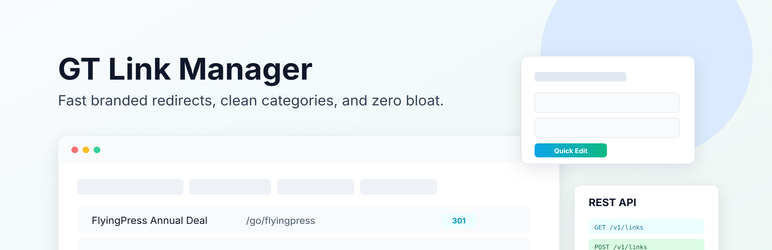
- Quick Edit — update URL, slug, redirect type, rel, category, and status inline without leaving the list
- Activate / Deactivate — disable a link without deleting it; inactive links stop redirecting but stay in the database
- Trash and restore — soft-delete links to trash with the option to restore or permanently delete
- CSV import and export — import links from CSV with column mapping preview, or export filtered links; includes LinkCentral and Pretty Links compatible presets
- Block editor integration — a toolbar button lets you search your links and insert them directly into post content
- Branded URL preview — see the full branded URL as you type, with one-click copy
- Click stats — can be activated to track link clicks
- Developer-friendly — actions and filters for redirect interception, URL modification, capability control, cache TTL, and more
Developer Hooks
GT Link Manager provides a comprehensive set of hooks for customization:
gtlm_before_redirect— action fired before redirect (use for click tracking or logging)gtlm_redirect_url— filter to modify the destination URLgtlm_redirect_code— filter to modify the HTTP status codegtlm_rel_attributes— filter to modify rel attribute valuesgtlm_headers— filter to modify redirect response headersgtlm_prefix— filter to override the URL prefixgtlm_capabilities— filter to override the required user capabilitygtlm_cache_ttl— filter to set object cache TTL for link lookups
Source Code
The block editor assets (blocks/link-inserter/build/) are compiled from the source at blocks/link-inserter/src/ using @wordpress/scripts. The full source code is available in this plugin and on GitHub at https://github.com/wpgaurav/gt-link-manager.
To build from source:
cd blocks/link-inserter && npm install && npm run build
Screenshots

All Links — admin list with search, filters, status views, and bulk actions

Add/Edit Link — form with branded URL preview, redirect type, rel attributes, and categories

Categories — manage link categories with parent/child hierarchy

Settings — configure prefix, defaults, flush permalinks, and run diagnostics

Import/Export — CSV import with column mapping preview and preset support


