
Heckl Tools Wordpress Plugin - Rating, Reviews, Demo & Download

Plugin Description
Heckl Tools turns a fresh WordPress site into a place that feels like the social network you came from, without locking you back inside one.
- Follow people across the Fediverse (Mastodon, Pixelfed, PeerTube, …) via the optional ActivityPub plugin, via RSS / Atom feeds (with WebSub push when the publisher supports it), and via WordPress.com Reader subscriptions.
- A unified Following timeline that merges every source into one stream — with ActivityPub posts rendered as social-style cards (avatar, display name, handle, relative time, “Reposted by …”) so they don’t look like blog entries dropped into a feed.
- A Favorites list so you can bookmark items permanently — they survive after the live feed rolls them off.
- A lightweight Custom Bar that replaces the WordPress admin bar on the front end with Home / Create / Profile shortcuts — the site feels like an app, not a CMS.
- Frontend post composer (a small inline editor) that publishes via the REST API.
- OPML import / export for moving in and out of other feed readers, plus a one-shot “import follows from a Mastodon account” tool.
- Block-theme-friendly: ships a Social Menu block, Following / Favorites link blocks for any Navigation block, and plugin-default block templates so the Following and Favorites archives have a working layout on any active theme.
- No extra database tables — everything lives as standard WordPress posts and meta, so it survives backups, exports, and WP-CLI.
External services
Heckl Tools connects to third-party services only when you ask it to. Every outbound call is initiated by an explicit user action (clicking Follow, adding an RSS URL, connecting a WP.com account, importing an archive, etc.); the plugin makes no background telemetry or analytics calls.
ActivityPub / Fediverse servers
When you follow someone on the Fediverse, Heckl Tools uses the ActivityPub plugin to perform a WebFinger lookup against the remote host and then exchange ActivityPub follow / Accept activities with it. After the follow is established, Heckl Tools polls each followed actor’s outbox URL periodically (every 15 minutes, chunked) so new posts from that account appear in your timeline. When an actor’s display name, avatar URL, or outbox URL is unknown or stale, Heckl Tools also issues a one-shot GET against that actor’s profile JSON URL to refresh those fields.
What is sent: the remote actor’s identifier (e.g. @user@example.social) and standard ActivityPub follow / Accept payloads signed by your WordPress site’s actor key. No personal data beyond what the ActivityPub plugin already advertises about your blog actor.
Service: each remote Fediverse instance you choose to follow.
Terms vary per instance.
WordPress.com / WP.com Reader
When you click “Connect WordPress.com” in the settings page, Heckl Tools starts an OAuth 2 authorization-code flow against public-api.wordpress.com. After you authorize the connection on WordPress.com, the plugin receives an access token and uses it on every subsequent Reader request to read your subscriptions and recent items.
What is sent: an authorization request that names your site as the OAuth client, then the access token on each subsequent Reader call.
Service: WordPress.com.
Terms of service: https://wordpress.com/tos/.
Privacy policy: https://automattic.com/privacy/.
WP.com OAuth broker (radicalsocials.wpcomstaging.com)
WordPress.com’s OAuth requires each app’s redirect URI to be pre-registered, which would force every plugin install to register its own WP.com app. To avoid that friction, Heckl Tools by default routes the OAuth handshake through a small broker hosted at https://radicalsocials.wpcomstaging.com/. The broker holds the WP.com app credentials, brokers the authorize redirect, and swaps the authorization code for an access token. The token is returned to your site over HTTPS and stored only on your site.
The broker code is open-source in this repository and does not log or persist tokens — they are exchanged once and discarded. The broker itself is hosted on WordPress.com Atomic and follows Automattic’s standard server-log retention policy; standard HTTP access logs (timestamp, request URL, IP) apply to traffic in transit just as they would to any HTTPS endpoint.
What is sent: at handshake start, a random opaque state token and your site’s callback URL. After authorization, the WordPress.com authorization code is exchanged via the broker once and then discarded.
Service: Heckl Tools project broker (operated by the plugin authors, hosted on WordPress.com Atomic).
To opt out entirely: define your own HECKL_WPCOM_CLIENT_ID and HECKL_WPCOM_CLIENT_SECRET in wp-config.php (after registering a WordPress.com app at https://developer.wordpress.com/apps/). The plugin then talks to WordPress.com directly without touching the broker. To use a different broker, define HECKL_WPCOM_PROXY_URL with its base URL. To run your own broker on a separate WordPress site, also define HECKL_WPCOM_PROXY_MODE=true along with the client credentials.
Arbitrary RSS / Atom feed URLs
When you add an RSS feed by URL (or via OPML import), Heckl Tools fetches that URL using WordPress’s HTTP API and parses it with the SimplePie library that ships with WordPress core to discover items and the WebSub hub. The same URLs are then re-fetched on a 15-minute schedule (chunked to 10 feeds per tick so the schedule never overwhelms a shared host).
What is sent: an HTTP GET from your server with WordPress’s default user agent. URLs are validated to refuse local / private-network targets before fetching.
Service: whichever publisher hosts the feed.
WebSub hubs
For RSS feeds that advertise a WebSub hub, Heckl Tools sends a subscribe request to that hub so new posts are pushed to your site instead of polled. Subscriptions are renewed before they expire.
What is sent: a subscription request with a callback URL pointing at your site’s REST endpoint, plus a randomly-generated per-subscription secret. The hub uses this secret as the key in an HMAC-SHA1 signature it attaches to every push payload it sends back; Heckl Tools verifies that signature (with a constant-time comparison) before accepting the push.
Service: whichever WebSub hub the publisher uses (commonly Google’s pubsubhubbub.appspot.com or superfeedr.com).
Mastodon “import follows from account”
If you use the “Import follows from a Mastodon account” feature in settings, Heckl Tools fetches that account’s public Following collection from the source instance and queues a follow for each entry.
What is sent: HTTP GET requests to the source Mastodon instance to read the public Following list.
Service: the Mastodon instance you specify.
Privacy
Heckl Tools does not collect, store, or transmit usage analytics, telemetry, or any other data to first-party services. All outbound HTTP traffic is to the user-initiated third-party services listed above.
Source code
The unminified source for every script shipped in build/ lives alongside it in src/.
Screenshots
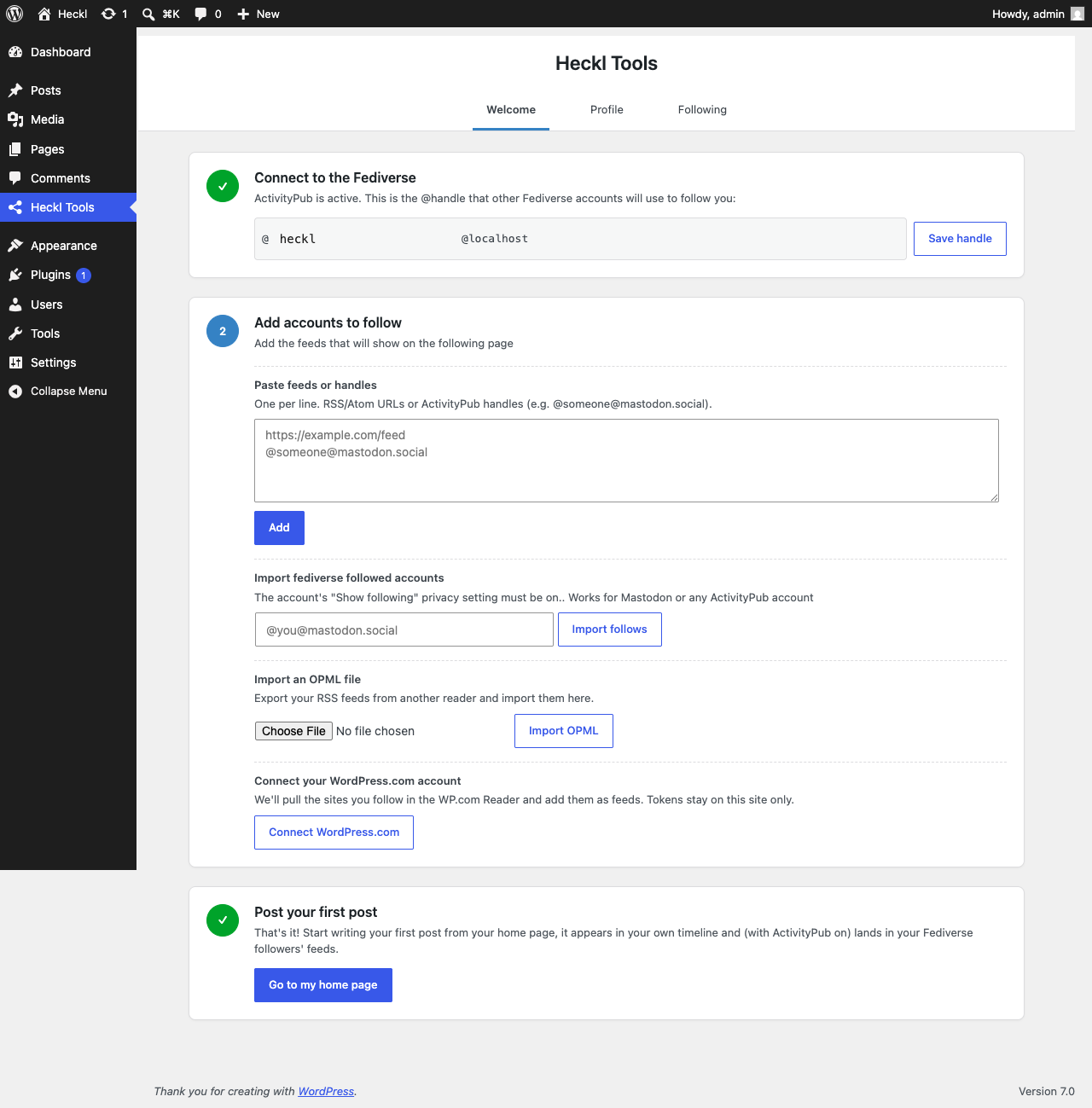
Welcome wizard — connect the Fediverse, add feeds, and publish your first post.
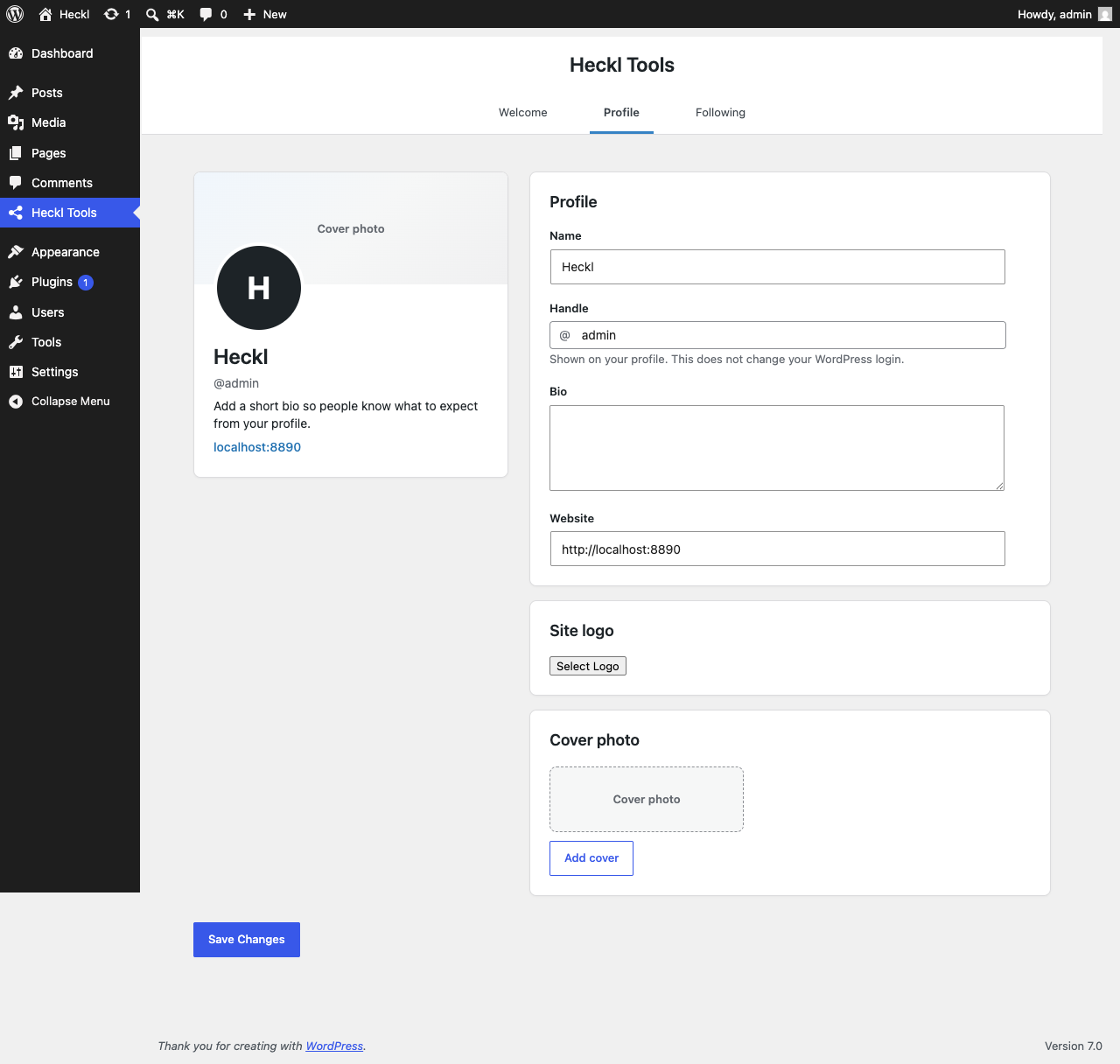
Profile settings — set the name, handle, bio, site logo, and cover photo shown on your social site.
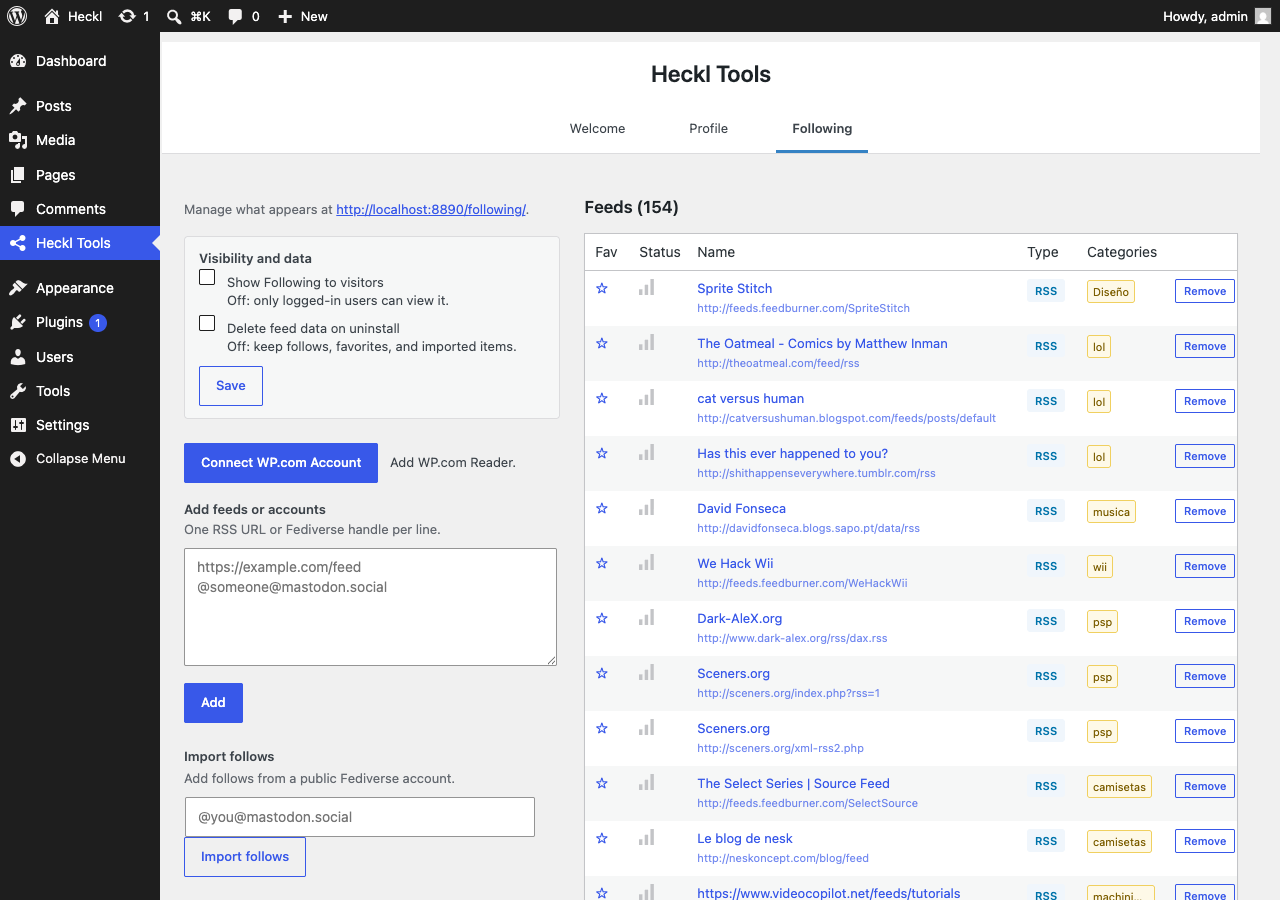
Following settings — manage visibility, feeds, imports, exports, and the live feed list.


