Hellion Shortcode Digital Sales Wordpress Plugin - Rating, Reviews, Demo & Download

Plugin Description
Hellion Shortcode Digital Sales is a lightweight way to sell a digital product (an ebook, a template, a license file, anything downloadable) without setting up a full store. Add a product, paste a shortcode on any existing page or post, and customers can buy without ever leaving that page or going through a cart.
Core scenario, no paid add-on required:
- Create a product (price, one file, optional custom checkout fields).
- Add
[hellion_product id="123"]to any page or post — inline or as a popup. - Customer pays with Stripe or PayPal, right there on the page.
- They land on a protected, time-/count-limited download link and get the same link by email. You get an email too.
Features
- Shortcode-based checkout, inline or popup, no page builder or block editor lock-in
- Stripe and PayPal, called directly (no bundled SDK, so it won’t clash with other plugins that also bundle payment SDKs)
- Protected file delivery: download links are token-based, not a public URL, with a configurable download-count and expiry limit per order
- Custom checkout fields (text / email / textarea / checkbox / select), configurable globally or per product
- Editable email templates (WYSIWYG) with placeholder tags for customer name, product, download link, order details, and more
- Orders screen with search, status filter, manual status/limit changes, and per-order details
- Sales analytics (revenue, orders, downloads) with day/week/month presets and a custom date range with period-over-period comparison
- Built to be extended: a documented set of actions/filters lets add-ons hook in without touching core files, and third-party add-ons don’t need to modify this plugin’s code or database tables
What this plugin does not include
Coupons, multiple file versions per product, subscriptions/recurring billing, multi-currency, VAT/tax reporting, license-key delivery, abandoned-cart recovery, and additional payment gateways are out of scope for this free plugin — the plugin registers real extension points for these, so they can be added by add-ons without forking core.
External services
This plugin connects to third-party services to process payments and, only if you configure it, verify payment webhooks. No data is sent to these services unless you enable the corresponding gateway in Settings Payments.
- Stripe — when Stripe is enabled and a customer checks out with it, the order amount, currency, and an internal order ID are sent to Stripe’s API (
api.stripe.com) to create a Payment Intent, and the customer’s payment details are collected by Stripe’s own embedded Payment Element (your site never sees card numbers). Stripe’s webhook calls back to this site to confirm payment. See Stripe’s Privacy Policy and Terms of Service. - PayPal — when PayPal is enabled, the same order data is sent to PayPal’s API (
api-m.paypal.comor the sandbox equivalent) to create and capture an order, and the PayPal JS SDK is loaded frompaypal.comto render the payment buttons. See PayPal’s Privacy Policy and Legal Agreements.
Loading Stripe.js and the PayPal SDK from the providers’ own domains is a requirement of both providers (self-hosting these scripts is against their terms and unsupported) and is unrelated to any tracking by this plugin itself.
Third-party libraries
- Chart.js (used for the Analytics chart) — MIT License. Bundled locally with this plugin (
includes/Admin/assets/vendor/chart.umd.js); not loaded from a CDN.
Screenshots
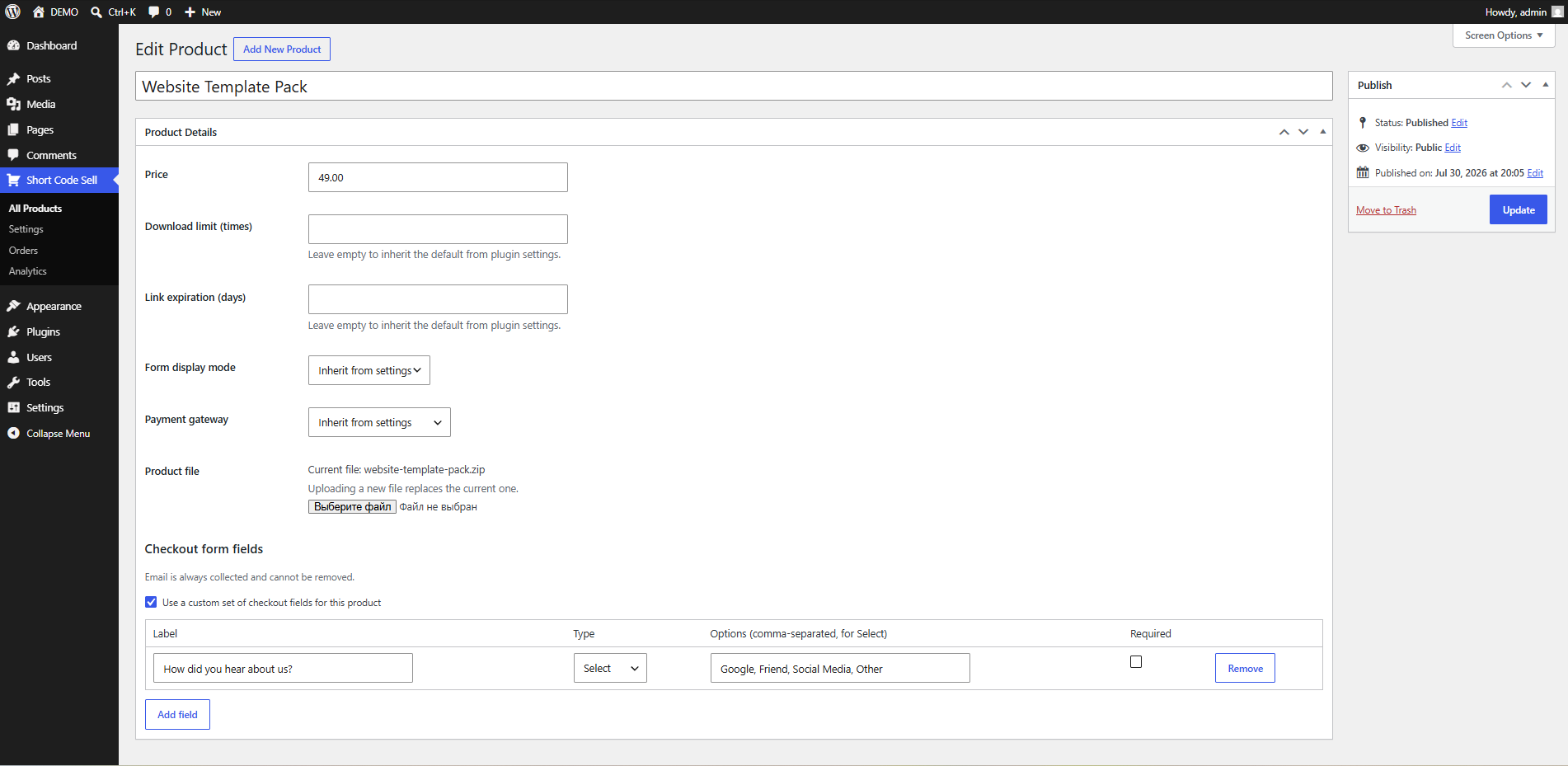
Product edit screen with price, file, and checkout field settings.
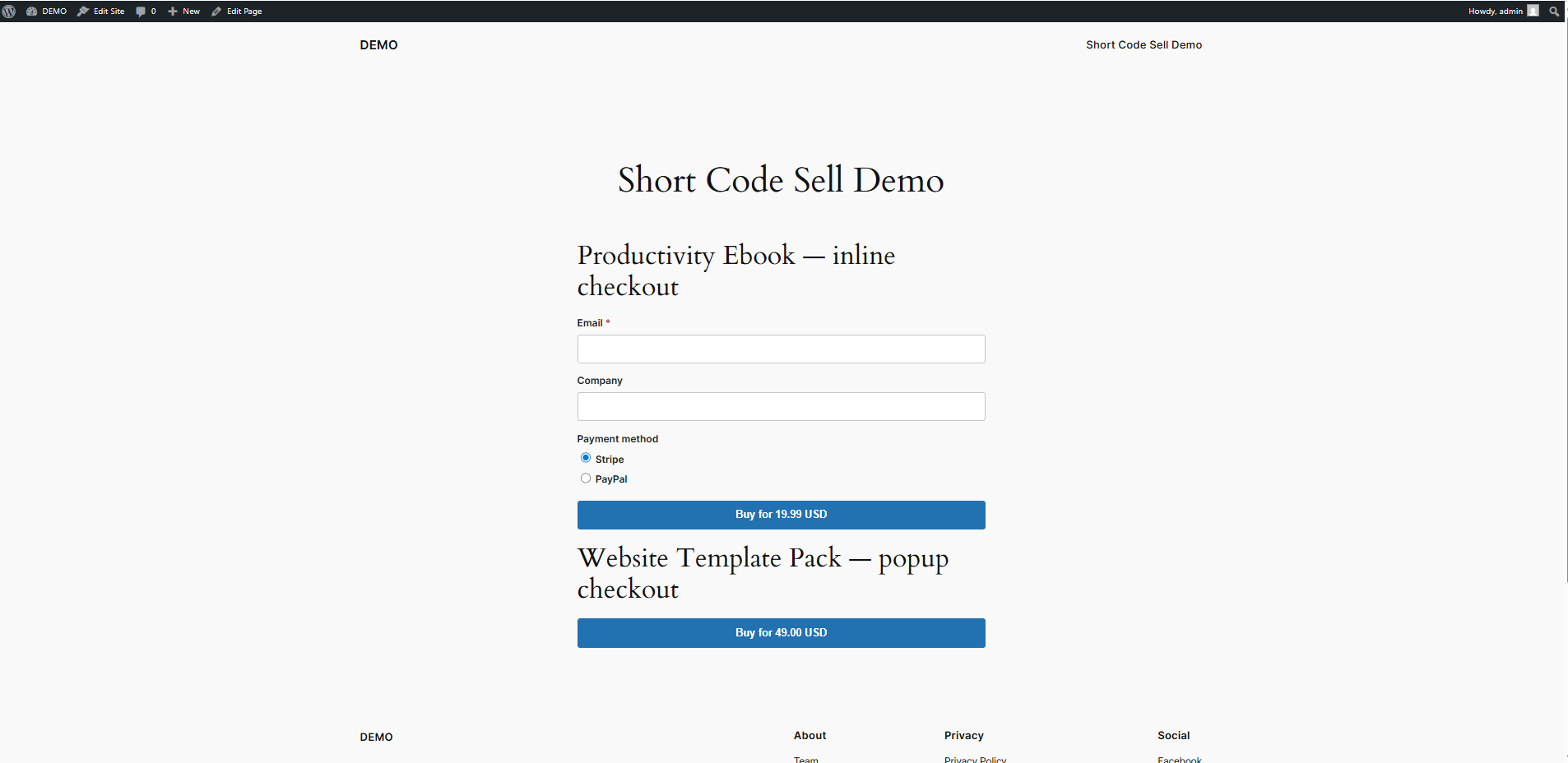
Inline checkout form on a page.
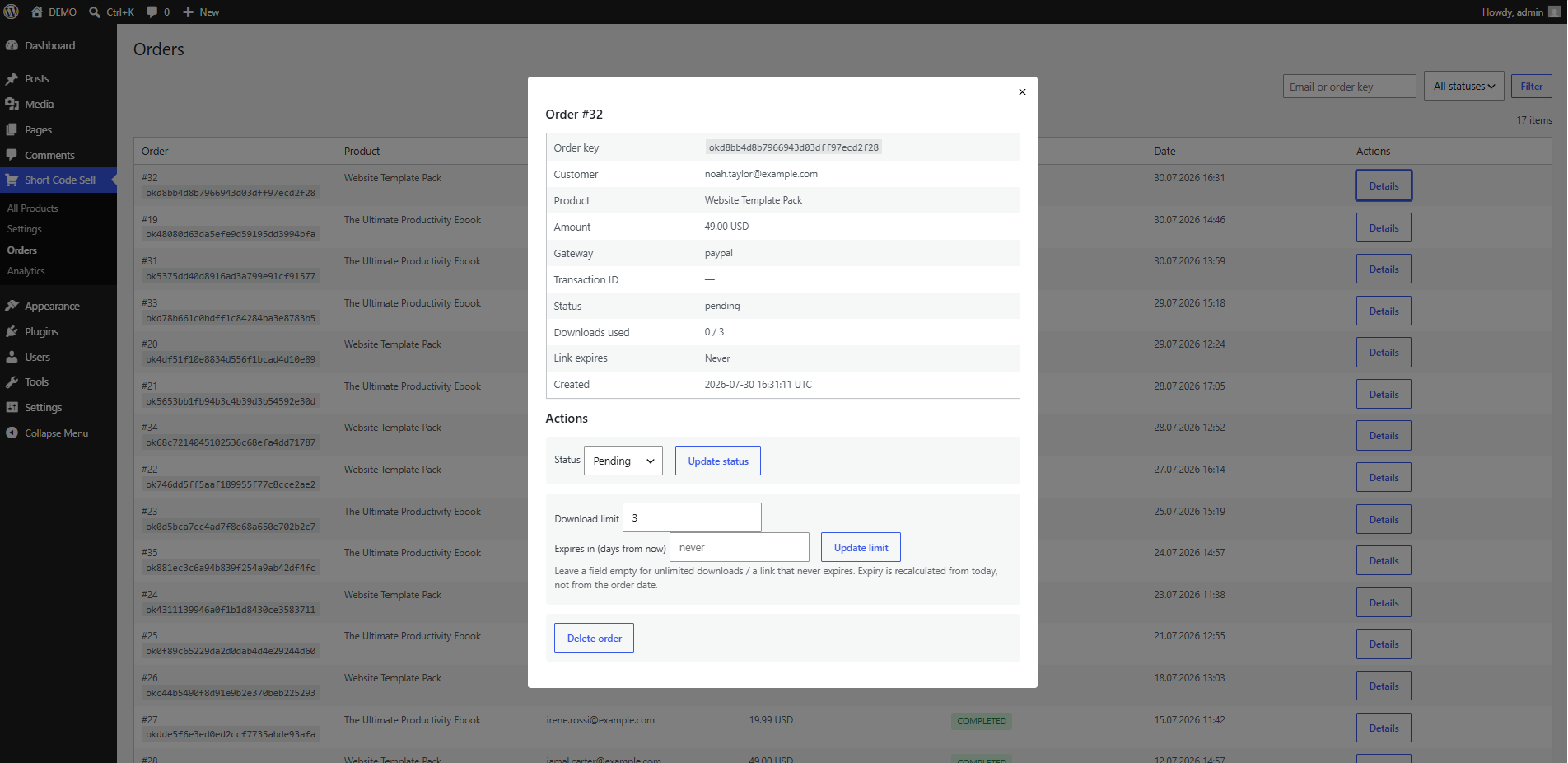
Orders screen with an order’s details, status, and limit/expiry actions.
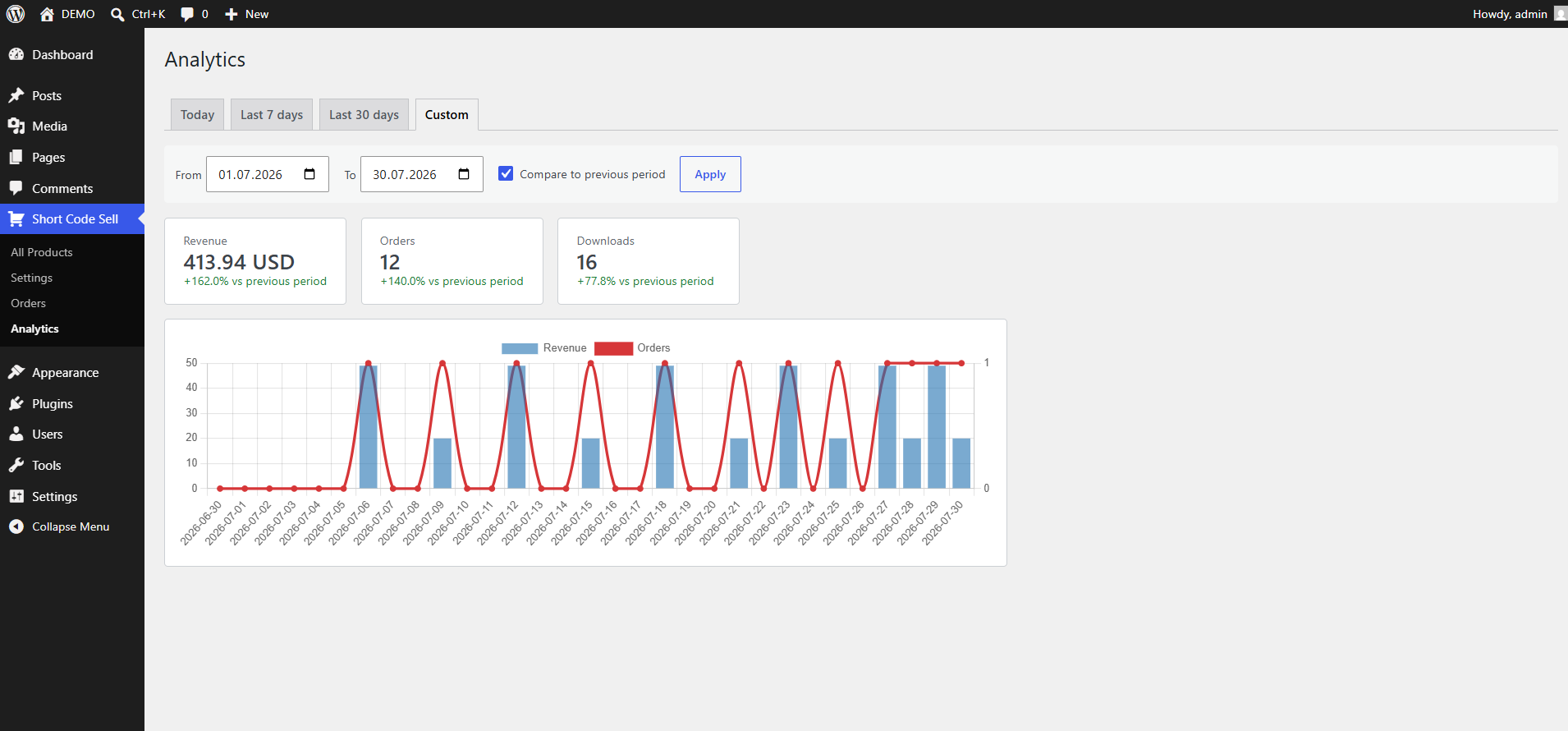
Sales analytics with a custom date range comparison.
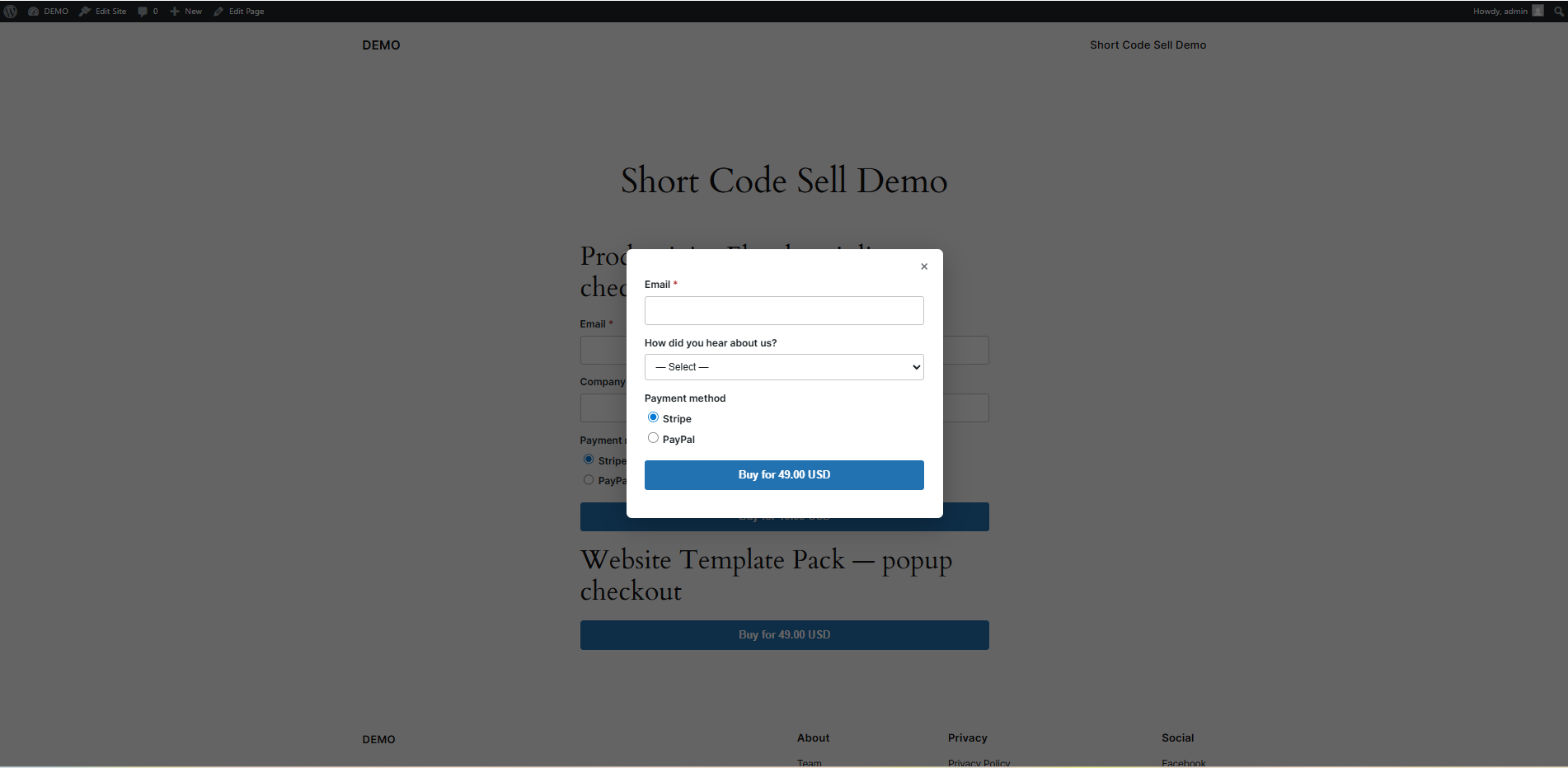
Popup checkout form.
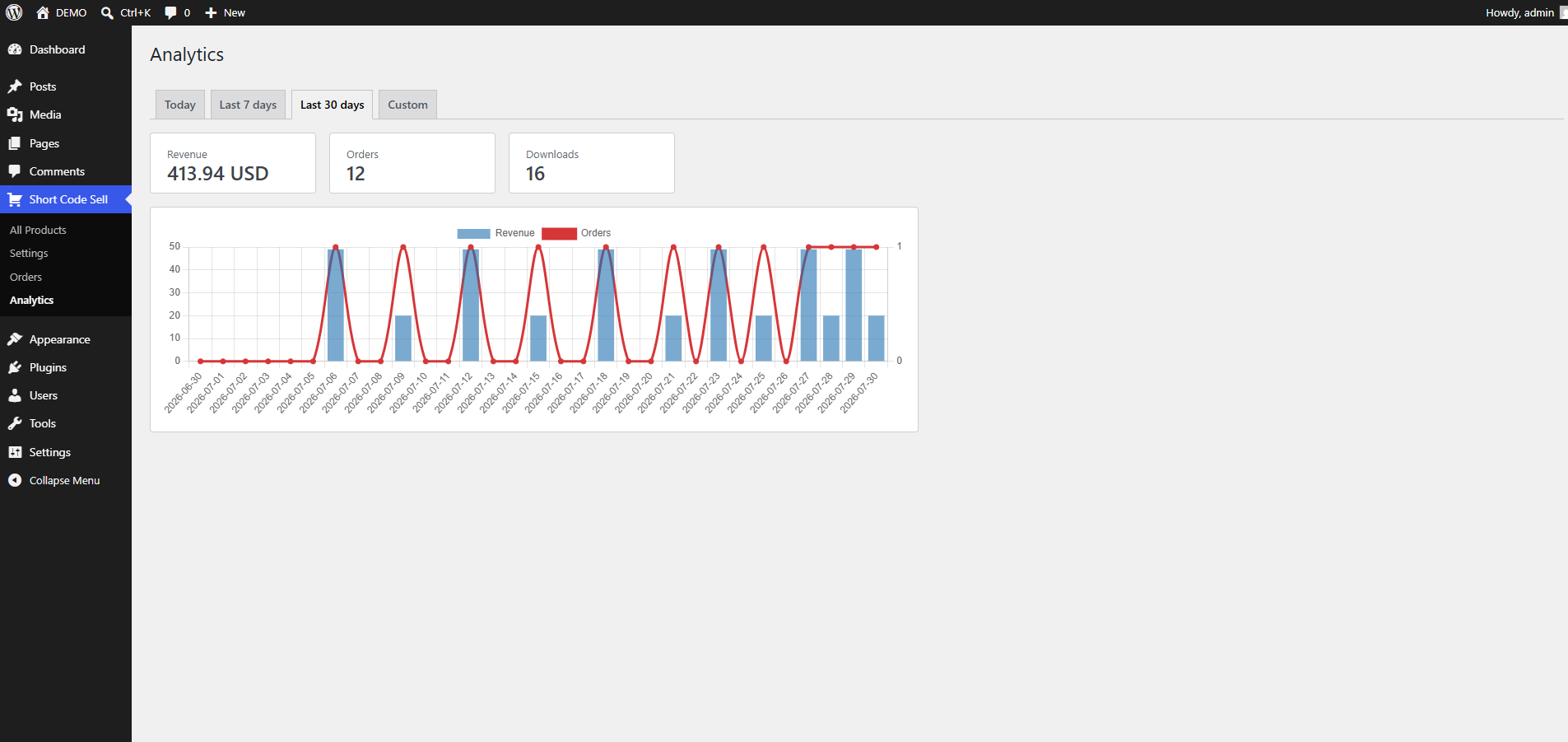
Sales analytics, 30-day view.
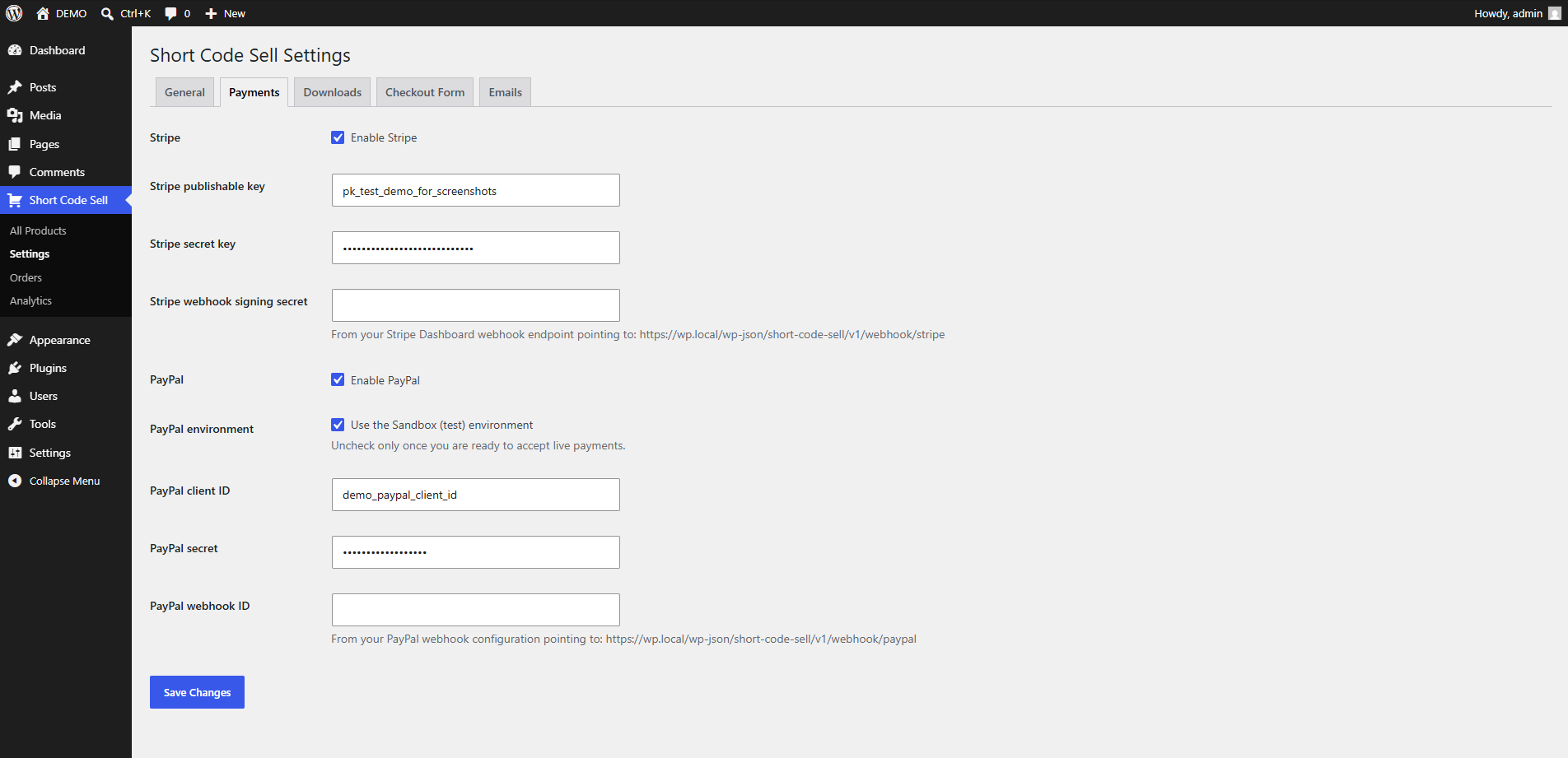
Payment gateway settings.