
Helpo Wordpress Plugin - Rating, Reviews, Demo & Download
Plugin Description
Helpo puts an AI-powered chat bubble on your WordPress site. The agent is trained on your content — pages, posts and (with WooCommerce) your product catalog — so it answers with your own words instead of generic filler. When a visitor needs a person, your team can take over the conversation from the helpo dashboard.
This plugin connects your site to a helpo account, embeds the chat widget, keeps your knowledge base in sync with your content, and brings conversations and analytics into wp-admin.
What you can do from wp-admin
- Connect your site to helpo in a couple of clicks — no API keys to copy around.
- Import your published pages and posts into the agent’s knowledge base, and keep them in sync automatically when you publish or update content.
- Import your WooCommerce catalog so the agent can answer product questions.
- Style the chat bubble: colors, launcher position, greeting, assistant name.
- Read conversation transcripts and captured leads.
- See analytics: conversations over time, resolution rate, top questions.
- Control where the widget appears: exclude pages, post types or URL patterns, and hide it from logged-in users or specific roles.
Built for stores
- Speaks your shoppers’ language. The chat’s buttons and labels come in 34 languages. By default they follow the language of each page, so a multilingual site (WPML, Polylang, TranslatePress) gets a chat in every language it serves. The AI answers in whatever language the shopper writes in.
- “Ask about this product” under the add-to-cart button, and “Get help with this order” in My Account Orders. The chat opens already knowing the product or order, so shoppers don’t have to explain and your team sees it next to the question. No code, and they show in your store’s language.
- Help center block. Publish your helpo help articles as an FAQ page on your own domain, with a page for every article that search engines can index. Add the “Help Center (helpo)” block, or create the page from the plugin’s Settings screen in one click.
A helpo account is required. The plugin is free; helpo offers a free plan plus paid plans with higher limits. See https://helpo.support/pricing.
External services
This plugin connects to services operated by helpo. It does not send anything anywhere until you explicitly connect your site.
1. Helpo API — api.helpo.support
Used for: the connection handshake, syncing your content into the knowledge base, reading conversations and analytics, and saving widget appearance settings.
Data sent from your server (never from your visitors’ browsers):
- During connection: your site URL and site name, plus the one-time authorization code returned by helpo.
- When you import or sync content: the public URLs (permalinks) of the pages and posts you choose to sync, and your site’s host name. Helpo then fetches those public URLs to index them. Page content is not uploaded by the plugin itself.
- When you import a WooCommerce catalog: your store URL and, optionally, the product IDs you selected. Helpo reads the catalog from your store’s public WooCommerce Store API.
- When a page shows the Help Center block: nothing is sent; the plugin downloads your published help articles from helpo (at most once every ten minutes) and keeps a copy in your database, so the page keeps working if helpo can’t be reached.
- On every API call: an integration token identifying your site, and a user-agent string containing the plugin version and your site URL.
Requests are made from your web server. The integration token is stored in your database and is never exposed to the browser.
Terms of service: https://helpo.support/terms — Privacy policy: https://helpo.support/privacy
2. Helpo widget CDN — chat.helpo.support
Used for: loading the chat widget script on your public site, once you have connected and enabled the widget.
Data sent: your visitors’ browsers request https://chat.helpo.support/widget.js and, from that point on, the widget communicates with helpo to run the chat (messages the visitor types, and any contact details they choose to provide). The embed snippet contains only your public site key. The widget is not loaded at all while the plugin is disconnected or the “Enable widget” setting is off.
When a shopper clicks “Ask about this product” or “Get help with this order” and then sends a message, what that page shows about the product (name, price, stock status, link and image) or the order (number, item names, status, date, total, link and first item’s image) is sent to helpo with that message, so the AI and your team know what the question is about. Nothing is sent if the shopper closes the chat without writing. The widget also reads the page’s language (the lang of its <html> tag) to pick the language of its buttons.
Terms of service: https://helpo.support/terms — Privacy policy: https://helpo.support/privacy
3. app.helpo.support
Used only when you click “Connect to helpo”: your browser is redirected there to sign in and approve the connection. Your site URL, site name, a random one-time state value and the wp-admin return URL travel in that redirect.
Development
The wp-admin screens are a small React app. build/ is the compiled output that WordPress loads; its
source is included in admin/src/ and is built with the official @wordpress/scripts toolchain:
npm install && npm run build
The PHP side is plain WordPress: no framework, no Composer dependencies.
Screenshots
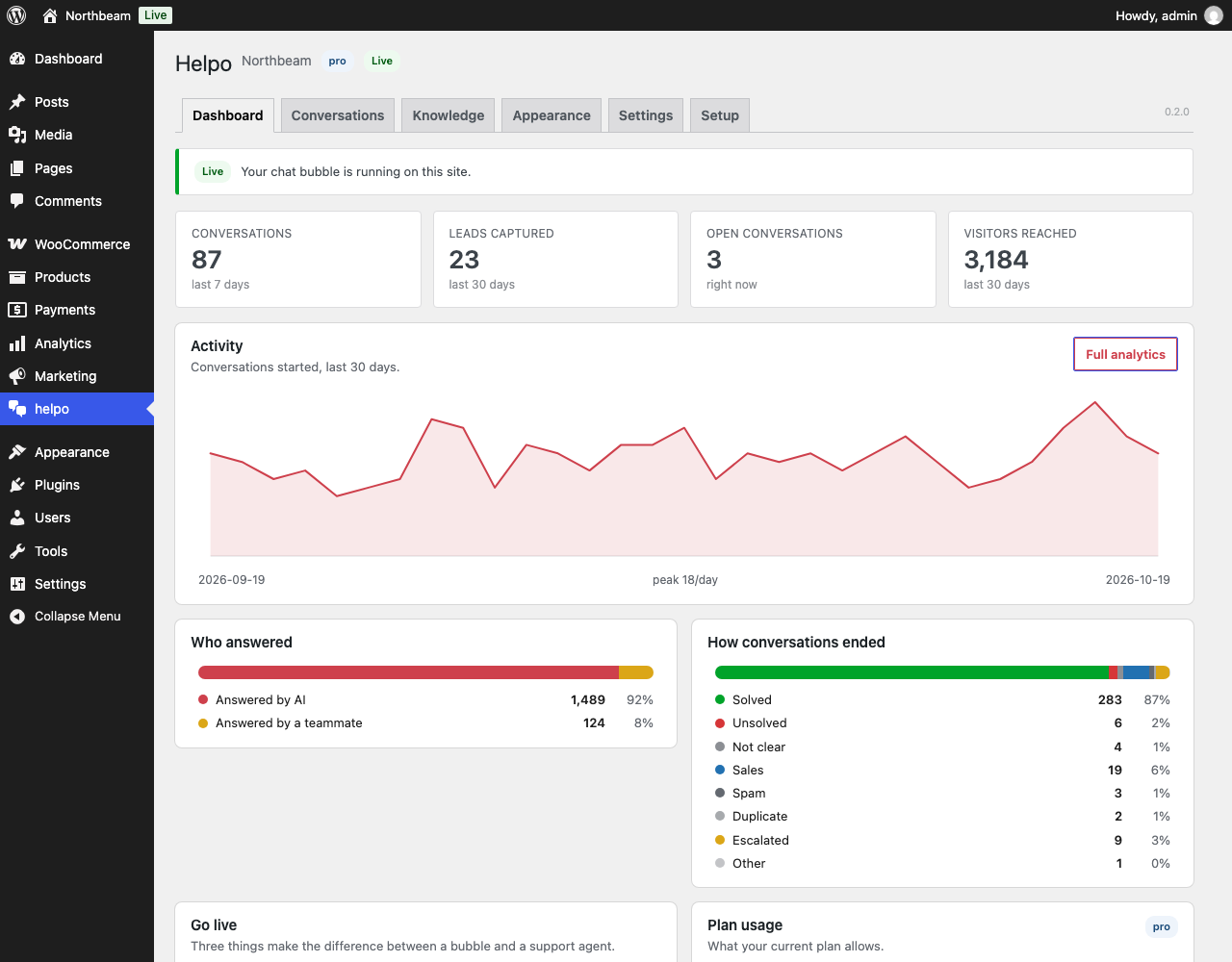
Dashboard: conversations, leads, resolution rate and plan usage, right inside wp-admin.
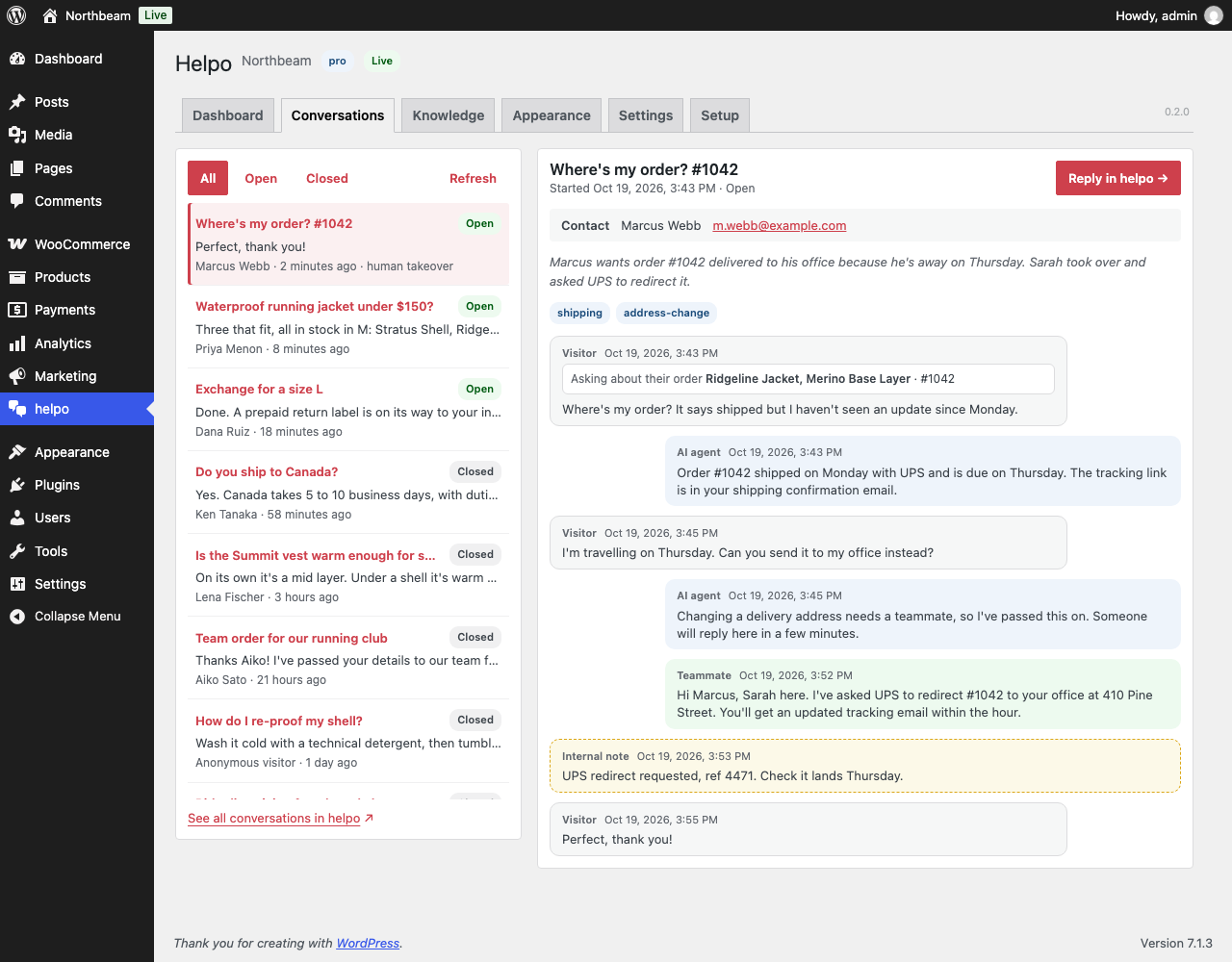
Conversations: every transcript, AI or human, with the visitor’s details.
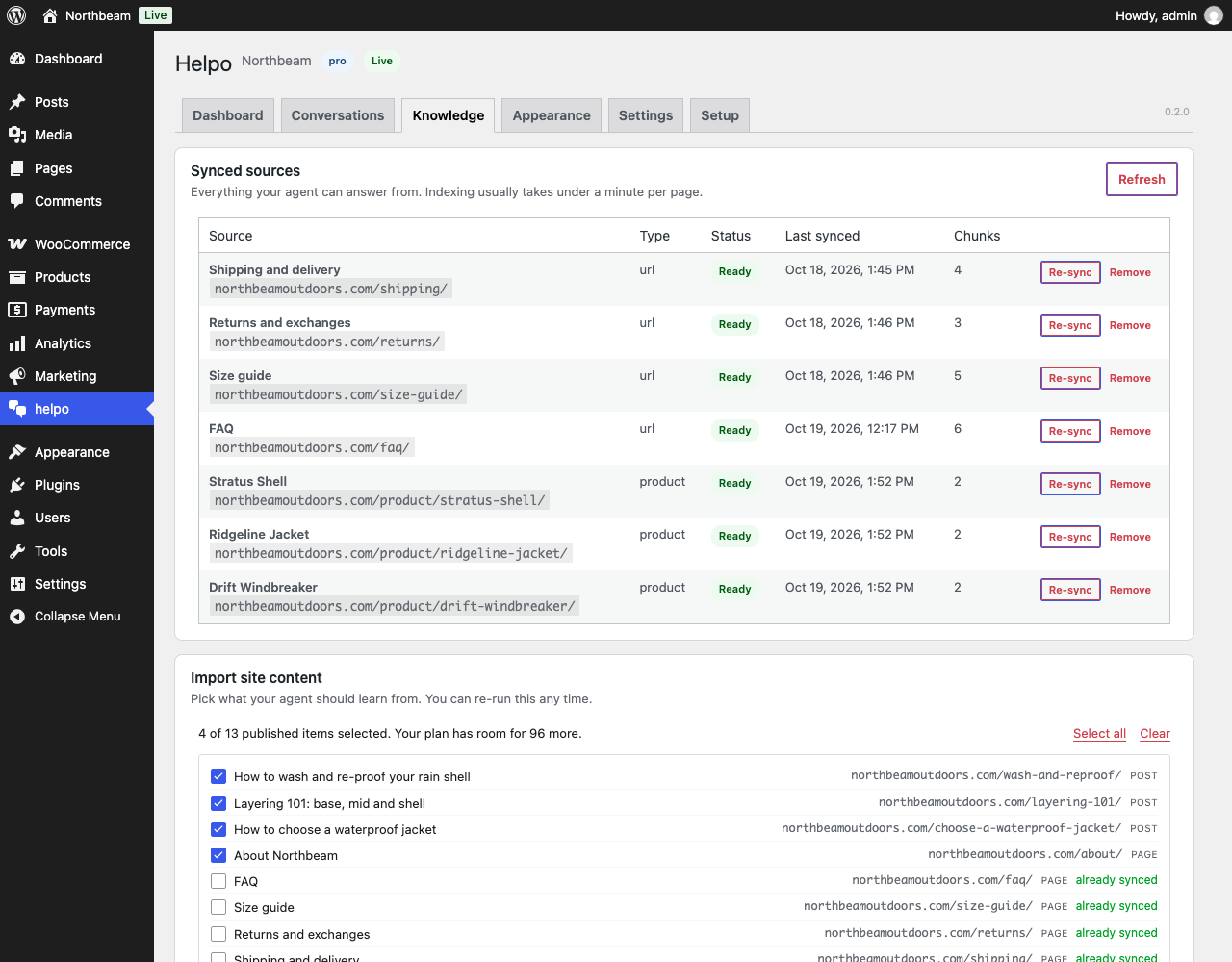
Knowledge: import pages, posts and WooCommerce products; keep them in sync automatically.
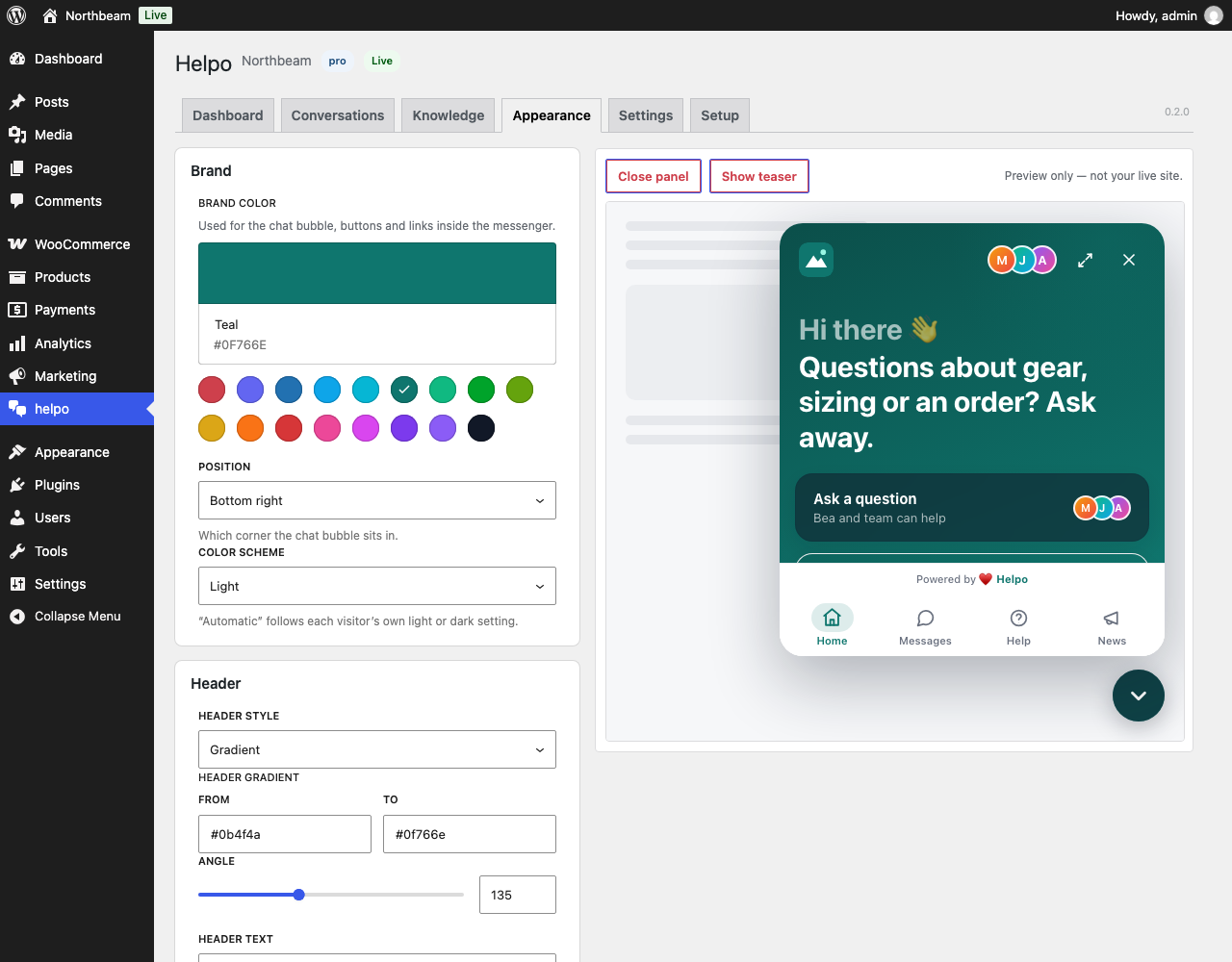
Appearance: brand color, position, header, launcher and greeting with a live preview.
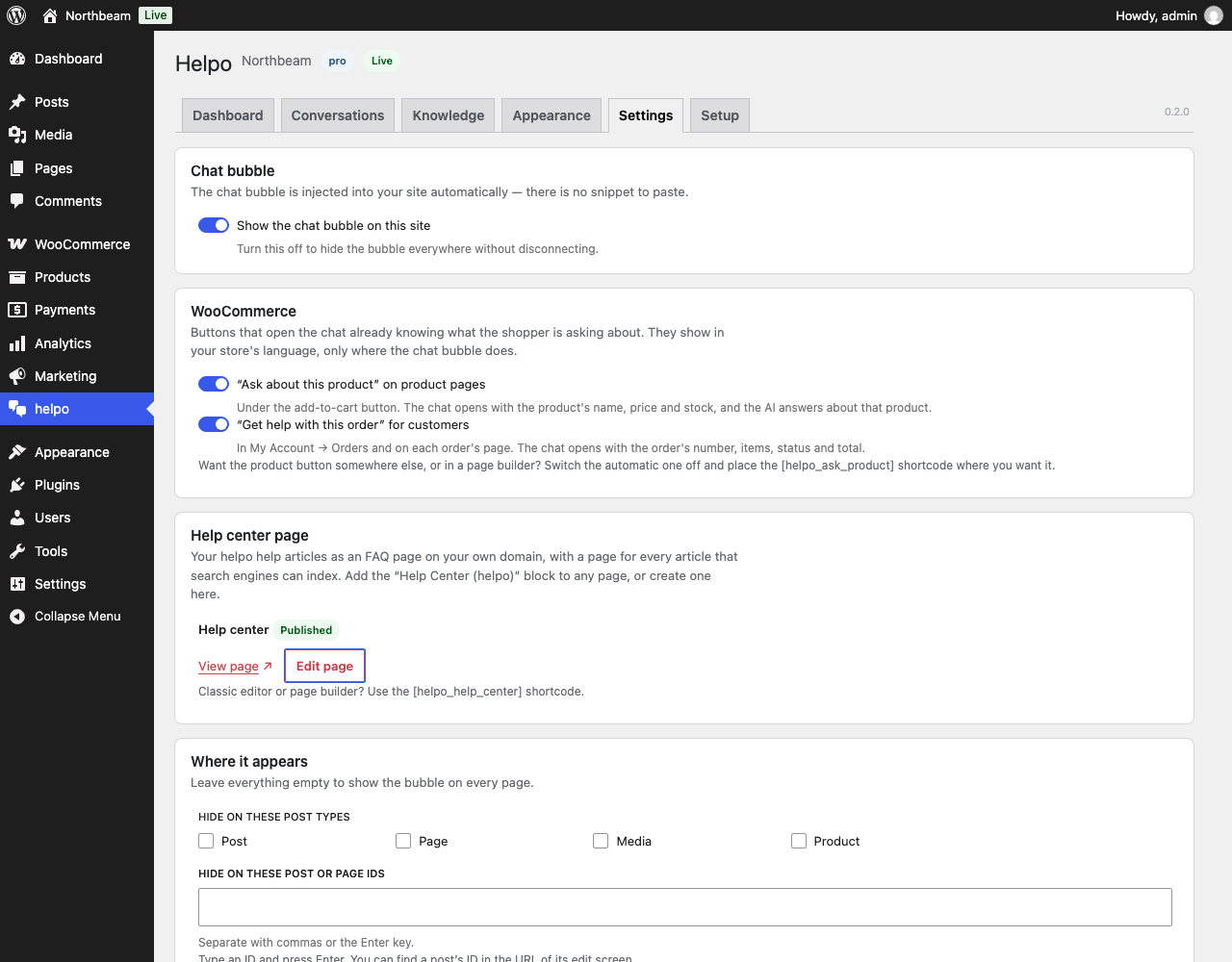
Settings: choose where the chat bubble appears and who sees it.
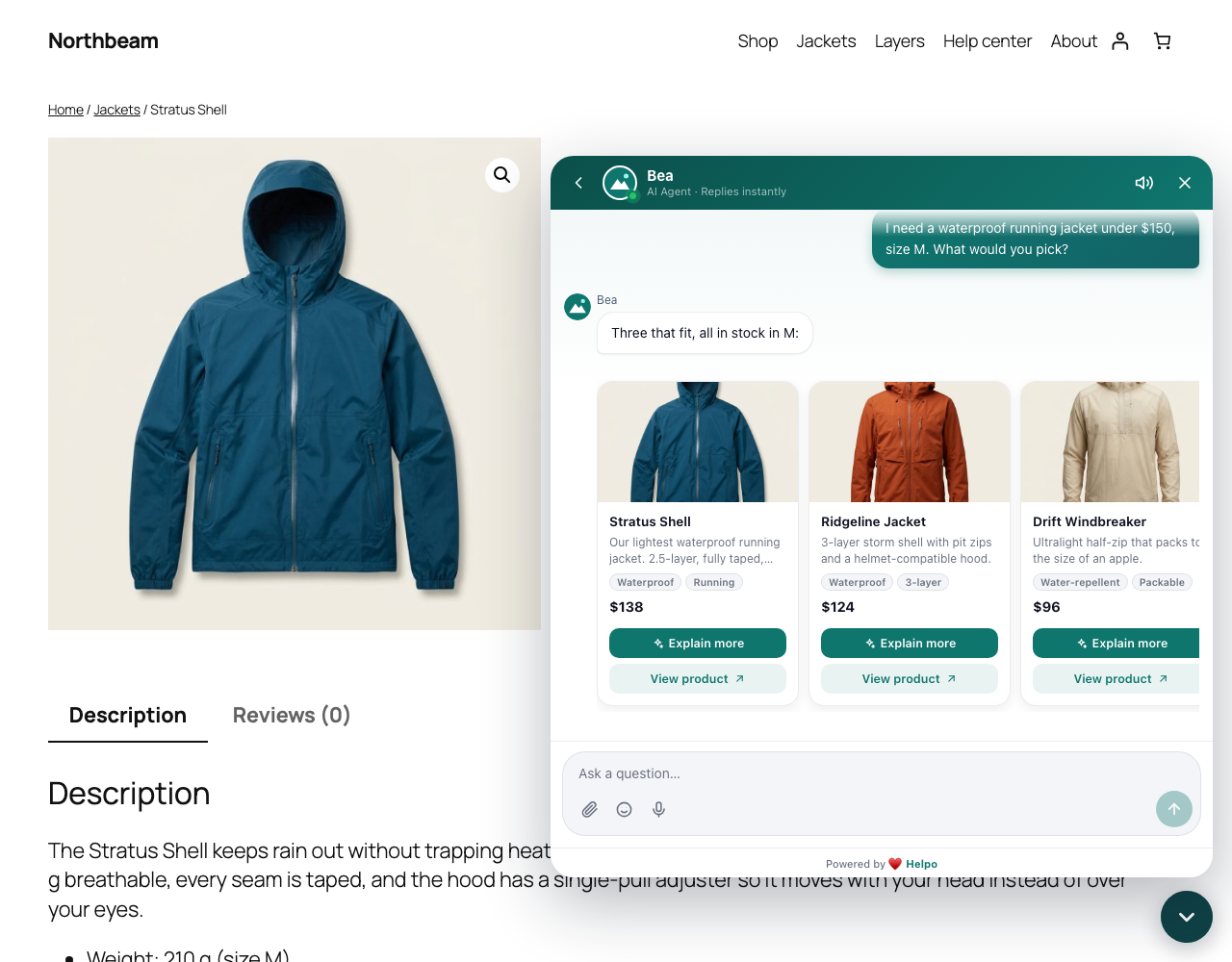
The chat bubble on a site’s front end.


