Highlight.io Session Recording Wordpress Plugin - Rating, Reviews, Demo & Download

Plugin Description
The Highlight.io WordPress Plugin allows you to easily integrate Highlight’s powerful session recording and monitoring capabilities into your WordPress site. With this plugin, you can gain valuable insights into user behavior, troubleshoot issues, and improve your website’s performance.
Features:
- Easy Setup: Install and configure the plugin in just a few clicks.
- Session Recording: Capture user interactions on your WordPress site.
- Error Monitoring: Automatically detect and log errors with detailed information for troubleshooting.
- Performance Monitoring: Monitor and analyze website performance metrics like page load times and resource usage.
- Network Recording: Optionally record network requests for deeper insights.
- Console Log Recording: Capture and review console logs to help identify and fix issues quickly.
Configuration
Navigate to “Settings” > “Highlight.io” in your WordPress admin panel. The only required configuration option is your Highlight project ID.
Advanced Configuration options include:
* Custom Service Name: Useful for identifying different environments or sites.
* Tracing Origins: Control which domains are traced, helpful for complex setups with multiple subdomains or external services.
* Network Recording: When enabled, captures network requests, which can be valuable for debugging API calls or third-party integrations.
Third-Party Services
This plugin sends data to the following external services:
-
Highlight.io
- Purpose: Core functionality – session recording, error monitoring, and performance tracking
- Service URL: https://highlight.io
- Terms of Service: https://highlight.io/terms
- Privacy Policy: https://highlight.io/privacy
-
Mixpanel (optional – only if configured)
- Purpose: Integrates with Mixpanel if enabled in custom configuration (learn more: https://www.highlight.io/docs/general/integrations/mixpanel-integration)
- Service URL: https://mixpanel.com
- Privacy Policy: https://mixpanel.com/legal/privacy-policy/
- Terms of Service: https://mixpanel.com/legal/terms-of-service/
You can also see mention of https://securetoken.googleapis.com and https://www.googleapis.com/identitytoolkit in the JavaScript source for the Highlight plugin. However, these domains are only strings used as the default values for our urlBlocklist configuration (learn more: https://www.highlight.io/docs/sdk/client#urlBlocklist)
Data Collection and Privacy:
* All session data, including user interactions and errors, is transmitted to Highlight.io’s servers
* Authentication tokens are processed through Google’s Identity Platform
* Usage analytics are collected through Mixpanel
* No personal data is stored locally on your WordPress installation
* All data transmission is encrypted using HTTPS
Development
If you’re interested in contributing to the development of this plugin, follow these steps:
- Clone the repository from GitHub
- Make your changes in the
sdk/highlight-wordpress/highlight-iodirectory. - Test your changes thoroughly on a local WordPress installation or using the end-to-end example app in
/e2e/wordpress/directory. - Submit a pull request with your changes for review.
Preparing the Plugin for Distribution
To package the plugin for distribution in the WordPress plugin directory, we use a custom script that puts all files into a single .zip archive. Here’s how to use it:
- Navigate to the root directory of the project.
-
Run the following command:
sh

yarn build:wordpress -
The script will create a zip file named
highlight-wordpress.zipin thesdk/highlight-wordpressdirectory.
Screenshots
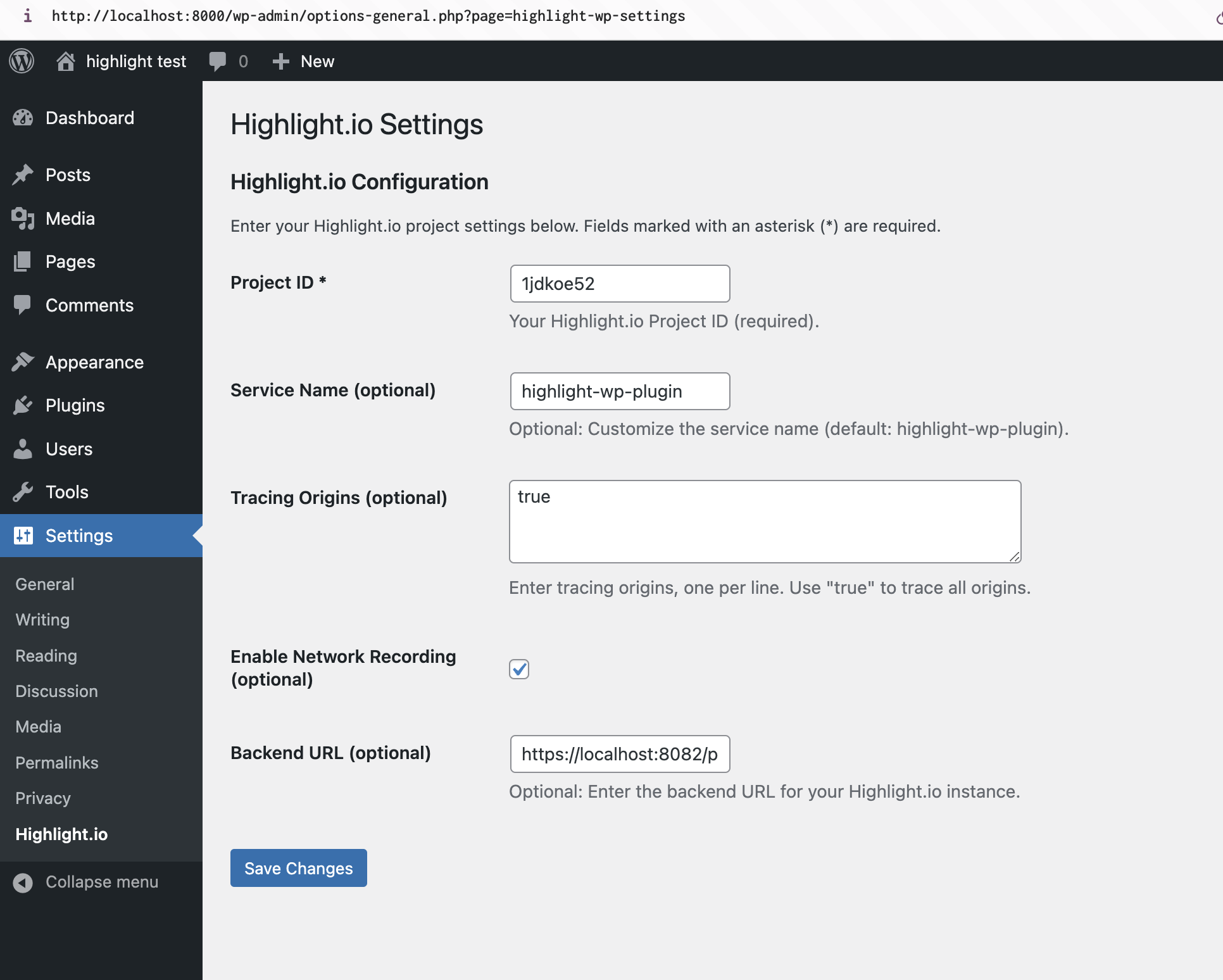
Plugin settings