
HikaShop For SiteOrigin Page Builder Wordpress Plugin - Rating, Reviews, Demo & Download
Plugin Description
HikaShop for SiteOrigin Page Builder adds a HikaShop tab to the Add Widget dialog of SiteOrigin Page Builder. Every widget is a WordPress widget, so it also works in your widget areas, and each one gets the style settings of SiteOrigin Page Builder (colors, spacing, borders).
Listings
- HikaShop Products: the products of a category, products chosen by hand (with a search of your catalog, in the order you choose), products on sale, the products the visitor viewed recently, or the products related to the product being viewed. Choose the order, the number of products, the columns, the product layout, and whether to show the price, the add to cart button, the quantity field, the wishlist button, the rating and the badges.
- HikaShop Categories: the subcategories of a category, with the number of products in each, empty categories hidden if you want.
Product page
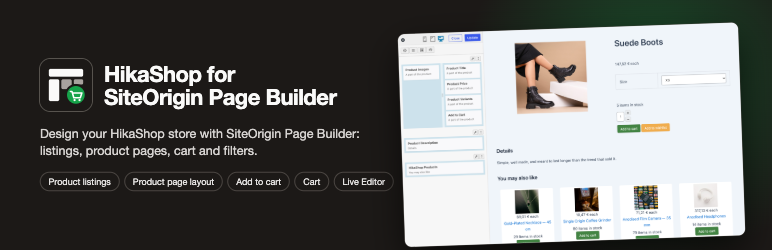
Create a layout in Settings > HikaShop for SiteOrigin Page Builder, design it with the product widgets, and pick it as the product page layout: every HikaShop product page is then shown with it. The product widgets show the product being viewed:
- Product title, images, price, add to cart (with the quantity field), description
- Variants (the characteristic selectors), options, custom fields
- Specifications, dimensions and weight, bundled products, files, rating, sharing buttons
In the Live Editor, the latest product of your shop stands in so you can see the result while you design. The page title, meta description, canonical URL and structured data of the product still come from HikaShop.
Cart and filters
HikaShop’s own Cart, Wishlist, Currency Switcher and Filters widgets are listed in the same HikaShop tab, with their full HikaShop settings.
Prices, taxes, discounts, stock, access rights and the cart all follow your HikaShop configuration: the widgets render with HikaShop’s own layouts, so your theme overrides of HikaShop layouts keep working.
Requirements
This plugin needs HikaShop 6.8.2 or newer on WordPress (a package downloaded since 16 November 2026: reinstall it over an older 6.8.2), and SiteOrigin Page Builder 2.29 or newer. HikaShop is not hosted on WordPress.org: its free Starter edition and the Essential and Business editions are available on hikashop.com.
Screenshots

A product listing and its settings in SiteOrigin Page Builder.

Products chosen by hand, with a search of the HikaShop catalog.

A product page layout designed with the product widgets of the HikaShop tab, in the Live Editor.

A HikaShop product page shown with that layout.

A shop page built with the category and product listing widgets.

The product page layout setting.

