Ideo Field Porter Wordpress Plugin - Rating, Reviews, Demo & Download

Plugin Description
ideo Field Porter lets you import and export WordPress posts (standard or custom post types) to and from spreadsheet files, with complete support for Advanced Custom Fields (ACF) and taxonomies.
Export features:
- Export any public post type to
.xlsx,.csvor.xml - Choose and reorder columns before exporting
- Supports all ACF field types: text, number, select, checkbox, radio, button group, relationship, post object, repeater, group, image, file, gallery, taxonomy, user, date, true/false, link, flexible content…
- Taxonomies and featured images are included
- Native XLSX generation — no external library required
Import features:
- Import
.xlsx,.csvor.xmlfiles - Drag-and-drop file upload with live preview
- Step-by-step column mapping UI with auto-match
- Save and reuse mapping profiles
- Undo last import in one click
- Duplicate detection by post title, with optional overwrite of existing posts
- Supports all ACF field types listed above
- Taxonomies and featured images resolved from the existing media library
Technical highlights:
- No spreadsheet libraries required — uses only PHP’s built-in
ZipArchiveandSimpleXML - No Composer, no npm
- One submenu per post type, automatically registered
- Full nonce and capability checks on every action — Administrators can grant Export/Import access to other roles (Editor, Author, or any custom role) from Settings Access
- Bilingual: English and French
Need more?
For nested ACF structures (Repeaters inside Groups, Flexible Content, etc.), multi-sheet export by taxonomy, an import test run, log export to CSV, custom Excel header colours, and a dark mode, check out ideo Field Porter PRO on studio-ideo.com.
Screenshots
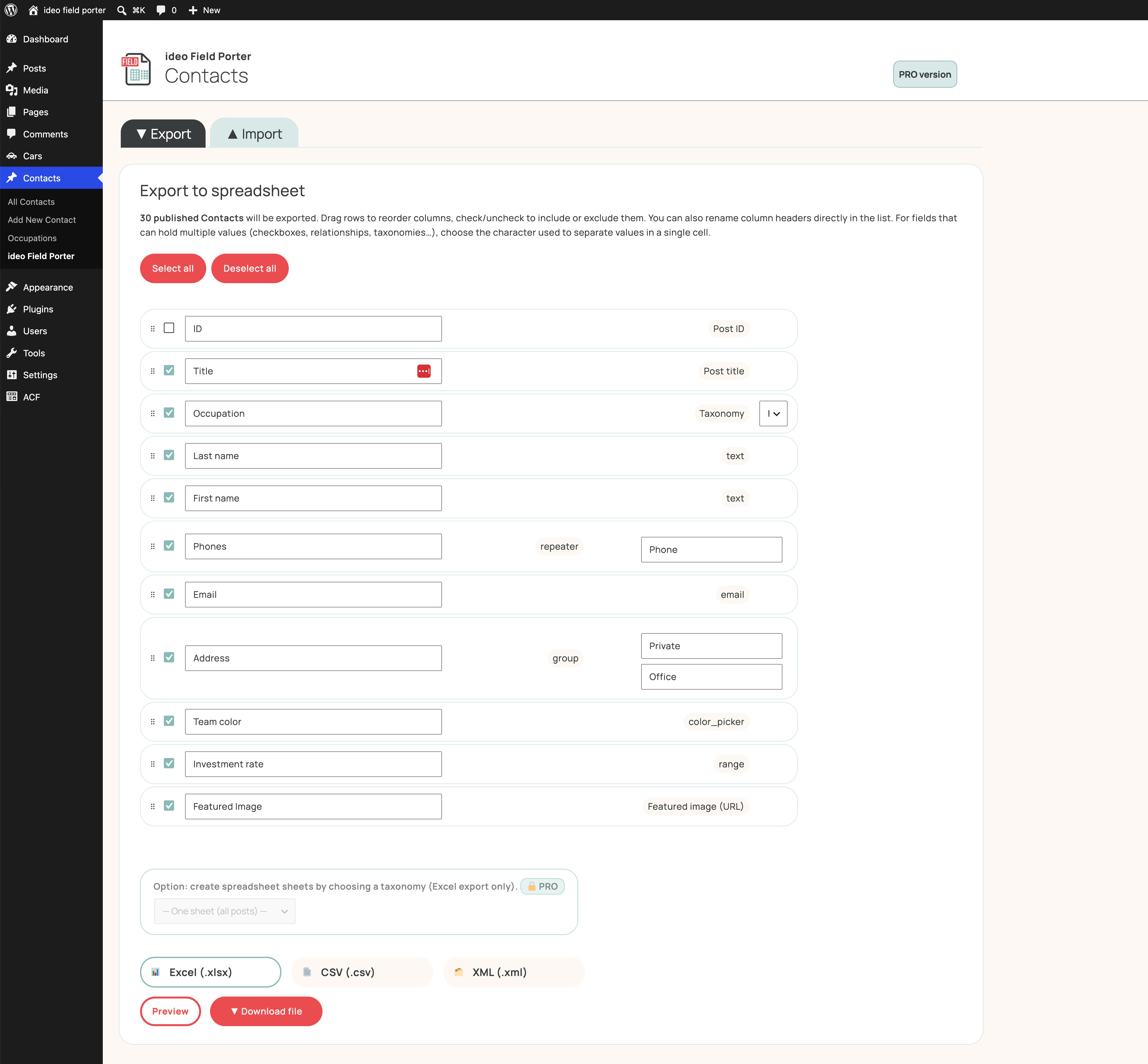
Export — choose format and reorder columns before exporting.
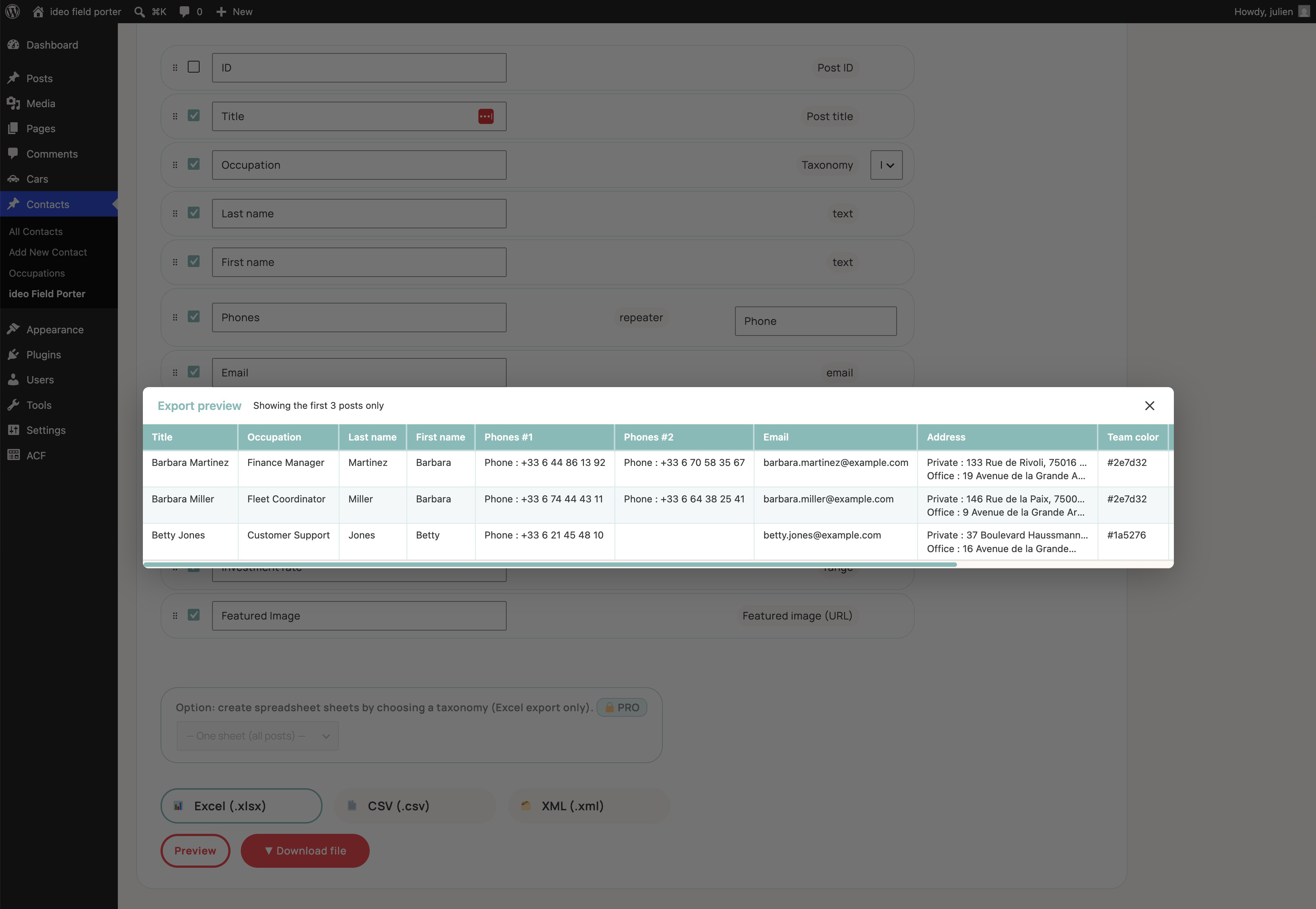
Preview — check your data before running the export.
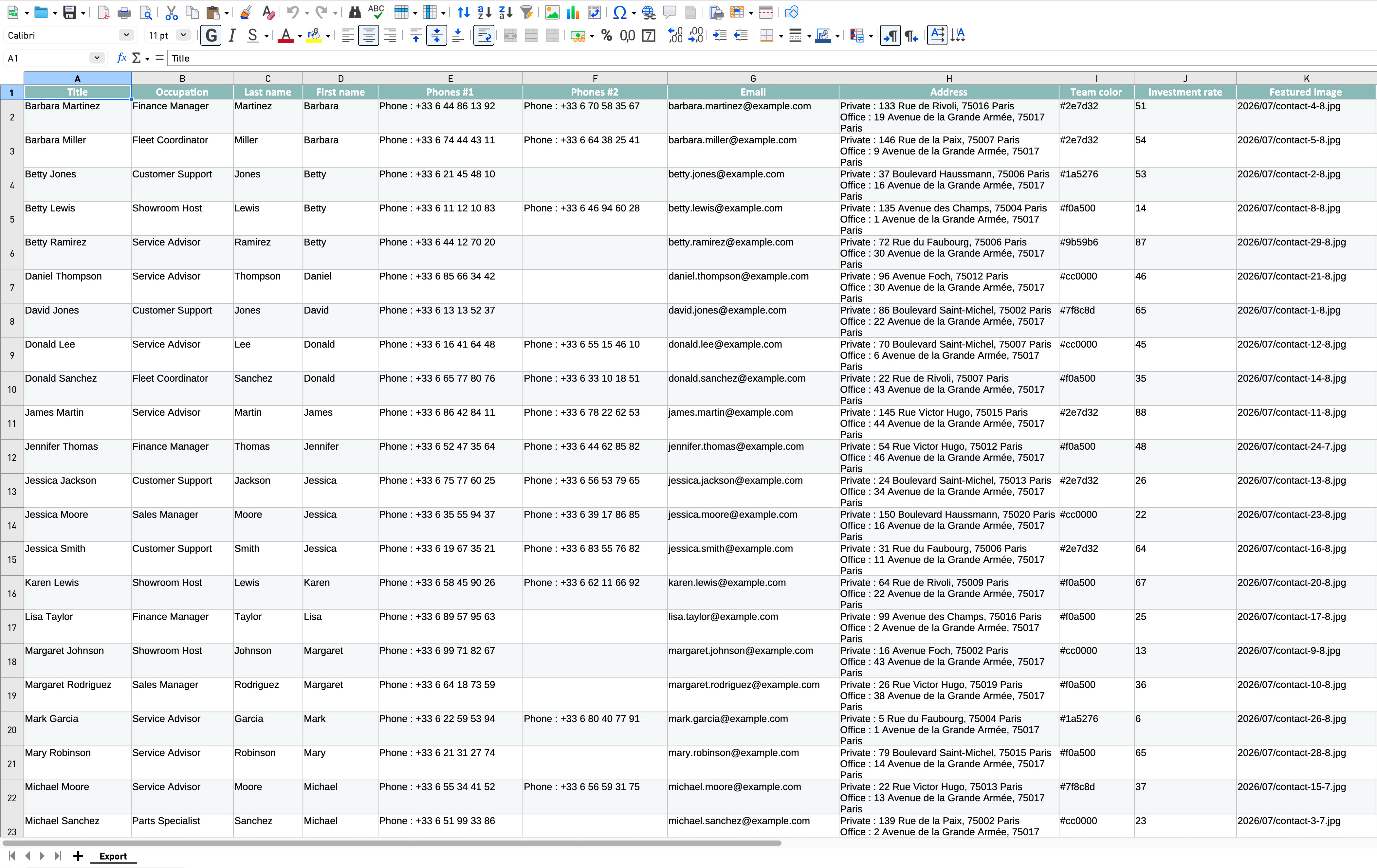
Export result — the generated Excel file, opened.
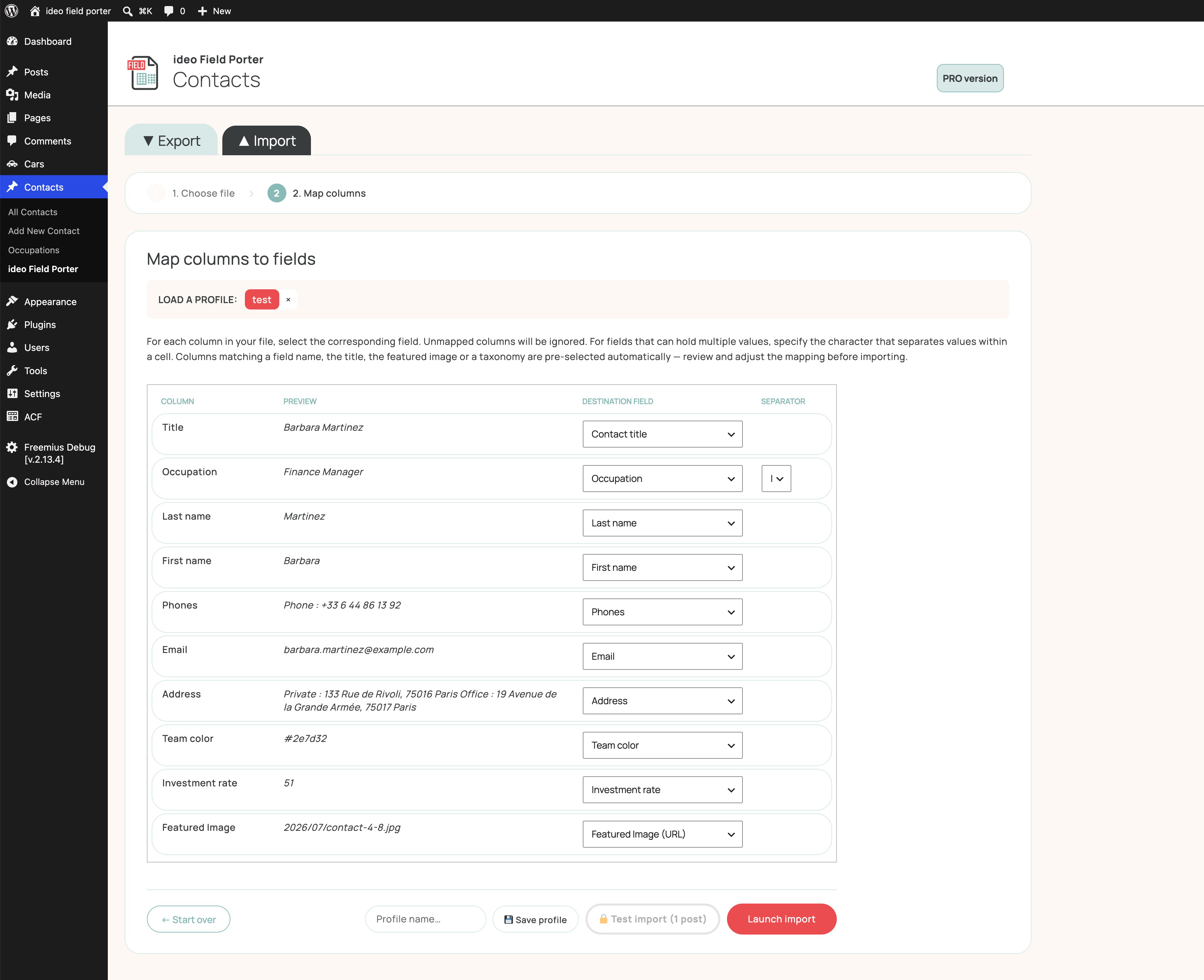
Import — upload a spreadsheet and map columns to WordPress/ACF fields.
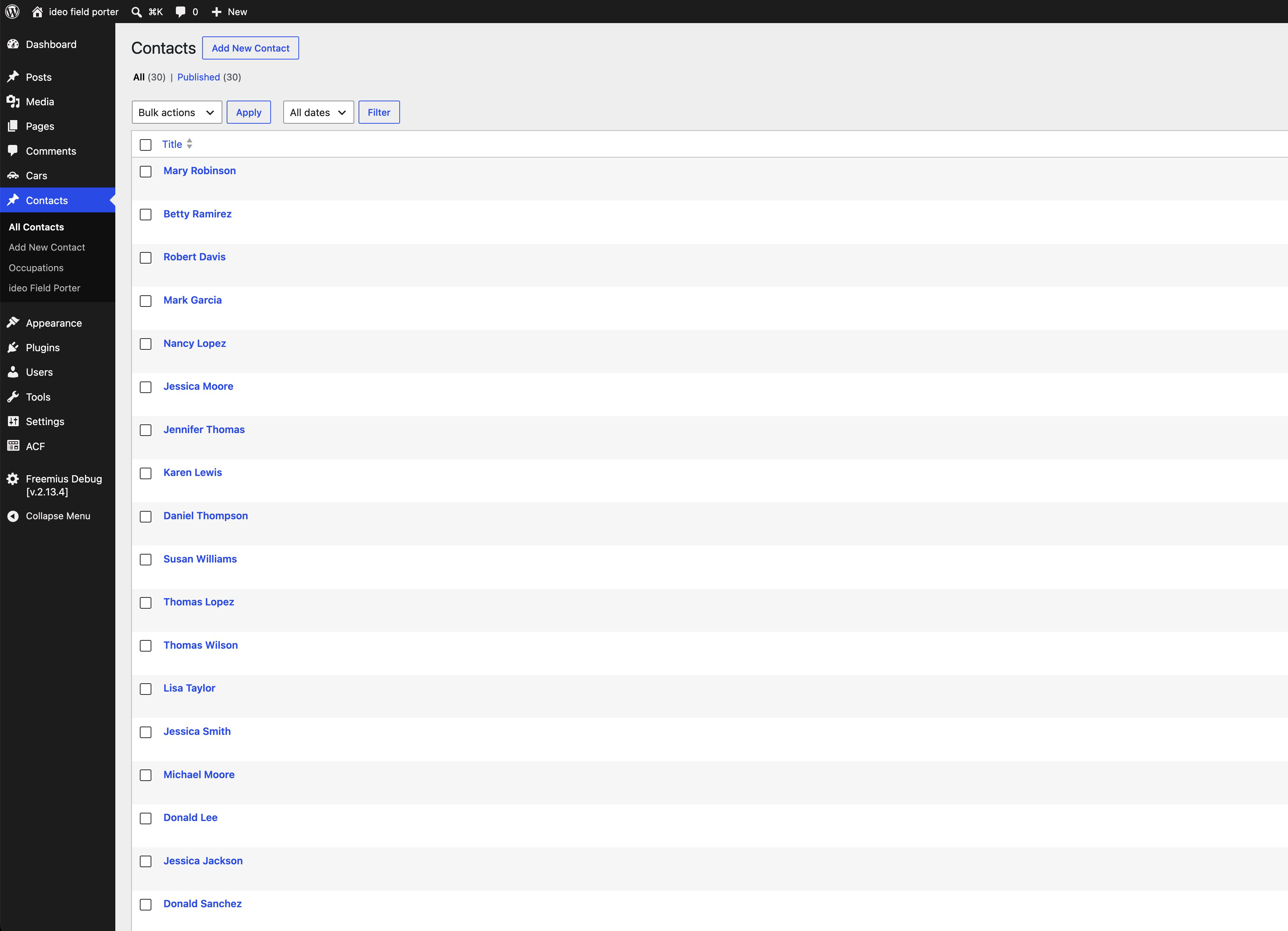
Import result — the list of posts created from the import.