
Insight Bench Wordpress Plugin - Rating, Reviews, Demo & Download
Plugin Description
Insight Bench checks how healthy your website is for getting found and chosen, and shows you exactly what to fix first. This plugin brings your Insight Score into WordPress, adds checks that can only be done from inside WordPress, and takes you straight to the screen where each fix happens.
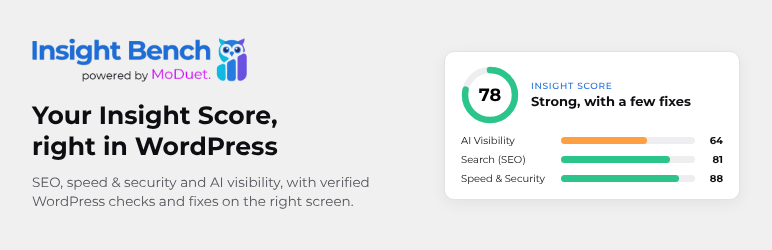
- Your Insight Score in wp-admin. One number out of 100, with scores for Search (SEO), Site Performance & Security, AI Visibility and Marketing Strategy, what changed since your last scan, and your top fixes ranked by how many points each is worth.
- Verified WordPress checks. Outdated WordPress, PHP, plugins and themes; plugins nobody maintains any more; unused plugins; errors shown to visitors; the file editor; XML-RPC; a user named “admin”; and settings that hide your site from Google. An outside scan can only guess at these; the plugin checks them.
- WooCommerce product SEO. On WooCommerce stores, see how many products have thin or missing descriptions, no short description, no image or image alt text, no meta description, or only the “Uncategorized” category, and whether Product structured data (prices, stock, ratings in search results) is on.
- Fix in WordPress. Every fix opens the exact WordPress screen where it’s fixed. Two common problems get an assisted editor: missing image alt text and missing meta descriptions (saved in your SEO plugin: Yoast SEO, Rank Math, All in One SEO, SEOPress or The SEO Framework).
- You stay in control. The plugin never changes a setting, post or file without your click and confirmation. The one setting it can change for you (“Discourage search engines”) shows what will change and can be undone for 24 hours.
- Light. Nothing loads on your public site. Its screens and Dashboard widget show saved results, refreshed in the background, so wp-admin never waits.
- Free, and fully useful when free. Every feature of the plugin works on the free Insight Bench plan. Paid plans add more of the Insight Bench service: more frequent scans, email alerts, every fix tracked, more websites and marketing integrations.
Insight Bench is made by MoDuet.
External services
This plugin connects to Insight Bench (https://app.insightbench.com), a website health service provided by MoDuet. The plugin is a companion to the service: scanning, scoring, your account and billing happen at Insight Bench.
Nothing is sent until an administrator clicks “Connect” and confirms on insightbench.com.
After you connect, the plugin sends:
- this site’s address, and the WordPress, PHP and database versions;
- your plugins and themes: names, versions, whether they’re active, available updates and auto-update settings;
- security settings as yes/no values: whether errors are shown to visitors, whether the file editor and XML-RPC are on, whether a user named “admin” exists, whether the default database table prefix is used;
- search settings: “Discourage search engines”, your permalink structure, which SEO plugin is active and which content types it hides from search engines;
- counts only: published posts and pages, images, images without alt text, posts and pages without a meta description;
- on WooCommerce stores, counts only: published products, and how many have a short description, a thin or missing description, no image, an image without alt text, no meta description or only the default category; the WooCommerce version, whether its Product structured data is on and whether product reviews are on;
- which caching and image optimization plugins are active, and whether an object cache is used.
When it’s sent: right after connecting, once a day, a couple of minutes after updates or relevant setting changes, and when you click “Re-scan now”.
Never sent: your posts’ or pages’ content, user names or emails (other than the connecting administrator’s email address, to sign in), passwords, keys, form entries, orders or customer data.
The plugin also asks Insight Bench for your score and fixes to show them in wp-admin, and links to Insight Bench’s guides at insightbench.com. To see when plugins were last updated, it uses WordPress.org’s own plugin directory API (the same one WordPress uses for updates).
- Terms of Service: https://insightbench.com/terms
- Privacy Policy: https://insightbench.com/privacy
You can disconnect at any time in Insight Bench Settings, which stops all sending. Uninstalling the plugin also disconnects it and removes everything it stored.
Screenshots

The Dashboard widget: your Insight Score, the change since your last scan and your next fix.

Overview: your score, scores by area, your quick win and top fixes.

Fixes: every check to fix, with badges, the pages and files affected, and Fix in WordPress.

The alt text editor.


