
InStock First – Sold Out Products Last For WooCommerce Wordpress Plugin - Rating, Reviews, Demo & Download

Plugin Description
Shoppers who land on a category full of “Out of stock” badges leave. InStock First keeps what you can actually sell at the top: in-stock products are shown first and sold-out products move to the end of the list, without hiding them (so you keep their SEO and customers can still sign up for restock alerts).
It works the moment you activate it. There is nothing to configure and nothing to re-run: the order is applied when the page loads, so a product that comes back in stock moves straight back up, and a product that sells out drops to the end on its own.
What it does (free, no limits)
- Out of stock products last on the main shop page
- Category, tag and attribute archives (every product taxonomy)
- Product search results
- [products] shortcode lists
- Keeps your normal sorting inside each group: default/custom order, popularity, rating, newest, price low to high and high to low all still work
- Backorders your way: treat them as in stock, put them between in-stock and sold-out, or treat them as sold out
- Variable products are handled through WooCommerce’s own stock status (a variable product is “out of stock” only when all its variations are)
- No catalog changes: it never edits products, menu order or dates, so deactivating it puts everything back exactly as it was
- Fast: one indexed join on WooCommerce’s product lookup table, no extra queries per product, no cron jobs, no background processing
- Works with any theme that uses standard WooCommerce product loops
- HPOS compatible, translation ready, no ads, no tracking
Privacy
InStock First does not collect, store or send personal data, and it makes no external requests.
Screenshots
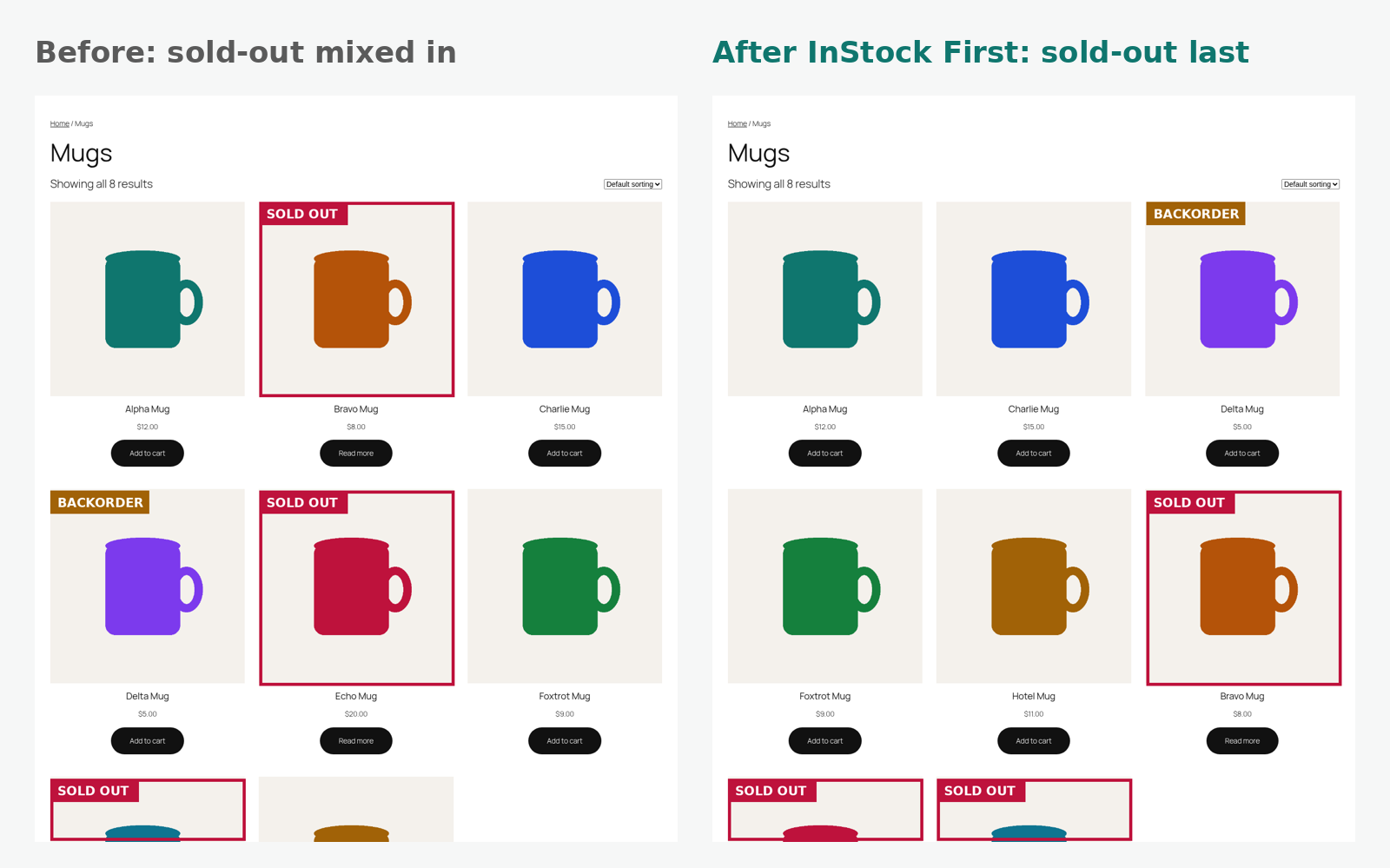
A category page before and after: sold-out products move to the end.

Settings: WooCommerce → Settings → Products → Sold-out order.

Your normal sorting (here “price: low to high”) is kept inside the in-stock and sold-out groups.


