Intuitina MCP Connector Wordpress Plugin - Rating, Reviews, Demo & Download

Plugin Description
Intuitina MCP Connector gives your Intuitina chatbot read-only access to your WordPress content so it can answer customer questions using real, up-to-date information from your site.
Once activated, your chatbot can read:
- Pages — About, Contact, Services, FAQ, and any other static pages
- Posts — Blog articles, news, and updates
- Post categories and tags
- WooCommerce products — names, prices, stock status, descriptions, variations (optional, requires WooCommerce)
- WooCommerce product categories (optional, requires WooCommerce)
Everything is read-only. The plugin never modifies your content.
How it works
- Install and activate this plugin
- In your Intuitina dashboard, go to Live Sources Connect WordPress
- Enter your site URL — the wizard detects the plugin automatically
- Create a WordPress Application Password (the wizard walks you through it)
- Select which content your chatbot can access
- Done — your chatbot now answers questions using your live site content
Privacy & Security
- All access is authenticated using WordPress Application Passwords (built into WordPress 5.6+)
- Only users with the Editor role or higher can connect
- No data is stored or cached by this plugin
- No external connections are made by this plugin
Screenshots
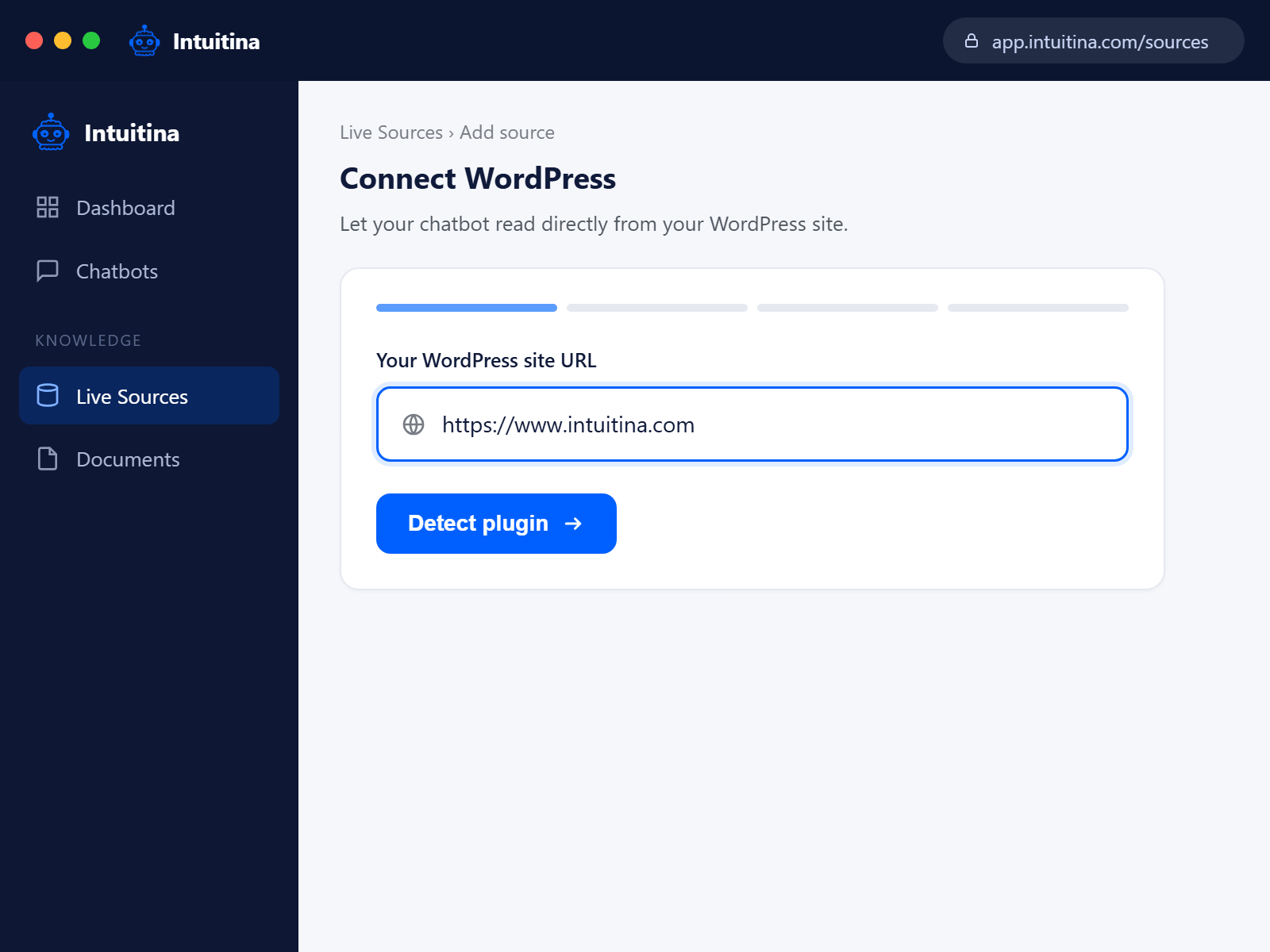
Connect your WordPress site to Intuitina in a few clicks — just enter your site URL.
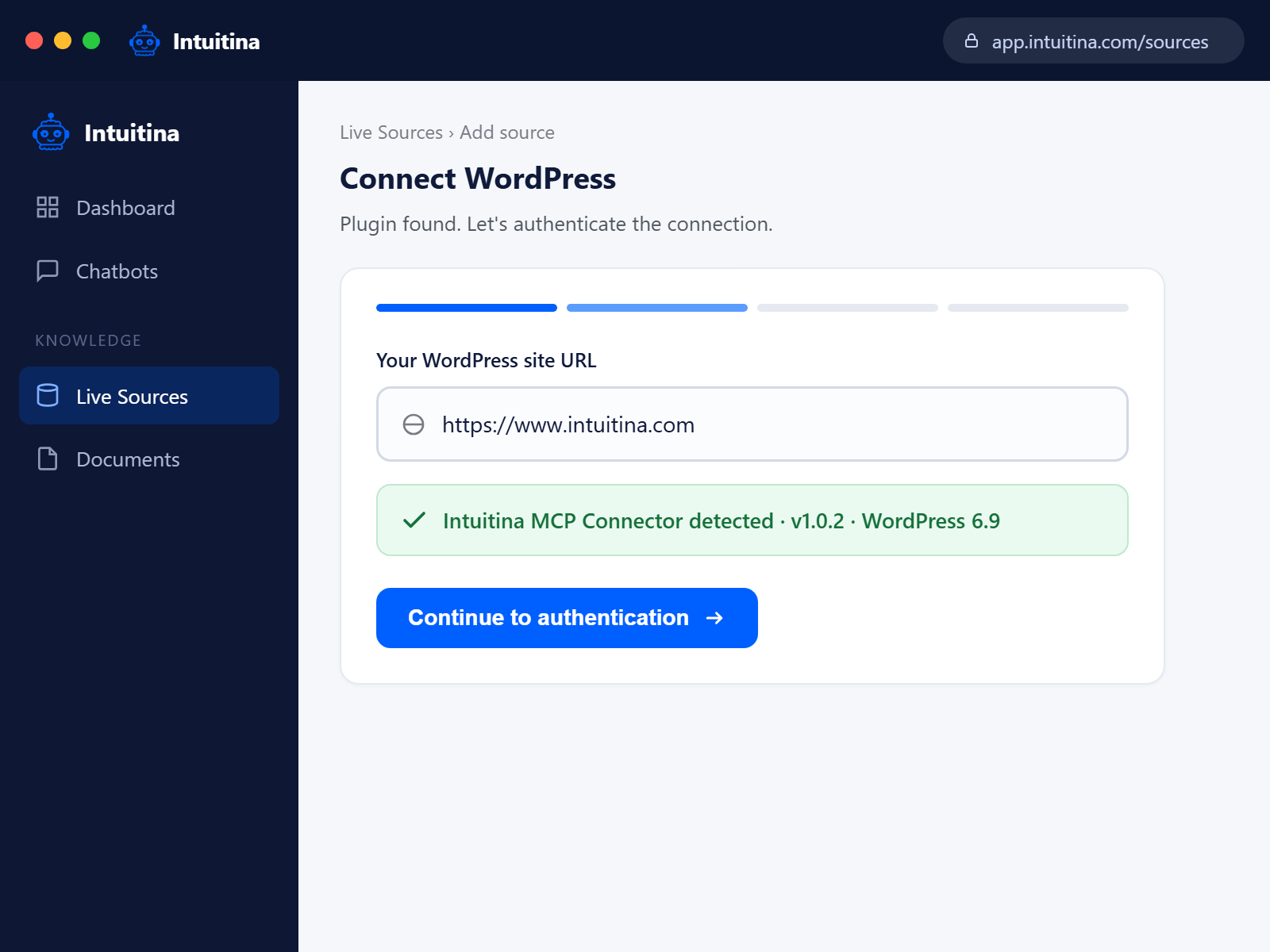
Plugin detected automatically. No copying API keys or hunting for IDs.
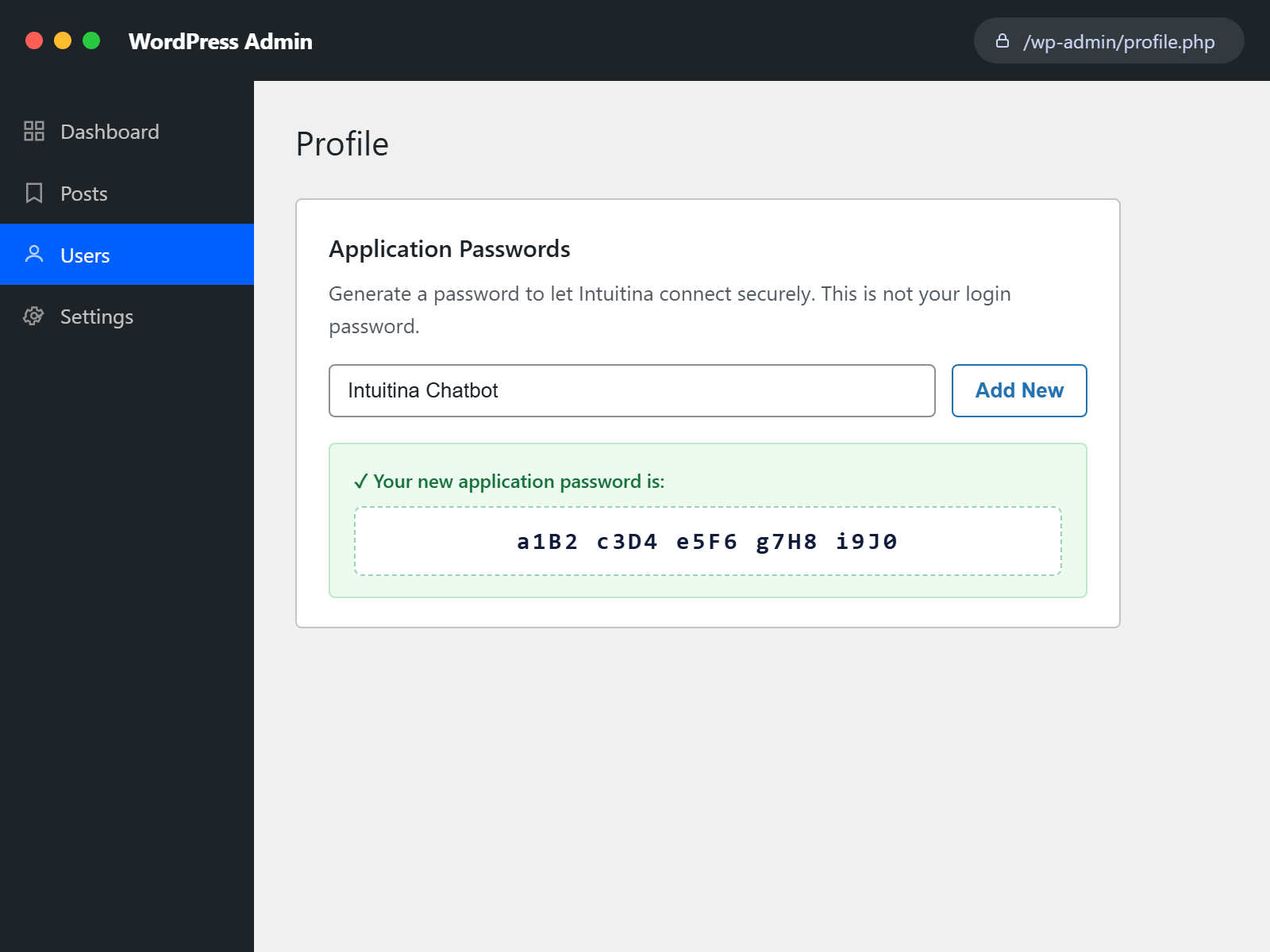
Create a secure WordPress Application Password — your chatbot connects without ever seeing your real login.
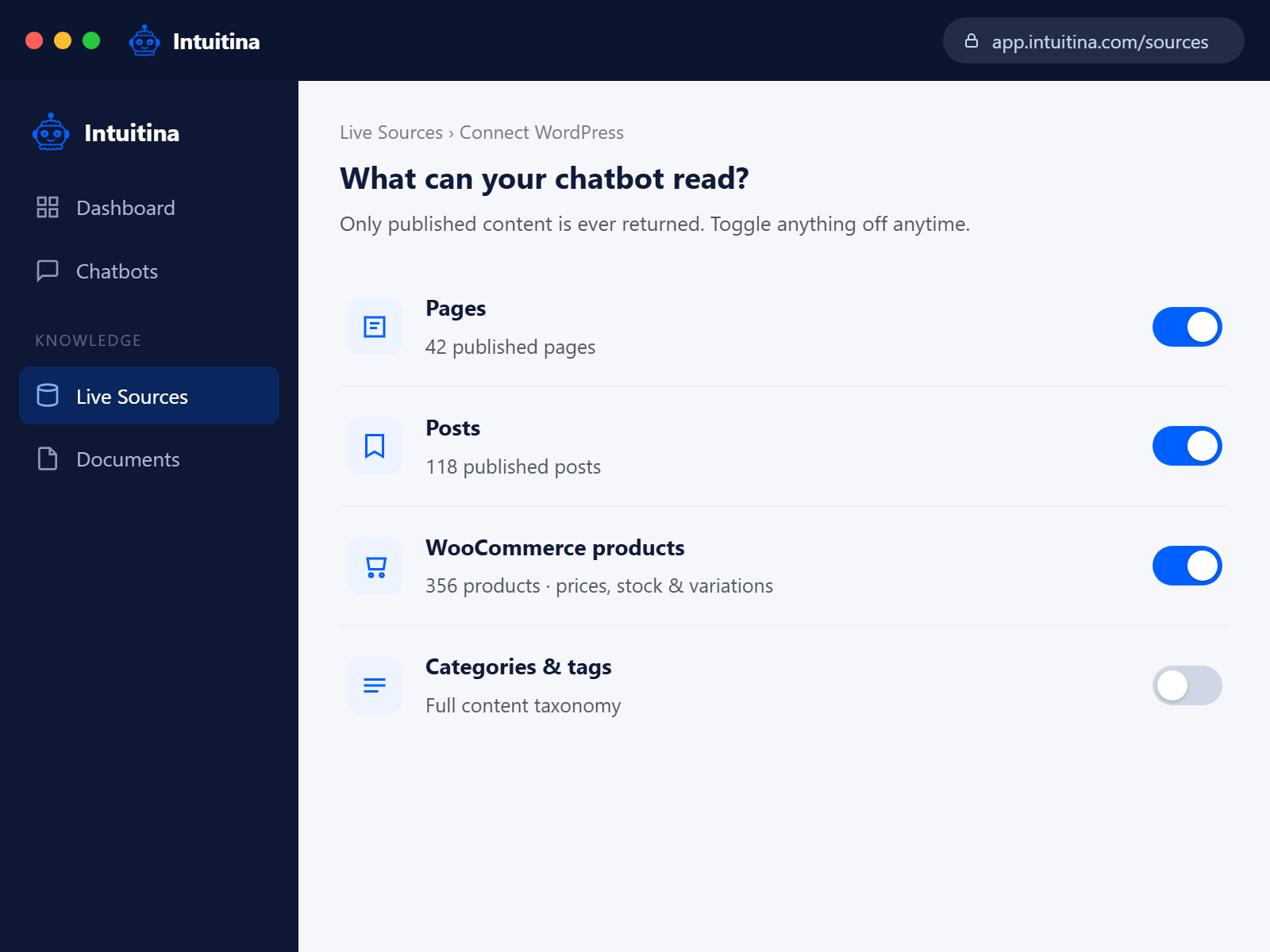
Choose exactly what your chatbot can read: Pages, Posts, WooCommerce products, Categories.
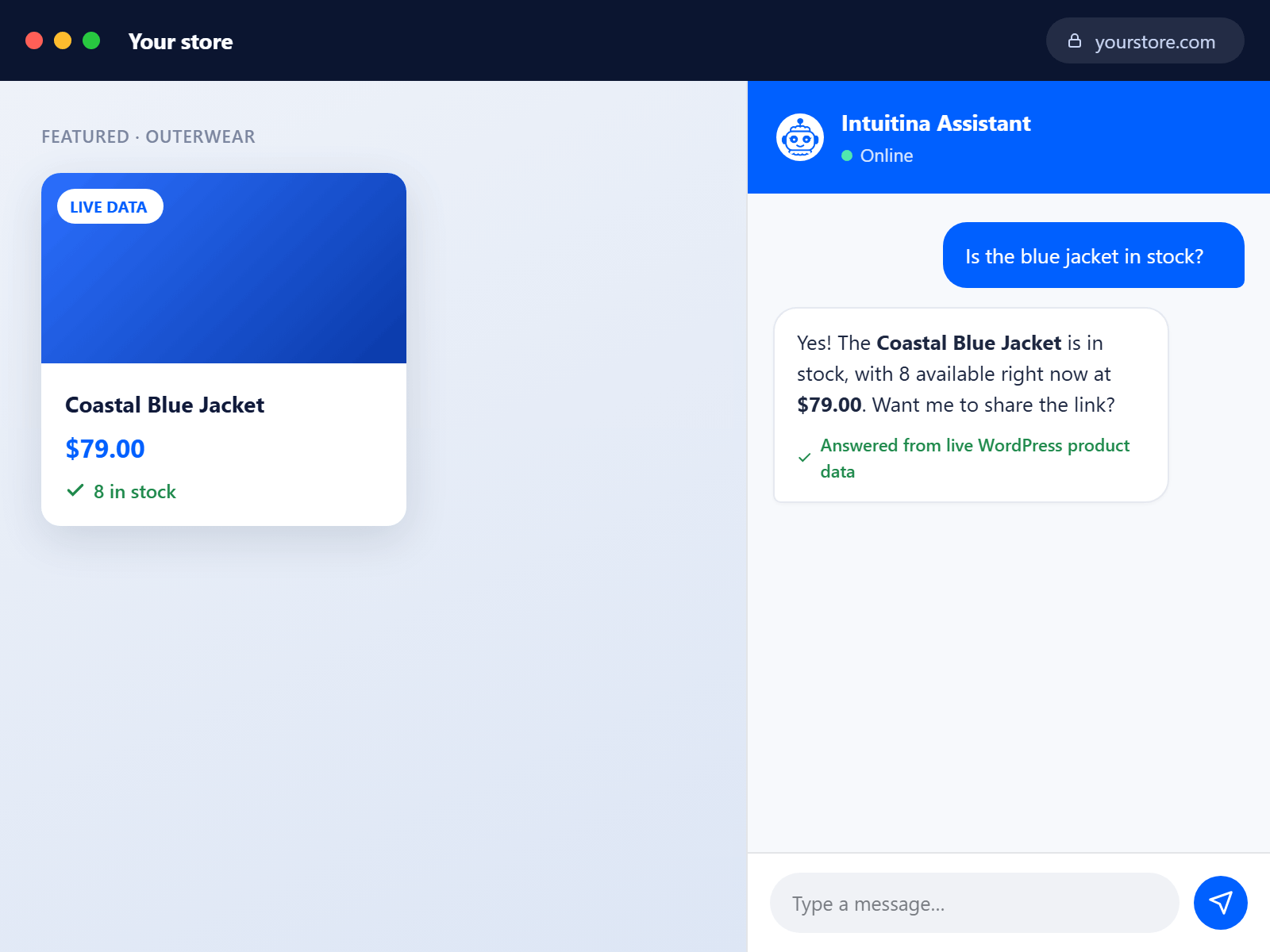
Your chatbot answers live questions — like “Is the blue jacket in stock?” — straight from your real product data.
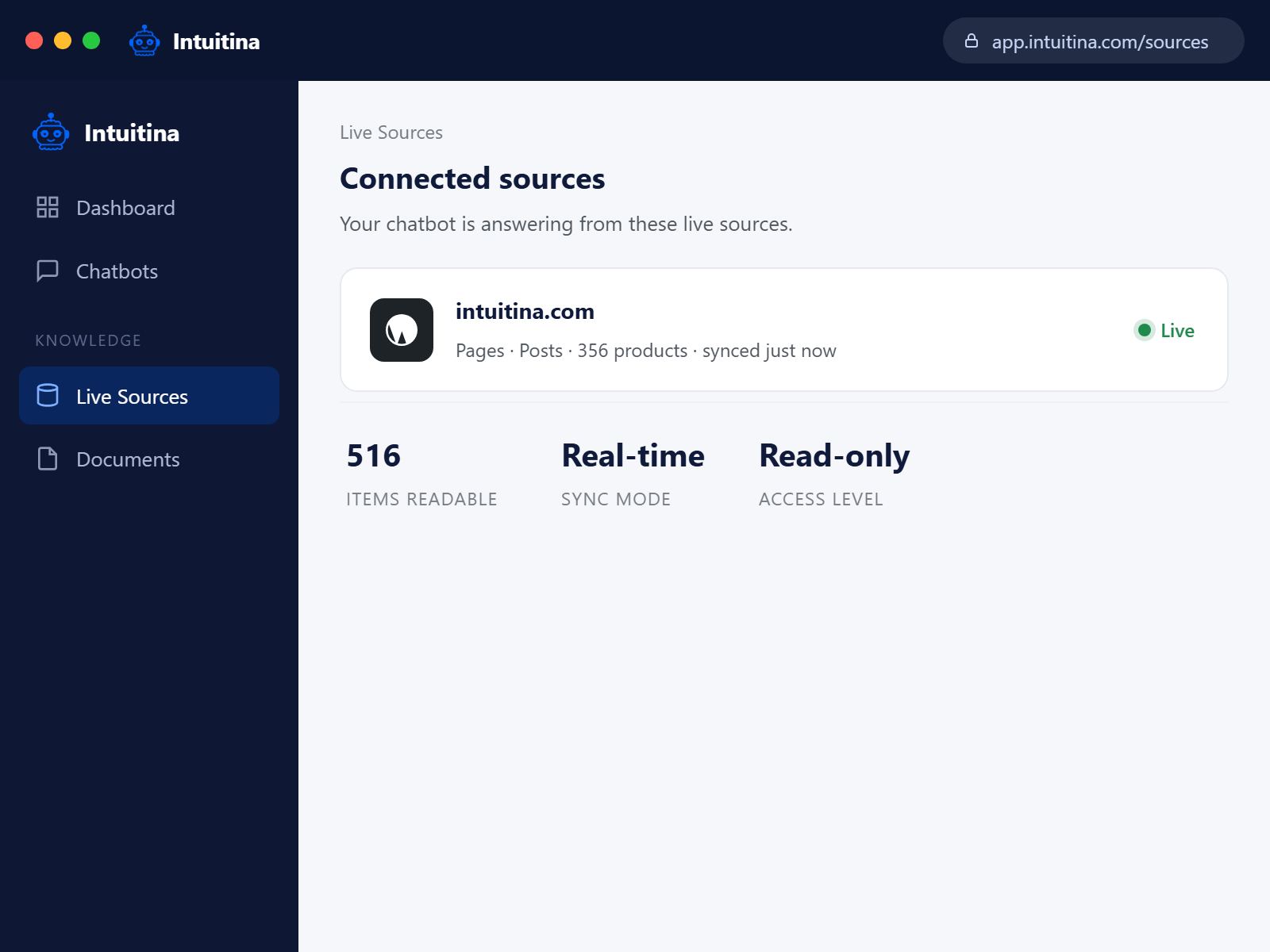
See what’s connected and synced at a glance. Read-only, real-time, always your data.