
ISupportive Admin Assistant Wordpress Plugin - Rating, Reviews, Demo & Download

Plugin Description
iSupportive Admin Assistant connects a WordPress site to an iSupportive account and adds a floating support launcher inside wp-admin.
After connecting, the plugin can show a compact support drawer for allowed users and screens. The drawer loads your iSupportive workspace inside WordPress and gives access to:
- Support tickets and ticket history
- Live chat threads
- Billing and subscription controls
- Invoice access
- Profile management
- Knowledge-base content
Main features:
- OAuth-like connect flow from WordPress to iSupportive
- Floating admin launcher with left or right positioning
- Optional visibility restrictions by role, user ID, or admin screen
- Compact embedded workspace designed for narrow admin drawers
- Translation-ready strings
- Escaped admin output and WordPress-friendly coding practices
This plugin relies on the external iSupportive service and requires an iSupportive account. No request is sent to iSupportive merely by installing or activating the plugin.
When an administrator clicks Connect with iSupportive, the plugin sends the site’s URL and name, the WordPress administrator email address, a randomly generated installation identifier, the callback URL, and a short-lived security state to iSupportive. After connection, opening the iSupportive settings page sends the site identifier and connection token to check connection status. Opening the support drawer sends the site identifier, connection token, current WordPress user’s ID, email address, login name, display name and roles, plus the current admin page URL and path without query strings or fragments, the page title, and a same-site admin referrer. Disconnecting sends the site identifier and connection token so the remote connection can be revoked.
The plugin only sends published content-change notifications if a site owner explicitly defines the optional ISUPPORTIVE_CMS_WEBHOOK_SECRET constant. Those notifications contain the content section and slug.
The embedded iSupportive workspace may set cookies and stores its last selected tab or item in the user’s browser local storage. iSupportive handles information sent to the service under its policies:
- Service: https://isupportive.com/
- Privacy Policy: https://isupportive.com/legal/privacy-policy
- Terms of Service: https://isupportive.com/legal/terms-of-service
Screenshots
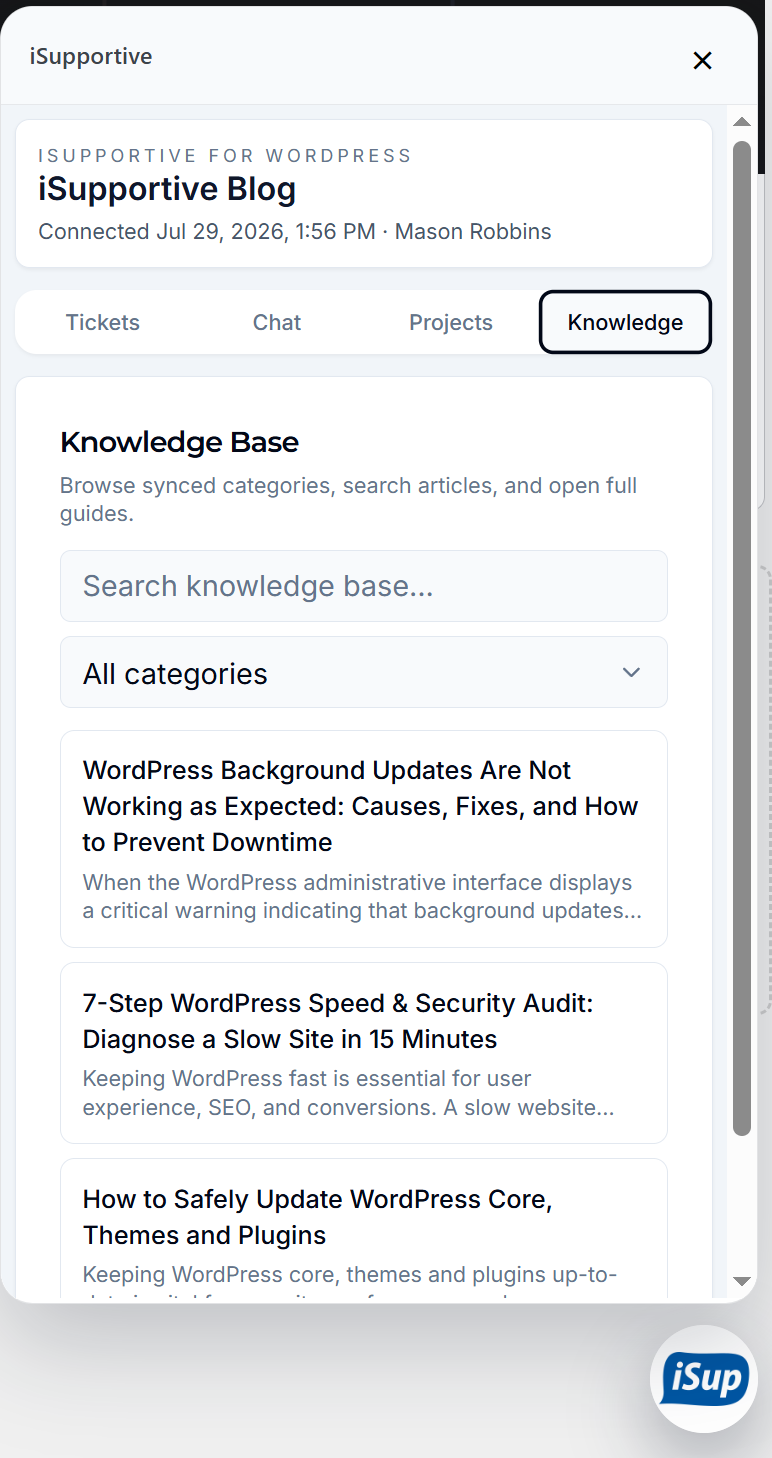
Compact iSupportive workspace open inside
wp-admin, showing the knowledge base and floating launcher.


