JAT Site Shield Wordpress Plugin - Rating, Reviews, Demo & Download
Plugin Description
JAT Site Shield hardens a WordPress site and keeps a record of what happens on it. It’s built for agencies and freelancers who look after many sites: one plugin, safe defaults, and no account or outside service to sign up for.
JAT Site Shield is made by Jeremy Anderson Tech, the “JAT” in the name. It pairs with JAT Shell Scanner: Site Shield keeps attackers out, and the scanner checks whether one already got in.
Login protection
- Locks out an IP address after repeated failed logins, with a longer lockout for repeat offenders. IPv6 addresses are grouped by /64 so attackers can’t rotate through them.
- Login and password-reset forms give the same answer whether or not an account exists, so they can’t be used to find usernames.
- Optional custom login address.
wp-login.phpand/wp-adminreturn “Not Found” to logged-out visitors. - An allowlist for your office IP. Works behind Cloudflare out of the box, and shows exactly which IP it sees for you.
Two-factor authentication
- Six-digit codes from any authenticator app (1Password, Google Authenticator, Microsoft Authenticator, Authy and others), plus 10 single-use backup codes.
- Required by role. Administrators are required by default and must set it up before they can use the dashboard.
- Every login session records that it passed two-factor, so plugins that log people in another way can’t skip it.
- Secrets are encrypted with a key kept outside the database.
Hardening
- Blocks XML-RPC (left on automatically if Jetpack needs it).
- Blocks username scanning through
?author=, the REST API users endpoint, oEmbed and the users sitemap. - Turns off the theme and plugin file editor.
- Blocks PHP in the uploads folder, with a one-click test to confirm it works on your server.
- Sends security headers and hides the WordPress version (files still refresh after updates). HSTS and turning off application passwords are optional.
Activity log and alerts
- Records logins, failed logins, lockouts, two-factor events, new users, role changes, email and password changes, plugin and theme installs and updates, core updates, and changes to key settings such as the site address and admin email.
- Filter, search and export the log to CSV.
- Emails critical events, or warnings too, to the addresses you choose. At most 10 emails an hour, so an attack can’t flood your inbox.
File integrity
- A daily scan compares WordPress core and every plugin from WordPress.org with the official checksums.
- Themes, must-use plugins and plugins from elsewhere are compared with the previous scan instead.
- Flags modified files, unknown PHP files, PHP files in uploads (hidden folders included) and stray PHP files in
wp-content. - Runs in small steps in the background, so large sites don’t time out.
Free, open source, no account
Everything in the plugin is free. There is no paid version, no sign-up and no tracking. Development happens in the open on GitHub.
Made by Jeremy Anderson Tech
Jeremy Anderson Tech builds, secures and looks after WordPress sites. If you’d rather have someone lock down or clean up a site for you, book a call or see the services.
For developers
- WP-CLI commands:
wp jat-shield status,login-url,lockouts,unlock,reset-2fa,scanandlog. - Every event fires the
jatss_event_loggedaction, so you can send events to your own monitoring system.
External services
This plugin connects to WordPress.org for the file integrity scan. No personal data is sent.
- WordPress.org core checksums API (
https://api.wordpress.org/core/checksums/1.0/). Used once a day during the scan, and when you click Scan now, to download the official checksums for your WordPress version. It sends your WordPress version and site language. This is the same service WordPress uses for its ownwp core verify-checksumscheck. - WordPress.org plugin checksums (
https://downloads.wordpress.org/plugin-checksums/). Used during the same scan, once per installed plugin, to download that plugin’s official checksums. It sends the plugin’s slug and version number. You can turn this off with Include WordPress.org plugins in the settings.
Both are provided by WordPress.org: Terms of service, Privacy policy.
The “Test it now” button for PHP in uploads sends one request from your site to its own uploads folder. It does not contact any outside service.
Privacy
The activity log stores IP addresses, browser user agents and usernames for security events in your site’s database. It is kept for 90 days by default; you can change this under Settings Monitoring and alerts. Nothing is sent outside your site except the alert emails you set up. Suggested text for your privacy policy is added under Settings Privacy.
Credits
The two-factor QR code is drawn with qrcode-generator by Kazuhiko Arase, MIT license (bundled in assets/vendor/).
Built by Jeremy Anderson Tech.
Screenshots

The overview: one verdict for the site, logins, hardening and files at a glance, and the protection checklist.

Settings for login protection, two-factor, hardening, alerts and network.
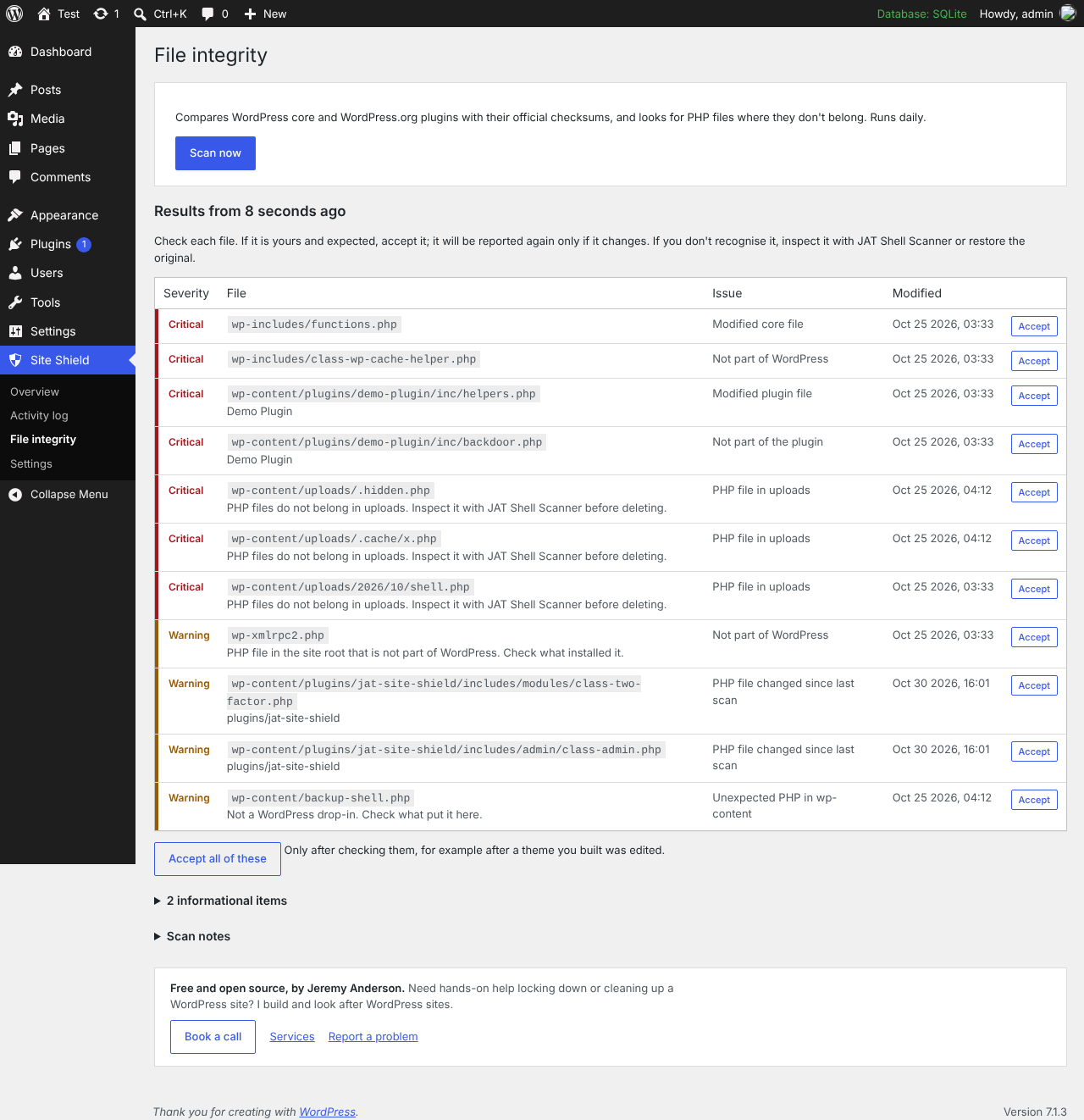
File integrity results with severity, the file, what’s wrong and when it changed.

Two-factor setup with a QR code for any authenticator app.
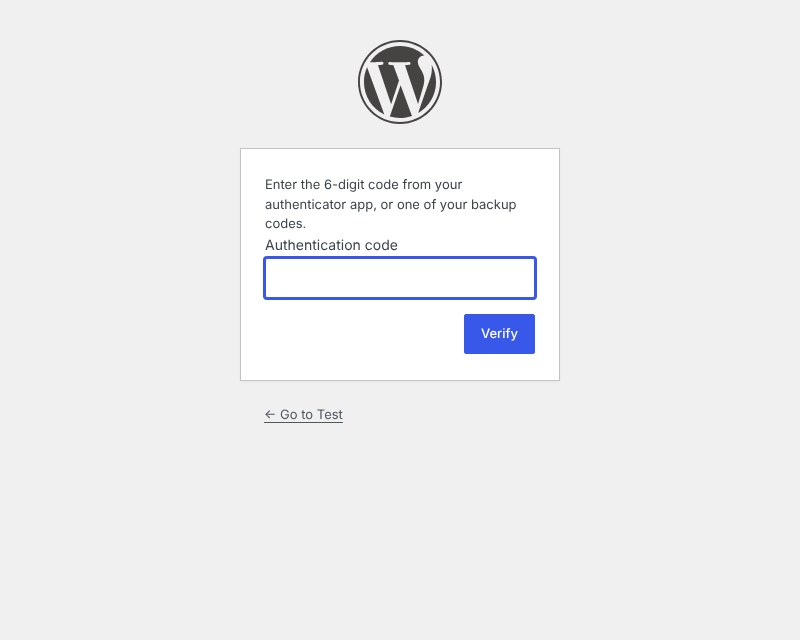
The two-factor step on the login page.

The activity log with filters and CSV export.