Kavio Labs Unique Coupon Codes For WooCommerce Wordpress Plugin - Rating, Reviews, Demo & Download
Plugin Description
One coupon code for everybody leaks: post it once on a coupon site and the offer is gone, and you never learn which mailing, flyer or partner brought the order. This plugin gives every person their own code, without filling your store with thousands of coupons.
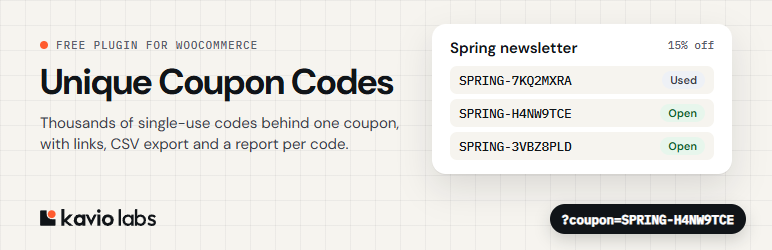
One coupon, thousands of codes. Pick one of your WooCommerce coupons (its discount, minimum spend, products, end date and other rules) and create 10, 500 or 50,000 unique codes for it in one step. The codes live in their own small table: no coupon post per code, the Coupons screen stays short, and when you change the coupon every code follows.
Features
- Unique codes in one step: up to 50,000 codes per step, with your prefix (for example SPRING-), a length of 4 to 16 random characters and a character set (letters and digits without look-alikes such as 0/O and 1/I, letters only or digits only). Codes never repeat and never clash with your existing coupons.
- Uses per code: single use, your own number of uses or no limit. An end date for the batch, or the end date of the coupon.
- Uses follow the order: a use is counted the way WooCommerce counts coupon usage. A cancelled or failed order gives the use back. When two shoppers race for the last use of a code, the late order gets an order note.
- Switch a code off: a code that was posted online is refused in the cart; the other codes keep working.
- Only the unique codes: one tick in the coupon screen turns off the coupon’s own code, so only the unique codes work.
- Coupon links:
https://yourstore.com/?coupon=SPRING-7KQ2MXon any page saves the code and applies it as soon as the cart meets the coupon’s rules, also with an empty cart. Works for your normal coupons too. A short, friendly message tells the shopper what happened. The link parameter and the message can be changed. - Know what each code sold: codes, uses, orders, revenue and discount per batch and per code, the latest orders with their code, filters (open, used, unused, expired, off) and search.
- CSV export of a batch: code, link, status, uses, end date, orders, revenue, discount and last order. Ready for your mailing tool or printer.
- Copy links with one click from the batch page.
- Works with the classic cart and checkout, the Cart and Checkout blocks (Store API), orders created in the admin and High-Performance Order Storage (HPOS).
- Fast: each code is one row in an indexed table and WooCommerce looks it up like a coupon.
- No external requests, no tracking, no account, no license key. Every feature in this plugin is free.
How it works
- Create or pick a coupon under Marketing > Coupons, for example 15% off with a minimum spend of $50.
- Open Marketing > Unique codes > New batch, choose the coupon, the number of codes, the uses per code and a prefix.
- Download the CSV or copy the links, and send one code to each customer, partner or flyer.
Separate plugin
A separate paid plugin by the same authors, Coupon Codes Pro for WooCommerce, is available for stores that need code import or codes tied to one customer. This plugin does not depend on it.
Privacy
The codes this plugin creates are not tied to a person. For each use, the plugin stores the code and the order number, which the batch report needs. Nothing is sent to external services.
Screenshots

Marketing > Unique codes: batches with codes, uses, orders and revenue.

New batch: coupon, number of codes, uses per code, prefix, length and end date.

Batch page: report, codes with their uses, filters, search, links and CSV export.

A coupon link: the code is saved and applied in the cart.

Block checkout with a unique code applied.

The coupon screen: unique code batches of this coupon and “only the unique codes work”.