
KindLumen Donation Forms Wordpress Plugin - Rating, Reviews, Demo & Download

Plugin Description
KindLumen Donation Forms puts your existing KindLumen donation form on any WordPress page or post — as a Donate button that opens the form in a popup, or as an inline form embedded right in the page. Add it with a shortcode or a block.
Connecting takes one click: press Connect with KindLumen, sign in, pick a form, and you’re done — no IDs to copy, no code to paste.
This is a lightweight embed plugin. It does not process payments, store donor information, or handle Stripe inside WordPress. Your form is rendered from KindLumen in a secure iframe, and everything sensitive — card entry, payment processing, receipts, donor records — stays inside KindLumen, exactly as on your KindLumen-hosted page.
Highlights
- One-click connect — link your KindLumen account and choose a form without copying IDs.
- Donate button —
[kindlumen_button]shows a button that opens the form in a polished popup. - Inline form —
[kindlumen_form]embeds the form directly in the page, with automatic height. - Gutenberg block — add “KindLumen Donation Form” and switch between Button and Inline.
- Customizable — set the button label, color, size, and alignment; set inline height and theme; preselect an amount or monthly giving.
- Fast & clean — loads assets only on pages that use it, no layout shift, no jQuery, no heavy frameworks.
- Attribution — donations made through WordPress are labeled in KindLumen so you can see where gifts come from.
What it does NOT do
- It does not process payments in WordPress.
- It does not store donor names, emails, amounts, card data, or Stripe IDs in WordPress.
- It does not create donations, donors, campaigns, or reports in WordPress.
- It does not ask for Stripe keys, API tokens, or webhook secrets.
Requirements
A free KindLumen account with at least one published donation form. The plugin embeds that form — it doesn’t replace it.
How donations are handled
When a visitor donates, the form is served by KindLumen and the payment is processed by KindLumen’s payment provider (such as Stripe) on KindLumen’s domain. WordPress only displays the embedded form. See the External services and Privacy sections below.
Shortcodes
Donate button — opens the form in a popup:
[kindlumen_button]
Attributes (all optional; fall back to your settings):
form_id— the KindLumen form to open.campaign_id— open a campaign instead of a single form.organization— your organization slug.label— button text (e.g. “Donate”, “Give now”).color— button color as a hex value (e.g.#5C60FF).size—small,medium, orlarge.align—left,center, orright.amount— preselect a donation amount (in your currency’s main unit).frequency—one-timeormonthly.source— attribution label recorded on the donation.class— extra CSS class on the wrapper.title— accessible label for the popup.
Inline form — embeds the form in the page:
[kindlumen_form]
Attributes: form_id, campaign_id, organization, height, min_height, theme (inherited/light/minimal), amount, frequency, source, class, title.
Examples:
[kindlumen_button label="Give now" color="#0a7f5b" size="large"]
[kindlumen_button form_id="abc123" amount="50" frequency="monthly"]
[kindlumen_form]
[kindlumen_form campaign_id="spring-2026" height="760"]<h3>External services</h3>
This plugin relies on KindLumen to display and process your donation form.
KindLumen (https://www.kindlumen.com)
- What it is: Your KindLumen-hosted donation form is embedded in an iframe on your WordPress page (as a button popup or inline). All payment processing, donor records, and receipts happen inside KindLumen.
- When data is sent: A request is made to KindLumen each time a page containing the form is viewed (to load the form), when a visitor opens the popup, and when a visitor submits a donation. The one-click connect also sends you to KindLumen and back.
- What is sent: The form/organization identifiers you configure; a source label (default “WordPress”); and, only if you turn the matching options on, your site’s public domain and the page address. When a visitor donates, the details they enter are sent directly to KindLumen — never to or through WordPress.
- Terms & privacy: https://www.kindlumen.com/terms and https://www.kindlumen.com/privacy
By default the form is loaded from https://www.kindlumen.com. You can point the plugin at a different KindLumen environment in Settings KindLumen Advanced.
Privacy
This plugin does not collect, process, or store any personal data in WordPress.
The donation form is loaded from KindLumen inside an iframe. When a visitor interacts with the form, their information is handled by KindLumen and its payment provider under KindLumen’s privacy policy — not by your WordPress site.
For attribution, the plugin can include the following non-personal information in the embedded form’s URL: a source label you choose (e.g. “WordPress”); optionally your site’s public domain (off by default); and optionally the address of the page showing the form (off by default). No visitor or donor data is added to these.
Screenshots

The settings screen — connect with KindLumen in one click, then copy a shortcode.
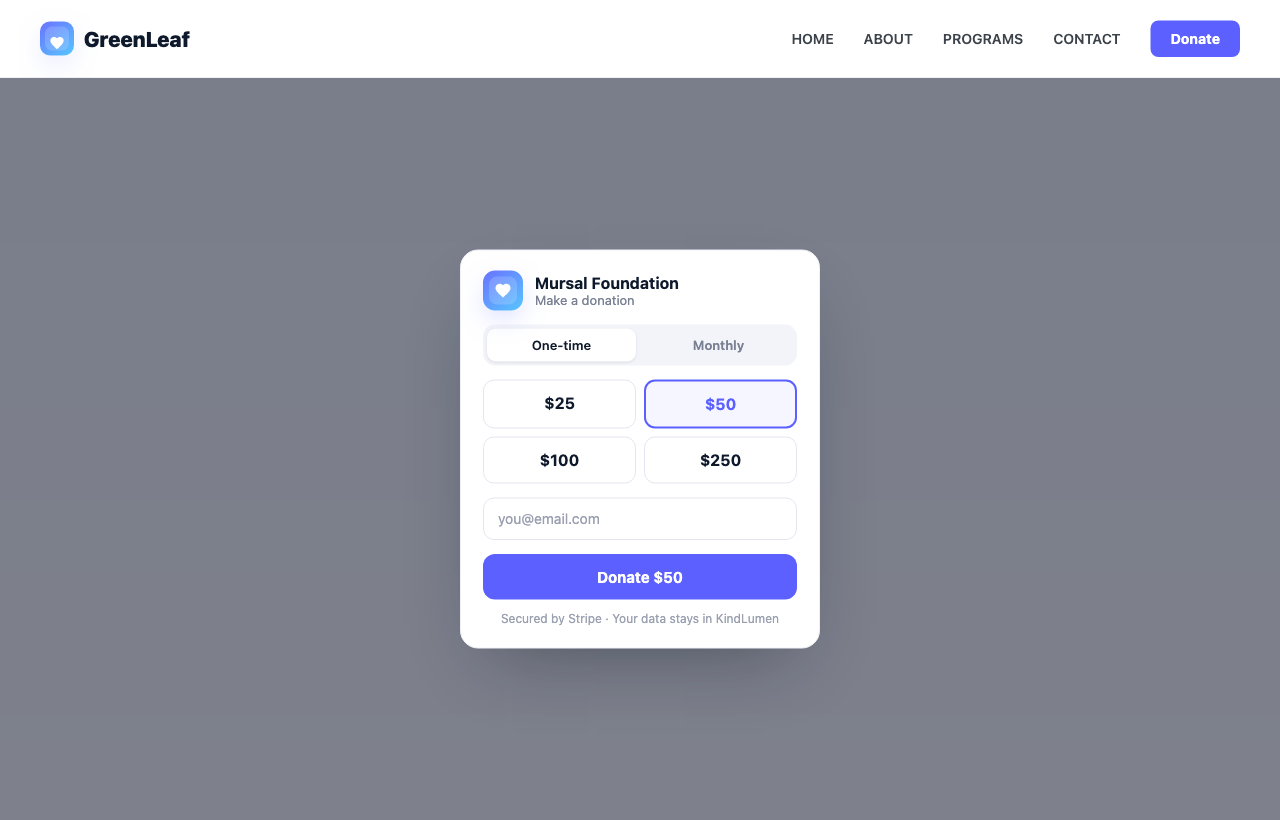
A Donate button on a WordPress page, with the donation popup open.
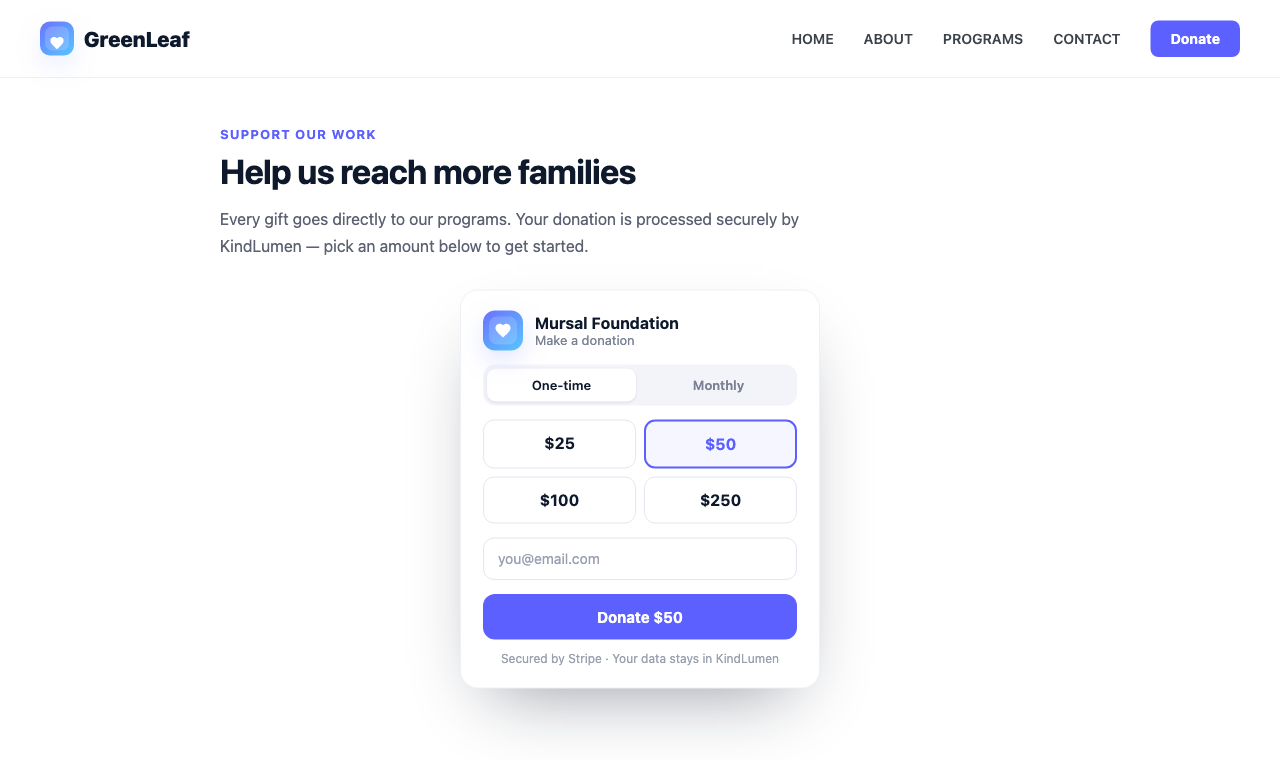
A donation form embedded inline on a page.

Adding the KindLumen Donation Form block and choosing Button or Inline.


