
KipDesk Wordpress Plugin - Rating, Reviews, Demo & Download
Plugin Description
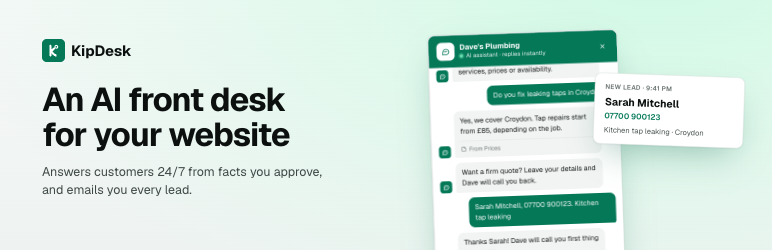
KipDesk adds an AI assistant to your website. It answers visitors’ questions about your business day and night, and sends you the details of everyone who wants a quote, a call back or a person.
It is built for small businesses: tradespeople, salons, cleaners, local services and small software companies.
What it does
- Answers from facts you approve. KipDesk reads your website and drafts the key facts (services, prices, hours, areas). You approve them. It answers only from what it knows and says so when it doesn’t, instead of guessing.
- Sends you every lead. When a visitor leaves their name and phone number or email, you get an email straight away with what they asked.
- Talk to a person. Visitors can ask for a person. You get an alert and reply from your KipDesk dashboard, right inside their chat.
- Report a problem. Customers can report something not working, with the page they were on.
- Learns from you. Questions it couldn’t answer come to you. Answer once and it remembers.
- Looks like your site. Your colour and logo, light or dark, a round button or one with a label, placed where you want it.
- Any language. It replies in the language your visitor writes in.
How to set it up
- Install and activate the plugin.
- Go to KipDesk in your WordPress menu and click Connect to KipDesk.
- Sign in, or start a 7-day free trial (no card needed). KipDesk reads your website and shows you what it learned.
- You’re sent back to WordPress, connected. The chat button appears on your site.
You manage everything else (what your assistant knows, how it looks, leads and chats) in your KipDesk dashboard.
Pricing
The plugin is free. KipDesk is a paid service with a 7-day free trial (100 conversations, no card). Plans start at $19 a month, with flat prices and no per-message charges. See kipdesk.com/#pricing.
External services
This plugin connects your site to KipDesk (https://kipdesk.com), the service that runs the chat assistant. It is needed for the plugin to work.
- When you click Connect to KipDesk: your site’s home address and the address of this settings page are sent to kipdesk.com, so KipDesk knows which website to connect and where to send you back. KipDesk then returns your website’s public chat key, which the plugin stores.
- On your site’s pages: the plugin adds KipDesk’s chat script, loaded from kipdesk.com. When a visitor opens a page, their browser loads the script and the chat button’s settings from kipdesk.com. When a visitor chats, their messages, and any contact details they choose to give, are sent to KipDesk to be answered and passed on to you.
The plugin itself does not collect or send any other data from your site.
KipDesk Terms of Service and Privacy Policy.
Screenshots

The chat on a website, answering with the source it used.

A new lead, emailed straight away.

Your KipDesk dashboard: conversations, leads and questions to answer.

Connecting the plugin in one click.


