
Kovetto Konnect Wordpress Plugin - Rating, Reviews, Demo & Download
Plugin Description
Kovetto Konnect is the WordPress companion to Kovetto. It bridges the gap between “I want feedback on a screenshot” and “I want feedback on the actual production site, including logged-in pages and dynamic content.”
How it works:
- In Kovetto, open a project and copy the Site Token from the Konnect tab.
- Install this plugin, go to Settings Kovetto Konnect, and paste the token.
- In Kovetto, create a Live-Website session and invite reviewers by name.
- Each reviewer receives a magic link of the form
https://your-site.com/?kovetto=<token>. - When they open it, a lightweight overlay appears, lets them click a spot on the page, type or record audio, and submit. Feedback lands in Kovetto with a real screenshot of what the reviewer saw.
- Reviewers can reopen their own feedback history right in the widget — every point they have already submitted, with its on-page pin, so they never repeat themselves or lose track of what they reported.
The widget language follows the WordPress site language. German and English are included; German is the default.
Using this plugin requires a free Kovetto account (no credit card required).
Designed to be safe and lightweight
- No widget JS or CSS is loaded on normal page views — only when the magic-link parameter is present.
- The widget is wrapped in a Shadow DOM so it cannot conflict with theme or page-builder CSS.
- Compatible with Elementor, Divi, Beaver Builder, Bricks, Oxygen, WPBakery, Brizy, Thrive, and Gutenberg. The widget never loads inside their edit modes.
- No custom database tables. A single non-autoloaded option holds the Site Token.
- No jQuery dependency, no third-party trackers, no analytics.
- The Site Token never reaches the browser — every call to Kovetto is server-to-server.
- All scripts are loaded from the plugin folder — nothing is loaded from a CDN.
Third-party libraries
This plugin bundles html2canvas version 1.4.1 (MIT license, GPL-compatible) to capture the optional page screenshots. The full unminified source code is available at github.com/niklasvh/html2canvas. The library is served from the plugin folder only and is loaded lazily, only when a reviewer submits feedback.
External Services
This plugin is a companion to the Kovetto feedback service (kovetto.com) and cannot function without it. It connects to the Kovetto API under https://kovetto.com in the following situations:
- Pairing — when a site administrator saves the Site Token in Settings Kovetto Konnect, the plugin sends the token, the site URL, and the WordPress version to
https://kovetto.com/api/wp/pairto confirm the connection. This is the explicit opt-in for using the service. - Reviewer session validation — when an invited reviewer opens a magic link (
?kovetto=<token>) on the site, the plugin validates the reviewer token againsthttps://kovetto.com/api/wp/sessionand fetches that reviewer’s previously submitted feedback fromhttps://kovetto.com/api/wp/feedback-list. - Feedback submission — when a reviewer submits feedback, the marker position, the feedback text, the optional audio recording, the optional page screenshots, and the URL of the reviewed page are forwarded to
https://kovetto.com/api/wp/feedback. - Session chat — the optional chat panel inside the reviewer widget embeds a page served from
kovetto.com. It is only shown to invited reviewers, never to normal visitors.
No data is sent to Kovetto before a Site Token has been saved, and nothing is loaded or transmitted on normal page views. All API calls are made server-to-server from WordPress; the Site Token never reaches the browser.
- Terms of Service: kovetto.com/terms
- Privacy Policy: kovetto.com/privacy
Screenshots
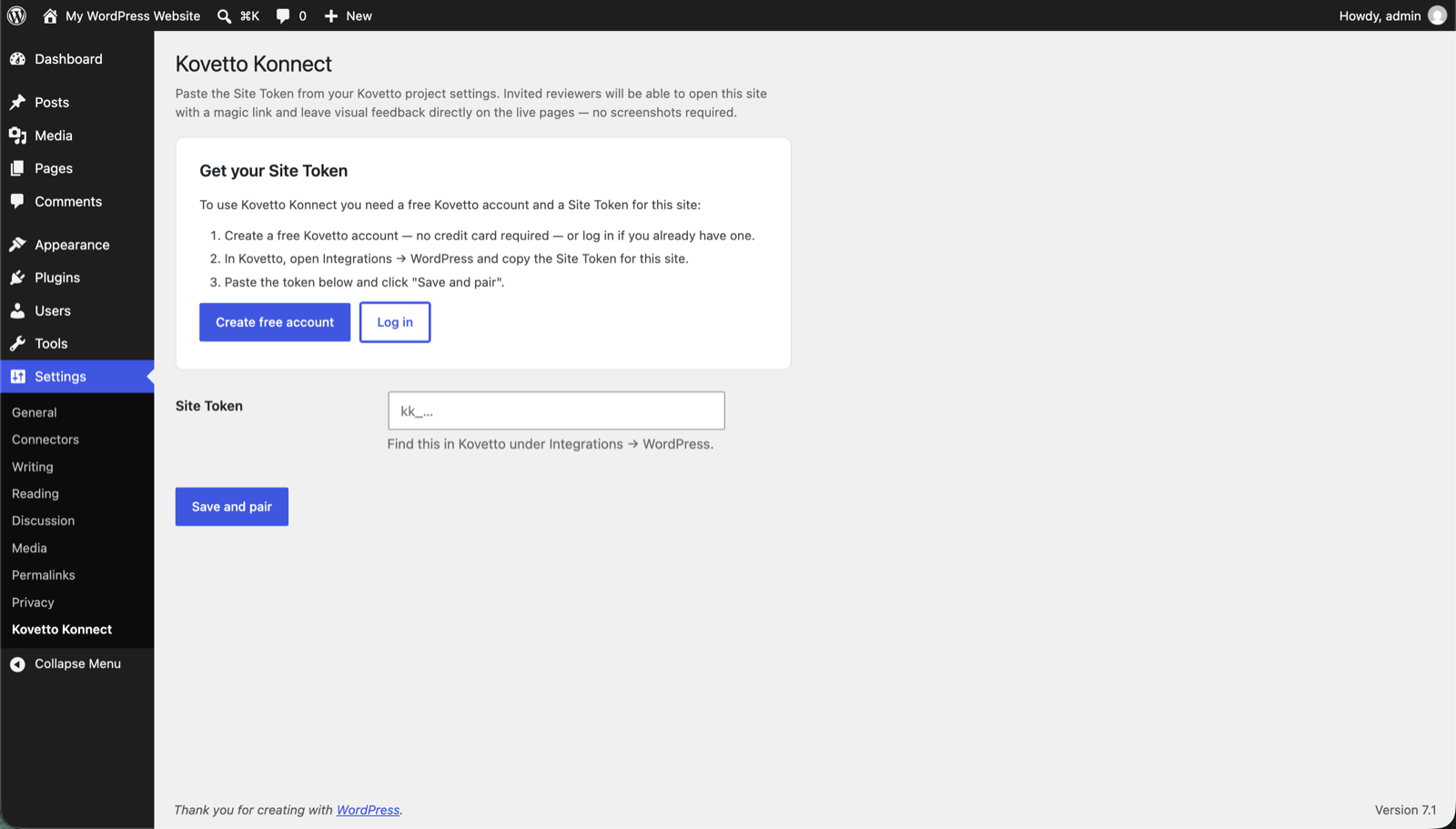
Settings → Kovetto Konnect — paste the Site Token to pair the site with your Kovetto project.
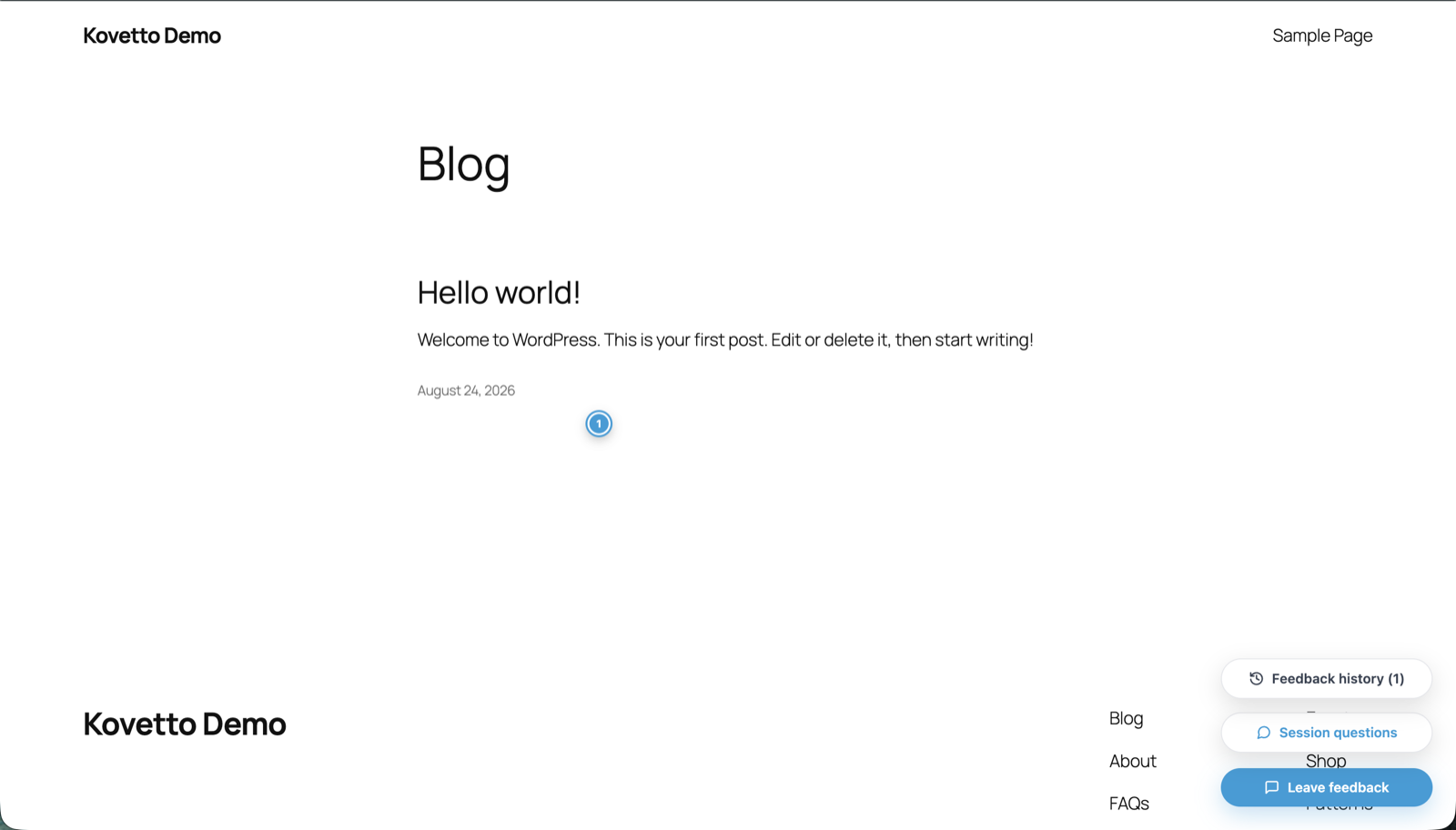
An invited reviewer opens a magic link and drops a marker directly onto the live page.
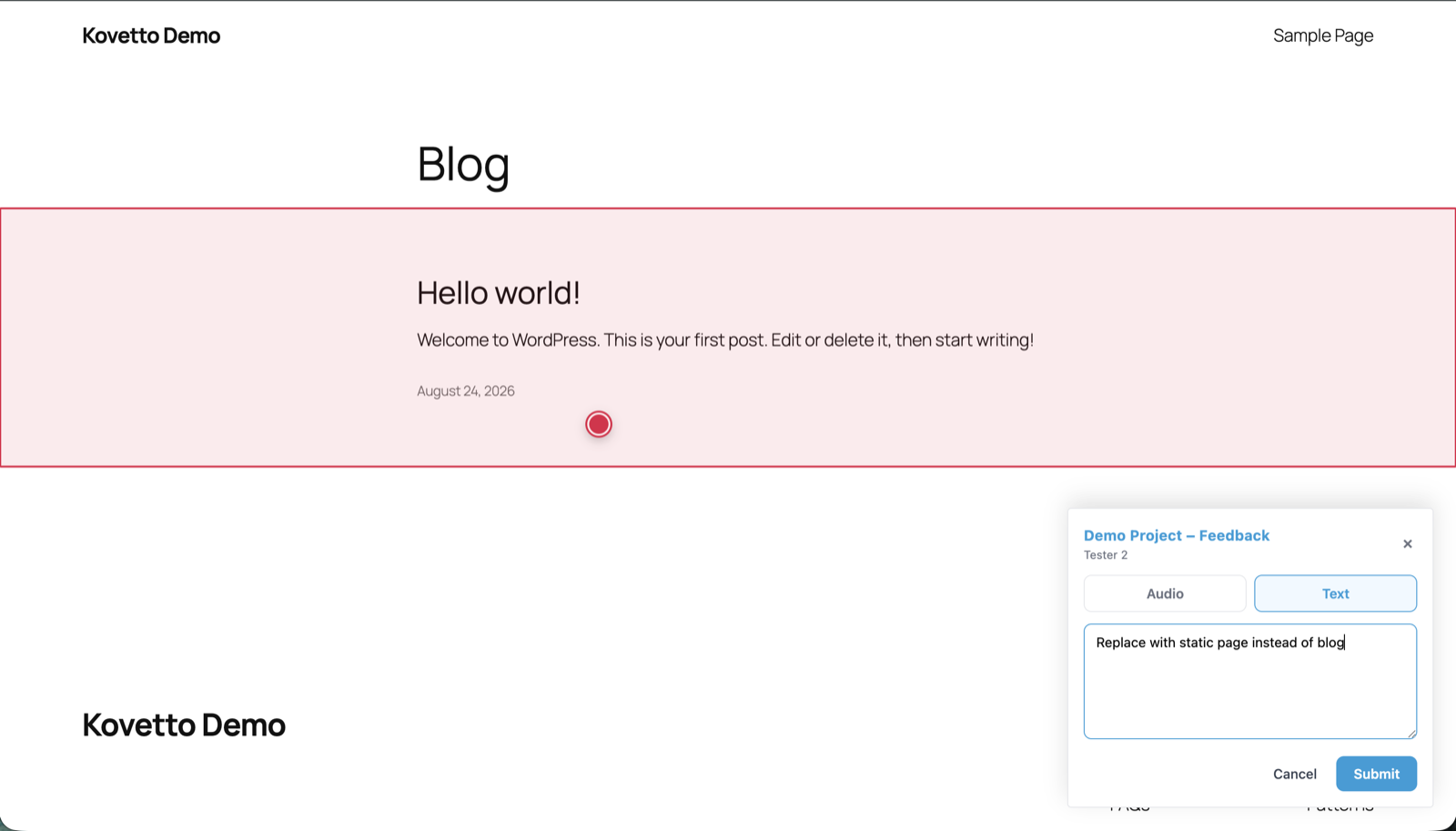
Leaving written feedback tied to the exact spot on the page.
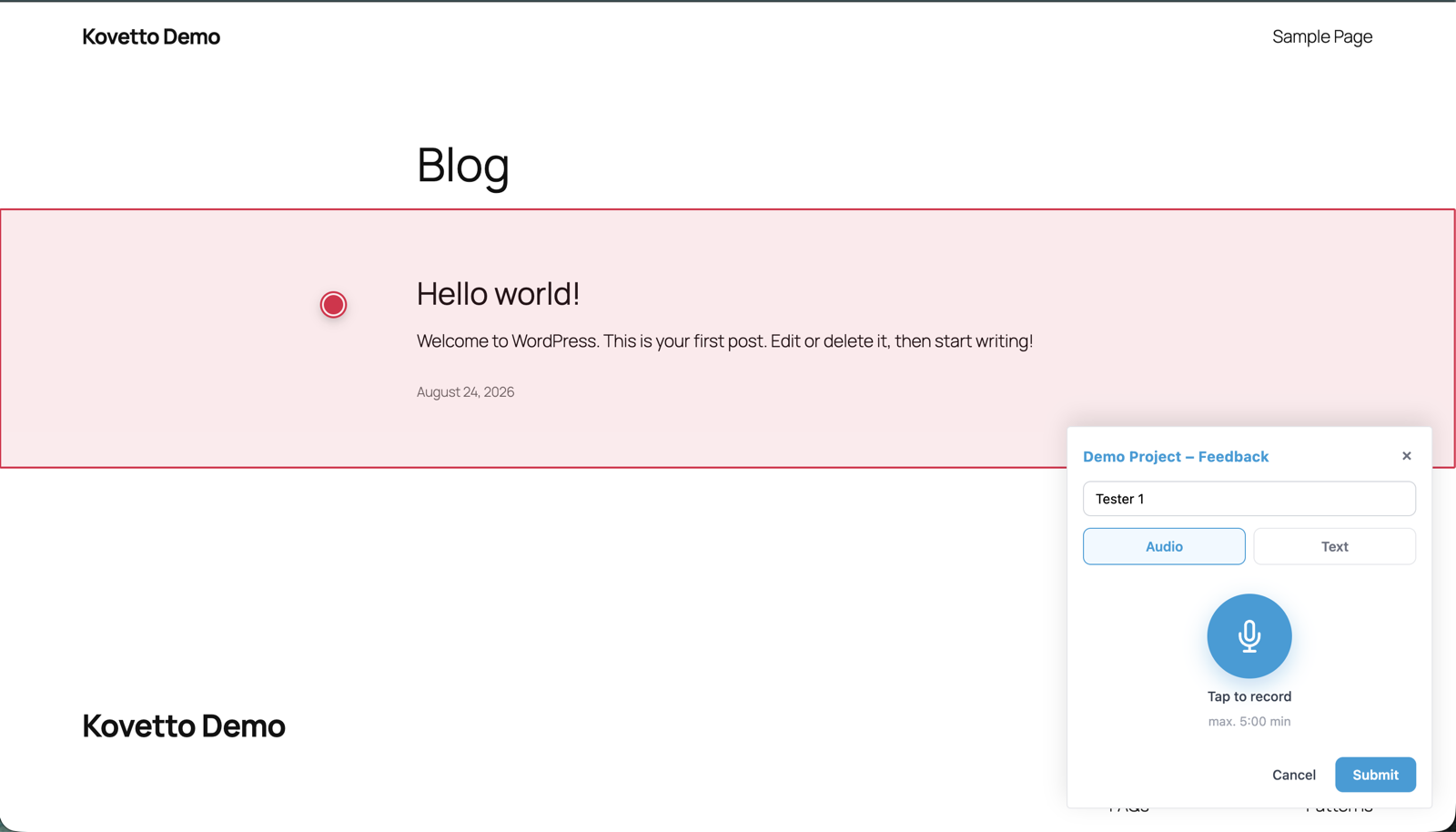
Recording an audio note instead of typing (up to 5 minutes).
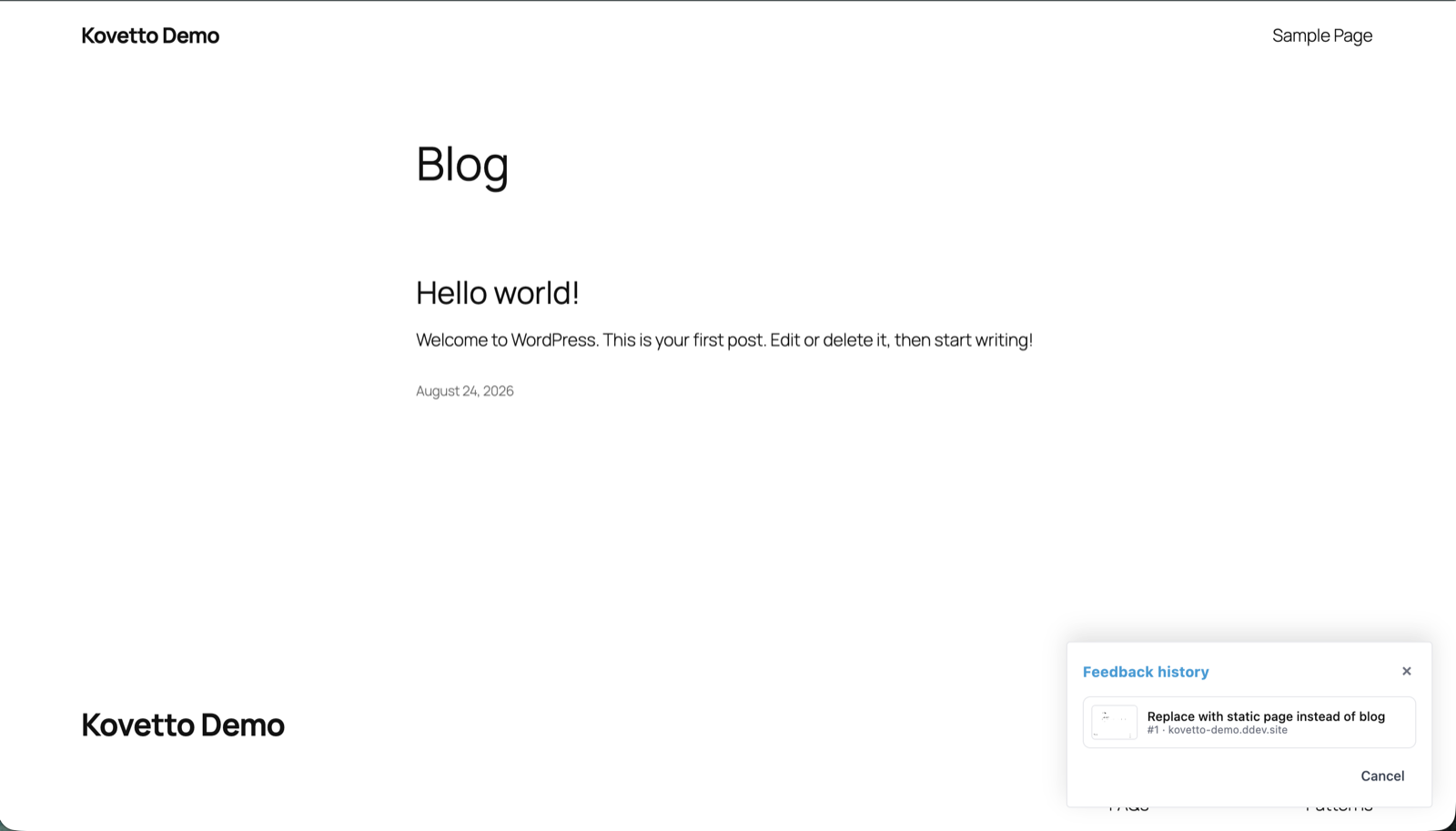
Reviewers can revisit the feedback they already submitted.
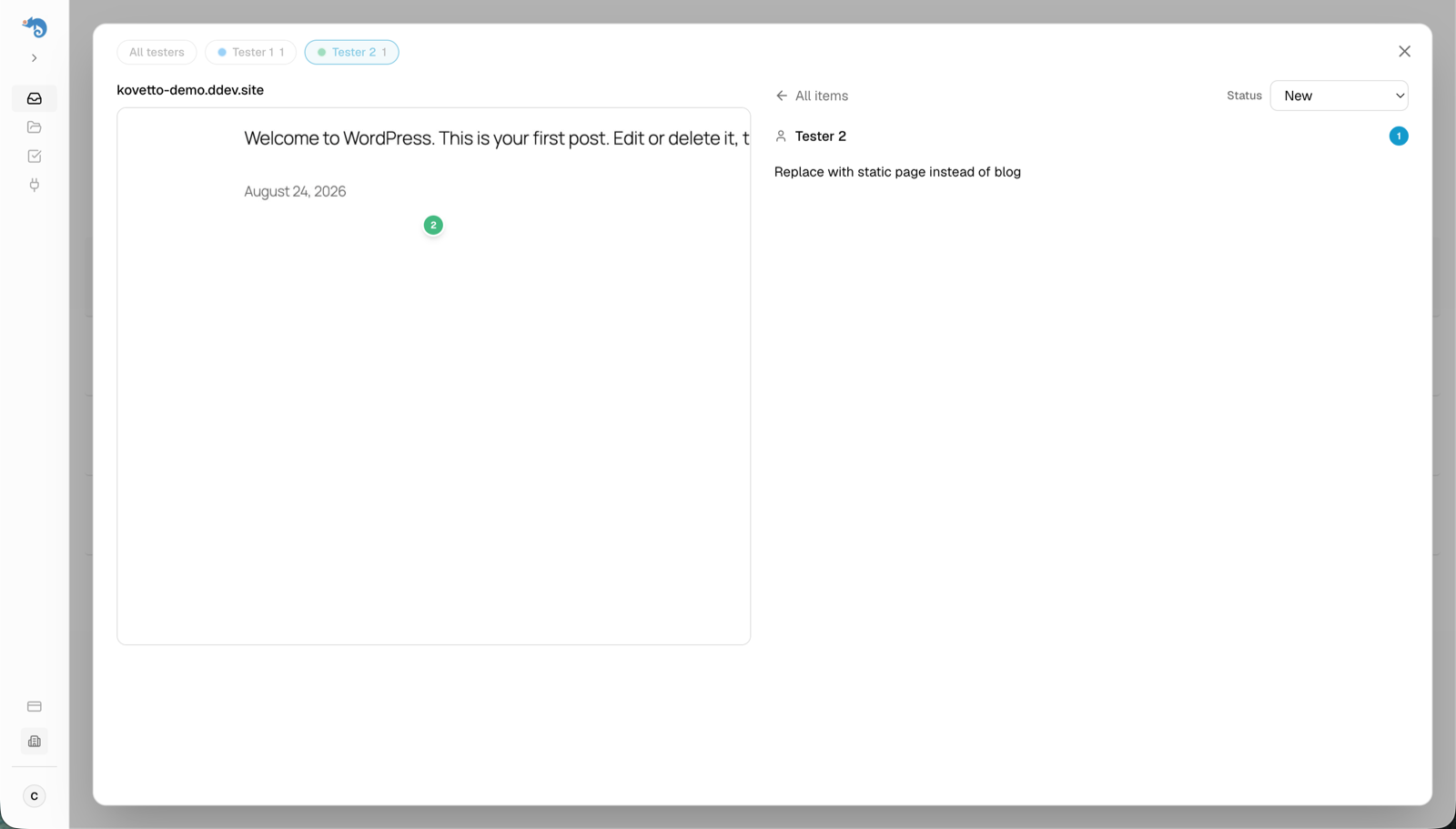
Every submission lands in your Kovetto inbox with a screenshot of exactly what the reviewer saw.


