L47 Audio Player For Google Drive Wordpress Plugin - Rating, Reviews, Demo & Download

Plugin Description
L47 Audio Player for Google Drive allows you to embed audio files hosted on Google Drive directly into WordPress posts and pages using a simple shortcode.
The plugin connects to the Google Drive API v3 to retrieve and stream the audio file. A built-in server-side download proxy is included so that your API Key is never exposed to visitors — download links are generated by your own WordPress server.
Features
- Custom audio player with dark mode support (glassmorphism skin).
- Shortcode-based:
[l47ap_audio id="FILE_ID"]. - Configurable download button: proxy (recommended), direct Google Drive link, or disabled.
- Fallback to native Google Drive player (iframe) if the audio stream is unavailable.
- Settings panel to configure your API Key, player skin, timeout, and custom CSS.
- Assets (CSS/JS) are only loaded on pages where the shortcode is used.
External Services
This plugin connects to the Google Drive API, a third-party external service provided by Google LLC.
What is it and what is it used for?
The Google Drive API v3 is used to:
- Retrieve audio file metadata (file name, MIME type) for the file ID specified in the shortcode.
- Stream the audio file content to the visitor’s browser for playback.
- Serve secure file downloads via a server-side proxy (when the proxy download mode is enabled in the settings).
What data is sent and when?
The following data is sent to Google’s servers whenever a visitor loads a page containing the [l47ap_audio] shortcode and the audio is played or a proxy download is triggered:
- The Google Drive File ID (a non-personal, public identifier that you provide in the shortcode).
- Your Google Drive API Key (sent server-to-server only; never exposed to front-end visitors when using proxy mode).
- A
RefererHTTP header containing your site’s home URL.
No visitor personal data (IP address, cookies, user accounts, etc.) is sent to Google by this plugin.
Links:
– Google Drive API documentation
– Google Terms of Service
– Google Privacy Policy
Screenshots
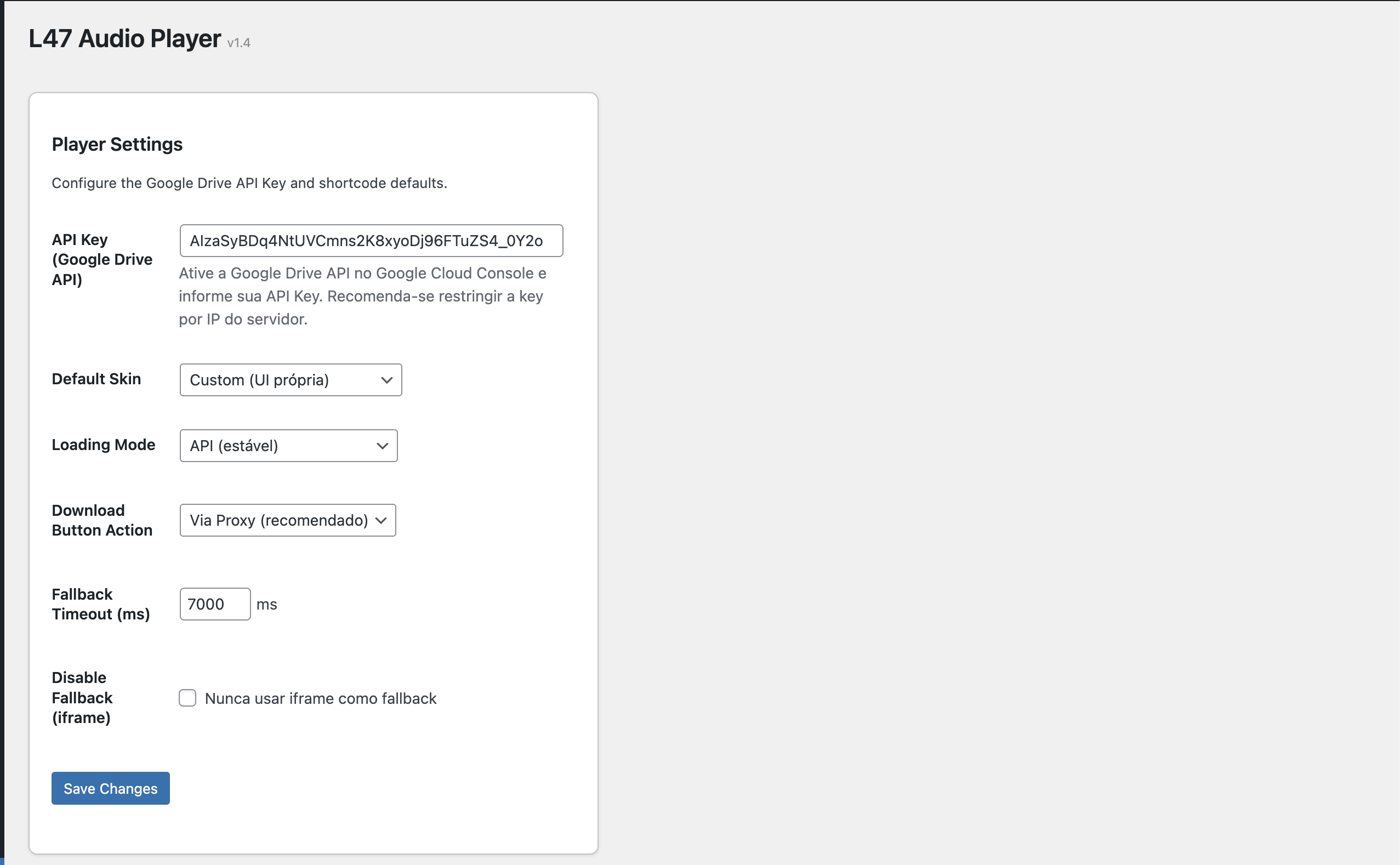
Settings panel with API Key, skin and download mode options.
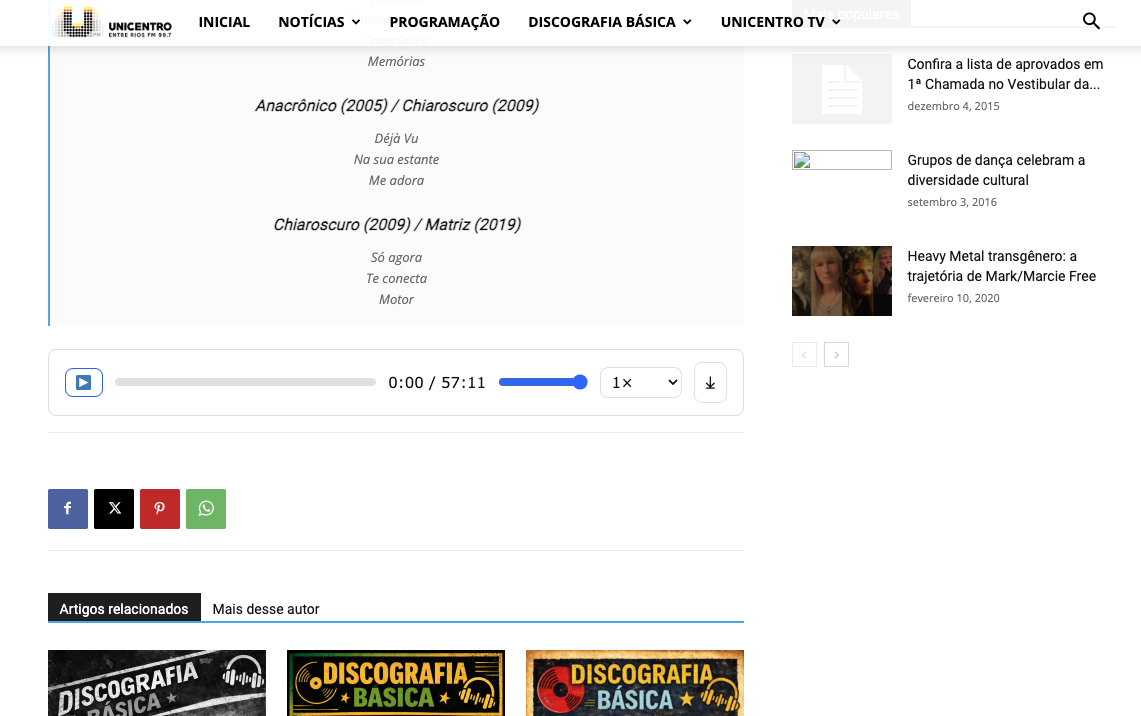
Audio player with playback controls, volume slider, speed selector and download button.