LATW AI Translator For WPML Wordpress Plugin - Rating, Reviews, Demo & Download

Plugin Description
LATW AI Translator for WPML is a powerful WordPress plugin that leverages OpenAI’s language models to automatically translate your content. It integrates seamlessly with WPML to provide high-quality, AI-powered translations.
Features
- AI-Powered Translations – Uses OpenAI GPT models for natural, context-aware translations
- WPML Integration – Works seamlessly with WPML for multilingual site management
- Elementor Support – Translates Elementor page builder content including widgets, tabs, accordions, and more
- ACF Support – Translates Advanced Custom Fields content
- Batch Processing – Queue and process multiple translations efficiently
- Custom Prompts – Customize translation prompts for your specific needs
- SEO Friendly – Work with Yoast SEO, Rank Math SEO. Translates meta titles and descriptions
Supported Content
- Post titles, content, and excerpts
- Custom post types
- Elementor widgets and modules
- ACF fields
- Yoast SEO and RankMath meta data
Requirements
- WordPress 6.2 or higher
- PHP 7.4 or higher
- WPML plugin (required)
- OpenAI API key
LATW AI Translator for WPML Versions
LATW AI Translator for WPML Free:
* Translate content to English
* Full access to translation workflow
* Elementor and ACF support
* Batch processing
* No time limits
LATW AI Translator for WPML Pro (Optional):
* Translate to all languages configured in WPML
* Priority support
* Automatic updates
* Commercial use
More information about the Pro:
https://llm-automatic-translation.top/
Third-Party Services
This plugin connects to the following external services:
OpenAI API
This plugin sends content to OpenAI’s API for translation processing.
- Service URL: https://api.openai.com/
- Privacy Policy: https://openai.com/privacy/
- Terms of Use: https://openai.com/terms/
Your content is sent to OpenAI only when you initiate a translation. No data is sent without user action.
The plugin does not store, log, or cache any translated content.
All requests are sent directly from the user’s WordPress server to OpenAI.
Screenshots
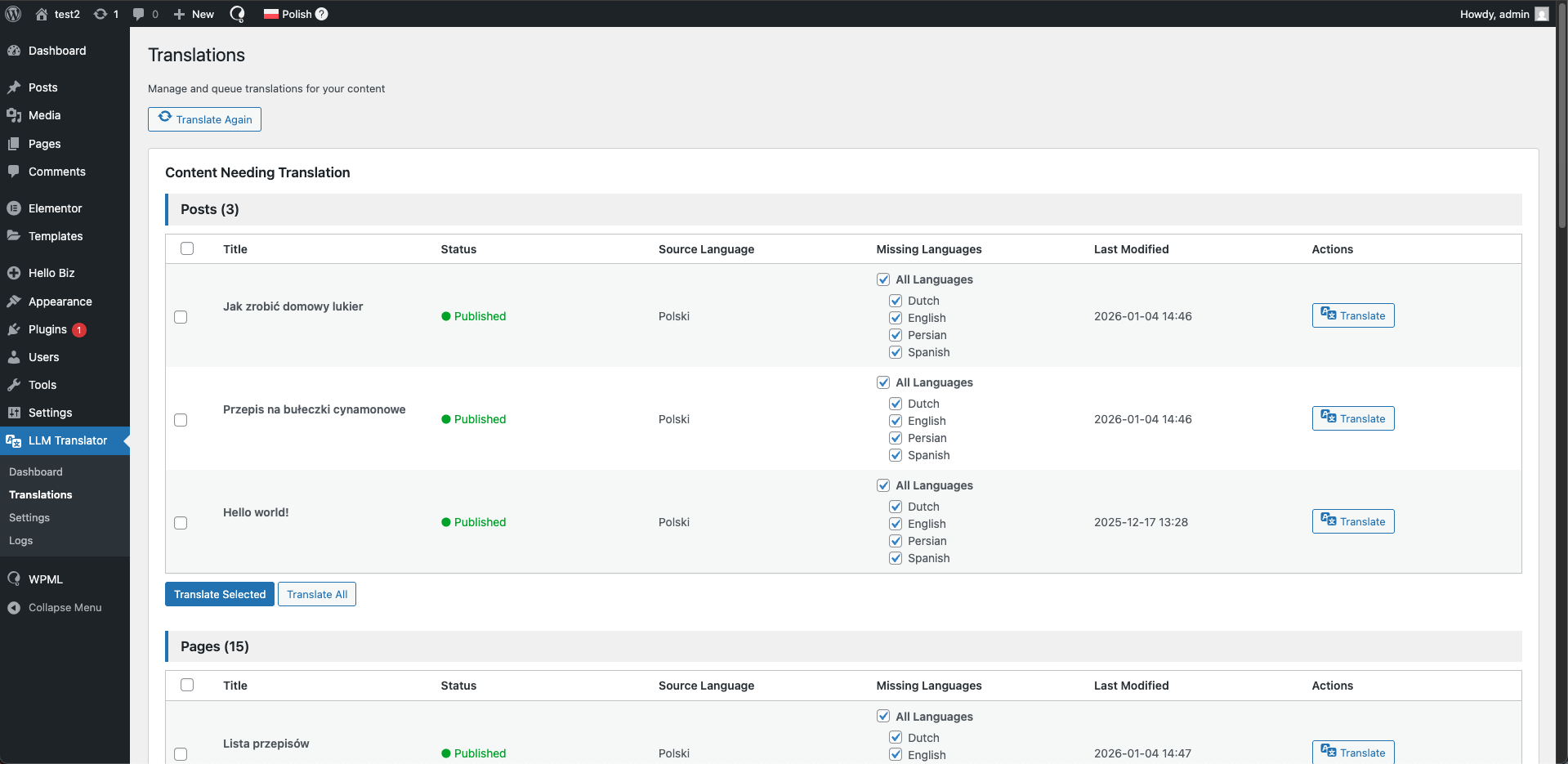
Main translation dashboard