
Layout Now Wordpress Plugin - Rating, Reviews, Demo & Download
Plugin Description
Layout Now turns your posts into polished, modern layouts in about a minute. Pick a layout, choose a skin, fine-tune it with a few smart controls while you watch a live preview, then drop the shortcode anywhere.
Four layouts
- Bento Grid — a large hero card with smaller tiles packed around it. Four patterns that always fill the grid without gaps, even when a category has only a few posts.
- Edge-Peek Carousel — a swipeable row where the next card peeks in from the edge to invite scrolling. Native touch scrolling, with optional arrows and dots.
- Infinite Marquee — a continuous, auto-scrolling stream of cards with softly faded edges. Pauses on hover and focus, and includes a pause button.
- Instant-Filter Grid — a clean grid topped with category or tag pills. Clicking a pill filters and animates the cards into place without reloading the page.
Skins and smart controls
Four skins — Clean, Midnight, Editorial and Cinematic — work with every layout. One-click presets change the whole vibe at once, and stepped controls (corners, spacing, hover effect, image ratio, title size, width, light/dark/auto mode, accent color) keep every combination looking designed.
Fast and theme-proof
- Loads nothing on pages without a layout. Each page loads only the CSS of the layouts and skins it actually shows, plus a tiny script (2–3 KB) for interactive layouts. The Bento Grid needs no JavaScript at all.
- No jQuery and no slider libraries.
- Layouts respond to the space they are placed in (container queries), so they look right in a full-width section or a narrow column.
- Scoped styles protect layouts from aggressive theme CSS, so they look the same on any theme.
- Post queries are cached and refreshed automatically when your content changes.
Accessible
Keyboard and screen reader friendly: real links and buttons, labelled carousel regions and slides, announced filter results, a pause control for moving content, and full support for the “reduce motion” system setting.
For developers
Data sources, layouts and skins are registered through the layout_now_sources, layout_now_layouts and layout_now_skins filters. Templates can be overridden with the layout_now_template filter, and post queries adjusted with layout_now_posts_query_args.
Source code
The admin app is built with @wordpress/scripts. Its human-readable source is included in the plugin at admin/src. To rebuild it, run npm install and then npm run build in the plugin folder. Frontend scripts and styles in assets/ are not compiled.
Screenshots

Bento Grid with the Editorial skin: a hero story with tiles packed around it.
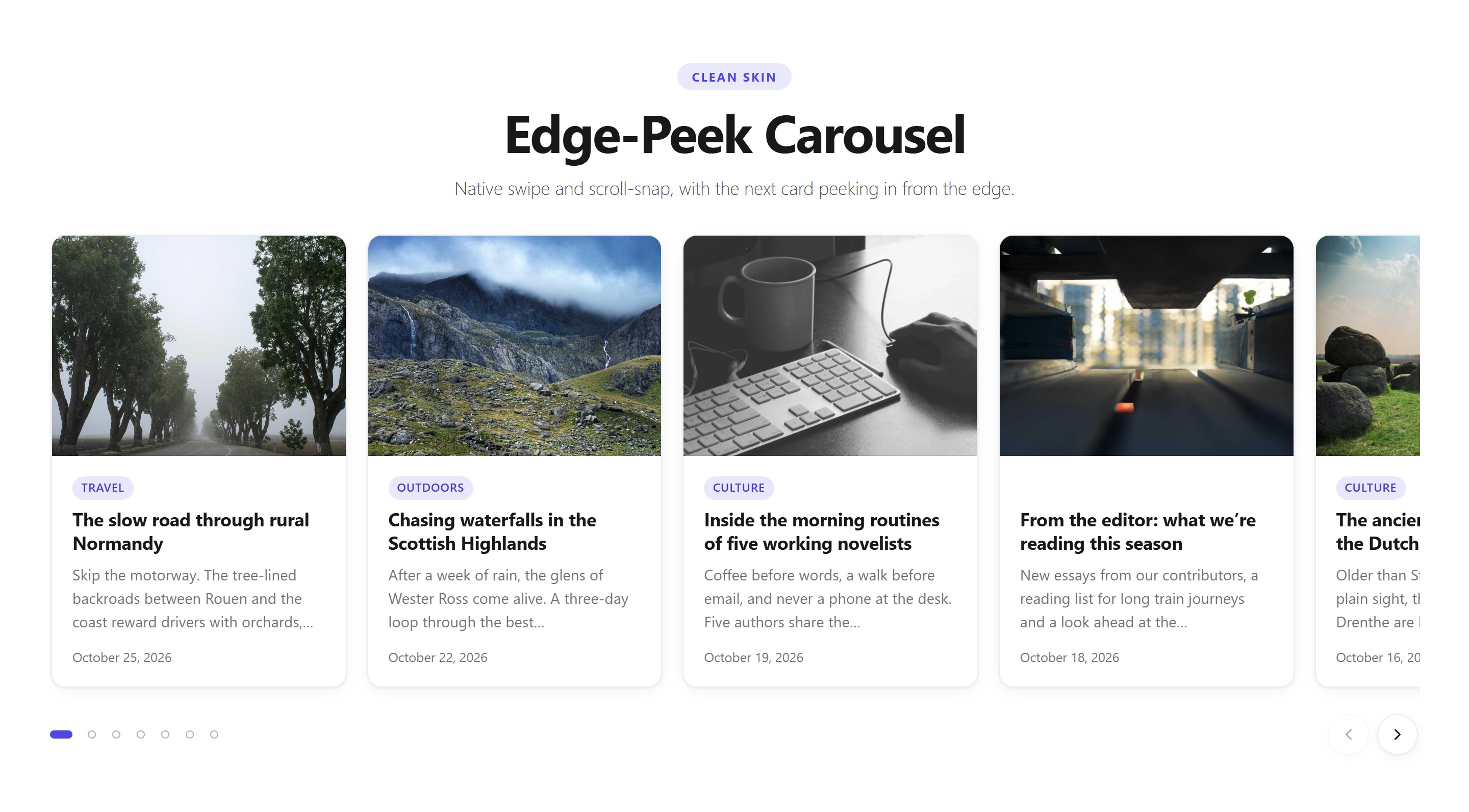
Edge-Peek Carousel with the Clean skin: the next card peeks in to invite a swipe.
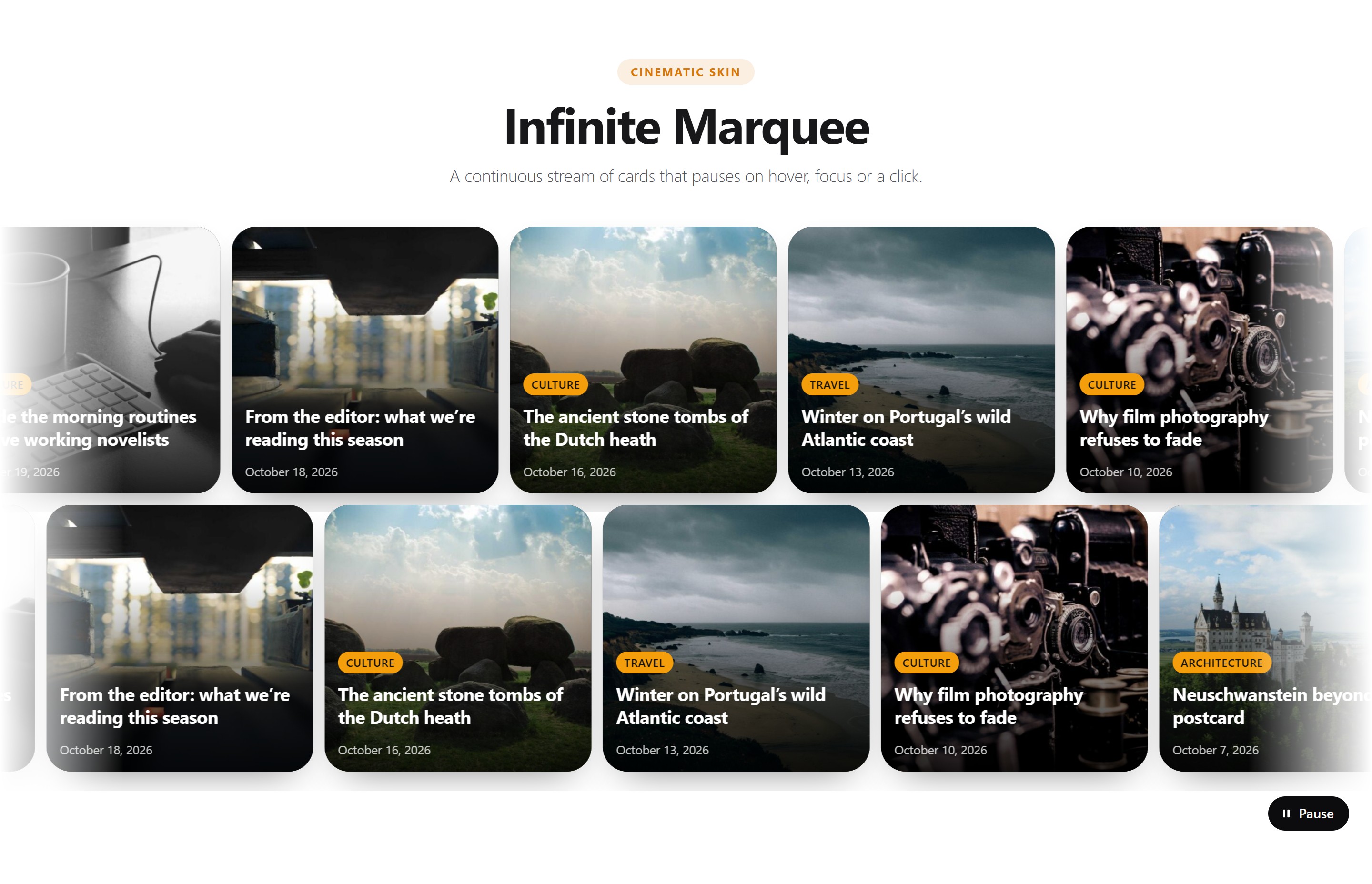
Infinite Marquee with the Cinematic skin, with a pause button for accessibility.

Instant-Filter Grid: category pills filter the cards without a page reload.

The editor: pick a layout pattern on the left and watch the live preview update.

Style tab: one-click presets, four skins, accent color, light/dark/auto mode and stepped controls.
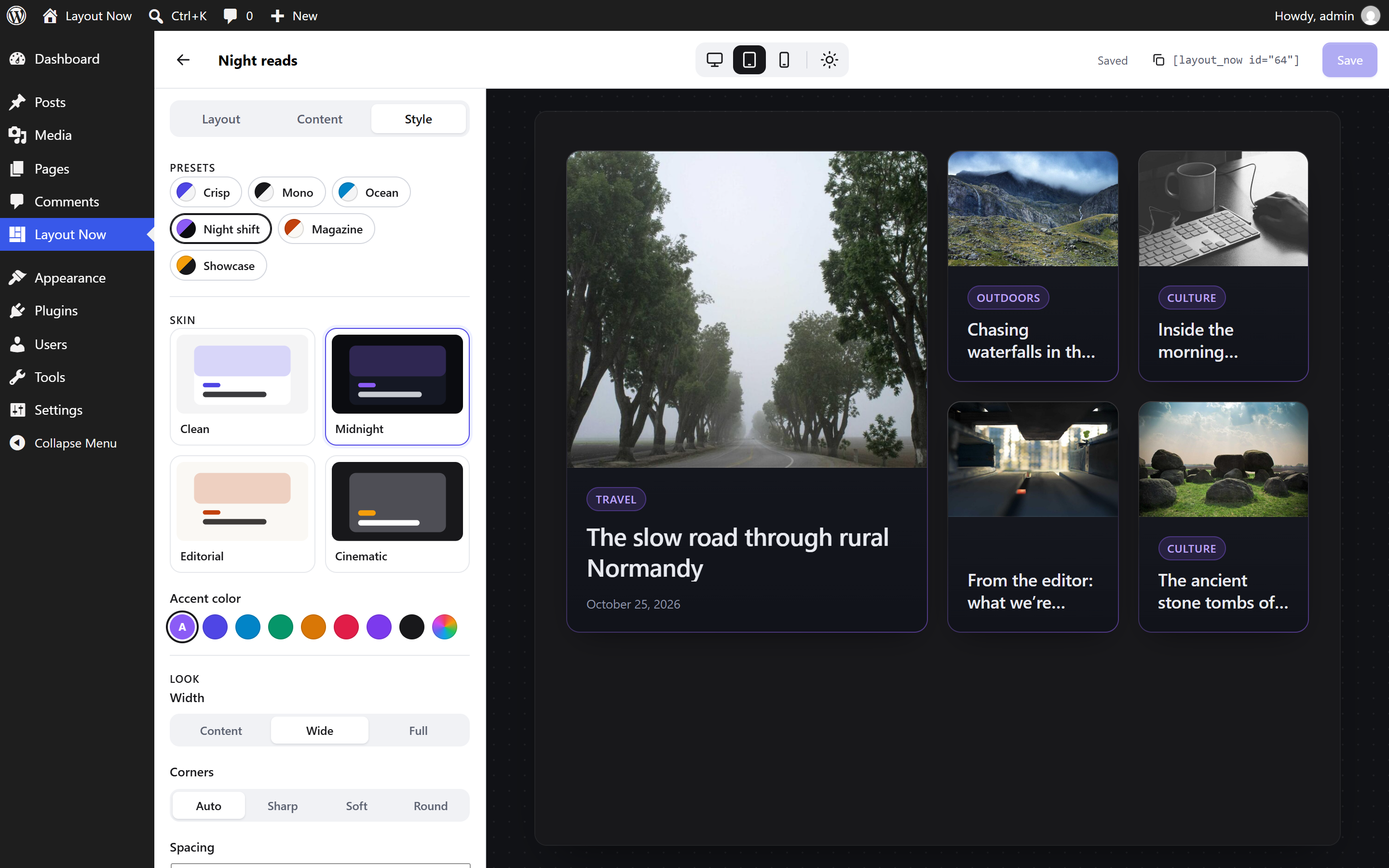
Preview at tablet width on a dark page background, here with the Midnight skin.
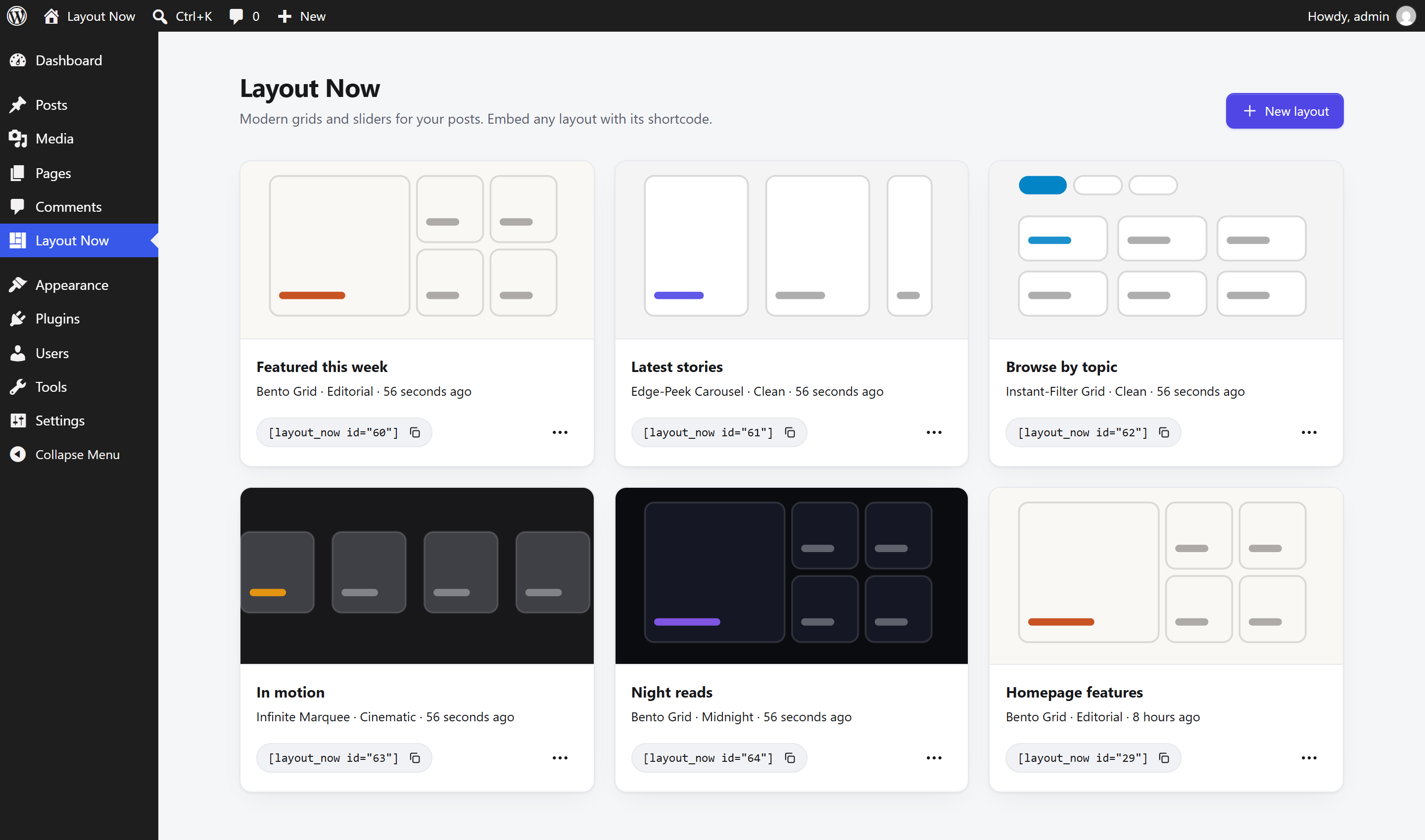
All saved layouts with their shortcodes, ready to copy.
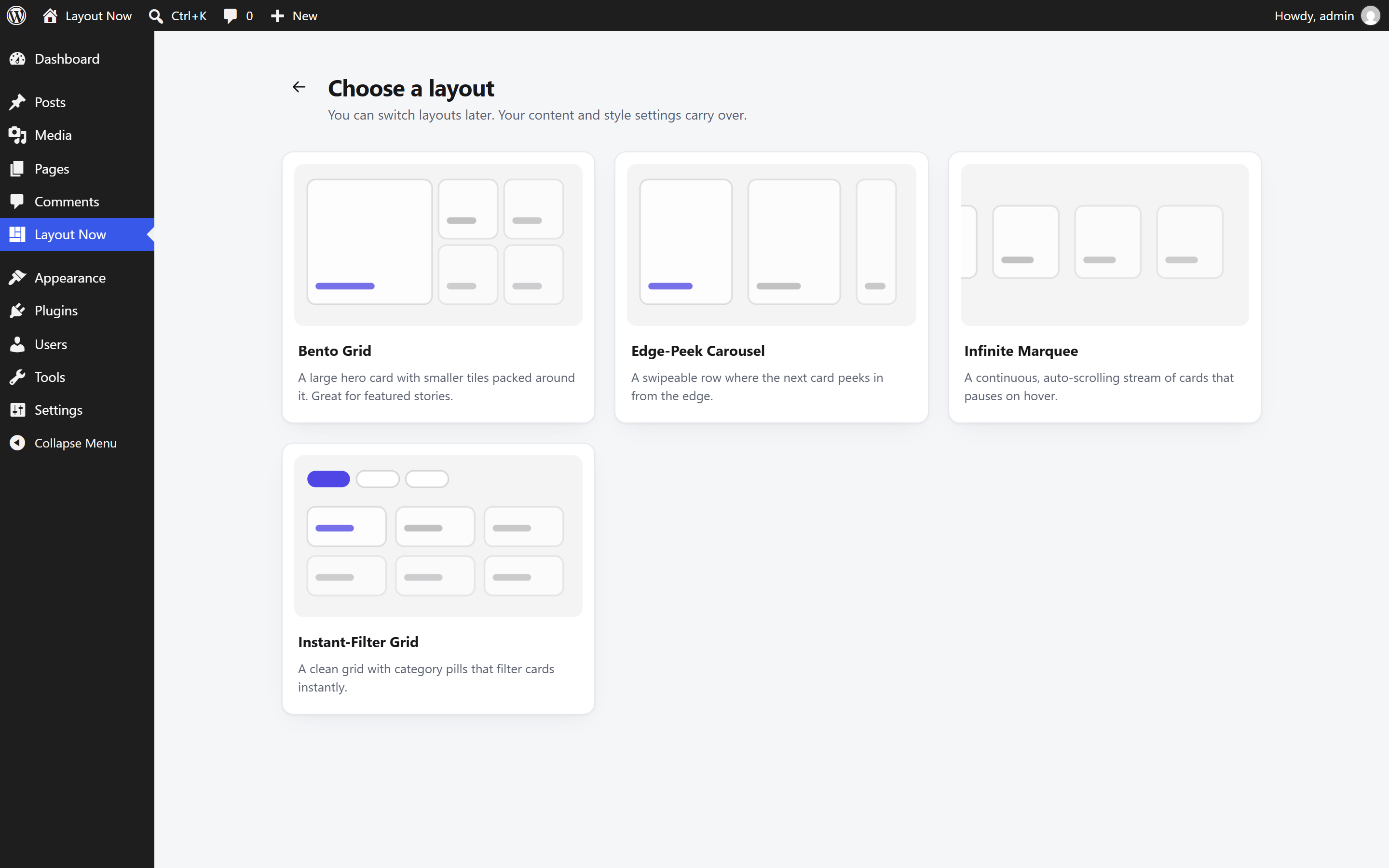
Creating a layout starts with choosing one of the four layout types.


